









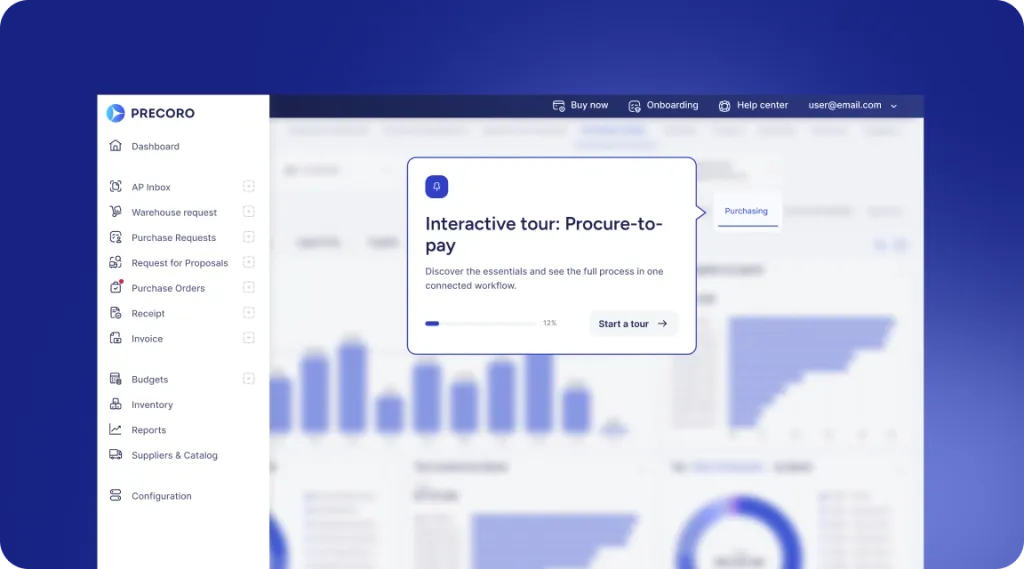
 Explore Precoro's features




















Accounts payable (AP) departments spend $9.40 to process a single invoice on average, according to the State of ePayables 2024 survey, conducted by Ardent Partners, a procurement and accounts payable research and advisory firm. Not to mention that same survey found that AP typically takes 9.2 days to process an invoice, with approvals being the main bottleneck.
In the end, it all comes down to one thing: process design, which drives both the cost of the invoice and the amount of time it takes to process it. If your workflow isn't set up correctly, both are going to rise, and your team will spend all day on administrative tasks.
This guide walks through how to automate invoice processing, why manual processing is still common for finance teams in 2026, and how you can automatically manage the entire cycle, from receipt to payment.
What is invoice processing, and why does it matter for businesses?
Invoice processing is the process used to manage vendor invoices. The company’s cash flow, vendor relationships, and operational costs directly depend on this process. It’s also a part of accounts payable and, more broadly, of procure-to-pay, the final step of procurement, after a purchase order has already been issued and goods or services have been delivered.
A slow AP cycle has its costs. It ties up cash that could fund early-payment discounts and strains supplier relationships when payments run late. As the purchasing volume grows, AP teams struggle to manage the growing volume of paperwork they have to handle. Companies end up looking at tens of thousands of dollars in costs that could be reduced.
What are the standard stages of the invoice processing cycle?
The standard cycle follows six key steps: invoice receipt, data capture, matching, approval, payment, and archiving.
- Invoice receipt: AP teams receive the invoice by mail, email, or an e-invoicing portal. They enter it into their internal system, either by hand or with automated software.
- Data capture: Some AP teams enter invoice data manually, which takes up significant time out of their day. More advanced solutions use optical character recognition (OCR) or intelligent document processing (IDP), a subset of OCR, to extract relevant data from the file in seconds.
- 2- or 3-way matching: AP performs a 2-way or 3-way match between the invoice and the purchase order (PO), as well as, if applicable, the goods-receipt note for tangible goods, and codes the invoice to the proper general ledger account.
- Approval: Manual invoice routing for approvals is a common cause of the increase in processing time, as it currently takes 63% of AP teams more than 10 hours a week, compared to 52% of AP teams in 2024, according to data from the Institute of Financial Operations & Leadership (IFOL).
- Payment scheduling and processing: The invoice payment is scheduled and processed through ACH, wire, check, or card. Ideally, the AP team makes the payment while the discount is available.
- Recording and archiving: The team records the transaction in the general ledger. The invoice and audit trail are kept for the time specified by law.
What has changed in invoice processing over the last few years?
Invoicing has always followed roughly the same structure. What's changed is the pressure on each stage, heightened by e-invoicing mandates and rapid digital transformation. The number of invoices, which is a lot more than ever before, is mostly due to B2B and B2G regulations regarding the invoicing procedure.
E-invoicing mandates expanded. More than 90 countries now require some form of e-invoicing and push businesses toward compliance with structured invoice formats.
Manual processing is still common. Despite automation, teams still manage invoices manually, which cannot fully meet growing invoice volumes and increasing compliance requirements.
Digital transformation grew rapidly after the pandemic. Those who were unable to automate began to digitize their AP processes. Rapid progress soon raised expectations for quicker, more efficient invoicing.
Why is manual invoice processing still a challenge in 2026?
Manual invoice processing continues even in 2026 primarily because of inconsistent invoice formatting, missing POs on certain invoices, and vendor data discrepancies. Resistance to change also hinders the transition towards automation.
- Invoices still arrive in inconsistent formats —paper or scanned PDFs— that automation doesn't always process correctly, requiring human review before moving forward.
- Non-PO invoices have no PO to match, so AP teams still have to assign the GL code by hand.
- Different vendors use different reference codes and line-item formats, so even correctly scanned data often doesn’t match the PO.
- Some companies never fully implement AP automation, leaving teams with a mix of manual work and partially automated processes.
With hundreds of automation solutions in the market, the manual accounts payable workflow has yet to vanish. 66% of AP teams still manually enter invoices into their ERPs or finance systems, as shown in the Accounts Payable Transformation Trends 2025 report. That is, fully automated invoice management is still the exception rather than the norm.
How have compliance and regulation evolved for digital invoices?
Compliance and regulation have evolved from periodic tax reporting to real-time invoice validation, with governments introducing mandatory e-invoicing, Continuous Transaction Controls (CTC), phased adoption requirements, and broader digital reporting obligations.
Governments shifted to e-invoicing to reduce tax fraud
The main reason behind e-invoicing mandates has been the need to reduce the value-added tax (VAT) gap: the difference between the tax governments should collect and what they actually receive. Traditional paper and PDF invoices made tax fraud and reporting errors difficult to detect.
Countries such as Chile, Mexico, and Brazil introduced mandatory e-invoicing to address this issue and were able to reduce their VAT gaps by up to 50%, which showed that digital invoices make tax reporting more accurate and transparent.
Compliance now happens in real time
Historically, businesses followed a post-audit model: they issued invoices first and reported transaction data later through monthly, quarterly, or annual tax filings. Today, many countries use Continuous Transaction Controls (CTC), in which invoice data is validated in real time or near real time before the invoice becomes legally valid.
Some countries rely on a post-audit approach, but the majority have already adopted CTC. Nowadays, businesses need systems that generate accurate, structured records from the start instead of correcting errors during tax reporting.
Most countries introduce mandates in stages
Countries have their own time frames. There are usually a series of stages in the implementation of e-invoicing regulations, such as:
- First, applying requirements to public sector invoices, then expanding them to private sector B2B companies.
- The requirements come first for large enterprises, and then are being expanded to medium and small enterprises.
- AP teams often need to comply before AR teams.
Others, like Romania, introduced mandatory compliance for all businesses at once.
Compliance requirements continue to expand
Governments increasingly require businesses to use standardized data formats and certified service providers to validate invoices. Meanwhile, tax authorities automatically pre-populate VAT returns using transaction data they already receive.
Many mandates also cover related business documents, including transport records, payroll documents, and tickets. As a result, compliance has shifted from periodic tax reporting to a continuous process that depends on accurate, structured data throughout the invoice lifecycle.
How did COVID-19 change invoice processing?
The pandemic wasn’t the time digital transformation began in AP, but it became a major catalyst for governments and companies to start taking action. Prior to the COVID era, the payments sector in particular relied largely on paper checks. That has rapidly changed in recent years, with the survey by GOBankingRates reporting that almost half of Americans hadn’t written a single check in 2024.
Because of risks posed by the pandemic, businesses started to move to touchless processing in almost every aspect of payables. Instead of paper invoices, there’s been a major shift towards digital PDFs. Instead of cash reimbursements, card payments have become the norm. Such changes make any transactions both more transparent, since every action is logged, and much safer, since cash and paper-based payments have been one of the key reasons for fraud.
Why is intelligent automation the next step for accounts payable?
Intelligent automation targets the issues that manual AP workflows create: slow approvals, manual matching, payment delays, fraud risk, and limited performance visibility. Teams will have to use modern solutions and explore tools to counter that repetitive work.
As technology grows, intelligent automation uses artificial intelligence (AI), robotic process automation (RPA), and business process management (BPM) to speed up and scale processes across the organization. It’s increasingly adopted, especially in AP departments. AP automation ranks as the second AI use case in finance, according to the 2025 AI in Finance Survey from Gartner, a global research and advisory company.
Which invoice processing bottlenecks deliver the highest ROI when automated first?
Automating data entry, matching, and exception handling delivers the highest ROI because together they account for most of the operational costs in the AP invoice workflow.
- Manual data entry can be the most time-consuming AP activity, since someone has to key in vendor, amount, and line-item data by hand. With OCR or IDP that reads the invoice in seconds, you don’t have to key in details yourself. It’s the most resource-draining task in the cycle; therefore, it produces the biggest direct savings.
- In 3-way matching, the invoice has to be compared line by line with the PO and goods receipt note, which is very time-consuming and prone to error. Automated matching runs the same check immediately and alerts for price or quantity discrepancies before payment.
- Exception handling is costly even after data entry and matching are automated, primarily because invoices with missing information or mismatched data still require manual review. Automated exception routing and categorization allow teams to address problems more quickly, reduce repetitive tasks, and gradually decrease the number of invoices that demand manual effort.
What is the difference between manual and automated invoice processing?
The main difference between manual and automated invoice processing is that automated processing is faster, more accurate, more scalable, and provides greater visibility into the AP process. Figures from Ardent Partners’ AP Metrics That Matter in 2025 and the AP Performance Benchmark Report 2020 prove the impact each type of processing makes.
| Metric | Manual / average | Automated / best-in-class |
|---|---|---|
| Cost per invoice | $9.40 | $2.78 |
| Invoice cycle time (receipt to payment) | 9.2–10 days | 3.1 days |
| Exception rate | 22% | 9% |
| Visibility | Limited | Comprehensive with recorded audit logs |
| Invoices per full-time equivalent (FTE) in a year | 1,350 | 20,000+ |
These five factors reinforce each other: a faster, more accurate process also scales better. The correlation is clear here: intelligent processing will handle increasing document volume far more easily than manual work does.
How does efficient invoice processing improve cash flow?
Efficient invoice processing improves cash flow by accelerating approvals, capturing early-payment discounts, giving businesses more control over payment timing, and reducing costly payment errors. A fully automated AP workflow, by its nature, improves cash flow because it puts finance teams in control of when payments go out.
Faster approvals prevent late payments
Every day an invoice sits waiting for approval reduces the time available to schedule payment. Slow, manual workflows often leave finance teams choosing between two bad options: pay late and face the penalty, or rush the payment to avoid one. Automated approval routing gets each invoice to the right person immediately and sends reminders on its own, so approvals rarely stall long enough to force that choice.
Early-payment discounts are achievable
A number of suppliers will provide discounts for paying early. For example, 2/10 net 30 means that the vendor offers a 2% discount for payment within 10 days. If your accounts payable workflow is slow, that 10-day window will quickly pass before you even reach the approval stage.
Businesses can hold cash longer without paying late
Faster processing gives your team enough visibility to schedule payments closer to the due date, while still meeting supplier terms. Holding cash for a few extra days at a time gives the business more cash on hand for payroll, new investments, or unforeseen expenses.
Fewer duplicate and incorrect payments
Manual processes let duplicate invoices, payment errors, and fraudulent invoices slip through to the payment stage more easily. Recovering that money can take weeks or months, and until it's back, it's simply money your company doesn't have.
H3: How do risk reduction and fraud detection improve with AI?
Finance teams can use AI to detect suspicious activity before payment by comparing invoice and payment patterns rather than relying only on exact-match rules. Traditional rules-based systems primarily identify identical duplicate invoices. AI can also identify the near duplicates that fall through those filters, such as documents with the same vendor and invoice amount, but with a different formatting. It does this by cross-referencing vendor master data, approval history, and payment timing.
AI also enhances the payment security system. It automatically verifies vendor information and will alert you to any changes that might create issues, such as a new bank account being added to the file. It can also be used in conjunction with approval policies that will disallow any one person from both updating a vendor's bank information and approving the payment that will be released to that vendor.
What metrics should finance leaders track to justify automation?
Key performance indicators (KPIs) leaders can use to justify invoice automation include cost per invoice, invoice cycle time, straight-through rate, exception rate, first-pass approval rate, days payable outstanding (DPO), and early-payment discount capture rate.
| KPI | Measures |
|---|---|
| Cost per invoice | Total cost to process one invoice |
| Invoice cycle time | Days from receipt to payment |
| Straight-through (touchless) rate | Share of invoices needing zero human touch |
| Exception rate | Share of invoices that fail automated matching |
| First-pass approval rate | Share of invoices approved without rework or rejection |
| DPO (Days Payable Outstanding) | How long the company takes to pay, on average |
| Early-payment discount capture rate | Share of available discounts actually captured |
How to benchmark KPIs
Benchmark KPIs by comparing them against relevant peer organizations, evaluating related metrics together, accounting for differences in business complexity, tracking performance over time, and measuring PO and non-PO invoices separately.
- Compare the cost per invoice and cycle time together. A team that performs well in one metric might be completely unacceptable for you in another, e.g., unsustainable cost, poor cycle time.
- Benchmark against companies similar to yours. When you compare your results to a specific peer group, the expectations for performance are more realistic.
- Adjust for size, invoice volume, and complexity before comparing. Even if a company matches your industry, it may be a single entity while yours operates across multiple entities.
- Track the same KPI over several years. Monitor what changed well after you first implemented automation. A single quarter often isn’t enough time to fully experience its benefits.
- Segment by PO vs. non-PO invoices. Automation impacts both differently, so it’s important to see how it changes each of them specifically.
Which technologies power invoice automation in 2026?
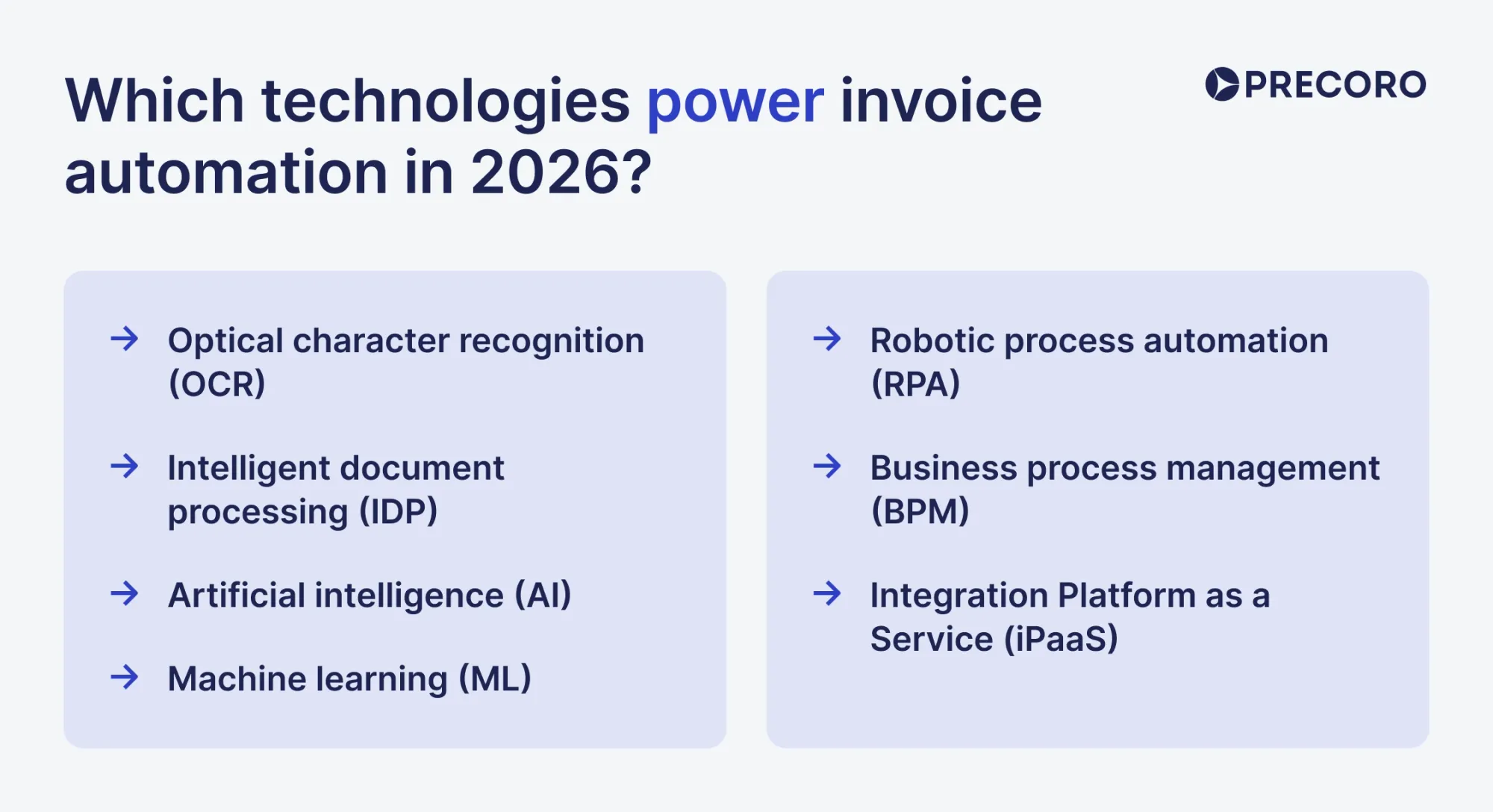
Invoice automation in 2026 relies on a stack of different technologies. Optical character recognition (OCR) and intelligent document processing (IDP) transform an unstructured invoice into structured data. The data is analyzed by artificial intelligence (AI) and machine learning (ML), which learn from mistakes and increase accuracy over time. RPA handles the data transfer between different processes. Finally, business project management (BPM) enforces approval compliance, while integration platforms (iPaaS) connect all the processes to the ERP system.
OCR for quick data capture
Optical character recognition (OCR) converts images of text into machine-readable text. In invoice automation, OCR reads the raw characters off an invoice so the system has text to work with instead of a flat image.
IDP for context-aware extraction
Intelligent document processing (IDP) combines OCR with machine learning to locate, extract, and structure specific data from a document. IDP identifies fields like invoice number, vendor name, line items, and total amount, then maps them into the right spots in the AP system.
AI for exception management
Artificial intelligence (AI) is software that performs tasks normally requiring human judgment, such as interpreting context or making a decision from incomplete information. AI classifies document types, understands what a field means regardless of layout, and decides when a human needs to review an exception.
ML for continuous improvement
Machine learning (ML) is a subset of AI that improves its own accuracy over time by learning from patterns in data rather than following fixed rules. ML improves field extraction accuracy and matching logic as it analyzes more invoices and makes changes based on corrections.
RPA for automated data flow
Robotic process automation (RPA) is software that mimics rule-based human actions across systems, such as copying data from one screen to another. RPA moves data between the systems, submits requests for approvals, and publishes approved invoices in the ERP.
BPM for consistent approval routing
Business process management (BPM) software defines, automates, and monitors the sequence of steps a process follows from start to finish. BPM enforces the approval routing rules and escalation logic that determine who reviews an invoice and in what order.
iPaaS for seamless ERP integration
Integration Platform as a Service (iPaaS) solutions manage the data sync between two separate systems. iPaaS connects the AP platform with the ERP and other tools that need updated invoice information.
How does AI automate invoice processing and classify invoice data?
AI classifies document type, understands what a field means regardless of layout, and predicts when a human needs to step in. An LLM can interpret a document it has never seen before and understands that a discrepancy can mean different things depending on context.
A typical AI-powered invoice processing workflow can be described as follows:
- Capture the invoice. The system imports invoices from email, supplier portals, shared folders, or scanned paper documents.
- Extract and classify the data. AI identifies key invoice fields, even when invoices use different layouts or terminology.
- Validate the information. The extracted data is checked against other relevant documents.
- Detect exceptions. AI flags the invoice for manual review if there’s missing information.
- Route the invoice for approval. The system sends the completed document to the approver based on predefined rules.
- Post the invoice to the ERP. After approval, invoice data is sent automatically to the accounting or ERP system.
How does optical character recognition improve invoice processing?
Optical character recognition (OCR) improves the process by converting paper invoices, scanned PDFs, and image files into machine-readable text. AP teams can automatically extract information instead of re-entering it themselves. Besides quick data capture, it brings the following benefits:
- Reduces manual data entry. AP teams spend less time entering invoice details by hand.
- Speeds up processing. You can use the data immediately for matching, approvals, and payment.
- Improves accuracy. OCR helps reduce typing mistakes and increases the consistency of records.
- Makes invoices searchable. OCR makes paper invoices or PDF invoices digital, so they’re easy to access.
- Handles more invoices. Finance teams can process more invoices without a proportional increase in manual work.
While OCR is highly accurate, it can fail to recognize documents with unique layouts. That’s why an agentic procurement and spend centralization platform like Precoro, after seeing a high 96% accuracy rate with OCR, decided to take it further with Intelligent AP Automation, which handles every manual step between the invoice submission and final approval with AI.
Why does automated invoice processing fail even when OCR accuracy is high?
Issues with automated processing often begin after data extraction. Different vendors could be using different invoice formats and codes, or required information may be missing. In such cases, you need to review the invoice manually before it’s sent to the ERP. For this reason, organizations should evaluate invoice automation by its straight-through processing and exception rates, in addition to OCR accuracy.
How do RPA, workflow engines, and integration platforms work together?
RPA, workflow engines, and integration platforms automate different aspects of the invoice process. Repetitive, rule-based tasks are handled by RPA, while workflow engines manage approvals and business rules. Integration platforms connect invoice processing software with ERPs and other business systems.
A typical automated workflow starts with intelligent document processing (IDP), which extracts and validates invoice data. RPA then uses that data to perform repetitive tasks, such as entering invoice information into the ERP or updating records. The workflow engine, a core part of BPM, routes invoices to the correct approvers, applies company policies, and manages exceptions. Finally, the integration platform, also known as iPaaS, synchronizes data between the AP solution and other applications.
How do modern automation platforms handle unstructured and multi-format invoices?
Automation platforms handle unstructured and multi-format invoices by using various technologies, such as IDP, RPA, AI, BPM, ML, and iPaaS, technologies that go far beyond OCR alone. The systems can extract, understand, validate, and improve accounts payable workflow across different formats.
The entire process involves five key mechanisms:
- IDP layered on top of OCR to extract invoice data accurately.
- A combination of rules and machine learning to interpret different invoice formats and verify the information.
- Confidence scoring to establish if the information can be processed automatically or if human intervention is needed.
- Exception prevention to identify and reduce common issues.
- Continuous learning to improve future invoice processing based on human corrections.
How can automation software improve invoice data extraction accuracy?
AP automation software with embedded intelligent document processing (IDP) increases extraction accuracy by understanding invoice content. It uses OCR with computer vision and machine learning to identify document types, locate invoice fields, and validate the extracted data. For instance, Precoro uses IDP to power its Intelligent AP Automation, which speeds up invoice processing and cuts manual entry from the AP routine.
Unlike template-based OCR, which works best for standardized invoices, IDP can process invoices from different suppliers, formats, and languages without requiring a predefined template.
When should a rule-based approach be combined with machine learning?
A rule-based approach should be combined with machine learning when invoices vary in layout, language, or format, but the business still needs consistent validation and compliance checks. Organizations that receive invoices from many suppliers while enforcing standardized AP policies run into this most often.
Machine learning extracts and classifies invoice data from different document formats without relying on predefined templates. Rule-based automation then validates that data using fixed logic, such as verifying matches and detecting duplicate invoices.
How can confidence scores determine when human review is necessary?
Confidence scores help automation software decide whether invoice data can move through the workflow automatically or requires human review. Each extracted field receives a score that reflects how certain the system is that the value is correct.
Organizations set confidence thresholds based on their accuracy requirements. Fields with scores above the threshold are processed automatically, while those below it are routed to a reviewer.
Many systems also use tiered thresholds: high-confidence fields are accepted automatically, medium-confidence fields may require verification, and low-confidence fields always trigger manual review. Confidence is evaluated at the field level, so AP teams only review uncertain information.
Calibrate the confidence score against real data, so it accurately reflects the likelihood that a field is correct. Monitor these scores over time to identify changes in invoice quality or model performance.
What are the most common causes of invoice processing errors, and how can they be prevented?
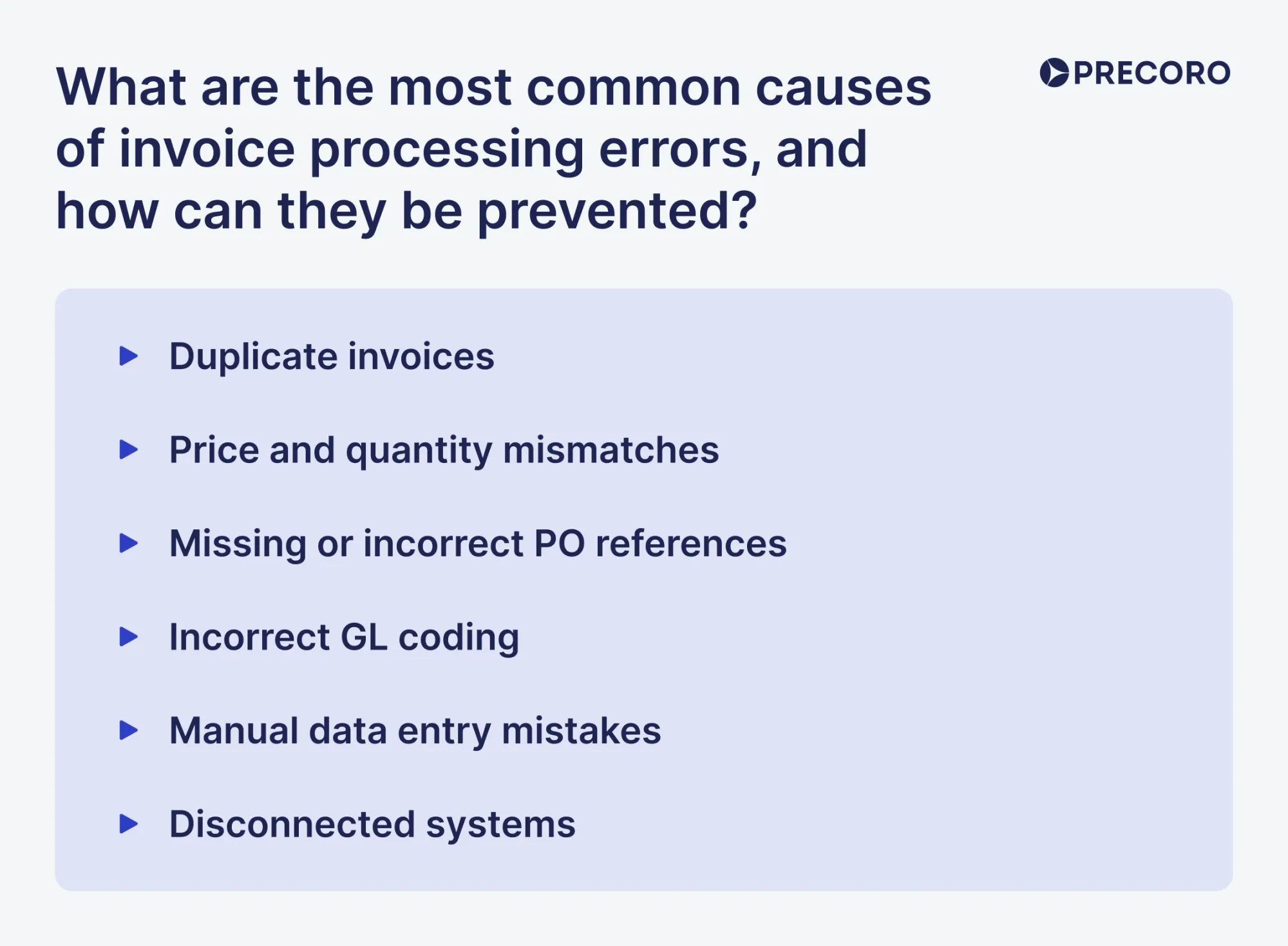
The most common causes of invoice processing errors are duplicate invoices, matching discrepancies, missing PO references, incorrect GL coding, manual data entry mistakes, and disconnected systems. They can be prevented by standardizing invoice processing, automating data capture and matching, and integrating procurement, AP, and ERP systems.
- Duplicate invoices. Suppliers may submit the same invoice multiple times, or the same invoice may arrive through different channels. Centralize invoice intake and use duplicate detection based on multiple fields to prevent duplicate payments.
- Price and quantity mismatches. Differences between the invoice, PO, and goods receipt prevent automatic matching. Validate invoice data against purchasing and receiving records before approval to catch these discrepancies early.
- Missing or incorrect PO references. Invoices without valid PO numbers can't be matched automatically. A PO-first purchasing process makes automatic matching more reliable.
- Incorrect GL coding. Non-PO invoices, such as utilities or recurring services, often need manual coding, which carries a higher error risk. Standardized coding rules and automated suggestions improve consistency.
- Manual data entry mistakes. Manual entry raises the risk of errors, especially when invoice volumes are high. Automated capture reduces manual input and improves accuracy.
- Disconnected systems. When procurement, AP, and ERP systems aren't integrated, they can't validate invoice data against each other. Integrated systems enable automatic cross-checks and reduce manual verification.
How do systems learn from exceptions and user corrections?
Invoice processing systems learn from exceptions through a continuous feedback loop. The system requests input only when confidence is low. Each correction trains the model to recognize similar invoices more accurately, reducing manual review over time.
These mechanisms drive that process:
- Field-level confidence scores. The system assigns a confidence score to each extracted field. It sends only low-confidence or missing fields for review, and high-confidence data moves through the workflow automatically.
- Targeted human corrections. Users correct only the specific fields that need attention. Each correction becomes feedback that improves extraction on future invoices, not just a fix for the current one.
- Continuous model learning. The system adds corrected invoice data to its training set, improving accuracy as it processes more invoices.
- Supplier-specific learning. Over time, the system learns the recurring invoice layout and format each supplier uses. Once it recognizes those patterns, it needs fewer corrections for that vendor's future invoices.
- Ongoing model updates. Organizations retrain models periodically, or trigger retraining when correction rates rise, to keep accuracy steady as invoice formats and business requirements change.
Continuous learning lets automation software improve over time. Static templates can't do that. As the system processes and corrects more invoices, it handles a larger share automatically and needs less manual effort.
When should organizations automate exceptions instead of standard invoices?
Organizations should automate exceptions only after standard invoice processing is stable. A good sign you're ready is when exception rates for captured and matched invoices are consistently low (typically under 10%) and approval cycle times are predictable.
Focus on automating exception handling when:
- Standard invoices are already processed automatically.
- PO matching works reliably.
- Vendor data is accurate and up to date.
- Exception rates remain high.
- AP teams spend more time resolving exceptions than processing standard invoices.
- Your automation workflow can identify why an exception occurred and route it to the right person.
What does an ideal end-to-end automated invoice workflow look like?
An effective invoice processing workflow treats invoice capture, matching, approval, and archiving as separate stages, each with its own owner and performance metrics. Every step, from invoice receipt to payment, has a clear owner and expected turnaround times. The workflow also speeds up approvals and exception handling, while automatically recording every action to create a complete audit trail.
Key steps should include invoice receipt, data capture, 2-way or 3-way invoice matching, approval, payment processing, and recordkeeping.
How do modern invoice processing systems capture, validate, approve, and archive invoices?
Modern systems have four core capabilities: invoice capture, matching and validation, workflow and approval routing, and payment and archiving. The workflow typically includes these four stages: capture, validate, approve, and archive.
How automation solutions capture invoices
Invoices are collected from email, supplier portals, e-invoicing networks, and scanned paper documents into a single queue. AI and OCR extract invoice fields, such as supplier details, invoice numbers, dates, PO numbers, totals, taxes, and line items. For PO-backed purchases, some systems generate invoice data directly from the PO and receipt, reducing extraction errors.
How automation solutions validate invoices
The system checks invoice data against POs, goods receipts, contracts, vendor records, and predefined tolerance limits. It performs 2-way or 3-way matching, verifies prices and quantities, detects duplicate invoices, validates vendor bank details, and checks tax calculations before an invoice enters the approval workflow.
How automation solutions approve invoices
Clean invoices are automatically routed to the appropriate approver based on business rules, such as invoice amount, department, cost center, or vendor. If an approver doesn’t respond within the defined timeframe, the system automatically escalates or reassigns the invoice to prevent approval bottlenecks. Only invoices with exceptions require manual review.
How automation solutions archive invoices
After payment, the system stores the original invoice, extracted data, approval history, and every action taken during processing in a searchable repository. Keeping both the original document and its complete audit trail helps organizations meet tax retention requirements and retrieve records quickly during audits.
Step-by-step invoice processing workflow: From invoice receipt to payment process
The invoice processing workflow consists of five steps: invoice capture, PO and goods receipt matching, exception handling, approval routing, and payment. While the exact process varies by organization, these five stages are at the core of most modern AP workflows.
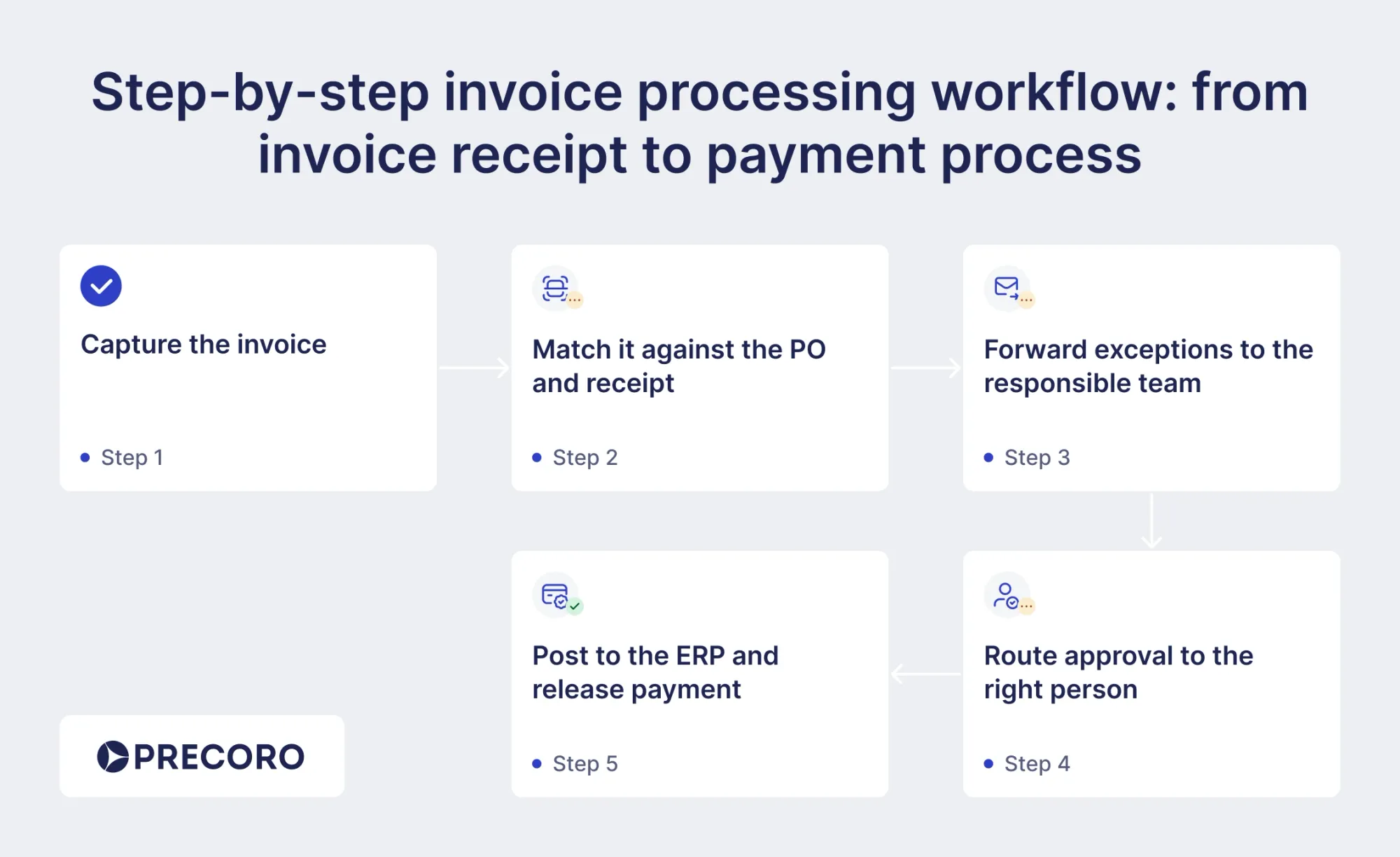
Step 1: Capture the invoice
Invoices arrive by mail, email, or an e-invoicing portal. From there, either someone keys the data in by hand or OCR/IDP software extracts it automatically. More advanced systems check the vendor and invoice number against existing records the moment the invoice arrives, so the system flags a duplicate submission before it moves any further.
Step 2: Match it against the purchase order and goods receipt
The system compares the invoice to the PO and, for physical goods, the goods-receipt note—2-way matching without the receipt, 3-way matching with it—then codes it to the right general ledger account. AI-based matching tools compare item details, amounts, and taxes across full, partial, and blanket POs instead of requiring one exact match.
Step 3: Forward exceptions to the responsible team
When price, quantity, or a missing PO reference doesn't line up, the invoice doesn't need to block the rest of the queue. It routes to whoever can resolve it:
- Price mismatches typically go to procurement, which issued the PO
- Quantity mismatches are routed to the receiving team
- Detected duplicates are delegated to AP for review
SLA timers automatically escalate unresolved exceptions once they exceed the defined response time, preventing them from sitting in the queue unnoticed.
Step 4: Route approval to the right person, automatically
The invoice moves to one or more approvers based on amount, department, vendor, or other predefined criteria. Automated workflows apply the routing rules and escalation timers, and reassign the invoice automatically if an approver doesn't act.
Step 5: Post to the ERP and release payment
Once approved, invoice data posts directly to the ERP without manual re-entry. The system then schedules and releases payment by Automated Clearing House (ACH), wire, check, or card, ideally in time to catch any available early-payment discount. Automated payment groups approved invoices by due date and method, so the team schedules a batch instead of processing them one by one.
How can invoice approval workflows reduce processing time?
AI-powered approval workflows handle delegation and escalation automatically, so you don't have to manage it by hand. They route invoices to the right approver, flag issues, and notify approvers with SLA timers. These actions alone can cut the processing time of a single invoice by several days.
Invoice approvals are one of the main reasons why processing cycles remain so long, even with an automation solution available. According to the IFOL Accounts Payable Automation Trends survey, 63% of AP teams spend more than 10 hours a week on invoice processing, up from 52% in 2024, and slow, manual approval routing is a big part of why.
How can organizations reduce exception rates instead of simply processing exceptions faster?
To actually reduce exception rates, companies should focus on the root causes, such as poor data, duplicate invoices, a lack of POs, missing records, and scattered information. Invoices arrive without POs because there’s no “no PO, no pay” policy. Duplicates pass through your checks because your current system simply doesn’t prevent them.
Faster exception handling hasn't solved the underlying volume problem—invoice exceptions became AP's top challenge for the first time in 19 years of Ardent Partners' AP Metrics That Matter 2025 study, which signals a data-quality issue.
Key practices for exception reduction include:
- Centralize invoice, PO, vendor, and receiving data so the system can validate invoices automatically.
- Enforce a "no PO, no pay" policy to prevent invoices without POs from entering the approval workflow.
- Use duplicate invoice detection to identify repeated submissions before payment.
- Validate prices, quantities, and invoice totals against POs, contracts, and goods receipts.
- Standardize vendor records and GL coding to reduce matching failures and coding errors.
- Track exceptions by root cause, so recurring issues can be fixed at the source instead of repeatedly handled manually.
What are the best practices for efficient invoice processing?
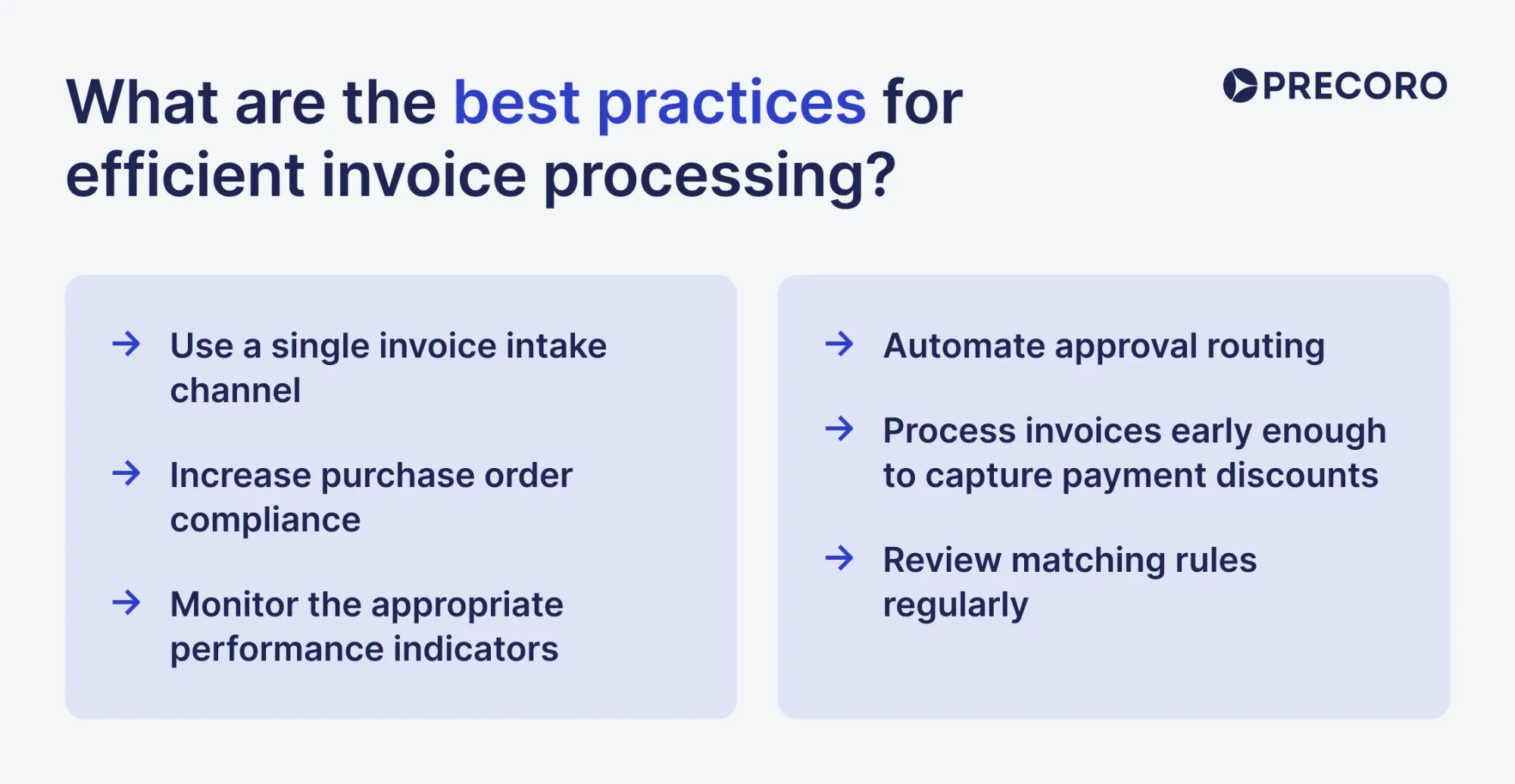
The best practices for efficient invoice processing include a single invoice intake channel, strong PO compliance, performance monitoring, automated approval routing, early invoice processing to capture payment discounts, and regular reviews of matching rules.
Use a single invoice intake channel. Collect invoices through one source, such as a dedicated AP inbox, supplier portal, or e-invoicing network, instead of accepting them through multiple email accounts and paper documents. Centralized intake makes invoices easier to track and reduces duplicate or missing records.
Increase purchase order compliance. Require POs before purchases whenever possible and keep vendor records up to date. Clean master data and consistent PO usage allow more invoices to pass matching automatically and reduce manual exceptions.
Monitor the appropriate performance indicators. Track invoice cycle time, exception rate, touchless processing, and cost per invoice. These metrics show where delays occur and if there’s a reduction in manual work due to automation.
Automate approval routing. Route invoices to the correct approvers based on predefined rules, send automatic reminders, and escalate overdue approvals. This prevents invoices from sitting in inboxes and keeps the approval process moving.
Process invoices early enough to capture payment discounts. Faster validation and approvals allow AP teams to pay within discount windows while still paying on agreed terms when discounts are unavailable.
Review matching rules regularly. Update tolerance thresholds and analyze exception patterns as supplier behavior changes. Regular adjustments improve matching accuracy and prevent the same exceptions from recurring.
How does invoice processing automation support compliance and audit trails?
Invoice processing automation supports compliance by creating a continuous record of every action taken on an invoice. It also enforces controls that the business would otherwise have to maintain through policy alone. Look for these features when evaluating automation software:
- Complete audit trail. Every step, from invoice receipt to payment, is automatically recorded, including who approved it, what changed, and when.
- Immutable records. Changes are added as new events instead of overwriting previous ones, preserving the full invoice history.
- Reference to source. Every extracted field is linked to the original invoice, making it easy to verify data during audits.
- Built-in controls. The system enforces segregation of duties, duplicate detection, and vendor validation to reduce fraud risk.
- Continuous exception monitoring. Unusual activity, such as backdated invoices or after-hours processing, is flagged automatically for review.
- Support for e-invoicing regulations. Automated record retention, secure storage, and complete audit trails help organizations comply with Continuous Transaction Controls (CTC) and other digital invoicing requirements.
How can organizations integrate automated invoice processing with ERP and procurement?
Integrating this process with an ERP requires reliable data synchronization, the right integration method, and consistent records across both systems. Without these, automation simply shifts manual work from one system to another. Nearly 60% of AI and technology leaders name legacy-system integration as the primary barrier to deploying agentic AI or automation more broadly, according to AI trends 2025 research by Deloitte, a global professional services network. Keep this in mind before assuming a new tool will simply plug in.
What integration patterns minimize disruption to legacy systems?
Three patterns dominate legacy-system integration for invoice and AP workflows: the strangler fig pattern, the anti-corruption layer, and API encasement.
The strangler fig pattern routes invoice handling through a new layer while the legacy ERP continues to run unchanged. As new AP capabilities are implemented and tested, they gradually replace the old processes one at a time. This careful approach allows each step to be validated before moving to the next.
The anti-corruption layer translates data between the legacy ERP and the new AP automation platform, so the old system's structure doesn't affect the new one. For AP automation, it converts legacy invoice, vendor, and PO data into a standardized format, hiding outdated system-specific quirks.
API encasement keeps the legacy ERP unchanged and connects it to that platform through APIs instead of direct database connections. Data is synchronized through this API layer, which makes integrations easier to maintain and expand without modifying the ERP itself.
When is a middleware or iPaaS required versus direct connectors?
Middleware or iPaaS is necessary once you're connecting more than a handful of systems, or your integrations keep growing. Other than that, direct connectors work fine for one-to-one syncs.
Middleware, or an integration platform as a service (iPaaS), is a central hub that every system connects to at once. Instead of each system syncing directly to every other system, all of them sync to the hub, and the hub routes, translates, and monitors the data between them.
Use middleware or iPaaS when:
- You're connecting more than a handful of systems, or you expect to add more over time.
- Your vendors or trading partners use different formats or protocols.
- You need centralized logic for error handling, monitoring, and logging.
- You add or swap tools often.
- You want new connections to use a standard, reusable setup instead of custom work each time.
A direct, or point-to-point, connector links two systems to each other with no hub in between. Each connection is built and maintained on its own.
Use direct connectors when:
- You have a fixed, small number of systems, with no plan to add more.
- One connection needs a level of customization that a shared platform doesn't easily support.
- You need to build something quickly, without coordinating with a platform or another team's release schedule.
| Factor | Direct connectors | Middleware/iPaaS |
|---|---|---|
| Best for | A small, stable set of systems | Growing or multi-system environments |
| How connections scale | Each new system needs its own link to every system it syncs to | Each new system connects once to the hub |
| Setup speed | Fast for a single connection | Slower upfront, faster for each connection after |
| Format handling | Each connection handles its own translation | Handled once, centrally, for all connections |
| Governance | Built separately into each connection | Built once, shared across all connections |
How should supplier invoice data and master records be synchronized?
Sync supplier data and master records in real time through APIs and validate every invoice against one centralized record. Treat that database as the single source of truth: invoice number, supplier ID, and PO number should all match against it.
Additionally, master data management is an ongoing, cross-functional responsibility. Procurement should own supplier onboarding data, finance should own payment and banking details, and duplicate detection should be built into the vendor master process. Continuous governance helps prevent stale or duplicate records.
Should your company automate invoice processing?
The general rule of thumb is that once your current system can’t handle the invoice volume, it’s time to consider automation. However, invoice volume provides a general guideline; don’t decide solely based on it. Companies with similar invoice volumes can have very different AP workloads, so use these ranges as a starting point, then evaluate whether automation justifies the investment.
- Under 30-40 invoices a month with simple approvals: Manual processing is usually enough, and basic accounting tools can handle it.
- Under 100 invoices a month: A small, organized team can often manage without dedicated software. However, recurring data entry or matching issues might justify automation.
- 100 or more invoices a month: Automation at this stage delivers measurable savings in hours of reduced manual work or prevented issues.
- 10,000 or more invoices a month: With such a high volume, automation is essential. The main goal for many here is to increase output but keep the headcount the same.
Which invoice processing challenges does Precoro solve?
Precoro solves four common invoice processing challenges: manual invoice entry, invoice matching errors, approval bottlenecks, and disconnected AP and ERP systems. Precoro is an agentic procurement and spend centralization platform for mid-market organizations, which covers the entire purchasing lifecycle, from intake to payment. Learn how its Intelligent AP Automation, within its agentic AP Automation Crew, addresses various challenges below.
Manual invoice entry
Precoro's Invoice Processing, a capability within Intelligent AP Automation, captures invoice data as soon as it arrives in the AP Inbox, supporting e-invoicing formats including UBL 2.1, CFDI, and XRechnung, then generates a reviewable PDF automatically.
What's more, Credit Note Processing extracts credit note data and creates a draft linked to the original invoice. Your team can validate invoice adjustments faster without recreating the document manually.
Case in point: A biotech company, Ridgeline Discovery, was able to cut processing time by 90% within a month of replacing manual, email-based intake with Precoro.
Invoice, PO, and receipt mismatches
Disconnected, manual AP processes lead to duplicate payments and matching errors. Precoro's Matching Agent matches extracted invoice data against approved POs and receipts, even when one detail differs.
Case in point: Capital City was able to eliminate duplicate payments entirely after adopting a centralized system and automated 3-way matching.
Approval bottlenecks and limited visibility
Precoro replaces slow routing with configurable approval workflows based on amount or department. Plus, with a mobile app, employees can deal with procurement tasks on the go. Real-time dashboards show spend and approval status across the business instead of leaving that visibility to a spreadsheet.
Case in point: TESTEX, a Swiss textile testing and certification company, cut approval time in half and sped up its ordering process threefold within the first month of using Precoro.
Disconnected AP tools and ERP systems
With Precoro, you don’t have to replace your ERP or deal with scattered data. It sits on top of it and syncs data both ways so your records stay accurate and audit-ready. Native integrations connect to NetSuite, QuickBooks Online, Xero, Sage Intacct, Microsoft Dynamics 365 Business Central, and BILL, with API and Universal PunchOut Connector for everything else. The Universal PunchOut Connector allows you to integrate new suppliers even if there’s no official integration available.
Case in point: Riverstone Logistics kept NetSuite as its accounting system of record and added Precoro as its procurement layer, cutting $100K a year in ERP license costs.
Who should champion automation projects internally?
Automation projects need an executive sponsor, typically the CFO, along with a cross-functional team from finance, IT, and procurement. Clear ownership and a structured change management plan help ensure the new processes are adopted across the organization.
Which stakeholders from finance, IT, and procurement need to be involved?
Successful invoice workflow automation projects pull in people from finance, IT, and procurement. Finance owns the process, IT handles the technical build, and procurement ensures purchasing data is clean enough to support automated matching.
Key stakeholders include:
- Executive sponsor, usually the CFO. Gets the budget approved and clears roadblocks when other departments push back.
- Process owner, often the controller or AP manager. Defines how the workflow runs, including approval rules, what counts as done, and how success gets measured.
- IT team. Connects the platform to the ERP and other systems, and makes sure the data actually lines up after integration.
- Procurement representative. Improves PO compliance and vendor data so the matching logic has reliable information to work with.
- AP clerks and approvers. The ones actually using it day to day, so they're the first to catch the edge cases the rollout plan missed.
What governance and decision-making structures accelerate adoption?
Successful software rollouts with high adoption often share the same governance basics: a cross-functional steering committee, clear decision rights, visible executive sponsorship, and phased implementation.
- Cross-functional steering committee. A board of stakeholders that provides high-level governance of the project. AP, finance, IT, and procurement should be involved from the start, before you even pick a vendor. Departments that helped choose the solution resist it far less once it's live.
- A written decision-rights matrix. A simple document that states who recommends, who approves, who gets consulted, and who does the work. Without it, rollouts stall because nobody's sure who actually has the authority to approve decisions.
- Visible executive sponsorship. One senior leader explains why the change matters and removes obstacles when other teams resist the change. They also use the new system themselves, instead of only approving the budget.
- A deliberately phased rollout. Start with one division or region so that a problem affects one place instead of the whole company at once. This approach limits the impact of any issues and gives teams time to refine workflows and training.
- Champions inside each department. People whose job is to advocate for the tool day to day and help their own team adopt it, separate from the formal committee's oversight role.
How can change management reduce resistance and increase user buy-in?
Change management increases support by helping people understand why the new process is happening and how it changes their day-to-day work. Employees are also more likely to support the change when they know what help they’ll receive during the transition. Visible leadership matters here too: teams follow a change more easily when leaders explain the goals and stay involved.
Bring in the people who'll actually use the system before rollout. Train them for their specific role, and ask for feedback the whole way through instead of only checking in at launch. Regular check-ins and short surveys catch problems while they're still small, and plain communication plus hands-on training make the new workflow easier to pick up.
How do you measure ROI and success for automated invoice processing initiatives?
To measure ROI for automated invoice processing initiatives, track consistent KPIs, and compare results against a realistic baseline. Payback also depends on factors such as invoice volume, process complexity, and implementation scope, so there isn't a single ROI timeline that applies to every organization.
Which KPIs measure invoice processing time, cost per invoice, and error rate?
Key KPIs include invoice cycle time, cost per invoice, and exception rate.
Invoice cycle time measures the time between invoice receipt and payment. It shows how quickly invoices move through the AP workflow and helps identify approval or processing bottlenecks.
Cost per invoice divides total AP processing costs by the number of invoices processed. It measures the efficiency of the invoice process and the financial impact of automation.
Exception rate measures the percentage of invoices that require manual review because of missing data, matching failures, or other discrepancies. A lower exception rate generally means a more standardized and automated process.
These KPIs should be evaluated together. For example, a lower cost per invoice means little if invoice cycle time stays high or the exception rate continues to increase. Looking at all three KPIs together provides a more accurate picture of accounts payable workflow performance and the impact of automation.
Which invoice processing metrics predict future bottlenecks before they appear?
Approval-queue aging, dwell time, approval time by department, a rising exception rate, and a falling touchless rate predict a bottleneck before it shows up in cost per invoice or cycle time. These are leading indicators: they show a problem while it’s still fixable.
- Approval-queue aging measures how long each invoice has been waiting for approval, and which approver it's waiting on. Sorting invoices by this age shows a stuck invoice while there's still time to fix it.
- Dwell time measures how long an invoice stalls in one specific stage of the process, separate from time spent in earlier stages. It shows exactly which stage an invoice is stuck in.
- Approval time by department measures the average approval time for each department or approver group. A single slow approver's delay can be averaged out by faster approvers elsewhere, so tracking approval time by group shows exactly where a bottleneck is forming.
- Exception rate measures the percentage of invoices that require manual intervention because of validation issues. A lower exception rate indicates cleaner data and more effective automation.
- Straight-through processing (STP) rate measures the percentage of invoices processed from receipt to posting without any manual intervention. A higher STP rate indicates greater automation efficiency and fewer manual touchpoints.
| Metric | What it measures |
|---|---|
| Approval-queue aging | How long each pending invoice has waited, by approver |
| Dwell time | Time spent in one specific stage, isolated from the rest of the process |
| Approval time by department | Average approval time broken out by department or approver group |
| Exception rate | Percentage of invoices that require manual intervention due to errors or mismatches |
| STP rate | Percentage of invoices processed without any manual intervention |
How quickly should organizations expect to see payback?
Most organizations begin to see a return on invoice processing automation within the first year, although the exact timeline depends on invoice volume, implementation scope, and the maturity of their AP process. According to CIO, a six-month period is typically considered standard for any AI-driven initiative, but in reality, this time might not be enough to see the results. Organizations that automate the full invoice lifecycle typically achieve payback sooner than those that only automate individual steps.
Invoice volume is one of the biggest factors affecting ROI. The more invoices a company processes, the faster savings from lower processing costs, fewer manual tasks, reduced errors, and early payment discounts add up. Organizations with lower invoice volumes can still realize significant benefits, but the return builds more gradually.
What benchmarking practices reveal true performance gains?
Practices that reveal true performance gains include measuring multiple KPIs together, adjusting comparisons for business complexity, using industry benchmarks as a reference, and tracking performance over time.
- Measure several metrics at once. Judge performance using cost per invoice and cycle time together. Focusing on only one metric can give a misleading picture of performance.
- Adjust for complexity before comparing. Company size, invoice complexity, and currency or location differences all change what counts as a fair comparison. Compare numbers per invoice, per employee, or per approval step instead of in raw totals, and only compare against companies that are actually similar to yours.
- Use benchmarks as a reference. Compare your performance with industry benchmarks to understand where you stand, but focus on continuous improvement rather than matching a specific number.
- Measure progress over time. Track KPIs such as touchless processing, exception rate, and invoice cycle time across multiple reporting periods. Long-term trends provide a more accurate view of automation performance.
Buyer checklist: How to evaluate invoice automation software
When evaluating invoice automation software, focus on extraction accuracy, auditability, matching and approval capabilities, ERP integration, compliance support, security, supplier experience, pilot testing, contract flexibility, and total cost of ownership. Use this checklist to assess each vendor against these criteria.
What are common implementation pitfalls, and how can they be avoided?
Three pitfalls account for most failed automation rollouts: rushing vendor selection without testing real invoice complexity, automating on top of poor supplier data, and over-customizing the platform until it becomes even more disjointed than the previous legacy process. Each is avoidable with the right approach.
What risks come from rushing vendor selection or proof-of-concept?
Rushing vendor selection or the proof-of-concept (POC) can lead to inaccurate product evaluations, poorly defined success criteria, integration issues, weak change management, and vendor lock-in. Here's how each of these risks can affect your implementation.
The POC tests the vendor's data, not yours
A rushed proof-of-concept usually runs on the vendor's own sample data, in the vendor's preferred order. It shows that the product can work in a controlled setting, but there’s no guarantee it will work in your specific case. Test it with your own data instead and run at least half the sessions without the vendor present, so you can see what the product does on its own.
Success criteria get written after the demo
If you write your evaluation criteria after watching a vendor's demo, those criteria are already shaped by what you were shown. Define your success criteria first, before the first conversation with any vendor, and share them with the vendor at the start, so they're measured against your requirements.
Integration and audit-log problems don't show up in a rushed POC
You won’t be able to test integration failures or actual system limits during a quick product demo. Such issues tend to surface months into implementation, once you're already under contract. Test the actual integration with your ERP and data model during the POC.
Poor change management
Invoice automation projects are more likely to fail because of weak internal processes. In most cases, the biggest challenge is simply getting your employees to adopt the new process after implementation.
Vendor lock-in after implementation
Lock-in often comes from restrictive contracts and heavy customization that make switching providers difficult. Before signing, make sure the contract includes clear data export options, reasonable exit terms, and support for open data formats.
How can data quality and supplier onboarding issues be mitigated?
The main practices for improving data quality and supplier onboarding are keeping vendor data clean and using a validated, self-service onboarding process.
Keep vendor data clean from the start. Clean vendor data is the foundation of successful invoice automation. Accurate vendor records reduce matching errors, prevent duplicate records, and keep bad data out of the AP process before invoices even enter the workflow. Before automating AP, remove duplicate and inactive vendors, standardize vendor information, and verify bank account details. Maintaining clean master data over time is just as important as cleaning it once.
Look for solutions with a self-service supplier portal. Let suppliers submit and update their own information through a secure portal instead of relying on emails and spreadsheets. The system can validate required fields during submission, while bank account verification helps prevent incorrect payments and vendor fraud before the first invoice is processed.
When should customizations be avoided in favor of standardization?
Use the standard configuration by default. Customize only when a real, documented gap makes standard configuration impossible. Unnecessary customization will only add labor costs and waste resources that the company could have avoided.
Customization refers to the ability to change the software's actual source code or build a feature it doesn't offer natively. It can deliver functionality that a standard configuration genuinely can't reach, like a specific compliance-reporting format. But it also raises long-term cost and risk, since a single custom change can affect testing, security, and future upgrades all at once. It can void vendor support for the parts you've altered.
Use customization when:
- You have a unique requirement that standard software doesn't support.
- No configuration option or add-on meets a specific requirement you're required to follow.
- You're in a regulated industry where standard software doesn't produce the exact report format regulators require.
- You have demonstrated ROI for the change, with no configuration alternative available.
Standardization uses the system's built-in settings without touching the underlying code. It costs less and ensures full vendor support. The trade-off is that it may not capture a unique process. You might also need to adapt your workflow to the software instead of the other way around.
Use standardization when:
- Your process looks similar to how most companies in your industry already operate.
- Your team is resisting this solution primarily because of habit.
- You want to stay eligible for vendor updates.
- You're a small or midsized business in a standard industry.
- You'd rather define your workflow rules and business logic first, then configure standard features to enforce them.
- You want room to tailor the system later without heavy code, using low-code or no-code extensions instead of custom development.
| Criteria | Customization | Standardization |
|---|---|---|
| Cost | Higher, consumes part of the implementation budget before ongoing maintenance | Lower total cost of ownership |
| Upgrades | Can break with each vendor release; may force staying on an old version | Accepts vendor updates without extra rework |
| Vendor support | Can be voided for the parts you've changed | Stays fully in place |
| Differentiation | Can preserve a real competitive advantage | Can force the same process on different workflows |
| Risk over time | Tied to the person who built it, the risk grows if they leave | Lower long-term risk |
Common mistakes checklist
The most common invoice automation implementation mistakes are automating inefficient processes, neglecting data quality, underestimating integrations, making supplier adoption difficult, excluding key stakeholders, over-customizing the system, and failing to plan for future growth. Use this checklist to identify and avoid them.
Most implementation issues come from poor preparation. Define your requirements, clean your data, and standardize your process before selecting a solution.
How does intelligent automation address supplier experience and collaboration?
Intelligent automation increases speed and improves visibility for suppliers. With a self-service portal, suppliers can submit their invoices using the self-service portal, view their status at any point in time, make changes to their own information without exchanging emails, and receive alerts automatically when approval, payment, and any other information is due.
For buyers, the automation process saves manual effort, reduces validation and approval time, and also ensures quicker resolution of issues. The reduced time spent on getting the information leads to fewer delays in payment and better supplier relations.
What self-service options improve supplier satisfaction and timeliness?
Features that have the biggest impact on supplier satisfaction are real-time invoice and payment tracking, self-service invoice submission, centralized dispute management, and dynamic discounting. Consider including these features in your software checklist:
- Real-time invoice and payment status. Suppliers can see invoice status, payment schedules, and dispute details at every stage.
- Self-service invoice submission. Suppliers upload invoices directly, and the system immediately runs capture, validation, and matching.
- Centralized dispute management. A shared worklist lets suppliers track a disputed invoice from the initial flag through resolution. Both sides see the same status, which speeds up the resolution.
- Dynamic discounting. Suppliers choose which approved invoices to accelerate, with larger discounts available for earlier payment dates. This gives them more control over their own cash flow and allows them to access payment as soon as an invoice is approved.
Precoro's Supplier Portal supports most of these capabilities out of the box, so vendors can manage their own invoices and payments without going back and forth over email.
How can automated communications reduce inquiries and disputes?
Automated communication reduces supplier inquiries by proactively sharing payment updates before suppliers need to ask. Automatic notifications confirm when an invoice is received, approved, scheduled for payment, and paid. The supplier portal also lets vendors check invoice status on their own. Consistent payment schedules make payment timing more predictable and reduce follow-up requests.
AI handles high-volume, factual questions well, such as whether an invoice is paid and when, by reading status directly from the AP system. A person should take over for disputes, short-pays, or any message that needs judgment or a relationship-sensitive tone.
What incentives encourage suppliers to adopt e-invoicing or structured formats?
The most effective incentives for e-invoicing adoption are early payment discounts, supplier programs tailored to different supplier segments, dynamic discounting, government mandates and incentives, and simple onboarding. Incentives and regulation pull suppliers toward e-invoicing through different mechanisms.
- Early payment discounts. Making an early-payment discount available to every supplier, regardless of how they submit an invoice, is the main incentive a buyer controls directly. E-invoicing reaches an approvable state faster than PDF or paper, which makes the discount easier to capture in practice.
- Segmented programs by supplier size. According to the 2025 Tail Spend Management Study by the Hackett Group, a strategic advisory and digital transformation consulting firm, around 80% of suppliers account for only 20% of total spend. That’s your tail spend. Each one represents relatively little spend, but together they create a large volume of work. Because their needs differ from strategic vendors, a single discount or incentive won’t work for both groups. Create separate programs for different supplier segments, with terms tailored to each.
- Dynamic discounting. Instead of using one fixed discount rate, the discount scales automatically based on how early the supplier is paid. The earlier the payment, the larger the discount, calculated by the platform rather than negotiated on a case-by-case basis. Because the buyer funds it directly, dynamic discounting can reach smaller suppliers who wouldn't qualify for a traditional supply chain finance program.
- Government mandates and incentives. Some governments pair regulation with a direct incentive. Australia commits to paying e-invoices from Peppol-registered suppliers within five days. The EU made Peppol-format invoicing mandatory for public-sector procurement across member states, removing the option for suppliers to use
- any other format for suppliers who want that business.
- Easy onboarding. A financially attractive program still won’t be used if it's hard to join. A single self-service onboarding process, used throughout the supplier relationship, matters as much as the discount itself.
Quick recap of invoice processing
- Manual invoice processing is slow, error-prone, and gets more expensive as volume grows.
- Intelligent automation combines OCR, IDP, AI, and RPA to capture, match, and route invoices with minimal human touch.
- OCR converts a scanned invoice into machine-readable text; IDP extracts and structures the data.
- AI classifies documents and decides when a human needs to review an exception.
- Faster, more accurate processing improves cash flow and captures more early-payment discounts.
- Track KPIs like cost per invoice, cycle time, exception rate, and touchless rate, and benchmark them together for best results.
- Successful rollouts need a cross-functional steering committee, clear ownership rules, and visible executive sponsorship.
- Standardize by default, and reserve customization for a documented gap.
- Self-service portals and proactive communication reduce supplier inquiries and disputes.