









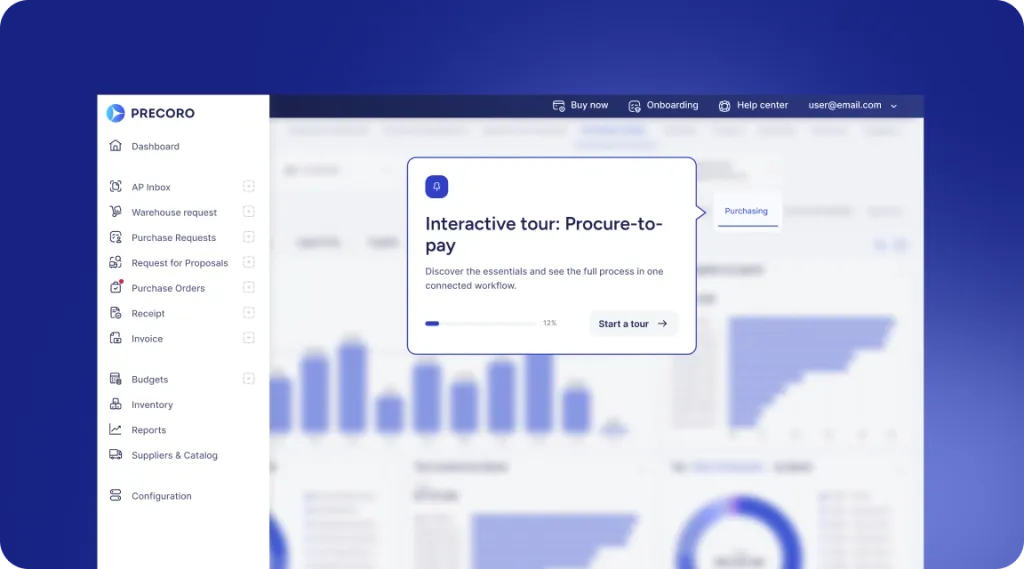
 Explore Precoro's features















Trusted across teams, entities, and markets
850+ ratings across the web






Add card payments with built-in spending guardrails
Connect company-wide card spend to your core P2P balance, so buying power can grow without multiplying accounts, splitting liquidity, or adding admin.


Visibility before the swipe
Set policies that pre-approve spend automatically. Non-compliant purchases are declined at authorization, so Finance doesn't have to catch them later.


Control that scales with you
Centralize card management across entities and scale control to new units—including acquired ones—using existing Financial Accounts, KYB, and permissions.


Purchasing without the runaround
Skip AP onboarding, vendor setup, and reimbursements for one-time invoices. Let teams pay expenses immediately within preset limits—without checks, wires, or delays.
SIMPLE SETUP
From “Need to buy” to “Paid” in a few clicks
Create a virtual card, set the limits, assign it to a person, and let the purchase happen—without waiting for a physical card, chasing receipts, or processing reimbursements afterward.
Start with the setup you already have
Get started with spending cards right from your Precoro workspace and complete the setup without having to change the way you already work.


Reused business verification
Don’t verify twice. Your existing Precoro Payments verification lets you move straight to virtual cards.

Quick Stripe setup
Complete a short Stripe form with basic business details, like revenue and employee count, and you’re ready to go.
Issue cards at scale with preset spending limits
$0 to create as many virtual cards as you need, with spending limits set upfront. Every card draws from your existing Precoro balance—no top-ups or separate accounts.


Amount & period limits
Set per-transaction, monthly, or yearly caps, with authorization completed in a fraction of a second.

Unified entity management
Link cards to specific legal entities while overseeing total spend from one central Card Manager view.
 Coming soon
Supplier & category spend restriction
Lock spend to specific merchant and MCC codes and pre-approved vendor types.

Automatic offboarding protection
Automatically revoke their cards the moment an employee's profile gets deactivated.
 Coming soon
Limit increase requests
Let cardholders request higher spending limits directly within Precoro.
Pay on the spot, stay on top of spend
Give your team the flexibility to pay suppliers wherever work happens. Precoro enforces approved limits, captures spend as it happens, and keeps your ledger in sync automatically.


Mobile wallet ready
Empower team members to add their cards to Apple Pay or Google Pay instantly, so they can tap, pay, and get back to work wherever they are.

Automated data capture
Let transactions document themselves. Capture the merchant, category, and total automatically, without manual entry.
 Coming soon
Transaction memos & receipts
Keep the why with the buy. Let cardholders add notes and receipts directly to purchases for audit-ready records.
Keep refunds off your team’s to-do list
Protect your balance when plans change or orders are canceled. Refunds flow back automatically, without requiring your team to track or manually adjust the balance.

 Coming soon
Auto-receive merchant refunds
Get canceled-order refunds back in your central Precoro balance automatically.
 Coming soon
In-app dispute filing
Let your team flag unauthorized transactions and track claims right from the dashboard.
Centralize accounting
Close the gap between team spending and accounting. Keep card transactions flowing into a clean ledger, without the month-end hunt through statements and spreadsheets.


Single transaction view
Get the full picture of card spend in one list, with every charge, merchant, and status at a glance.
 Coming soon
Automated invoice reconciliation
Keep card charges tied to the right Precoro invoices and expense records from the start.
 Coming soon
Universal card reconciliation
Track and automatically reconcile your cards and transactions, even those managed outside Precoro.
Value for every team
Make buying easier for everyone involved
Precoro Cards make purchasing easier for requesters and keep finance in control, with everything working inside the tools your teams already use.


Simple instant spend for requesters
Requesters get pre-approved cards directly in Precoro, ready to add to Apple or Google Pay in seconds. No shared physical cards, extra logins, out-of-pocket spend, or reimbursement requests.
Policy-governed purchasing for procurement
Give teams autonomy without giving up control. Every card swipe is automatically tested against your pre-configured spend limits in real time, keeping urgent and one-off purchases within corporate policy.
Multi-entity spending without split liquidity for finance
Finance teams get one view of cards across subsidiaries and acquisitions, funded from the primary Precoro Financial Account, without extra contracts or underwriting.
WHY COUNT ON US
Don’t take our word for it
See what high-performing teams say about using Precoro to achieve full control and transparency in their payment workflows.
YS
Small-Business (50 or fewer emp.)

I use Precoro for purchasing and it really helps end the confusion when buying. Everything, like request orders, is in one place instead of having to look through chats. I love the aspect that it helps me control spending. The initial setup was very easy as well.
AH
Engineering manager
Precoro stands out for its clean and simple interface, which makes requesting and approving purchase orders much easier. I also love the efficiency of the approval flow. It works great for our needs.
VC
Office Manager

Precoro allows you to see real time how much was spent and is being spent. It makes it easier to keep track of funding through out the fiscal year.
BB
Budget Director
Has been able to assist my organization in streamlining purchases and stay within budget. Overall it has made our organization in becoming more budget focused.
AS
Head of IT
Fairly simple onboarding process, easy approval flow editor, mobile app, SSO is not paywalled behind an expensive plan, plenty of customizations when it comes to custom fields to keep track of various purchasing details.
NL
Assessment Coordinator
The organization and reports in Precoro have been a game-changer. It makes tracking spending so much easier. I really like that it shows what percentage of our budget we have spent so far.
AM
General Manager
The efficiency of a paperless process. Saves on time and money. Precoro was easily adapted to our business model, making it an enjoyable change in the way we work with Purchase and Service Orders
JW
Director of Risk Management (51-1,000 emp.)
In the past, I had to keep hard copies of receipts and do account balancing from piles of invoices/purchase orders/expenses, etc. Precoro keeps everything separate and easy to manage.
IA
Trade Compliance Officer
It is very easy to learn and use, with an intuitive interface that allows users to navigate the platform efficiently without requiring extensive training or technical support.
Mid-Market (51-1000 emp.)
The best part about using Precoro in my company is how it allows us to manage expenses more thoroughly and transparently. It provides visibility for management and the Accounting department to track expenses based on who is requesting and approving them. The system ensures that all processes follow a structured sequence, preventing bypassing and creating a strong Procurement system.
FAQ
Frequently asked questions about Precoro virtual cards
See how Precoro fits into your team's workflows
A personalized demo, built around your team’s challenges, led by experts who understand what matters.