









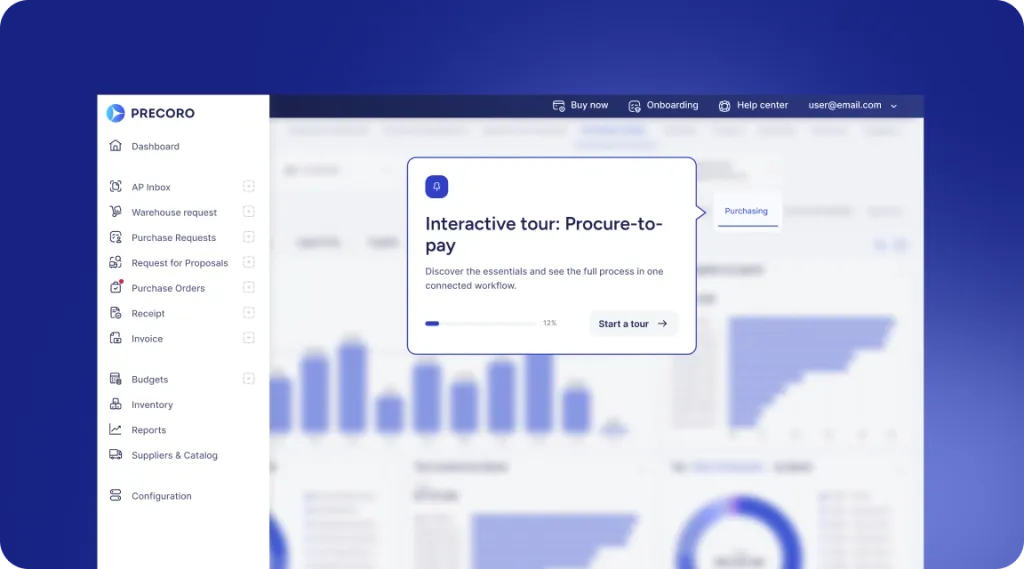
 Explore Precoro's features













Precoro & Microsoft Dynamics 365 Business Central Integration: Bridge the gap between procurement and finance
Consolidate procurement and accounting across every entity. Manage requests, approvals, and catalogs in Precoro, then sync clean data directly to the correct company books in Microsoft Dynamics 365 for accurate accounting and timely payments.






















Master your spend with #1 agentic spend centralization platform
850+ ratings across the web






Sync suppliers, items, invoices, payments, and GL accounts, so Precoro and Business Central always speak the same language. With the integration in the background, your team gets more done with the same level of control.

TWO SYSTEMS. ONE WORKFLOW.
What customers gain from Precoro and Microsoft Dynamics integration
Skip the manual entry and connect procurement to accounting directly, across every legal entity you run, with Precoro and Microsoft Dynamics 365 Business Central. See how it benefits everyone involved.


Compliance on autopilot for Procurement
Put guardrails in place from the start. Precoro applies your budget and policy rules automatically and updates vendor and item data straight from Business Central, so procurement never works off a stale catalog. Keep clear control over who can request, approve, and spend, right from the start.
AI-driven invoicing for AP
Handle more invoices with the same headcount. Meet the AP Automation Crew: it captures and matches invoices, then routes them for approval in Precoro. Once approved, the bills are sent to Business Central automatically. AI takes over the routine and gives your AP team time back to close the books faster.
Effortless multi-entity month-end for Controllers
Balance every legal entity's books with zero hassle. Precoro links to multiple Business Central companies in one workspace. Invoices route automatically to the correct books by Legal Entity, while suppliers, GL accounts, and items stay in sync. Each month-end close stays accurate and on schedule without any cross-entity discrepancies.
Company-wide financial intelligence for CFOs
Gain full, real-time visibility over total committed and actual spend across all subsidiaries, locations, and departments. Precoro's procurement data lines up with your financial accounting in Microsoft Dynamics 365 Business Central. You see committed spend in real time, while double payments become a thing of the past.
Live with Microsoft Dynamics 365 Business Central in three steps
From setup to sync, your team can handle it all without writing a line of code.

Connect your accounts
Generate an API key in Precoro and share your Business Central credentials.

Set your preferences
Choose what to sync and how often. Our Customer Success team configures the rest.

Get 80% of your time back
Invoice processing runs on its own, so your team spends less time on data entry.
See how Precoro fits into your team's workflows
A personalized demo, built around your team’s challenges, led by experts who understand what matters.
From booking to conversation