









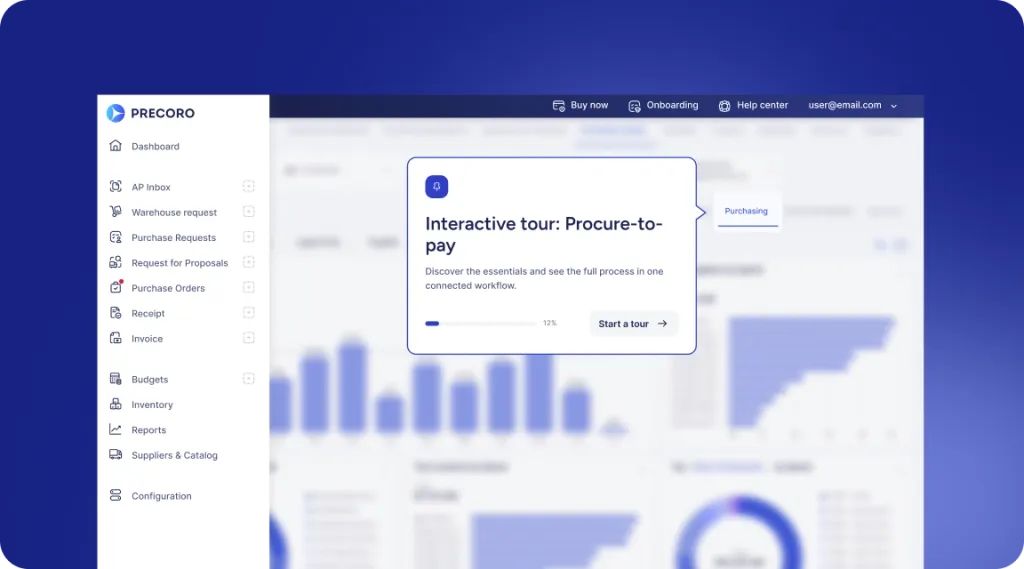
 Explore Precoro's features




















An invoice approval matrix defines who can approve supplier invoices, the conditions that determine their authority, and the order of approval. It can combine invoice amounts with department, project, legal entity, and exception rules. A useful matrix also explains who steps in when an approver is absent and what happens when an invoice needs investigation.
For accounts payable (AP) teams, the practical test is straightforward: Can someone use the matrix to route an invoice without asking finance who should approve it? The example below shows how to document those decisions and apply them to individual invoices.
What is an invoice approval matrix?
The matrix gives each incoming supplier invoice an accountable decision-maker. It should answer three questions: Whose budget is affected, who has authority at this value, and whether any exception changes the normal route.
For example, a marketing invoice might require its budget owner’s approval, with a department head added above a defined amount. A project invoice may need a different budget owner, while an invoice billed to another legal entity must reach people authorized to act for that entity.
The invoice approval workflow carries out those rules by moving the document through validation, review, approval, and the next processing stage.
Keep three decisions distinct:
- Purchase approval authorizes the proposed expenditure before an order or commitment is made.
- Invoice approval confirms that a supplier’s bill is acceptable under the organization’s review and authority rules.
- Payment authorization permits the funds to be released under the organization’s payment controls.
These decisions can be connected, but approving a purchase doesn’t prove that the invoice is correct or that the goods arrived. Approving an invoice also doesn’t necessarily authorize someone to release payment.
For the broader process, see our invoice approval workflow guide.
What does an invoice approval matrix look like
A basic invoice approval matrix maps clearly defined amount bands to required approvers. Department, project, and entity rules then determine who fills each role.
The following fictional example applies to non-purchase-order invoices. All amounts are in USD and use the full invoice total, including tax. These limits illustrate how a matrix works; they aren’t industry benchmarks or recommended thresholds.
| Invoice total in USD | Required approval sequence |
|---|---|
| Up to and including $1,000 | Budget owner |
| More than $1,000, up to and including $10,000 | Budget owner → department head |
| More than $10,000 | Budget owner → department head → financial controller |
The approval sequence is cumulative: an invoice above $10,000 needs all three roles, in order. The financial controller’s approval doesn’t replace the budget owner’s confirmation of business purpose.
Apply these supporting rules to the example:
- Select the budget owner and other approvers within the invoice’s legal entity, using the relevant department or project.
- Resolve missing information or discrepancies before continuing through the normal approval route.
- Use only authorized substitutes, within their documented authority.
- If one person holds multiple roles, follow the organization’s conflict and independent-review rules. Counting the same person twice doesn’t create a second independent review.
Notice the amount boundaries. Exactly $1,000 falls in the first band; $1,000.01 falls in the second. There’s no overlap or gap between them.
Use this example as a starting point, then download Precoro’s approval matrix template to document your own approval structure.
How do you set invoice approval limits and routing rules
Start with your organization’s approved authority policy, then translate it into rules that can be applied consistently to actual invoices. Amount bands are only one part of that work.
1. Start with existing approval authority
Identify which roles may approve expenditure, for which entities, and within what limits. Reconcile invoice approval rules with this authority before putting them into a spreadsheet or software configuration.
If the policy is unclear, finance needs to resolve it. A workflow administrator shouldn’t have to invent financial authority while building the approval steps.
Separate authority from preparation. AP may capture the invoice, check for duplicates, and correct its coding without being authorized to approve the underlying expense. Giving AP responsibility for processing a document doesn’t make AP the budget owner.
Document these responsibilities alongside the approval bands so each role knows what must be complete before it acts:
| Role in this example | Review responsibility | When to return or hold |
|---|---|---|
| AP preparer | Check supplier identity, invoice number, duplicate records, arithmetic, and required supporting documents. | Missing evidence, suspected duplicate, or unclear ownership. |
| Budget owner | Confirm business purpose, the relevant budget, and delivery or service acceptance. | Expense belongs elsewhere, or acceptance is disputed. |
| Department head | Review the justification and confirm authority for the amount. | Value exceeds delegated authority or a conflict exists. |
| Financial controller | Review coding, budget treatment, and financial exceptions required by policy. | Unresolved discrepancy or unsupported accounting treatment. |
2. Review the invoices your team receives
Examine a representative invoice register by value, department, project, entity, and purchase-order status. Include recurring bills, unusual expenses, and invoices that regularly need correction.
Use this review to test whether proposed bands are workable. If most invoices require senior approval, check whether that reflects the intended control or a threshold that no longer fits the business. Invoice volume alone isn’t a reason to weaken authority rules.
3. Define which amount the limit applies to
Specify whether thresholds use the total before or after tax and whether freight and other charges are included. For foreign currency invoices, define the conversion rate source and the date used to establish the approval value.
Also decide how to treat credit notes, installments, and invoices covering multiple departments. State whether an additional review depends on a line value, the whole invoice, or the underlying commitment. Splitting one purchase across invoices shouldn’t become a way to avoid the approval policy.
For example, an invoice with a $9,600 net amount and $960 tax totals $10,560. Under the sample gross-total policy, it needs the financial controller as well as the budget owner and department head. Routing it on the net amount would miss a required approval. The 10% tax rate is just an example.
For a foreign currency invoice, save the conversion basis with the approval record. If the policy uses the rate on receipt, changing market rates shouldn’t silently change the route later. Specify whether a revised invoice requires a new conversion and approval assessment.
4. Give each approver a clear responsibility
Write down what each role checks. In the sample policy, the budget owner confirms business purpose and delivery or service acceptance; the department head checks the business justification against their delegated authority; the financial controller reviews coding, budget treatment, and unresolved financial exceptions above $10,000.
Use roles in the policy and maintain a current record of the people assigned to them. That way, staffing changes don’t require rewriting every rule.
5. Choose the approval sequence
Sequential approval means one stage finishes before the next begins. Parallel approval allows independent reviews to take place at the same time.
For example, a software invoice might need the budget owner’s confirmation and a specialist review of a new service. Those checks could run together if neither depends on the other. Specify whether every assigned approver must approve or whether one authorized person can complete a stage.
6. Define which rules take precedence
Document what happens when several conditions match. A practical sequence is to identify the legal entity, establish department or project ownership, determine the required amount band, and check for exceptions that prevent progression.
Suppose a $12,000 project invoice belongs to a subsidiary. The amount determines the approval levels, but the subsidiary and project determine the eligible people. An unresolved delivery discrepancy still prevents the invoice from proceeding.
7. Test the matrix before using it
Run sample invoices through the rules, including exact threshold values, absent approvers, missing departments, and overlapping responsibilities. Ask the intended approvers to confirm both the route and what they are expected to review.
Assign a policy owner, approval date, effective date, and version. Review the matrix when authority, staffing, or entity structures change, and retain the version relevant to earlier decisions.
When reviewing the matrix, inspect delayed invoices by cause: waiting for an approver, missing evidence, incorrect ownership, or unresolved supplier queries. A delay caused by missing receipts needs a different fix than one caused by an absent department head. Review the relevant rule or responsibility before adding another approval layer.
How should PO and non-PO invoices be treated?
Separate invoices backed by a purchase order (PO) from those requiring another form of supporting evidence. The matrix should state when prior purchase approval can be relied upon and when additional invoice review is required.
| Invoice situation | Evidence to review | Route to define |
|---|---|---|
| Matches an approved PO and receipt | Ordered items, agreed prices, and evidence of receipt or acceptance | Apply the approved policy for matched invoices; additional approval may be reduced where permitted. |
| PO invoice has a discrepancy | Difference in price, quantity, delivery, or other relevant terms | Assign an exception owner and resolve the difference before continuing. |
| No PO, but supported by a contract | Contract terms, business purpose, coding, and delivery or service acceptance | Route to the appropriate owner and approval band. |
| Ownership or evidence is missing | Correct entity, department, project, and supporting records | Hold for clarification by a named owner; don’t guess the approver. |
A non-PO invoice isn’t automatically unauthorized. Rent or another contractual expense may have been approved through a different process. The question is whether the required authority and evidence exist.
Likewise, a PO match doesn’t automatically mean that every invoice should bypass approval. Any simplified route must reflect your policy, matching tolerances, and configured controls. A legitimate prepayment may also need different evidence from a bill for goods already delivered.
How does the matrix work for individual invoices
Apply the same policy to each invoice and record why the selected route is correct. These fictional examples use the non-PO amount bands above; the final scenario illustrates a separate PO exception.
| Invoice and conditions | Result under the example policy |
|---|---|
| $850 marketing invoice; correct entity and supporting evidence confirmed | Marketing budget owner approves. No higher amount band applies. |
| $1,000 invoice versus $1,000.01; otherwise identical | $1,000 needs the budget owner. $1,000.01 also needs the department head. |
| $7,500 invoice; department head is away | Budget owner approves, followed by the authorized substitute for the department head. |
| $12,000 project invoice for a second legal entity | That entity’s project budget owner, department head, and financial controller approve in sequence. |
| PO invoice bills 100 units, but only 80 have arrived | Hold for investigation under the receiving and exception policy; don’t clear the full bill just because the PO was approved. |
For the absent department head, the substitute must have authority covering the invoice value and scope. Availability alone doesn’t make someone an eligible approver.
For the delivery discrepancy, the buyer or receiving team needs to establish whether the remaining goods are outstanding, the receipt record is incomplete, or the invoice requires correction. Finance then applies the documented policy for partial deliveries or disputed amounts.
At an illustrative $50 per unit before tax, 100 billed units represent $5,000, while 80 received units represent $4,000; the unresolved difference is $1,000. That calculation identifies the issue but doesn’t itself authorize a $4,000 payment. Check the contract, receipt evidence, and policy for partial invoicing or payment. Record whether the resolution is an updated receipt, a corrected invoice, or another approved treatment. The amount band determines the approvers only after the team establishes which amount and document version should proceed.
A useful test is to change one input. If the $850 invoice moves to another entity or project, does it reach a different budget owner? If the amount changes after approval, does the rule require another review? These tests reveal gaps that an amount-only table can miss.
An invoice shared between two departments
Suppose a $12,000 non-PO consulting invoice is allocated $7,000 to operations and $5,000 to marketing. For this illustrative extension, each budget owner confirms their allocation, while the whole $12,000 determines the approval band. After those confirmations, the designated lead department head and financial controller approve the invoice.
Both allocations total $12,000, and the invoice remains above $10,000. It shouldn’t be treated as two lower-value invoices to remove the controller’s review. Another organization may use line-level authority, but it must document how that interacts with approval of the complete invoice.
An invoice changed after approval
A $9,800 invoice initially follows the budget-owner and department-head route. A correction raises the gross total to $10,300. Under an illustrative rule requiring a fresh approval sequence after an amount change, AP returns the revised invoice through those two roles and adds the controller.
Keep the previous version and decisions, but make clear that they covered $9,800. The new approval record must identify the $10,300 version. Don’t leave the old approval visible as if it authorized the revised amount.
What happens when an approver is absent or an invoice is delayed
A complete matrix gives delayed invoices a route forward while preserving the required authority. Distinguish four actions:
- Reminder: prompts the existing approver to act. Ownership stays with that person.
- Delegation: allows an authorized substitute to act for a defined period and scope.
- Escalation: brings an overdue item to another responsible person, who may intervene or approve only within their authority.
- Fallback: assigns an owner when an invoice does not match a normal routing rule.
For example, a team could choose a reminder after two business days and escalation after four. Those timings are illustrative service targets, not universal standards. Define the business calendar, due-date exceptions, and what escalation actually changes.
An escalation shouldn’t silently remove a required approval, and an invoice shouldn’t count as approved just because its deadline has passed.
Record the approver, decision, date, invoice version, and any delegation or exception used. If the amount, entity, or other material information changes, apply documented reapproval rules so the final decision covers the revised invoice.
Include self-approval conflicts in the design. The University of Pennsylvania’s internal-control guidance identifies authorization, custody, recording, and reconciliation as duties that generally require separation. Apply that principle to your own staffing and risk: where a small team cannot separate every task, have finance define an alternative independent check.
Reference: University of Pennsylvania operational internal controls guidance.
A low-value invoice with changed bank details
An $850 invoice fits the lowest amount band, but its supplier asks for payment to a new bank account. Approving the expense and verifying that change are separate decisions. The budget owner can confirm the service while the payment-details change remains unresolved.
Australia’s Scamwatch advises checking changed payee information and contacting the business on an independently sourced phone number in its business email compromise guidance.
Record who verified the change and how. A familiar supplier name, an urgent due date, or a manager’s invoice approval shouldn’t substitute for that verification. Keep the payment on hold until the organization’s supplier-change controls are satisfied.
How can you adapt the Precoro approval matrix template
Use Precoro’s Approval Matrix Template to document your organization’s rules. Work from your approved policy and use the sample matrix in this article to check that your limits and approval sequences are explicit.
As you complete the template, make sure the resulting policy answers these questions:
- Which invoice types and legal entities does it cover?
- Which department or project determines the responsible budget owner?
- What amount and currency basis determines the approval level?
- Which approvals are required, and in what order?
- Who can substitute, and who owns exceptions or unmatched invoices?
- Which changes trigger reapproval, and who maintains the policy?
If a rule needs more explanation than fits in the template, document it in an accompanying policy note. Keep that note linked to the same version so the table and its exceptions remain consistent.
Before sharing the completed matrix, test it with the worked scenarios above. A completed table should let AP identify the route and let an approver understand why the invoice reached them.
Add a short test record for each scenario: input values, expected approvers, actual approvers, and any hold condition. For a simple $1,000 invoice, record the expected budget owner by role and entity; then confirm the assigned person is eligible. Include at least one invoice with no matching department to test the fallback route.
When a test fails, correct the policy or configuration and rerun the affected cases. Keep the test record with the matrix version. This gives a new administrator a repeatable check instead of relying on someone’s word that the rules worked before.
Download the approval matrix template.
How can you implement the matrix in Precoro?
A written approval matrix only protects the business if invoices actually follow it. Approval rules that live in a spreadsheet or someone’s inbox tend to drift. An invoice goes to the wrong person, a large amount gets through with one signature, or payment sits waiting because nobody knows who’s next. Precoro’s approval workflow builds the matrix into the invoice process, so the route is set by the policy rather than by whoever happens to pick the invoice up.
Each level of authority in the matrix becomes an approval step with its own amount threshold. Invoices go to the right approvers automatically. Higher amounts can pass through every level the policy requires, and smaller ones aren’t held up by reviews they don’t need. Approvers can also be assigned by department, project, or location, so an invoice reaches the person who’s responsible for that spend, not just someone with a senior enough title.
Exceptions stay visible instead of getting lost. Approval SLAs give each step a deadline, so it’s clear when an invoice is stuck and who’s holding it. If an invoice skips the normal workflow, it gets the Approval Review status and goes to an admin rather than being approved by default.
Invoices created from POs can be approved automatically once confirmed, which saves approvers from signing off on spend they’ve already approved. If the invoice amount doesn’t match the PO, matching starts instead, so only invoices that line up with the order go through without review.
Precoro checks thresholds against either the gross or the net total, so the system can use the same tax basis the policy does. That keeps the configured limits consistent with what finance actually signed off on.
The matrix is ready to implement when your team can explain who approves each invoice, why they have the authority, and what happens if the usual route is blocked. Precoro then applies those answers the same way to every invoice.
See Precoro’s approval workflow setup guide for configuration details.
The matrix is ready to implement when people can explain who approves each invoice, why they have authority, and what happens when the normal route cannot proceed. Software then needs to reproduce those decisions consistently.
Explore Precoro’s invoice approval software to see how your approval rules could work in the platform.
