









 Explore Precoro's features




















While automated invoice processing costs a mere $2.36, the price of fixing a single manual coding error has jumped to $53.00. With manual error rates still at 39%, your company is effectively paying a "clerical tax" that drains 1% to 3% of your total annual revenue. Imbalanced numbers show the true consequences of imbalanced invoice coding.
This guide explains how invoice coding works, how to implement it effectively, and provides simple examples along with key challenges and benefits of automated invoice coding. Read on for details.
What is invoice coding?
Invoice coding is the process of assigning accounting categories, such as general ledger (GL) codes, departments, or cost centers, to an invoice so it can be correctly recorded and reported in a company’s financial system. These codes define what the expense is, where it belongs, and how it should be tracked. In many organizations, this step is supported by invoice coding software, which helps standardize how data is captured and categorized.
For example, an invoice for software subscription services can be coded to a “Software expenses” account and assigned to the IT department. This is part of coding invoices for accounts payable to ensure expenses are properly tracked and approved. It also clarifies how much the company spends on tools and which team is responsible for them.
Invoice coding and processing often include validation steps, approvals, and integration with accounting systems, which makes the entire process more efficient and accurate.
Put simply — without coding, an invoice is just a document; with coding, it becomes structured data used for reporting, budgeting, and compliance.
What is invoice coding used for?
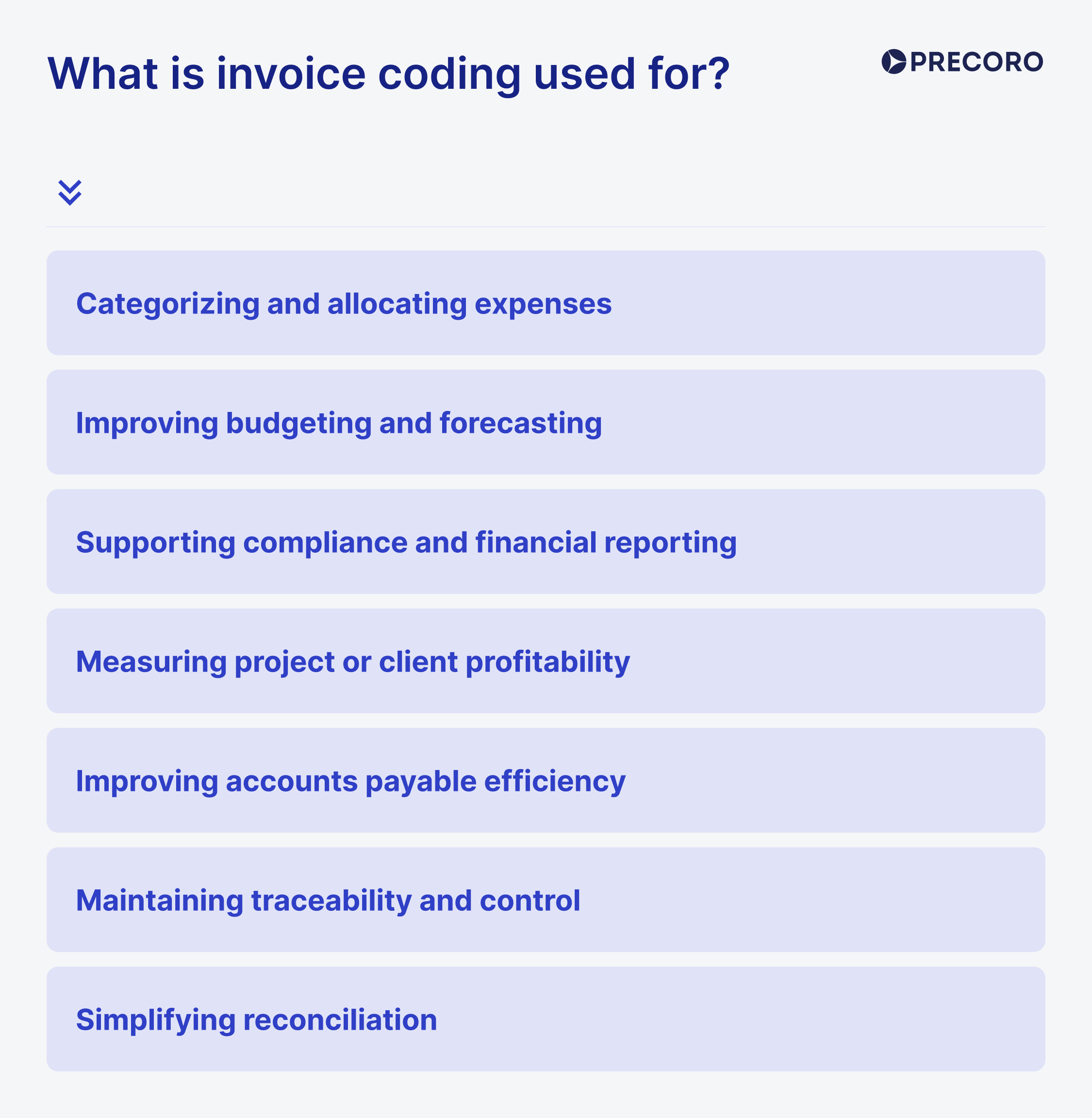
Categorizing and allocating expenses is one of the main purposes of invoice coding. It ensures that each invoice or line item is assigned to the correct expense category, such as office supplies, travel, marketing, or IT services. It also helps allocate costs to the right department, cost center, or business function, giving finance teams a clearer view of where money is being spent.
Improving budgeting and forecasting becomes much easier when invoice data is coded correctly. Once expenses are consistently categorized through coding invoices, finance teams can analyze historical spending patterns, build more accurate budgets, and forecast future costs with greater confidence. This structured approach makes it easier to control spending and plan ahead.
Supporting compliance and financial reporting is another key function of invoice coding. Businesses need to meet tax, accounting, and regulatory requirements, and properly coded invoices make it easier to prepare accurate reports and maintain reliable financial records. Such compliance is especially important when following reporting standards such as GAAP or IFRS.
Measuring project or client profitability is possible when invoice coding links expenses to specific projects, clients, or business units. This allows companies to understand how much a project actually costs and compare those costs against revenue. As a result, finance teams can better evaluate profitability and make more informed business decisions.
Improving accounts payable efficiency is one of the most immediate benefits of invoice coding. When invoice data is structured correctly, approvals, processing, and payment workflows become faster and more accurate. Organized coding also supports automation, helping accounts payable teams reduce manual work and process invoices more efficiently.
Maintaining traceability and control is especially important in industries with more complex operational requirements. In sectors such as manufacturing or pharmaceuticals, invoice coding can help track materials, batches, serial numbers, or specific items tied to quality control processes. This level of visibility makes it easier to investigate issues when they arise.
Simplifying reconciliation is another important use of invoice coding. When payments relate to multiple invoices, departments, or projects, coding helps ensure each cost is recorded and matched correctly. In turn, reconciliation becomes more accurate and less prone to confusion or mismatched records.
Invoice coding standards and common formats
Now that we’ve covered what invoice coding is, let’s look at the most common coding formats businesses use to organize expenses.
1. Alphanumeric codes
It's a combination of letters and numbers that is used to make codes easy to understand at a glance. Letters typically represent departments, while numbers indicate expense categories or projects. Many teams use invoice coding software to apply this format consistently.
[Department] – [Subcategory]
FIN-1001 → Finance expense under category 1001
HR-002 → HR expense under category 002
2. Hierarchical codes
Hierarchical codes break expenses into multiple levels, allowing businesses to track both high-level categories and detailed items. This structure supports coding invoices for accounts payable without losing context.
[Top Level] – [Project ID] – [Specific Item]
IT-23-HARD → IT department, project 23, hardware expenses
3. Numeric account codes
Numeric codes align directly with the general ledger and follow a structured breakdown from general to specific. They’re standard in accounts payable coding and reporting.
[Main Category] – [Subcategory] – [Item or Location]
1004-20-02
1004 → General operating expenses
20 → Office supplies
02 → Specific item or location
4. Department and date-based codes
This format links expenses to both a department and a specific time period, making it easier to track spending over time.
[Department] – [YYYYMM]
HR-202601 → HR expense from January 2026
5. Project-specific codes
Project-based coding ties expenses directly to specific clients or projects, helping teams monitor budgets more effectively. This approach simplifies coding invoices when multiple projects run in parallel.
[Project ID] – [Expense Type]
CLNT12-TRV → Travel expenses for client/project 12
In more advanced setups, automatic invoice coding can assign project codes according to predefined rules.
6. Cost center codes
Cost center codes are used to track expenses across different business units, departments, or locations.
[Region] – [Department]
US-NY-HR → HR department in New York, USA
7. Location-based codes for multisite companies
These codes help companies track expenses across different offices, warehouses, or facilities — useful for coding invoices when the same type of expense appears in multiple locations.
[Location] – [Facility] – [Expense Type]
NY-WH01-SUP → Supplies for warehouse 01 in New York
8. Hybrid coding systems
Some organizations combine multiple coding structures into a single code to capture more detailed information.
[Department] – [Year] – [Project ID] – [Expense Type]
MKT-2026-08-TRV → Marketing, year 2026, project 08, travel expenses
How does invoice coding vary by business size?
Invoice coding becomes more detailed as a business grows. In smaller companies, the coding structure is usually straightforward, with a limited number of categories used to track common expenses such as rent, utilities, payroll, or inventory. At this stage, the main goal is to keep records organized, separate business expenses correctly, and support accurate tax reporting. In many cases, basic accounting software with a standard chart of accounts is enough to handle these needs.
As organizations move into the mid-sized segment, invoice coding typically becomes more structured. Besides category, businesses often need to track expenses by department, client, service type, project, or cost center. This added level of detail helps finance teams monitor departmental spending, evaluate project profitability, and improve reporting accuracy. At this point, companies usually need systems that support more flexible workflows and multi-dimensional coding.
In enterprise environments, invoice coding becomes significantly more complex. Large organizations often operate across multiple entities, regions, currencies, and regulatory frameworks, which means their coding structures must support far more than basic expense classification.
An enterprise invoice may need to include entity codes, regional identifiers, product lines, cost centers, and compliance-related markers all at once. These businesses also require consolidated reporting, intercompany transaction tracking, and stronger internal controls, which is why invoice coding at this level is typically managed through ERP systems with automation, validation, and integration capabilities.
How to code invoices manually: Step-by-step process
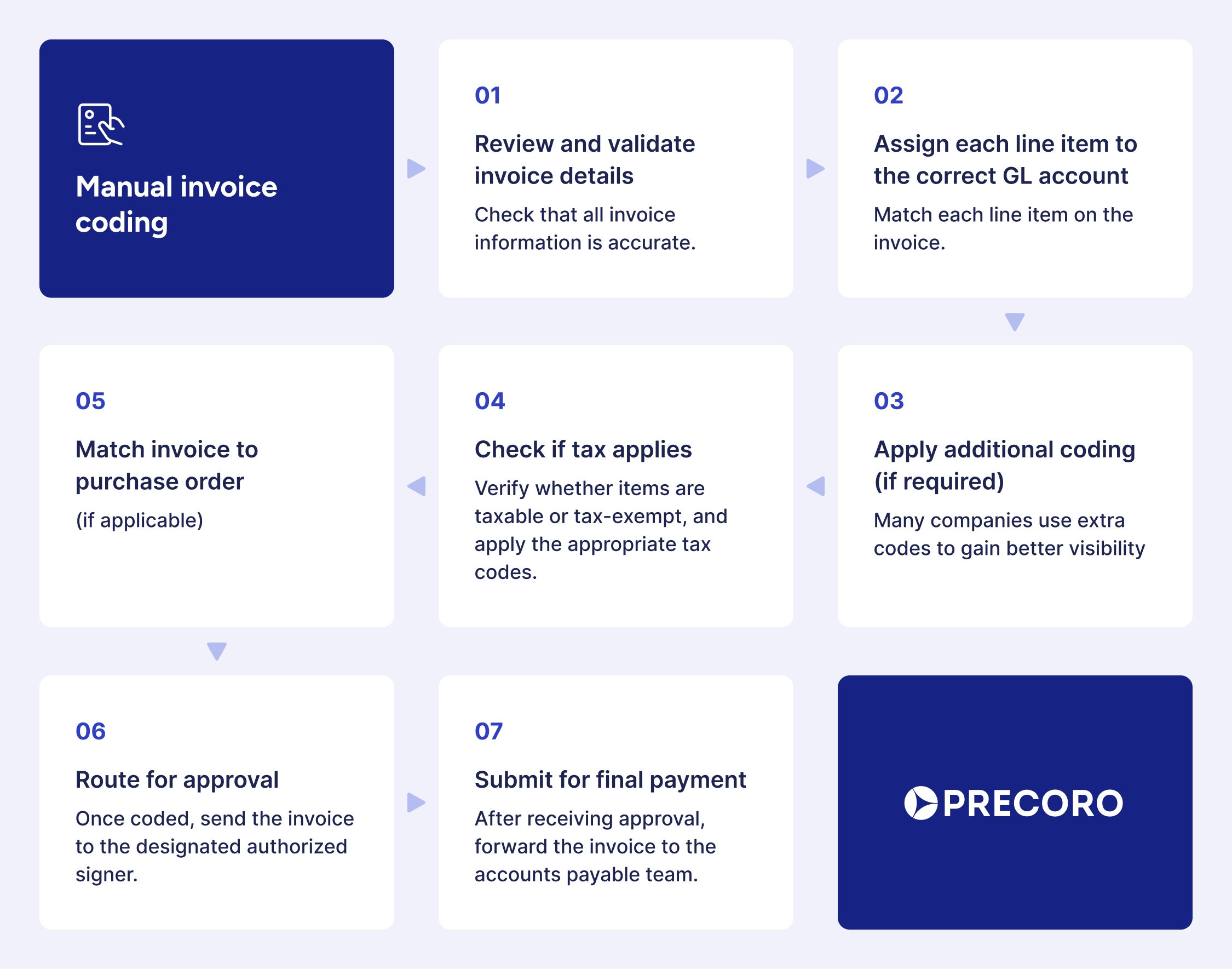
The invoice coding process begins when a supplier invoice arrives at accounts payable. The workflow varies depending on whether the AP team is coding an invoice with or without an associated purchase order (PO).
Step 1: Review and validate invoice details
Check that all invoice information is accurate, including:
- The vendor’s name — the person or company issuing the invoice
- The invoice date and invoice number
- All line items and descriptions — the products or services being billed
- Any taxes, discounts, and the total amount due
- The payment terms
For example, when you receive an IT services invoice, check for details like the type of service (e.g., software subscription, maintenance, or support), the billing period, and a breakdown of charges. It might help you define whether the expense should be categorized as software, IT support, or infrastructure.
Think of coding invoices in this step as a double-check of your shopping receipt before you pay.
Step 2: Assign each line item to the correct GL account
Match each line item on the invoice to the appropriate GL account in your chart of accounts. This step defines how the expense shows up in financial reports and is a core part of accounts payable coding.
For example, a SaaS invoice’s monthly subscription can be recorded as a software expense (e.g., GL 6400), while a one-time setup fee may fall under professional services (e.g., GL 6300) or be capitalized, depending on your policy.
It’s a highly error-prone step, so many teams rely on invoice coding software to speed up decisions and keep classifications consistent without second-guessing.
Step 3: Apply additional coding (if required)
In addition to GL accounts, many companies use extra codes to gain better visibility into spending, such as:
- Department codes to show which team made the purchase
- Cost center codes to group related expenses
- Project or job numbers to track costs tied to specific work
- Location codes to identify which office or site incurred the expense
For example, if you receive an invoice for outsourced customer support, you might code it to outsourced services (GL 6700), the customer success department (Dept 250), the support expansion project (Project 2025-06), and the EMEA region (Location 04).
So you can track how much is being spent on support operations, evaluate project costs, and compare service expenses across regions. This kind of structure makes invoice coding and processing more useful for budgeting, reporting, and cost control.
Step 4: Check if tax applies
When you’re coding invoices for contractors, you often have to separate taxable labor from tax-exempt materials. You also need to use the right tax codes for special items, such as medical supplies or resale goods, to get the correct rates. In international business, this gets even more complex — you must track VAT/GST and apply the correct taxes based on the supplier's location.
Step 5: Match invoice to purchase order (if applicable)
When an invoice is tied to a Purchase Order (PO), compare it with the original document to ensure the coding matches your approved budget. For example, if your legal team opened a PO for a $15,000 contract review coded to Professional services (GL 6500), the invoice should use that exact code.
Since PO-backed invoices already have predefined categories, coding invoices for accounts payable is usually faster and more accurate.
In contrast, non-PO invoices require manual review to select the appropriate codes per company guidelines, which adds more effort during invoice coding and processing.
Overall, this step means you confirm:
- The items delivered match the order.
- The quantities and prices are the same as agreed.
- There are no missing or extra charges.
Step 6: Route for approval
Once coded, send the invoice to the designated authorized signer. Depending on your company policy, this might be a department manager or the finance team.
Step 7: Submit for final payment
After receiving approval, forward the invoice to the accounts payable team. They will schedule the payment and ensure the vendor is paid by the due date.
This final step closes the loop in the coding invoice process flow, ensuring that the invoice is both coded correctly and paid according to agreed terms.
Invoice coding example: Real scenario
Suppose a company receives a monthly invoice for its cloud-based project management software. Unlike a one-time purchase of physical goods, this is an operational expense (OpEx) tied to a specific team's digital tools.
- Invoice number: INV-2025-99
- Invoice date: March 15, 2026
- Total payable amount: $1,200
- Line item description: Monthly premium subscription (50 seats)
Based on the company’s internal chart of accounts, the accounting team would code the invoice like this:
| Invoice item | GL code | Department code | Amount | Tax code | Description |
|---|---|---|---|---|---|
| SaaS subscription | 5400 | IT-05 | $1,200 | EXMPT-01 | Monthly project management tool |
- GL code (5400): This code is mapped to Software & cloud services in the General Ledger.
- Department code (IT-05): This identifies the Information technology department as the owner of this expense.
- Tax code (EXMPT-01): In many regions, specific B2B software services may be tax-exempt or handled under a reverse-charge mechanism, so a specific tax category is assigned.
Why does this matter?
By coding the invoice this way, the finance team can instantly generate a report at the end of the month showing exactly how much the IT department is spending on Software, rather than just seeing a generic $1,200 withdrawal.
At this point, many companies rely on invoice coding software to keep coding consistent across all invoices and avoid missing details, which are essential for budget tracking and identifying areas where the company might be over-provisioning seats.
Why invoice coding matters in 2026?
Mandatory e-invoicing & CTC compliance
Regulatory pressure is the primary driver for coding accuracy in 2026. Governments now use Continuous Transaction Controls (CTC) to validate invoices in real time. Over 90 countries now have active or planned mandates, up from 50 just three years ago.
Transition to touchless processing
In 2026, AI-driven automation is standard. Proper invoice coding allows systems to automatically match, approve, and post invoices without human intervention, reducing manual processing costs by up to 80%. Now, data shows that in 2026 manual processing costs average $12.88 to $19.83 per invoice. AI-powered "touchless" systems lower this to as little as $2.36, a reduction of approximately 80%.
Move to AI-powered "prediction fields"
In 2026, the industry is moving from simple OCR (reading text) to agentic AI, which understands the context of a spend and autonomously suggests GL codes. Gartner forecasts that 40% of enterprise applications will embed task-specific AI agents by the end of 2026. Many invoice coding software platforms now include this functionality, turning what used to be manual decision-making into assisted or fully automated workflows.
Challenges of manual invoice coding
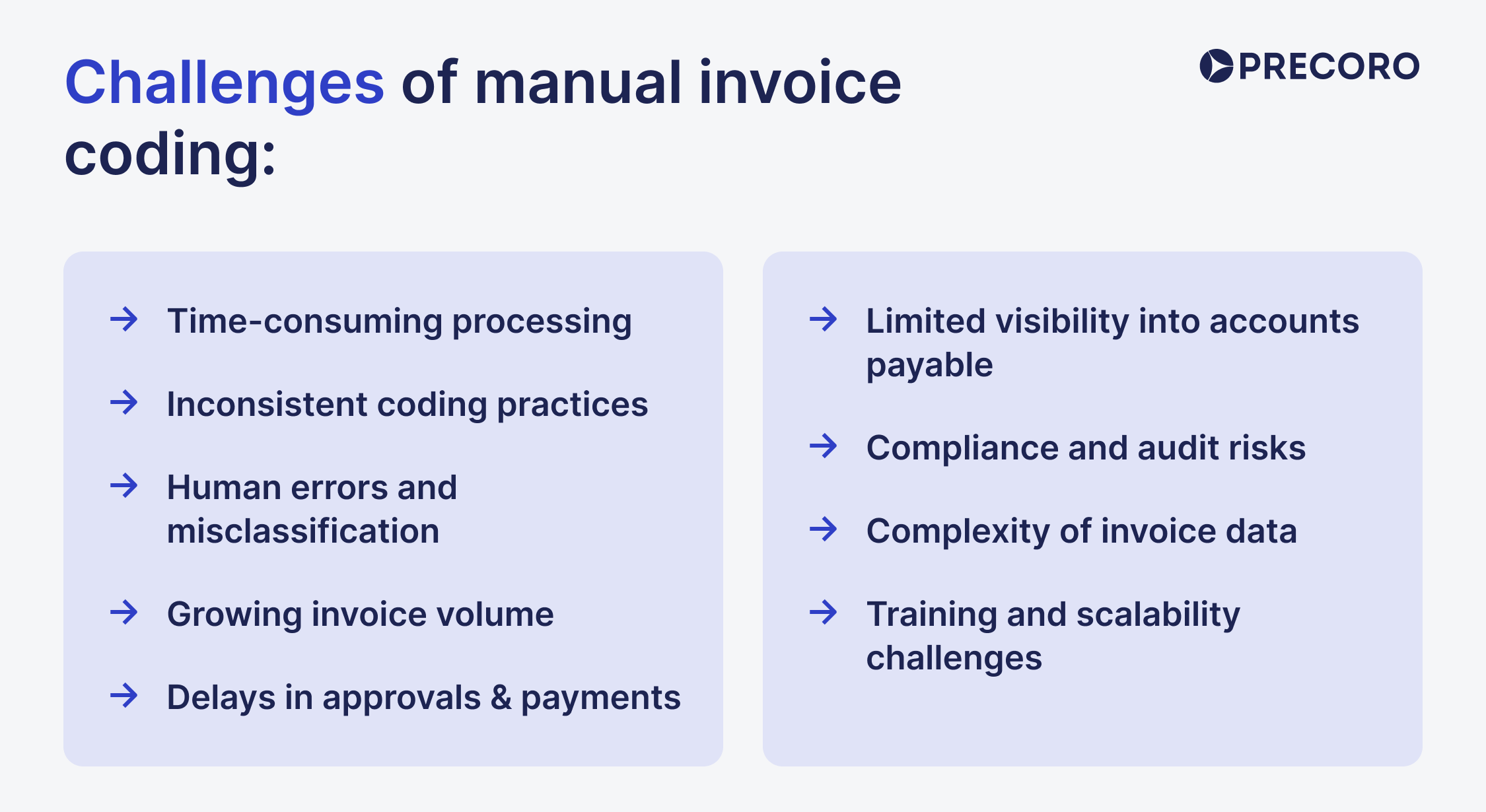
What starts as a routine accounting task can quickly turn into a resource-heavy process that slows approvals, increases errors, and limits financial visibility. Here’s a closer look at the most common challenges finance teams face when coding invoices manually:
Time-consuming processing
Manual invoice coding takes time because every invoice — and often every line item — has to be reviewed and assigned the correct general ledger code. When teams process dozens, hundreds, or even thousands of invoices each month, those hours add up quickly. As a result, finance teams spend more time on repetitive administrative work and less time on analysis, planning, and cost control.
That’s why many companies move to invoice coding software, which reduces manual effort and speeds up the entire workflow without sacrificing accuracy.
Inconsistent coding practices
Without a clearly enforced coding structure, similar expenses may be classified differently by different employees or departments. For example, one team may code a software purchase as an IT expense, while another may place it under general administrative expenses. Over time, these inconsistencies reduce the accuracy of financial reporting, make spend analysis less reliable, and create additional friction during audits.
Human errors and misclassification
Some businesses still use an invoice coding stamp, but manual coding always carries the risk of human error. A mistyped GL code can lead to reporting inaccuracies, budget imbalances, or payment issues. In more complex organizations, even a small coding mistake can affect multiple entities, departments, or downstream systems.
Delays in approvals and payments
When accounts payable coding is done manually, invoices often move through the process more slowly. Complications during review, coding, or approval can delay invoice registration and payment, making it harder to meet due dates. Slower processing not only affects operational efficiency but can also result in missed early-payment discounts, late-payment penalties, and strained supplier relationships.
Limited visibility into accounts payable
Manual invoice coding doesn’t always provide a complete, real-time view of outstanding liabilities. Without clear visibility into actual accounts payable, it becomes harder to understand how much capital is needed to cover upcoming payments.
Compliance and audit risks
Manual processes often rely on emails, spreadsheets, or disconnected records, which makes it more difficult to maintain a consistent audit trail. If coding decisions aren’t properly documented or approved, demonstrating compliance during an audit becomes more challenging. The same issue applies to tax reporting, where inaccurate or inconsistent coding may increase the risk of penalties or reporting errors across jurisdictions.
Complexity of invoice data
Not all invoices are simple. Understanding how to code an invoice correctly becomes essential as complexity increases. Many include multiple line items, different expense types, tax treatments, or department allocations. A single invoice may contain consulting fees, software licenses, and office supplies — all of which need to be coded separately. The more detailed the invoice, the more time and attention are required to code it correctly.
Growing invoice volume
As a business expands, invoice volume usually increases as well. What may have worked for a small finance team can become difficult to sustain at scale. More invoices mean more coding work, more approvals to manage, and a greater chance of bottlenecks. In many cases, companies respond by hiring additional staff, which increases operational costs and doesn’t help to solve inefficiencies in accounts payable coding.
Training and scalability challenges
Poor invoice coding usually happens because staff aren’t properly trained or don't understand the impact of errors. This lack of awareness creates a double-edged sword: new hires slow down the process while they learn, and as the business expands, the coding becomes too complex to manage without a standardized system.
How does automated invoice coding work?
Automated invoice coding uses a combination of AI, machine learning, and OCR to extract invoice data, validate it, assign the right codes, and route invoices through approval workflows.
The system follows predefined rules and learned patterns to code invoices accurately and consistently. It helps finance teams reduce processing time, minimize errors, and improve visibility across the entire accounts payable workflow.
What technologies support automated invoice coding?
Automated invoice coding typically relies on three core technologies:
- Optical Character Recognition (OCR) converts scanned invoices, PDFs, and digital documents into machine-readable text.
- Artificial Intelligence (AI) identifies invoice fields, recognizes patterns, and supports coding decisions.
- Machine Learning (ML) improves accuracy over time by learning from historical invoice data and user corrections.
What happens during automated invoice coding?
The process usually follows several stages:
1. Invoice capture
Invoice coding software first receives the invoice through email, file upload, or document scanning. Once the invoice enters the system, it is queued for processing.
2. Data extraction
OCR and AI extract the key invoice details, including:
- Vendor name
- Invoice number
- Invoice date
- Line items
- Tax and discount information
- Total amount
- Payment due date
This removes the need to enter invoice data manually.
3. Data validation
After extraction, the system checks the invoice data against predefined rules and supporting records. These may include purchase orders, receipts, vendor information, or internal policies. If any fields are missing or inconsistent, the invoice is flagged for review.
4. Invoice matching
If the invoice is linked to a purchase order, the system matches it against the relevant PO and receiving documents. It verifies that billed items, quantities, prices, and account details align with the original transaction, which is essential for coding invoices in accounts payable in a structured way.
5. Rule-based coding and GL mapping
Once the invoice data is validated, the invoice coding software assigns the correct codes based on predefined logic. For example, recurring vendor invoices can be mapped automatically to the appropriate general ledger account, department, or cost center.
6. Approval workflow
After coding, the invoice is routed to the appropriate approver based on internal rules such as department, invoice value, or spending authority. Approvers can review the invoice, make adjustments as needed, and approve it without manually handling the coding, right in the invoice coding software.
7. Posting and payment
Once approved, the invoice is posted automatically to the accounting or ERP system. From there, it moves into payment processing and record-keeping.
Over time, the system becomes more accurate as it learns from previous invoices, corrections, and approval behavior. It makes the entire process more efficient and scalable.
Benefits of automated invoice coding
Faster processing significantly cuts the time spent on manual data entry and verification. Tasks that once took hours can be completed in minutes, allowing finance teams to focus on higher-value work instead of repetitive tasks.
Improved accuracy minimizes errors caused by manual coding. Automated systems apply predefined rules and validation checks to code invoices consistently and correctly while continuously improving through machine learning.
Scalability allows businesses to handle growing invoice volumes without increasing headcount. Invoice coding software can process hundreds or thousands of invoices efficiently, supporting business growth without operational bottlenecks.
Cost savings come from reduced manual labor, fewer errors, and better payment timing. Automation lowers expenses related to staffing, training, and error correction while helping avoid late payment penalties.
Audit readiness ensures all invoice data is stored in a structured, traceable format. This creates a clear audit trail, making it easier to track transactions, maintain compliance, and prepare for audits within accounts payable coding processes.
Consistency in coding ensures that all invoices follow the same rules and standards. It improves data quality and supports more reliable financial reporting and analysis.
Real-time visibility provides immediate access to financial data. Finance teams can track expenses, monitor cash flow, and generate reports instantly, enabling faster and more informed decision-making.
Key features to look for in invoice coding automation tools
- Customizable workflows for adapting coding structures as your business evolves.
- Audit trails and reporting for ensuring compliance and tracking invoice activity.
- Seamless integrations for connecting invoicing, accounting, and ERP systems.
- AI-powered automation for improving accuracy and reducing manual effort.
- Configurable workflows for building approval processes that match your operations.
Best AI tools for automatic invoice coding 2026
Precoro
Precoro stands out by moving the AI "intelligence" earlier in the process. Instead of just coding an invoice when it arrives, it links everything to the original purchase intent. Key capabilities:
- Instant 2- and 3-way matching: The system uses AI-powered OCR to instantly digitize invoices and cross-reference them against POs. In case they match, the invoice is auto-created as a draft in under 3 seconds. If you also create a receipt in Precoro, the system will automatically match the invoice to it.
- Predictive GL coding: During the AI-powered matching, invoice items automatically take over GL codes and other key fields from the PO — so transactions are categorized correctly without manual re-entry or extra effort.
- The "AI assistant": You can query your spend data using natural language (e.g., "Which supplier invoiced us the most for cloud services in Q1?") to get instant reports without manual exporting.
- E-invoicing compliance: Precoro has integrated support for global mandates (like Peppol and SDI). It automatically converts complex e-invoice formats into human-readable PDFs while ensuring they meet local tax authority requirements.
- Mobile and desktop AI expenses: Employees can snap a photo of a receipt, and the AI automatically fills in the date, amount, and category, syncing it directly to the budget.
Rillion
Rillion uses AI‑driven capture to extract data and suggest GL codes and cost centers based on historical behavior and past coding patterns, with up to 90% coding accuracy out of the box. The platform supports 3‑way matching and configurable approval workflows, so many invoices can move through touchless coding and approval. Then, it routes exceptions to the right approvers, who can adjust GL codes, cost centers, and projects before posting to ERP.
Stampli
Stampli uses its AI assistant "Billy the Bot," which learns from your historical invoice data and AP decisions to auto‑code GL entries and flag anomalies. It supports approval routing, vendor collaboration (chat, Q&A), and anomaly detection, all while feeding coded data into your ERP. The system integrates natively with SAP, Oracle, NetSuite, Sage, Dynamics 365, QuickBooks, Acumatica, and 70+ other ERP and accounting systems. Pricing is custom and provided upon request; Stampli does not publish standard rates publicly.
Automate invoice coding with Precoro
When coding is inconsistent or handled manually, financial data becomes fragmented: the same type of expense may be recorded differently across teams, reports lose accuracy, and finance leaders lack a clear view of where money is actually going. Especially when it comes to hundreds and thousands of invoices entering your financial structure.
Precoro turns invoice coding into a structured, automated workflow that scales with your business.
Invoices are captured and processed automatically using AI-powered OCR, which extracts key data and creates ready-to-review drafts within seconds. The system then assigns GL codes, cost centers, and departments based on the fields in the related purchase orders, ensuring consistent classification across all transactions.
As your organization evolves, coding logic can be easily updated to reflect new departments, projects, or reporting structures — without disrupting existing workflows. Automation makes invoice coding scalable and adaptable.
Precoro also connects coding directly to control mechanisms. Three-way matching ensures that invoices align with purchase orders and receipts, while built-in validation flags discrepancies such as incorrect amounts or missing data before they impact financial records. Approval workflows are tied to coded data, ensuring that the right stakeholders review expenses based on clear, structured information.
Every action is logged, creating a complete audit trail that allows finance teams to trace each transaction from entry to approval. This transparency improves compliance, simplifies audits, and increases confidence in financial data.