









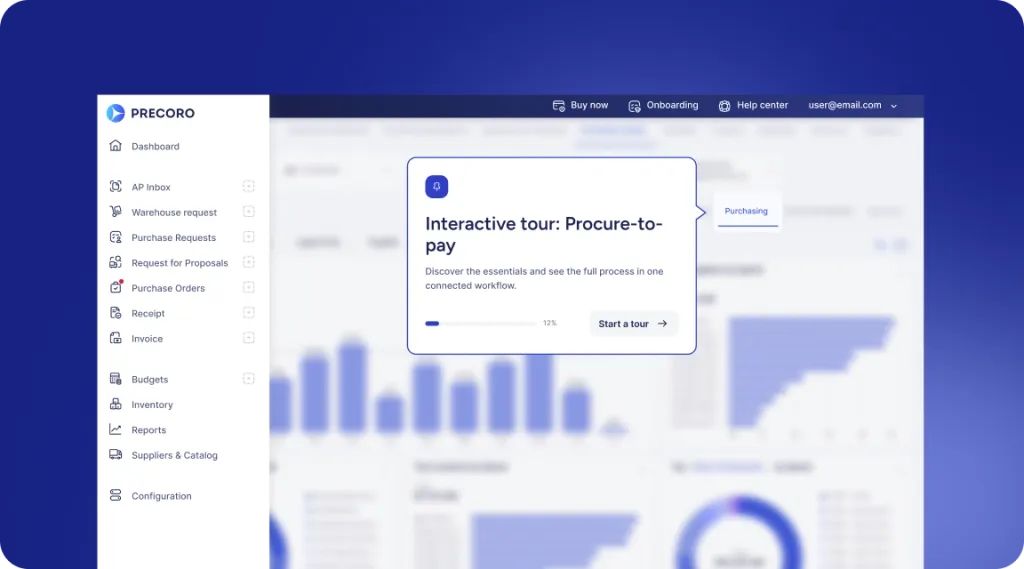
 Explore Precoro's features













Purchasing software that makes the approved way the fastest way
Give employees simple, approved paths from request to order while budgets, policies, suppliers, and approvals stay built into every purchase.























If the compliant way is harder, people will buy around it
Employees don’t know which supplier is approved, which catalog to use, or who needs to sign off. So they email a vendor directly, pay with a personal card, or ask Procurement to place the order for them. Spend happens outside the process, and Finance finds out when the invoice arrives.
Precoro builds the rules into the buying experience, so the simplest way to purchase is also the controlled one.

Start every purchase with the right context
Requests that arrive without a supplier, budget, or purpose turn into back-and-forth before anything is ordered. Precoro captures the details each purchase needs up front, so approvers can decide the first time.


Guide buyers to approved options
If employees can’t find the approved supplier, they email whichever vendor they know. Preferred suppliers, catalogs, and PunchOuts make the compliant choice the fastest one.
Know what the order will do to the budget
Approving without the current budget means discovering overruns at month-end. Requesters, approvers, and budget owners see the available budget before the purchase is approved or ordered.
Trusted by finance and procurement teams worldwide
850+ ratings across the web






CUSTOMER STORIES
Curious about the results other companies have achieved with Precoro?


3x faster order processing
— Fabienne Bouffé, Digital Project Manager at TESTEX AG


76% YoY growth
— Jacek Zmuda, Controlling Manager at Green Cell


0% error rate, down from 30%
The process became much faster when we began having at least one person from every department use the system. Response rate significantly increased, and tasks are assigned efficiently now.
— Bachir Saadeddine, Finance Director


A complete cultural shift and a major step forward for our business
Invoices paid on time: 6% → 85%
Invoices backed by a PO: 50% → 80%
— Barbara Meszaros, Transactional Finance Lead at Edenred


12 locations with full spend control
— Barend Liebenberg, Procurement Manager at Bolloré
Know what every purchase order actually saved
Precoro compares the price on each PO line with its baseline price, such as your catalog price, a negotiated rate, or a standard cost. The difference is recorded as savings or overspend. The Savings dashboard adds it up by month and by supplier, so Finance reports confirmed savings, not estimates.

Savings and overspend on every line
Calculated automatically as (baseline price − price) × quantity.
Baselines from your catalog
Catalog items get a baseline price automatically; add it manually for anything else.
Savings Rate and top suppliers
See savings as a share of expected spend, and which suppliers drive it.
Baseline Price Coverage
See what share of ordered items has a baseline, so you know how complete the picture is.
CENTRAL RULES, LOCAL BUYING
Centralize the rules. Keep buying close to the need.
Procurement should not have to manually coordinate every order to keep company purchasing under control.


PROCUREMENT
Set the guardrails
- Set approval workflows, purchasing thresholds, and policy rules.
- Maintain preferred suppliers and catalogs.
- See purchasing across entities and locations.
- Keep consistent purchasing and audit data across the business.
BUDGET OWNERS & APPROVERS
Approve with the numbers in front of you
- See current budget information before approving.
- Receive only the purchases that match your responsibility.
- Approve in Precoro, by email, or on mobile.
- Add an extra approval step when a purchase goes over budget.
- Keep every decision in the audit history.
LOCAL TEAMS
Buy without becoming procurement experts
- Use clear purchasing paths for common buying scenarios.
- Access suppliers and items already approved for use.
- Work with local workflows, approvers, suppliers, and entity-specific currencies where needed.
- See request, order, and budget status without chasing the central team.
- Submit and approve purchases on mobile.
FINANCE & AP
Get invoices that match what was ordered
- Monitor commitments before they become actual spend.
- Define budgets and track usage across entities and departments.
- Match invoices against POs and receipts.
- Keep supplier, price, and approval data attached to every order.
- Sync purchasing data with your ERP or accounting system.
Keep every purchase moving without the back-and-forth

Capture the need through a guided form, supplier quote, catalog, or another approved purchasing path.

Route the purchase to the right people based on budget, amount, entity, location, department, project, or other company rules.

Turn approved demand into a PO without rebuilding the purchase. Combine requests when useful and keep supplier, price, budget, and approval information attached.

Record what arrived and connect the receipt directly to the order. AI Receipt Processing creates receipts from delivery documents, so teams don't enter them by hand.

Give requesters and purchasing teams clear visibility into what has been requested, approved, ordered, received, or still outstanding.

Use purchasing history, supplier activity, budget usage, order data, and stock information to make the next purchase faster and better informed. Ask AI Assistant about past purchases, suppliers, and budgets before the next order.
DATA FLOWS
Works on top of your ERP
Your ERP remains the system of record. Approved orders, receipts, and invoices sync with NetSuite, Sage Intacct, Microsoft Dynamics 365 Business Central, QuickBooks Online, and Xero, and punch-outs to suppliers like Amazon Business, Staples, and Grainger keep catalog purchases inside the same process.










Need something custom?
Use our API or let Precoro build a tailored integration for you.
Recognized for end-to-end procure-to-pay excellence







See how Precoro fits into your team's workflows
A personalized demo, built around your team’s challenges, led by experts who understand what matters.
From booking to conversation