Vendor Management System: Choosing the Best Vendor Management Software Solution
A complete guide to vendor management systems: a selection of 16 best tools, key features, and hidden costs you might face.
If you’re a multi-entity business, your vendor network is likely growing faster than you can manage it. Research shows that the average supply chain now contains 286 vendors. At that scale, manual work costs you more in labor and potential savings than implementing a digital vendor management solution.
However, once you break these tools down, many of them offer little more than what a spreadsheet can do—a basic database with supplier information. For modern companies, that’s a bare minimum. In reality, they don’t just need to know who their vendors are. They want to fix the problems that actually cost them money and time, such as buying from the wrong vendors or skipping approvals.
This guide covers what a vendor management system is, key features that matter for companies of different sizes and industries, and hidden costs you might face during implementation. Plus, we shortlisted the top vendor management solutions based on customer feedback, features, advantages, disadvantages, and pricing.
Keep reading to find out about:
What is a Vendor Management System (VMS)?
Why do you need a vendor management system?
How to define VMS requirements
Which VMS features should you evaluate?
How to assess security and compliance
How to assess vendor credibility and TCO
How VMS tools integrate with ERP and procurement systems
How to implement a VMS successfully
Top vendor management solutions
The comparison table of the top VMS solutions
Vendor management in real operations
Common pitfalls to avoid
Lessons from comparing VMS solutions
How industry and company size affect VMS choice
Tradeoffs to expect when choosing a VMS
Final decision checklist
FAQ
What is a Vendor Management System (VMS)?
A vendor management system (VMS) primarily refers to a digital solution that provides the company with capabilities to manage, view, and communicate with vendors. It’s a process layer that procurement uses to control the core steps of the vendor lifecycle and to store vendor data and purchasing documentation in one place.
This definition often covers both dedicated vendor management solutions with functionality specifically targeted toward vendor management (supplier portal, invoice submission), and comprehensive procure-to-pay tools that connect suppliers to the rest of the cycle.
In practice, though, VMS means something different depending on who you ask.
- Procurement managers tend to think in terms of intake, approval routing, purchase orders (POs), invoices, and budget control.
- Finance teams care most about supplier onboarding, payment workflows, and a clean audit trail.
- Supplier managers (the people who actually work with vendors day to day) want a shared workspace, clear performance data, and tools for screening and vendor compliance tracking.
- Risk and compliance teams need automated due diligence, continuous vendor monitoring, and visibility into third-party exposure.
What definitions and components make up a vendor management system?
The term vendor management system used to mean mostly a category of tools used to track contingent labor—any non-permanent workforce like staffing agencies, contractors, or suppliers. These solutions functioned largely as databases and included timecards and hourly rates. SAP Fieldglass is a good example of contingent labor software. What started as a workforce tool transformed into a cloud-based vendor management system alongside other SAP capabilities.
That definition, however, is too narrow now. Besides tracking vendor performance and data storage, teams want to support the entire sourcing process and their operating model. A vendor management system needs to reflect how they operate: who can create vendors, what documents they must provide, who approves them, how purchases flow through the business, and what happens when a contract expires or an invoice arrives without a PO.
Core VMS components usually include:
- Vendor master data is the central record of data for each supplier.
- Onboarding and qualification workflows define how a new vendor gets approved before teams can use them.
- Contract and compliance management keep supplier obligations visible and current.
- Performance and risk tracking show whether a supplier remains reliable after onboarding.
- Procurement and accounts payable (AP) controls connect vendor data to actual spend.
- The supplier portal gives vendors a controlled way to work with the company.
- Reporting and analytics show spend by vendor, supplier evaluation, and patterns that point to risk or savings opportunities.
All of these components have one purpose: rather than just telling you who your vendors are, which you probably already know, they tell you which ones you can use, how, and how that spend affects you. A VMS delivers greater visibility into supplier activity when integrated with procurement workflows, connecting supplier records directly to purchasing transactions.
How does a VMS differ from procurement, SRM, and ERP systems?
Vendor management software controls vendor data and status. Teams can collect and store information in that system, approve new vendors, track contracts, and monitor risks. More advanced solutions also include a supplier portal for day-to-day communication and document exchange, so vendor interactions don't get lost in email threads. In essence, they support the operational side of your vendor partnerships.
Procurement software, on the other hand, has a broader, more diverse scope. The focus shifts strictly from vendors toward the process of how a company buys from them. These tools guide users through key purchasing steps, such as purchase requisition, approvals, catalogs, purchase orders, receipts, and financial reports or forecasts.
A more dedicated vendor-targeted solution, supplier relationship management software (SRM) focuses on long-term supplier value. It’s more strategic than the VMS and helps perform supplier performance monitoring through integrated tools within the system, such as service-level agreements (SLAs) or vendor scorecards. While a VMS records what happened, SRM software helps you figure out whether the supplier is actually delivering on what was agreed.
Finally, an enterprise resource planning (ERP) system integrates most internal business processes within a single tool. Because major workflows like HR, finance, procurement, and accounting are all kept together, the admin burden is also high. In terms of vendor management, ERPs store vendor master data, accounting entries, invoices, payments, inventory, and budget data. They often include procurement modules, but these aren’t designed to be easy to maintain. A dedicated VMS focuses specifically on suppliers and purchasing.
The key difference between all tools is their purpose. The role of vendor management systems is to store and control vendor records. Procurement software enforces how vendors are involved in purchasing. SRM helps evaluate the quality of the relationship. ERP records the financial outcome. They won’t solve the same problem because each system is built for different results.
How does a vendor management system support supplier management and vendor relationships?
From a distance, a VMS gives teams a structured way to manage the full vendor relationship from onboarding through ongoing performance and risk. Look closer, and the benefits become more concrete.
Centralized vendor record
Before you implement a VMS, vendor records are often scattered across emails, messages, tools, and even on someone’s desk. Such systems instead centralize all of that volume and create a single controlled record for each supplier that supports the entire lifecycle.
Here’s how that looks through every step:
- Vendor request: Teams submit a new supplier request with basic details, business reason, category, and expected spend.
- Onboarding and approval: The system collects required documents, routes checks to procurement and relevant departments, and approves the vendor.
- Daily purchasing: Requesters can see whether the supplier is approved before creating a request or a PO.
- Contract and invoice control: Teams can connect the vendor to active contracts, pricing terms, POs, receipts, invoices, and payment details.
- Performance review: Procurement can compare spend, delivery quality, SLA compliance, invoice accuracy, issue history, and contract compliance.
- Renewal or offboarding: Teams can decide whether to renew, renegotiate, replace, block, or archive the supplier based on real performance and risk data.
Clear communication
The relationship side matters too. Vendors don’t enjoy chasing different people for the same document, and internal teams don’t want to guess who owns the partnership. A supplier portal can provide vendors with a single place to update details and communicate about orders.
Fact-based supplier evaluation
Nurturing healthy vendor relationships requires objective, transparent evaluation. Rather than relying on subjective assessments, a VMS integrates with core ERP and operational systems to collect real-time key performance indicators (KPIs). According to the World Journal of Advanced Engineering Technology and Sciences, organizations that integrate vendor management and procurement systems report procurement cost reductions of up to 15%.
Strategic partnerships
Most supplier relationships don't need the same level of attention. A VMS lets you segment your supplier base, directing closer collaboration toward critical partners while routine, tail-spend vendors run on automated workflows.
For strategic relationships, a VMS creates a two-way channel for collaboration. Suppliers can rate the buying organization on things like payment timeliness and communication clarity. Buyers track whether commitments are being met. That ongoing feedback loop is what actually transitions a vendor relationship from transactional to something more stable and mutually beneficial.
Why do you need a vendor management system?
Businesses need a vendor management system because it helps reduce maverick spend, approve spend before commitment, and improve contract compliance. Moreover, such solutions provide the structure needed for proper risk management practices, essential in third-party relations.
Most issues within the vendor network don’t start with a single bad supplier. That one partnership typically points to a structural problem. For instance, if you’re frequently dealing with sudden invoices, your approval processes might have gaps. That’s what vendor management software fixes. Besides obvious benefits like cleaner data and less manual work, you’re getting a structured overview of suppliers and tools to enforce rules across the supply chain.
What business problems can a VMS solve?
A VMS helps businesses control who they buy from, how vendors are approved, and whether supplier activity follows internal policies. By using a centralized automated solution, companies can prevent issues caused by scattered data across spreadsheets or legacy ERP systems.
Use a VMS to:
- Reduce maverick spend. Especially in indirect procurement, the number of vendors makes visibility more difficult, leading to more off-contract purchases. A VMS helps prevent it with enforced controls like PunchOuts and pre-approved catalogs.
- Approve vendors before spend commitment. A VMS enforces controls in areas where there were none. Vendors go through a structured review before teams can buy from them and submit required documents like tax forms, bank details, and security checks to give approvers context for sign-off.
- Improve contract compliance. Signing the contract doesn’t mean it will be followed. However, having that contract directly tied to POs and invoices helps stay compliant.
- Structure multi-location purchasing. When procurement rules vary across entities, a VMS gives each location separate controls with a centralized spend overview.
How can vendor management software help in risk management?
Nearly 84% of enterprise risk management teams have overlooked a third-party issue that led to disrupted operations. That exposure is even bigger if you don’t know the number of parties you’re dealing with—and 42% of companies don’t. As a result, you’re not aware of all the breaches you’re potentially facing, especially since vendor risk fluctuates with external factors, internal changes, or simple partnership disputes.
The right vendor management system gives the structure and workflows you need to detect breaches and mitigate them before they cause any damage. During onboarding, it collects required documents, assigns risk levels, and routes high-risk vendors for additional review. After that, it keeps compliance documentation and approval history in one place.
The security these systems provide matters too. Take a close look at where you’re currently storing data. If it’s located in a secure in-house system, you’re already doing better than those with scattered records across emails and spreadsheets.
Vendor management platforms can store sensitive supplier data, including personally identifiable information, banking details, contracts, and access credentials. Just make sure any platform you evaluate meets the security and compliance frameworks your business requires, such as ISO 27001 or SOC 2 Type II standards.
How do vendor management solutions improve visibility and workflow efficiency?
Vendor management solutions improve visibility by connecting supplier records directly to purchasing activity, so the team can see the impact of each supplier on their spend. When it comes to workflow efficiency, they automate manual tasks that previously required follow-ups, such as routing documents and approvals.
In a vendor management system, especially when combined with procure-to-pay (P2P) workflows like in Precoro, supplier records are linked to every step of the purchasing process. It’s not siloed in a single module, so your team sees not just the vendor name but how the company actually buys from them. That’s the first benefit—a complete flow.
Naturally, efficiency improves as well. Employees no longer have to dig through inboxes or Slack messages to send a document for approval. The system routes each step to its defined owner. This is especially apparent once you start using a procurement system on top of your ERP, which, if used alone, can be too heavy for daily operations.
Both of these benefits are strategic for multi-entity companies. They need to see who buys what, from which vendor, at what price, how often, and in what quantity, then use that data to consolidate demand and enforce preferred suppliers.
How do you define requirements for a vendor management solution?
Companies tend to make three common mistakes when looking for a vendor management solution. First, they copy old manual processes into new software without fixing the underlying issues. Second, they don't clean their master data before importing it. Third, they build complex workflows that put employees off using the new tool. All three come down to the same problem: a reluctance to change, and an expectation that new software will fix process issues it was never designed to solve.
Rather than treating that tool like a complete solution, consider these steps:
- Establish a team of stakeholders who will interact directly or indirectly with the software.
- Map out your existing processes and note down blind spots.
- Prioritize features: some are essential, while others aren’t worth the complexity.
Essentially, before you compare platforms, define who can contribute to requirements, what processes the VMs should control, and what features should be included.
What stakeholders should be involved in requirement gathering?
Vendor management affects too many teams for procurement to define the system alone. Involve the people who source vendors, work with them, or rely on their data later. Otherwise, the VMS may work for procurement but be unsuitable for legal, everyday requesters, or even suppliers. Ask the following teams for their input:
- Procurement and sourcing onboard, approve, and enforce controls over vendor procurement in the form of contract use, pre-approved catalogs, and thresholds. Essentially, they should define the core rules of how suppliers enter and move through the VMS.
- Finance and AP need enough data for invoices, payments, tax records, banking details, general ledger (GL) codes, budgets, and ERP sync.
- Legal and compliance oversee contract terms, NDAs, renewal rules, liability clauses, audit trails, and regulatory requirements. They define what guardrails should be used and reviewed before and during the partnership.
- IT and security teams check whether the VMS can safely connect to internal systems and protect supplier data. Their requirements cover integrations, access control, encryption, SSO, and data residency.
- Risk management and internal audit define how vendor risk should be assessed, scored, monitored, and documented.
- Requesters explain what the buying process looks like on the ground and can point out any bottlenecks.
- Suppliers interact with the system externally if a supplier portal is available. They can provide input on self-service registration or the invoice submission process.
- Executives evaluate what success looks like and set the targets for the success of the software.
Which processes should you map before evaluating solutions?
Map the full vendor lifecycle before looking at features. Every demo might look promising, but few of them reflect your company’s actual workflow. Discuss these steps with the representatives for each solution so they can prepare accordingly.
Outline the vendor process from initial request to final payment:
- Purchase request: An employee or team identifies a need for goods or services and submits a request.
- Approved vendor check: Procurement checks whether the request can be fulfilled by an existing approved or preferred supplier. If yes, the purchase can move forward through the normal approval path.
- Supplier sourcing: If no approved supplier fits the request, procurement starts sourcing. The team collects quotes, compares suppliers, and selects the vendor that best fits the business need.
- Supplier review and approval: The selected supplier is reviewed before the company can buy from them.
- Vendor onboarding: The supplier provides company details and required compliance documents. The internal team confirms the record is complete.
- Contract setup: If a contract is needed, the agreement is stored and linked to the vendor record.
- Approval workflow: The purchase request is sent to the right approvers. They review the request before spend is committed.
- PO creation and supplier communication: Once approved, the team creates a purchase order and sends it to the supplier.
- Receiving: The team confirms that goods were delivered or services were completed.
- Invoice approval and matching: The invoice is checked against the vendor record, PO, and receipt.
- Payment: Once the invoice is approved, the AP team processes the payment.
- Supplier review and offboarding: The company reviews vendor performance and decides whether to renew or renegotiate with the supplier.
Pay extra attention to data. Automation is useless if simple names or GL codes don’t match across systems.
How do you prioritize must-have vs. nice-to-have features?
Sometimes the cost of not having certain features far outweighs their initial appeal in a demo. For instance, although an AI contract summary might sound useful, if you’re already using a dedicated contract solution, you probably don’t need it in a vendor management system. Focus on capabilities that will actually improve your process.
Each time you’re evaluating a new software, consider:
- If you don’t implement this feature soon, will the process fail, or will the outcomes be detrimental to the company?
- If you postpone the implementation, how will it impact your process?
- Is there an alternative to this functionality that’s more cost-effective and will deliver the same results?
- Does this feature impact the business success, customer satisfaction, or user experience?
- What are stakeholders' opinions on this feature, starting from ground operations?
Go through these questions and determine which capabilities must be, should be, could be, and won’t be implemented. Additionally, list all the bottlenecks you’re currently facing and prioritize them.
If that specific functionality directly prevents high-impact issues, it’s a must-have. A feature is a nice-to-have if it improves convenience but doesn’t fix a core issue. Things like AI summaries and collaboration tools are certainly valuable, but only after you fix the basics.
To put it simply, must-have features protect the process, while nice-to-have functionality improves comfort.
Which vendor management software features should you evaluate?
Vendor management software can mean several different things. Some platforms focus on supplier records, while others center on AP with a vendor module but still call it a complete solution.
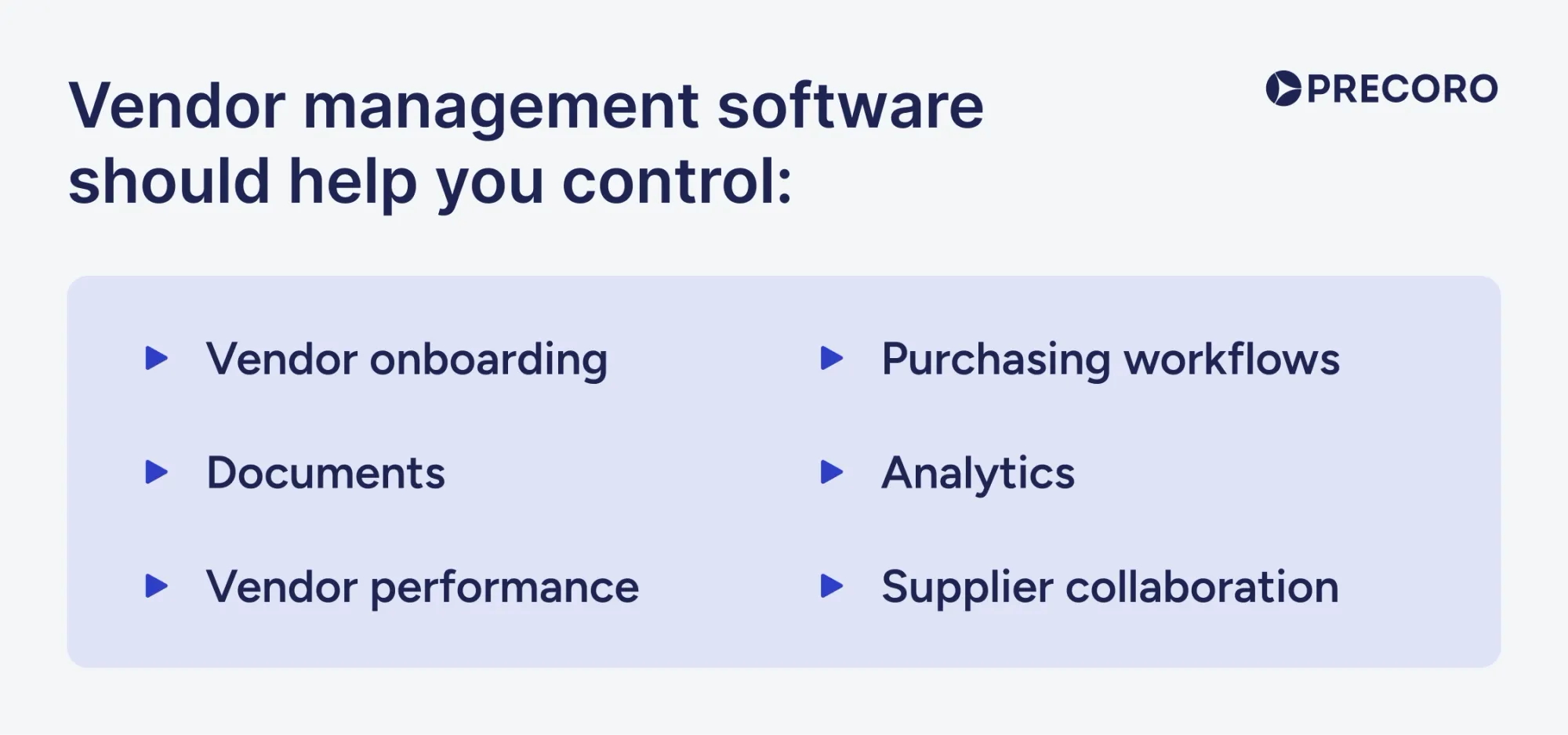
As a general rule, the right vendor management software should help you control six areas: supplier qualification, documents, performance, workflows, analytics, and supplier collaboration. Here’s a checklist of six core questions you should ask when choosing a solution.
Does the VMS provide vendor onboarding, qualification, and risk scoring?
Vendor onboarding defines the entire partnership that follows. If the system can’t collect the right supplier data before the first purchase or payment, every workflow that depends on that information will ultimately fail. Besides simple data collection, the system should define what happens before you purchase from the vendor. Features like a self-service supplier portal shift routine communication to the vendor side and reduce the workload on your team.
A VMS should also provide a way to qualify and approve vendors before you buy from them, typically through structured approval workflows. Risk scoring is another factor to consider. Standalone VMS solutions rarely include complete screening frameworks or sanction checks. If that's a priority, look at more targeted solutions. That said, a strong VMS should support basic supplier risk monitoring through real-time dashboards, individual supplier profiles, and alerts.
How robust are contract and document management features?
The biggest issue with vendor documents is that, after collection, they're often ignored. This often happens because VMS purchases aren’t directly linked to contracts and simply remain in a folder. To be effective, contracts should be tied to supplier status, approvals, purchase controls, and renewal dates.
Evaluate document management in VMS based on the flexibility and general availability of these features:
- Centralized storage by vendor profile
- Document type requirements by vendor category
- Expiration alerts
- Version history
- Approval history
- Access permissions
- Contract owner assignment
- Renewal reminders
- Links between contracts, POs, invoices, and suppliers
Can the platform handle performance tracking, SLAs, and KPIs?
Any platform used for vendor management should include built-in performance tracking. A VMS should let you measure performance against agreed standards and set clear expectations for both vendors and internal stakeholders. SLAs define the minimum acceptable level of service; supplier KPI tracking provides information on whether suppliers are meeting it over time.
Look out for the following features:
- KPI dashboards that show supplier performance at both the individual vendor level and the company level.
- SLA tracking that lets users define and monitor service-level agreements tied to vendor contracts.
- Corrective action workflows, such as revisions, reviews, and escalations.
- Supplier scorecards or advanced data.
- Centralized contract data.
What automation, workflows, and approval routing options are available?
Next, consider what your team is wasting the most time on. Automation is the major selling point of the current SaaS industry, but it’s less useful if you’re adding it without a clear problem to solve. According to MIT's NANDA initiative, 95% of enterprise generative AI pilots are failing. The findings, drawn from 150 leader interviews, a survey of 350 employees, and an analysis of 300 public AI deployments, point to flawed enterprise integration rather than model quality as the core culprit. The new automated workflow should be intuitive to learn, easy to transition from the previous process, and relieve repetitive tasks.
Again, map your process and focus on the common bottlenecks. Ask the team what consumes most of their day, then assess whether those tasks can be automated. AP struggling with invoice matching? Automatic three-way match solves that. Manual quote or expense uploads taking too long? AI-powered intake is worth evaluating.
Most importantly, automation should fit your existing process, not force a complete redesign. For instance, changing approval workflows to make them work in the new system can be even more disruptive than the problem you’re dealing with. All processes should adapt to the way you work.
How strong are analytics, reporting, and dashboard capabilities?
Reports build the foundation of your future spend and the entire financial strategy, with vendors at the center of that, so evaluate what reporting functionality you need in a VMS. A simple count of active suppliers won't get you far. Reporting should connect vendor records with spend and contract data so you can clearly see how purchasing from a given supplier affects cost and other outcomes.
The minimum capabilities your system should include:
- Vendor status: Which suppliers are active, blocked, or duplicated.
- Procurement visibility: Purchasing by supplier, category, entity, department, and budget.
- Contract coverage: Which suppliers have active contracts, which have lapsed, and where spend is happening outside agreed terms.
- Vendor performance: Whether suppliers are meeting SLA commitments, submitting accurate invoices, and resolving issues consistently.
- Workflow performance: Where approvals are stalling, requests are sitting idle, and invoice exceptions are piling up.
- Risk and compliance: Which vendors have missing certificates, expired insurance, or overdue reassessments.
Reporting should also support drill-down by supplier, entity, department, budget, contract, and requester. That level of detail is what turns spend data into actionable decisions.
Does the VMS support supplier portals and collaboration tools?
A supplier portal might sound like a convenience feature, but it’s become the core of managing vendor relationships, with TechRadar reporting that 95% of leaders are looking for partnerships that support their digital ambitions. Although 33% of vendors are still unable or reluctant to support digital procurement, a dedicated space for collaboration can be quite beneficial for vendors, too.
Without a portal, suppliers send documents or any updates by email or messenger. Someone inside the company has to download files, check details, update records, forward messages, and ask for missing information. Multiply that by hundreds of vendors, and the burden is difficult to manage. That weighs on vendors too, since they can get confused about who to contact or find the latest PO.
A useful supplier portal supports:
- Self-registration: Vendors submit company details, contacts, tax forms, bank details, and required documents.
- Document exchange: Suppliers upload certificates, insurance files, compliance documents, and updated records.
- PO access: Vendors receive purchase orders, confirm order details, and track order changes.
- Invoice submission: Suppliers submit invoices directly against the correct vendor record, PO, or contract.
- Request for Quote (RFQ) or Request for Proposal (RFP) participation: Suppliers respond to sourcing events, quotes, or bid requests.
- Status visibility: Vendors can see the relevant order, invoice, or payment status when supported.
- Controlled updates: Sensitive changes, such as bank details, tax information, or legal entity updates, route to internal teams for approval.
Supplier portals directly involve the vendors in the company’s systems for document exchange, including POs, invoices, and related information. It’s also essential for data protection. Instead of sensitive information floating around inboxes, it’s kept in a controlled system that your company controls.

How to assess security, compliance, and data controls of vendor management solutions?
A vendor management system stores confidential data from your company and your supplier. Bank details, tax forms, contracts, and personal information could all be leaked if the right guardrails aren’t put in place. Involve your IT and legal teams from the get-go, and make security controls a priority before you decide on the list of solutions.
What data protection and encryption standards does the vendor use?
The platform should protect data in transit and at rest. Encryption in transit means data is protected while it moves between users, suppliers, integrations, and the platform. The common standard here is TLS 1.2 or TLS 1.3, with TLS 1.3 being the preferred option due to improved speed and security.
Encryption at rest means stored data is protected inside file storage, backups, and repositories. For sensitive vendor data, look for AES-256 encryption, which is widely used for protecting business records. Precoro uses it too and ensures your information is only available to your company.
Don’t forget about integrations, which need the same level of protection. ERP, accounting, AP, and procurement connections should use secure application programming interface (APIs) over HTTPS/TLS. If the system relies on batch file exchange, files should move through SFTP or another encrypted transfer method.
How does the VMS manage access control, roles, and audit trails?
Vendor management software essentially enforces the controls you set—roles, thresholds, approval workflows—and makes them automatic.
Role-based access control
Most VMS support role-based access control, typically based on the principle of least privilege, meaning each user has only the permissions they need to do their job. In practice, that might mean procurement has full system access, AP has view-only access to the procurement module and admin access to their own, and requesters can submit purchases without ever seeing vendor banking details.
If you’re a multi-entity company, these permissions need to be even more granular and separated by entity or location. Look for platforms that support a centralized vendor record visible to all, while keeping local workflows flexible and independently controlled.
Audit trails for sensitive changes
Supplier self-service doesn’t mean the vendor is free to make uncontrolled edits. A well-designed vendor management system prevents this with audit trails that record every significant change made to a vendor record.
Any action, from vendor creation to contract approval, should show the user, timestamp, and change history, so your team can trace what happened and catch unauthorized updates. Sensitive updates should require internal review before they affect purchasing or payments.
SSO and MFA
SSO and MFA should be standard security requirements for a VMS.
- Single sign-on (SSO) lets employees use one company login to access the VMS. It makes access easier to manage when someone joins, changes roles, or leaves.
- Multi-factor authentication (MFA) requires a second proof of identity, such as a code, app approval, or security key. It helps protect the system if someone’s password is stolen.
- Phishing-resistant MFA uses stronger methods, such as FIDO/WebAuthn security keys or passkeys. Unlike SMS codes or push approvals, it verifies the real website and blocks many phishing attempts before login succeeds.
Does the solution support regulatory requirements and industry certifications?
Certifications show that the vendor has gone through a formal security or compliance review. Most software should provide at least one of these frameworks.
| Security measure | Meaning | What VMS provides |
|---|---|---|
| ISO/IEC 27001 | An international standard for setting up and maintaining an information security management system, or ISMS. | Has a formal process for managing security risks around sensitive vendor data. |
| SOC 2 Type II | An independent audit report that checks whether a service provider’s security controls work over a period of time. | Has tested controls for protecting vendor data, keeping the system available, and managing access over time. |
| GDPR | A European data protection regulation that governs how organizations collect, process, store, and transfer personal data. | Can support personal data protection requirements for supplier contacts, tax IDs, bank details, and other vendor records. |
| ISO 27017 | A cloud security standard with guidance for cloud service providers and cloud customers. | Applies cloud-specific security controls to protect vendor data stored in cloud infrastructure. |
| ISO 27018 | A standard for protecting personally identifiable information, or PII, in public cloud environments. | Has controls for protecting personal data stored in a cloud-based vendor management system. |
| PCI DSS | A payment security standard for systems that store, process, or transmit cardholder data. | Can protect cardholder data if vendor payments or spend workflows involve payment cards. |
| HIPAA | A U.S. healthcare regulation that sets rules for protecting protected health information, or PHI. | Can support healthcare data protection requirements if vendor workflows involve PHI. |
These are the most common security standards companies look for when evaluating software, but your requirements may change depending on where you operate. For instance, if you’re in LATAM, you might need other standards like LGPD in Brazil. Likewise, your industry significantly raises the bar as well, especially if you’re operating in healthcare, education, or the public sector.
How should you evaluate vendor credibility and TCO?
Evaluate vendor credibility by checking whether the provider has proven experience with companies like yours. For total cost of ownership, consider costs that come after you pay the initial price, such as fees for setup, integration, customization, training, premium support, and transactional growth.
Even if the upfront price is appealing, don’t be fooled by it. An affordable VMS quickly gets expensive once you get into the process and something breaks. The setup can stall for months, the seemingly complete integration suddenly doesn’t sync, and you're left paying not just for a new solution but for the time and resources spent getting there.
Once you've shortlisted platforms based on features, look into real customer experiences, evaluate which pricing model fits your needs, and account for costs that don't show up until after the demo.
What questions should you ask about vendor track record and references?
Vendor experience and any references they provide should give you a picture of the product and its implementation. Ask to set up reference calls with customers from your industry or with a similar organizational structure. A VMS that works for a small AP team may not fit a multi-entity company with complex approvals and ERP sync.
Ask the vendor:
- Do you have customers in our industry and company size range?
- How many clients in our specific industry (or of our size) have you successfully supported?
- Can we speak with a customer with similar vendor volume or integration setup?
- What is the average implementation timeline for companies like ours?
- What usually delays implementation?
- Which features require paid configuration or extra modules?
- Which integrations are native, and which require middleware or custom work?
- What are the known limits of your specific features?
- What support is included after go-live, and what costs extra?
- Which use cases are you not built for?
Also, check public reviews on platforms like G2 or Capterra for repeated patterns around implementation delays, integration issues, and other hidden costs. During reference calls, ask them about issues they faced during implementation or post-launch and how the company helped resolve them.
How do pricing models compare: subscription, transactional, or user-based?
VMS pricing usually follows three main models: subscription-based, transactional, and user-based. Each creates a different cost risk as you grow.
Subscription gives you a fixed monthly or annual platform fee. It’s the easiest model to budget for because costs are more predictable. The main risk is paying for a larger plan than your team actually uses, especially if adoption is slow or only a few teams actively work in the system. Before choosing a subscription plan, check the user limits and the features included in each.
In transactional pricing, the cost depends on usage volume, such as the number of invoices, purchase orders, or other documents processed through the system. This model makes sense for companies with low or stable transaction volume, but costs can rise as your procurement needs grow.
User-based fees increase with the number of people using the platform. They ensure that only the required people access the system, but become costly if you have a lot of requesters who also need access. Keeping the user count low in that case isn’t the best idea since that can tempt employees to purchase outside the system.
Evaluate how your company will actually use the VMS and then choose a pricing model. A small team with limited admin users may prefer user-based pricing, but a growing multi-location business may need subscription pricing with broad requester and approver access. Finally, focus on the total cost of ownership. If what’s proposed in the pricing doesn’t seem like enough or doesn’t align with the direction your company is heading in, you’re due to accumulate more costs as you scale.
What hidden costs should you look for in implementation, customization, and maintenance?
Implementation, customization, and maintenance of software can snowball into a much higher price than you initially planned for. It’s not always monetary—sometimes software simply costs your team time and resources. Watch out for these hidden costs when considering VMS:
| Cost area | Hidden costs | How it sneaks up |
|---|---|---|
| Data migration | Vendor cleanup, document uploads, missing details, and old vendor records | Buyers budget for “migration,” but not for the manual cleanup required before data can be moved. |
| Integration | Connector fees, middleware, API setup, field mapping, sync testing, error handling | Integration is often sold as available, but field mapping and testing can still require paid setup. |
| Customization | Approval rules, custom fields, vendor categories, exception paths, and entity-specific workflows | Basic workflows may be included, but real approval logic often needs configuration or consultant time. |
| User training | Admin training, requester training, approver guidance, AP/legal/compliance onboarding | Training may cover admins only, while everyday users still need help to follow the new process. |
| Supplier onboarding | Portal setup, supplier instructions, document chasing, supplier support | Supplier self-service still needs rollout work before vendors actually use it correctly. |
| Support | Premium support, faster response times, dedicated CSM, post-launch workflow changes | Standard support may not include the level of help needed during rollout or after process changes. |
| Additional modules | Supplier portal, contracts, AP automation, advanced reports, API access, SSO, ERP integrations | The base plan may cover vendor records, but not the features needed for the full vendor lifecycle. |
| Higher volume | More users or documents | Costs can rise after launch if pricing depends on usage, transactions, storage, entities, or user count. |
How vendor management solutions integrate with ERP and procurement systems
Vendor management solutions integrate with ERPs and other procurement systems via built-in native connectors, APIs, and middleware. Besides these three options, you can perform the sync manually by exchanging files. A VMS should integrate with the tools you consider essential, such as ERPs, SRMs, HRIS, and AP software. Note that each new integration will significantly impact setup time, sometimes extending it by weeks.
However, if those systems don’t exchange clean data, the VMS becomes another place to update information manually. Review existing tools, choose which ones the VMS needs to integrate with, and evaluate options for integration and implementation time.
Which systems must the VMS integrate with (ERP, SRM, HR, finance)?
As a rule of thumb, a VMS should integrate with the systems that create, approve, pay, audit, or evaluate vendor activity. The exact stack depends on the use case, but the core priority is ERP, accounting, procurement tools, and HRIS when contractors are involved.
- ERP or accounting system: The ERP usually stores vendor master data, GL codes, tax fields, invoices, payments, budgets, and accounting entries. The VMS needs to sync clean vendor and transaction data with it, so your team doesn’t have to fix any info manually.
- Procurement system: If the VMS isn’t part of the procurement platform, it should connect to it. Vendor status should affect any purchasing documents, so employees don’t continue buying from unapproved or inactive vendors.
- AP and finance systems: AP needs accurate data to approve invoices and release payments. Payment terms, bank details, tax records, PO numbers, receipt status, GL codes, and invoice routing rules must match across systems to avoid manual exceptions.
- HRIS or workforce systems: This integration matters when vendor management overlaps with people data: contractors, staffing agencies, external workers, hiring managers, department owners, and approval chains. The VMS can use HRIS data to route requests to the right manager, apply the correct cost center, remove access when an employee leaves, and keep approvals aligned after org changes.
- SRM and supplier performance tools: This integration helps connect supplier performance with actual spend, contract terms, risk status, and purchasing activity.
What APIs, data formats, and middleware options are supported?
VMS integrations usually rely on four methods: native connectors, APIs, middleware/iPaaS, and file-based sync. The right option depends on how much data you process, the complexity of your ERP, and whether the company needs real-time updates or scheduled transfers.
Native connectors
Native connectors are prebuilt integrations between the VMS and common systems, such as NetSuite, QuickBooks, Sage, or Xero. They are often the fastest option because standard workflows may already be mapped. However, if you’re using a unique dataset or your ERP is heavily customized, you will need to configure some settings manually.
APIs
APIs are the most flexible option for modern systems. They essentially let two systems exchange specific data automatically. APIs work best when the business needs near-real-time sync, but they also require technical ownership and active monitoring.
The most relevant API types for VMS integrations are REST APIs, SOAP APIs, and GraphQL APIs. REST APIs are standard for modern SaaS tools and work well for syncing vendor records, POs, invoices, payments, and documents. SOAP APIs appear more often in older enterprise systems and may require stricter data formats. GraphQL APIs let systems request only the exact data they need, but they’re less common in procurement and ERP integrations.
Middleware and iPaaS platforms
Middleware, also known as Integration Platform as a Service (iPaaS) platforms, acts as the middleman between systems and moves data between them. They’re ideal if you have several ERPs and legacy systems to manage and need a centralized control hub to integrate them. However, it just becomes part of your tech stack and another system to configure and maintain.
The main types include enterprise service bus (ESB), iPaaS, and API gateways. ESB is common in older enterprise environments where many internal systems need to communicate. iPaaS is widely used in cloud-based SaaS integrations. API gateways manage API traffic, authentication, and access between systems.
File-based sync
File-based sync uses CSV, XML, or similar files transferred through SFTP or another secure method. It’s often the only solution for older ERPs and systems that don’t support APIs. You can use it for scheduled updates, but if you need real-time control, other sync types would work better. For example, if the supplier was deactivated at midnight, and the file sync runs overnight, procurement and AP may still act on outdated data for the rest of the day.
The most common file types are CSV, XML, JSON, TXT, and sometimes XLSX. CSV works well for simple imports and exports, such as vendor lists or GL codes. XML and JSON support more structured data exchange, such as invoices, catalogs, or transaction records. TXT is still used in some legacy systems with fixed-width formats. XLSX may appear in manual imports, but it is weaker for automated sync because spreadsheet formatting can create errors
How will integration affect the implementation timeline and complexity?
Although the types of connection, APIs, or native connectors matter, the timeline of implementation will depend more on the state of your data and workflows than on the VMS itself. If you already have a clean dataset and established workflows, integration is more likely to happen fast, and VMS can become a full-fledged part of your workflow.
The following factors can impact your implementation:
- Number of systems connected: The more tools you have, the more time you need to spend on testing and mapping workflows.
- ERP customization: Standard connectors might not support your heavily customized data.
- Vendor master data quality: Any mismatched or duplicate names need to be cleaned up before sync.
- Multi-entity or multi-location setup: Entities may have different rules and requirements, each of which has to be set up.
- Integration method: Native connectors are usually faster; APIs and middleware add flexibility but require more technical ownership; file-based sync is simpler but weaker for real-time control.
- Historical data migration: Old records take time to classify and move.
- Testing depth: Your teams need time to confirm all data syncs as expected.
How to implement a vendor management solution successfully
Before you add another tool to your kit, estimate how much time the entire journey will take, what internal effort it will require, and plan contingency scenarios in case it fails. Most importantly, don’t rush and replicate broken workflows in a new tool without first challenging and improving them.
What is a realistic timeline for deployment and pilot phases?
A realistic VMS timeline depends on the scope. A light procurement workflow rollout can take weeks, but the implementation of an enterprise system can take months. Some top vendor management solutions, like SAP Ariba, take 6 months, while others, like Precoro, can be rolled out in 2-8 weeks.
Deployment also typically relies on data quality, the number of systems to integrate, approval complexity, company structure, and how many users or suppliers need to change behavior. A simple rollout is usually possible when the company has one ERP or accounting system and clean vendor records.
Rather than launching all features at once, consider a phased approach. Roll out a few core workflows first, test them, then expand from there. This is especially useful for complex processes and teams new to the software, who need time to build confidence before taking on more.
How should you plan training, user adoption, and communications?
A VMS fundamentally changes how you operate, especially in typical user behavior. Manual habits no longer apply. Teams need to know who can create vendors, which suppliers require approval, where documents live, how purchases become POs, and what AP needs before payment. Training during this time is crucial to prevent employees from going back to the old ways.
Separate training by roles. Prosci’s ADKAR model proposes that organizational change will only succeed if individual employees successfully navigate it. Focus on what each user will do in the software and help them master it. For instance, requesters need to be familiar with the intake process and pre-approved catalogs, while AP has to get used to 3-way matching and invoice capture.
Communication should be practical and repetitive. Users need to know the launch date, how to request a new vendor, what documents are required, who approves what, and where to go when something doesn't work. Suppliers should have separate instructions since their workflow is different from that of internal users.
Measure adoption by outcomes. Are vendor requests moving faster? Are invoices arriving without POs? Are the same duplicate vendors still getting created? Track which teams are submitting the most support tickets to find out where the system isn't working as expected.
What testing, data migration, and cutover strategies should you use?
Just as with any business-critical transition, a VMS implementation needs a careful approach: test in a safe environment, migrate clean data, and cut over with a clear plan. Vendor data affects your entire purchasing, so rushing can be detrimental to your company.
Testing
Testing ensures the system is ready to handle real-life scenarios before actual users log in. Use it as if it’s already implemented and include missing documents, exceptions, or sudden changes in the scenario toolkit. Here are several ways to approach testing a VMS:
- Unit testing: Check individual features, such as fields, permissions, document rules, vendor statuses, and approval steps. Going through them manually may be time-consuming, but it helps make sure everything’s set up correctly.
- Integration testing: Test how your VMS syncs with ERPs or other tools. Check whether the connection happens in real time and that nothing’s missing.
- Performance testing: Check whether the system can handle peak activity, such as month-end invoice volume or many approval requests.
- Regression testing: Retest key workflows after configuration or integration changes.
- User acceptance testing: Run real scenarios with end users. Use familiar use cases to evaluate whether the system is fit for your purpose.
Data migration
Migration starts with cleanup, not import. Follow the Extract, Transform, and Load (ETL) migration approach.
- Review vendor and purchasing records before adding them to the new system, as any mismatches will carry over into the new VMS.
- Match fields from the old system to the new VMS before migration.
- Transform the data into a suitable format and load it into the new system.
- Optional: Move historical data first, then migrate recent changes right before launch.
- Compare the outputs of the old and new systems before cutover.
Cutover
Cutover is the moment the company stops using the old process and starts using the VMS. It should be controlled, have clear owners and assignees, and include a rollback plan in case things go awry.
- Develop a cutover playbook: Create a step-by-step plan for the switch. It should define who validates vendor records, who migrates data, who confirms user access, and so on.
- Phased rollout: Launch by entity or workflow to give the team time to fix any issues before moving forward.
- Cutoff rules: Set a clear date when old vendor request forms, email approvals, manual supplier records, and old invoice submission paths stop being valid.
- Rollback plan: Define when and if the team can return to the old process if critical issues appear.
Top vendor management solutions
The vendor management solution market is growing fast, and the number of platforms available makes choosing the right one harder than it should be. To help, we compiled a list of the best vendor management software based on real customer reviews, core functionality, and how well each platform supports actual vendor management workflows.
Rippling

Rippling is a workforce management platform that combines HR, IT, payroll, and finance in one system, with vendor-related capabilities inside its bill and spend management products. Its supplier features primarily shine within the broader spend management suite and include bill management, approvals, payments, and spend policies. The platform’s goal is to connect vendor spend to the rest of the business, including employee, department, and accounting data.
Customer ratings:
- G2 — 4.8 out of 5 stars based on 12,855 reviews
- Capterra — 4.9 out of 5 stars based on 4,792 reviews
Advantages:
- Unified workforce and spend platform connecting employee spend, payroll, IT, and workforce data.
- Automated AP workflows for invoice approvals, vendor payments, and bill processing.
- Real-time spend visibility across teams, vendors, departments, and categories.
- Intuitive UX that supports faster adoption across employees and finance teams.
Shortcomings:
- Vendor management leans toward payments rather than broader supplier workflows.
- Setup can feel complex because of multiple functions in one platform.
- Advanced functionality can increase cost and complexity, especially for teams that only need vendor or procurement management.
- Limited reporting and analytics functionality.
Pricing:
Rippling uses modular pricing: companies choose a platform plan, then add the modules they need. Core starts at $8 per employee per month, while tools like Rippling Spend require a custom quote, which can make total costs harder to estimate upfront.
Customer reviews (original spelling):
- Goanar P. — G2 — “I like that Rippling has slashed the number of apps we juggle on the operations side and that we don't have to bounce between five different platforms anymore, as everything now lives under one roof, from payroll to bill pay to app management. It's the most affordable all-in-one suite I've come across, and the customer support has been top-notch since day one. Vendors enter their payment and tax details more painlessly than on any platform we've tried, which spares me hours of back-and-forth emails and chasing W-9s. The whole bill approval to payment workflow is smoother and faster than ever.”
- Victor G. — Capterra — “On the upside, Rippling genuinely delivers on its promise of being an all-in-one system for people operations. Having HR, payroll, benefits, and IT access tied together in one platform made onboarding, role changes, and offboarding feel seamless instead of fragmented. It reduced manual work and eliminated a lot of coordination headaches that usually exist between teams. When everything was set up correctly, it felt incredibly powerful and efficient. Because Rippling does so much, it can feel overwhelming at first—especially for smaller teams or new admins. Power comes at the cost of simplicity.”
The author’s note:
Rippling is a good fit if you want vendor management to be directly embedded in general people operations. HR, payroll, IT, expenses, and AP all sit under the same roof, so you don’t need another system for procurement. That’s useful for teams tired of jumping between tools just to approve a bill.
However, the platform may be less ideal for procurement-led supplier management. Its spend analytics appear more spend-focused than vendor-focused, so you might not be able to drill down into spend based on vendor. Additionally, the sheer number of modules you need to master and processes to transfer can be overwhelming.
Airbase by Paylocity

Airbase by Paylocity, part of Paylocity for Finance, is a spend management and procure-to-pay platform that combines procurement, accounts payable, bill payments, expense management, corporate cards, and spend analytics. Paylocity itself is a broader human capital management platform, so companies can manage payroll and non-payroll expenses in one tool. Vendor capabilities mainly include approvals, bills, and payments, with a focus on spend control.
Customer ratings:
Advantages:
- Strong AP and payment workflows for invoice approvals and bill processing.
- Guided procurement workflows that route purchases through approvals before spend is committed.
- Real-time spend visibility across vendors, departments, categories, and company activity.
- Built-in fraud and payment controls, including vendor tax, bank account validation, and Office of Foreign Assets Control (OFAC) checks.
Shortcomings:
- Not a dedicated platform for deep vendor governance or strategic sourcing.
- Vendor management is focused more on payment spend controls.
- Some users find it time-consuming and inefficient to use.
- Scaling to a global workforce might be an issue as the system is primarily US-based.
Pricing:
Paylocity doesn’t provide public pricing—potential customers need to reach out for a quote. Organizations can add modules as needs grow, so final pricing also likely depends on selected modules.
Customer reviews (original spelling):
- Luis C. — G2 — “We've always been able to have reliable tracking of the company's money spending and expenses thanks to Airbase. Our whole team is able to use it every day in our operations. It's super user-friendly and even easier to implement for large groups of people - its self-explanatory interface becomes ideal for everyday use. Which has made the integration to our processes no other thing than incredibly smooth. Last but not least, if you ever have a question their amazing customer support staff is incredibly helpful start to finish!”
- Mark P. — Capterra — “We have been an essential customer since 2023 and have enjoyed the software, both from the website and the mobile app. Expense reports are a breeze. We like the flexibility surrounding approvals, tags, routing workflow. Additionally, Airbase integrates with NetSuite very smoothly.”
The author’s note:
Similar to Rippling, Airbase by Paylocity is a solid choice for teams that already think of vendor management as part of AP and accounting. You get one place to approve spend, route bills, sync transactions, and keep payment workflows under control. If you want to control suppliers across the purchasing cycle, Airbase doesn’t provide the needed functionality.
For teams that need to manage how suppliers are selected, onboarded, evaluated, and used across purchasing workflows, Airbase may feel more like a spend management platform than a full vendor management system.
Precoro

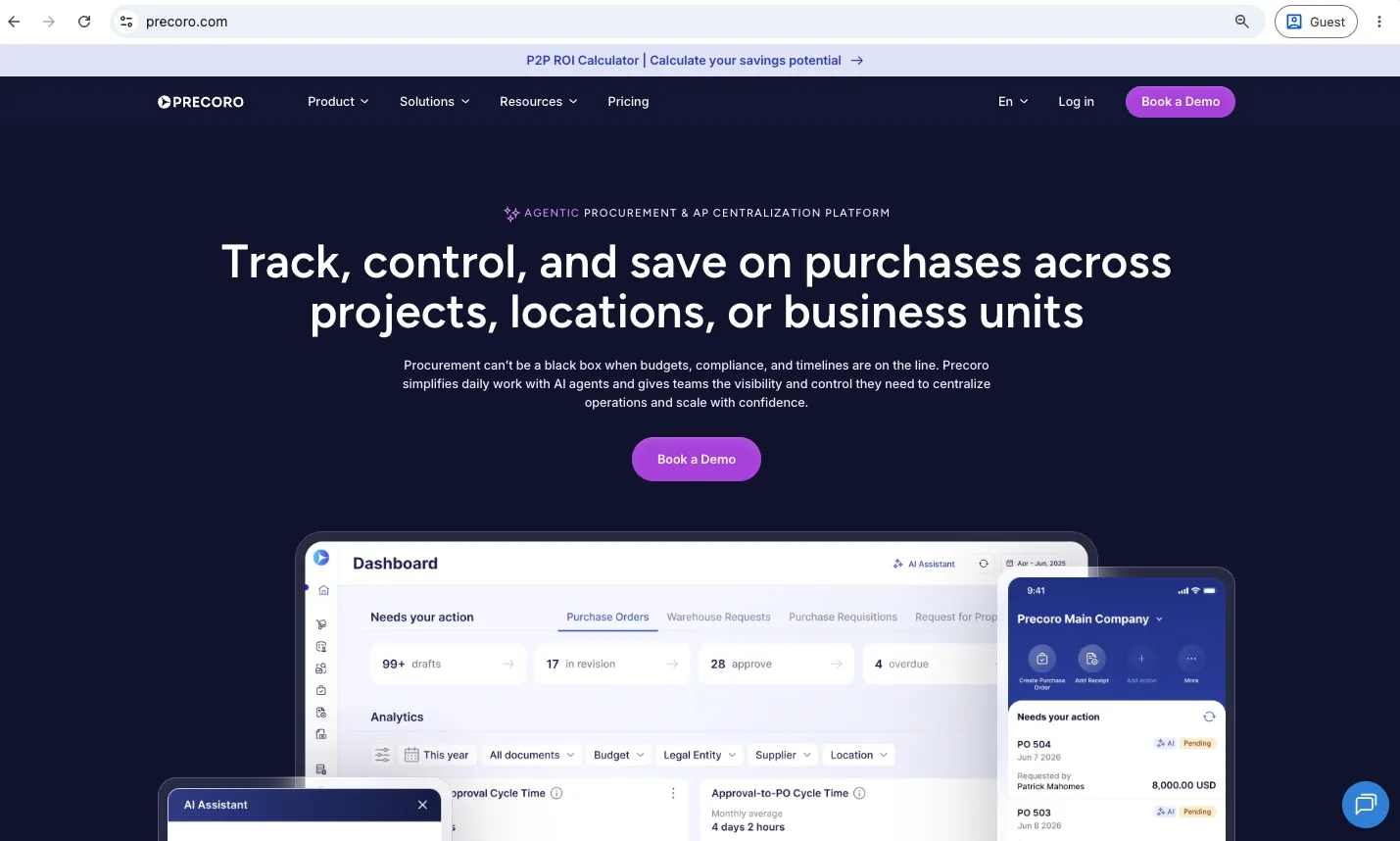
Precoro is a multi-agent procurement centralization and automation platform built for multi-entity mid-market teams who want to fix their fragmented purchasing. Vendor management here is connected directly to the procurement process, so companies can control how vendors are onboarded, approved, used, tracked, and paid across the purchasing cycle.
The intuitive platform integrates with your existing ERP and adds the procurement control layer that these systems often lack. It's an ideal fit for multi-entity companies managing multiple locations or subsidiaries from a single finance function.
Customer ratings:
Advantages:
- An intuitive interface that helps new users get familiar with the system in hours.
- Dedicated self-service Supplier Portal for closer vendor collaboration and faster onboarding.
- Agentic AI capabilities in expense management and invoice processing.
- Vendor consolidation capabilities, thanks to the vendor overview
- Fast implementation, with no IT involvement required.
- Spend visibility with advanced dashboards and an AI Assistant for quick insights.
- Multi-entity management for centralized control across subsidiaries without enterprise-level cost.
Shortcomings:
- Not a dedicated third-party risk management tool.
- Works best when vendor management connects to the broader procurement structure.
- Best fit for teams already using an ERP.
Pricing:
Precoro has three pricing tiers, all billed annually.
- The Core plan starts at $499/month and covers procurement basics, vendor management, contracts, integrations, and reporting.
- Automation starts at $999/month and adds AI AP automation, intake, inventory, PunchOut, Supplier Portal, RFPs, budget tracking, API access, and SSO.
- Enterprise is custom-priced and adds unlimited users, advanced admin controls, ERP and custom integrations, regional server selection, IP whitelisting, and enterprise-grade data protection.
Customer reviews (original spelling):
- Luan B. — G2 — “Precoro is a simple and highly efficient vendor and expense management workflow system that is value for money. I couldn't recommend it more highly to any company looking for an easy-to-implement tool, that is cloud based, virtually plug-and-play, simple, and intuitive to use. We've saved enormous time and enhanced our internal controls environment substantially with the implementation of Precoro. High five to the team!”
- Rahul K. — Capterra — “Precoro is a great option for a comprehensive and user-friendly tool to streamline our purchasing and track our spending. I particularly appreciate the ease with which we can add vendors, create and manage purchase orders, and track payments. The interface is straightforward and easy to navigate, making it a great option for busy professionals.”
The author’s note:
Precoro is the middle ground between a full-fledged SRM solution and a lightweight vendor module. It gives teams more control over vendors while keeping it tied to everyday procurement through approvals, purchase requests, POs, invoices, contracts, budgets, and reports.
The platform is ideal for mid-sized companies with several locations that need cleaner supplier data and tighter spend control without the weight of an enterprise SRM platform. However, it’s not the right choice if you need a full supplier risk monitoring platform or advanced monitoring.

SAP Ariba
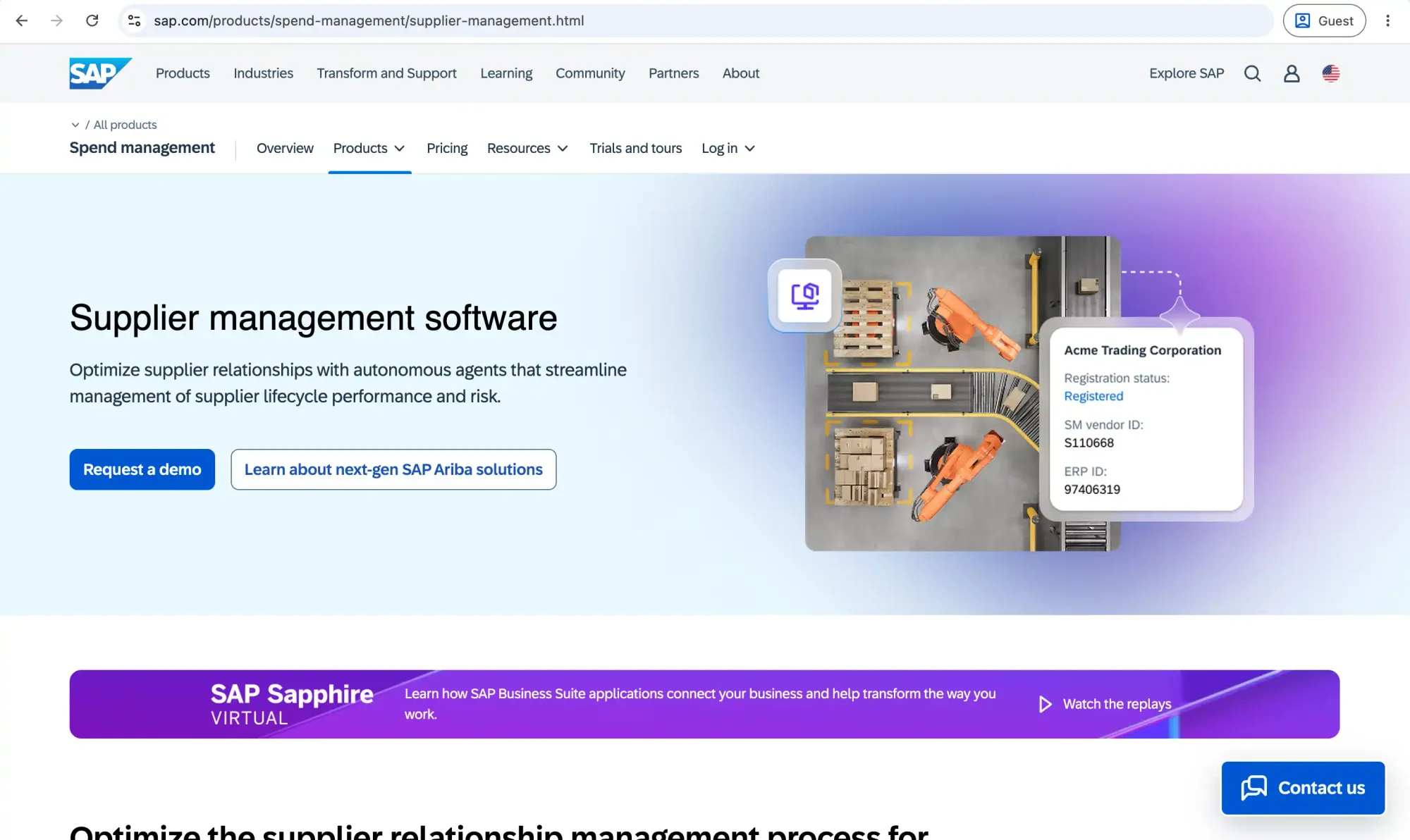
SAP Ariba Supplier Management is SAP’s supplier governance tool for enterprise vendor management. It helps large procurement teams qualify suppliers, maintain supplier records, and monitor risk before and after vendors enter the purchasing process. It’s best for companies already in SAP-centered environments where supplier data needs to stay connected with sourcing and procurement workflows.
Customer ratings:
Advantages:
- Strong enterprise supplier management for companies that need supplier governance at scale.
- Smooth sync between SAP ERP and SAP Ariba for teams that primarily operate in the SAP ecosystem.
- Good risk and performance capabilities, including evaluations and supplier due diligence.
Shortcomings:
- Difficult to navigate and use, with a sharp learning curve for new users.
- Average implementation takes around 6 months—too long for mid-market teams.
- Slow navigation and performance issues often occur.
Pricing:
SAP Ariba pricing is quote-based and depends on users, modules, and transaction volume. Costs vary widely, from around $50 per user/month at the lower end to significantly more for full enterprise deployments.
Customer reviews (original spelling):
- Krish P. — G2 — “I like SAP Ariba for its ability to centralize and automate the entire procurement process in one platform. The sourcing and supplier management features really stand out, as they make it easier to run competitive bidding events and maintain accurate supplier data. I value the strong reporting and analytics capabilities, which provide clear spend visibility and support better decision-making. The integration with our SAP ERP systems enhances data consistency and operational efficiency across the organization. The sourcing features allow us to run structured RFQs and RFPs, compare supplier bids easily, and select vendors based on clear evaluation criteria, improving transparency and speeding up decision-making. The supplier management tools centralize vendor information and performance data, making onboarding more efficient and ensuring compliance.”
- Sergi F. — Capterra — “Nobody buys SAP Ariba because it's fun or easy to use. You buy it because you need heavy-duty, enterprise-grade control. In that regard, it absolutely delivers. It does exactly what it’s supposed to do for contract management, compliance, and large-scale invoicing.”
The author’s note:
SAP Ariba is the enterprise-focused option, but it’s built for scale. While overwhelming for mid-market or smaller teams, large enterprises with global supplier bases, complex approval structures, and procurement governance across multiple regions or regulated industries will find it useful. For mid-sized teams, the overhead rarely justifies it. If your goal is faster onboarding and cleaner vendor use day-to-day, a lighter platform will be easier to launch and maintain.
Basware

Basware is a cloud-based accounts payable automation platform that helps companies manage the full invoice lifecycle, from invoice receipt to payment handoff. It’s mainly used to control vendor invoices after they enter the business and keep them organized in several systems. Basware also provides global compliance controls for e-invoicing and tax requirements.
Customer ratings:
Advantages:
- Strong invoice lifecycle control from capture to payment.
- Useful PO matching and invoice verification for catching discrepancies before payment.
- Global e-invoicing and compliance coverage for cross-border purchasing.
Shortcomings:
- Primary focus is on AP, so it may lack vendor collaboration capabilities.
- Longer implementation timeline (around 6 months), more suitable for enterprise teams.
- Invoice submission on the vendor’s side can be frustrating due to format rules and contradictory user guides.
Pricing:
Basware’s pricing is available on a quote basis, meaning buyers need to request it by booking a demo.
Customer reviews (original spelling):
- Aditya B. — G2 — “Basware addresses inefficiencies in the procure-to-pay process by automating invoice processing, approvals, and payments. This reduces manual work, improves accuracy, and ensures compliance. For me, it results in faster processing, better visibility into invoice status, fewer follow-ups, and timely vendor payments.”
- Ahmet D. — Capterra — “Basware is one of the leading purchase-to-pay/invoice processing platforms. The workflow engine allows the implementation of kind of an approval process regardless of detail and exceptions. This power, however, comes with a price, the implementation can be challenging and the implementation learning curve can be sometimes steep. Consolidated reports are very useful and the ERP integration is solid, which is a must-have for any kind of P2P Platform.”
The author’s note:
With a strong focus on invoices, Basware has mastered the AP part of the vendor management process. If you’re purchasing globally and need a fleshed-out AP workflow, Basware is a strong fit. Those teams that face issues way before the invoice, in the intake or onboarding stage, might find it too invoice-led and are better off looking for a centralized procurement system with a broader focus. Basware itself is better suited to enterprises with high invoice volumes across countries.
Kodiak Hub

Kodiak Hub is a cloud-based supplier relationship management platform built for companies that need deeper supplier intelligence. It covers the full supplier lifecycle and is a good fit for supplier-heavy industries like manufacturing, food and beverage, and retail, where supplier quality and resilience are business-critical.
Customer ratings:
Advantages:
- Useful supplier performance tools, including supplier scorecards and performance analytics.
- Good fit for global supply chains and direct purchasing.
- Intuitive design that is easy enough to adopt both for employees and suppliers.
- Support for risk screening and Environmental, Social, and Governance (ESG) monitoring.
Shortcomings:
- Less ideal for indirect or service-heavy procurement.
- Too robust for teams that need simple onboarding and centralization.
- Less customization in some functionality, like scoring.
Pricing:
Kodiak Hub doesn’t disclose its pricing. Contact the vendor to confirm the cost, as it varies based on included modules or scope.
Customer reviews (original spelling):
- Andy H. — G2 — “It is extremely user-friendly, even for those outside of Procurement who may not use it as often. The best feature is how clearly it shows the percentage score for each answer, by category, and overall. This information can also be exported as a PDF to share with stakeholders, which is useful because it helps validate any potential risks with a particular supplier.”
- Lisa S. — Capterra — “That we finally can have all our supplier data in one place and that it integrates with almost everything without any hassle! Their global attribute library has really been a game-changer for us when creating self-assessments since it saves us so much time and gives us confidence that we're covering all aspects.”
The author’s note:
Kodiak Hub is one of the stronger options if your vendor management needs lean toward supplier relationship management. If your team needs to run supplier assessments and compare vendors by performance on top of standard tracking, it's worth a closer look. It particularly stands out for direct material procurement.
If your main issue is more operational—teams buying from the wrong vendors or no visibility into who buys what from which supplier—Kodiak Hub may not solve the full problem by itself. In that case, a lightweight procurement software with vendor management capabilities will likely be a better option.
Tipalti

Tipalti is a finance automation platform that handles vendor management from the payment side of the relationship. It helps companies onboard suppliers, collect tax and payment details, process invoices, run compliance checks, and pay vendors across countries and currencies. It’s especially useful for businesses with large supplier or partner networks where the biggest vendor problems are payment delays, tax compliance, fraud risk, or cross-border payouts.
Customer ratings:
Advantages:
- Multi-language self-service supplier portal that lets vendors manage banking, taxes, and payments themselves.
- Built-in tax compliance engine that automates data collection and TiN validation.
- Cross-border payments across 190+ countries and 120+ currencies.
Shortcomings:
- It might be more than needed for smaller companies with mostly domestic suppliers.
- Costs can grow with transactional pricing for invoices and payments.
- ERP sync can be unreliable and require manual fixes.
- Implementation can take longer than expected, with users reporting complex setup across different company sizes.
- Reporting can feel limited, with weak standard reports and narrow customization for financial analysis.
Pricing:
Tipalti has two main pricing tiers: Accounts Payable, which starts at $99/month, and Mass Payments at $249/month, both with unlimited users and additional transaction pricing. Accounts Payable includes a self-service supplier portal and core automation features, while Mass Payments provides a payee portal. Final pricing will depend on additional modules and your transaction volume.
Customer reviews (original spelling):
- Verified User in Transportation/Trucking/Railroad — G2 — “Tipalti solves the challenge of managing manual, error-prone global payments and compliance by automating vendor onboarding, approval workflows, and international payouts in one system. Tipalti has strong automation features, but the user interface can feel clunky and unintuitive at times. Some workflows are hard to customize, and onboarding took longer than expected. Customer support was okay, but not always timely. Overall useful, but there’s room for improvement.”
- Brittany C. — Capterra — “Overall, it’s been satisfactory but there are major areas of improvement that take Tipalti to a new level. I love the ease of using Tipalti and the ability to give vendors control over their accounts. Tipalti doesn’t seem to have been created with accountants in mind. Much of the report is lacking and much of UI leaves much to be desired.”
The author’s note:
Tipalti is a good fit for teams dealing with payment complexity after supplier selection. With robust functionality for global payments and tax compliance, companies that manage large networks of international suppliers will benefit the most. Those managing mostly domestic suppliers might find Tipalti to be more payment-focused than they need, leaving some functionality unused.
Oracle Fusion Procurement Cloud

Oracle Fusion Cloud Procurement is Oracle’s enterprise source-to-settle suite. It covers strategic sourcing, contracts, purchasing, self-service procurement, sustainability, supplier collaboration, and risk controls. The suite helps connect procurement and finance to vendor management inside the Oracle ecosystem.
Customer ratings:
Advantages:
- Deep Oracle ERP sync for companies already using Oracle Cloud ERP.
- Supplier portal and self-service purchasing support for onboarding and catalog buying.
- Customizable dashboards and simple expense reimbursement.
Shortcomings:
- Outdated user interface with inconsistent look and slow, rigid experience.
- Implementation can be more difficult for teams outside the Oracle ERP bubble.
- High upfront cost for smaller teams.
- Some features might require additional support to master.
Pricing:
The cost of Oracle Fusion Procurement Cloud starts at $625 per hosted user, but it might change depending on the complexity and functionality of your setup.
Customer reviews (original spelling):
- Amit G. — G2 — “The best thing about Oracle Fusion Cloud Financials is its comprehensive core financial processes. It brings together automated, real-time financial reporting and advanced analytics in a single, scalable cloud platform. Many times, I’ve felt that the navigation and overall interface could be improved. Sometimes, even for simple tasks, we have to struggle because there are too many screens and fields required to complete something basic. New users often struggle with the system’s overwhelming complexity. Also, when the data size is huge, reporting slowness becomes a common problem.”
- Anonymous User — Capterra — “Gets the job done. The best feature in my opinion is the copy to checkout option which allows you to use previous requisitions to make it faster for recurring charges or similar categories. I think they could improve the software by having a search bar for key words in the category codes and account numbers such as "cleaning supplies" etc rather than just having to scroll them.”
The author’s note:
If you’re already using Oracle ERP, you’ll feel completely at home with Oracle Procurement. It provides enterprise reporting and advanced vendor compliance tracking tools that not many lightweight vendor tools offer, but many enterprises need.
Although Oracle has in-depth functionality, you need the team and budget to manage it. With the high cost per user and resource-intensive implementation, mid-market teams might find it too cumbersome and heavier than necessary.
GEP SMART

GEP SMART is a source-to-pay platform built on Microsoft Azure, covering sourcing and procure-to-pay in one system for both direct and indirect procurement. It's particularly strong in direct procurement, with purchasing driven by Bill of Materials (BOM) and real-time supplier collaboration on forecasts and schedules.
Customer ratings:
Advantages:
- AI-powered spend classification through GEP’s MINERVA AI.
- Single data model across procurement modules that reduces the need to connect separate tools.
- Integrated supplier management within the broader source-to-pay process.
- Mobile procurement access through the GEP SMART app.
Shortcomings:
- Large data extracts slow down the system.
- Reports and dashboards may not feel intuitive to every user.
- Customization may have limits for very specific processes.
- Implementation may require significant planning because of the large number of processes.
- High cost that can start at $500k per year.
Pricing:
GEP SMART doesn’t have standard pricing packages. Contact the vendor to learn the cost for your specific case.
Customer reviews (original spelling):
- Mohit S. — G2 — “The practicality, versatility and performance of GEP SMART are commendable. Extracting vast amounts of data takes time, and sometimes the system crashes. GEP SMART can manage all procurement activities, from purchasing to vendor payments, saving time and effort and bringing insights.”
- Roger B. — Capterra — “The software has all the basic features we need as a multinational enterprise. We’ve been using it for years in the contract and sourcing space, and are now deploying procurement. GEP has been very engaging in supporting future product development requirements. As with any configurable software, it takes a fair amount of time to configure, test, and deploy.”
The author’s personal opinion:
GEP SMART is a strong option when vendor management is part of a bigger source-to-pay transformation. If your team needs sourcing, contract management, supplier tracking, purchasing analytics, and P2P in one place, GEP SMART belongs on the shortlist.
GEP SMART is built for complex procurement environments, so it can be more than smaller or mid-market teams need for day-to-day vendor management. Enterprise deployments are high-cost, so buyers should expect a significant investment in setup, process design, and long-term adoption.
Kissflow

Kissflow Procurement Cloud, or simply Kissflow, is a low-code procurement and workflow automation platform that lets teams customize procurement stages around their own process. Teams can use visual form builders and drag-and-drop features to build workflows, such as purchase requests, purchase orders, vendor management, invoice approvals, and spend tracking, around their business rules.
Customer ratings:
Advantages:
- Flexible procurement workflows that let teams customize purchasing around their internal rules.
- Clean interface with fast implementation in 8 weeks.
- User-friendly workflow builder that supports non-technical teams with no-code configuration.
- Supplier onboarding and supplier records linked to procurement activities.
Shortcomings:
- Customization can still have limits, especially for more complex integrations or advanced workflow requirements.
- May lag or feel limited for larger businesses due to transaction volume.
- Setup heavily depends on how well the team configured workflows.
Pricing:
Kissflow uses custom enterprise pricing, so reach out to the vendor for cost estimates.
Customer reviews (original spelling):
- Verified User in Information Technology and Services — G2 — “Kissflow's drag and drop features has helped us immensely in streamlining workflows. Since it is low code, it is also very citizen-developer friendly. It also supports Javascript, that has allowed us to make some customizations. Seamless integration with other platforms is also a very big plus point for our organization. Although Kissflow does support customization, it often feels very limited. For example, in one of our use-cases, we wanted to use sequence numbers/request number in a table but Kissflow was not able to accomodate that. Reporting features can also be enhanced.”
- Shivam M. — Capterra — “Kissflow simplifies workflow automation with an easy-to-use interface but can feel limited for complex tasks. It’s great for small teams but may lag or lack deep customization for larger businesses. The best thing about Kissflow is its no code workflow automation. It makes process automation accessible to non-technical users, allowing them to build and manage workflows with a simple drag and drop interface. While it offers no code low code options, deeper customization can be restrictive compared to more advanced platforms.”
The author’s note:
At its core, Kissflow is a workflow automation tool. If you have established workflows and simply need a way to enforce them, it’s useful for that. Its low-code model is the main draw: business teams can shape vendor and procurement workflows around how they actually work. However, for teams with broken processes or complex workflows, Kissflow might prove to be too light.
Ramp

Ramp is a finance automation platform that helps companies control business spending before and after money leaves the organization. It brings corporate cards, expense management, bill payments, procurement requests, the ability to track vendors, and accounting automation together in a single system.
Customer ratings:
Advantages:
- Free base access to core spend tools, including corporate cards, expense management, and vendor management, without per-user fees.
- Spend control starts at the card level through virtual cards limited by vendor, budget, or expiration rules.
- Price intelligence for quick insights on vendor spend.
- User-friendly interface that’s intuitive enough for new users.
Shortcomings:
- Procurement features aren’t included in the base package, but are available as add-ons.
- Still card-first, so broader AP and procurement workflows may feel less flexible than in procurement-first systems.
- Complex approval chains may require workarounds.
Pricing:
Ramp publishes three main pricing levels:
- Free: $0/month/user. Includes corporate cards, travel and expense features, AP basics, accounting automation, custom reporting, automated vendor tracking, contract extraction, and price intelligence.
- Plus: $15/month/user plus a platform fee based on team size. Adds more AI-driven automation, batch payments, payment release approvals, advanced accounting integrations, multi-entity support, audit logs, and more.
- Enterprise: Custom annual pricing. Adds custom implementation support, advanced ERP integrations, global coverage, custom development, advanced configuration, and priority support.
Procurement is listed as an add-on to Plus or Enterprise, so buyers should confirm the price of procurement workflows during evaluation.
Customer reviews (original spelling):
- Soheil S. — G2 — “I find Ramp pretty intuitive and like that I can create business credit cards for different team members and track their spending. I appreciate the ability to manage different vendors and the whitelisting features, which ensure the credit card is accepted by all the vendors we work with. The platform is a little bit slow. One of the main issues we faced was when one of our cards got exposed, and we had to replace all our subscriptions. We ended up having to blacklist a vendor, but we're not sure how the card was getting exposed.”
- James L. — Capterra — “Overall, it has been very positive with no complaints about the usability of the technology itself. I am very satisfied with how we are using it to pay vendors. Ramp makes bill payment a breeze. They have more logical functions as far as integrations and reporting than their competitors, the speed to vendor payment is swift, and they charge in a logical fashion, not some of the inflated rates of other players in the market. They tend to be fragmented and continue to send sales pitches for the products that I am already enrolled in. So communications need improvement.”
The author’s note:
Ramp works best when vendor management is tied to card spend and spend control. It's a strong option for teams that want to issue cards, approve expenses, process vendor bills, benchmark prices, and track spend, all without paying for a heavier procurement platform.
Where it starts to show limits is in deeper procurement control. The platform remains fundamentally card-first, so companies with complex workflows or multi-entity structures may find it falls short. Ramp is a good fit for managing what vendors cost, but less for managing how vendors are sourced and managed through the lifecycle.
Zycus

Zycus is an AI-powered source-to-pay platform built for enterprise procurement teams that need to manage the full procurement lifecycle. Its supplier management capabilities are part of a broader S2P suite, which delivers in-depth vendor collaboration tools and AI used across intake, sourcing, contracts, suppliers, and P2P.
Customer ratings:
Advantages:
- Dedicated supplier management depth inside the wider source-to-pay flow.
- Supplier performance management with KPI weighting, AI dashboards, and Supplier Corrective Action Requests (SCARs).
- Built-in supplier risk management, Merlin Risk Radar.
- AI-powered supplier and procurement workflows through Zycus’ Merlin and agentic AI capabilities.
Shortcomings:
- Supplier adoption can be difficult.
- P2P and AP workflows might require additional guidance.
- May require mature procurement processes to get full value, since the platform is built around end-to-end S2P transformation.
Pricing:
Zycus pricing is custom and quote-based.
Customer reviews (original spelling):
- Verified User in Business Supplies and Equipment — G2 — “Zycus S2P is a comprehensive tool, especially for tracking your spending, sourcing cycles, and right up to managing the contracts. The spending tool is A.I.-backed, has the ability to learn from past spending patterns. It is also the most used tool. The Procure-to-Pay systems are quite new and they cannot scan the metadata from invoices, making the P2P system not as smart as the others. I disliked the Supplier management system & the AP automation system the most as it has been quite a challenge dealing with invoices on the P2P system. The supplier management system requires a lot of checks to be filled from the supplier end which is difficult to adopt for the suppliers.”
- Merry S. — Capterra — “The product itself has multiple levels of categories, which makes it a good product and quite efficient, they have a suggestion section for the new categories to be added. The reporting functions seem to be very adapted to your own needs, it is easily customizable according to need. And the customer service is exceptional. It is not a bad product, it only has a very difficult and laborious implementation process.”
The author’s note:
Zycus makes sense when vendor management is part of a broader procurement transformation. It offers real supplier depth and is worth considering when supplier data needs to connect across sourcing, contracts, procurement, invoices, and spend analytics.
That said, hands-on validation matters. If customization, supplier adoption, and reporting usability concern you, ask Zycus to demo the exact workflows your team would use with real data and real exceptions.
QuickBooks Online

QuickBooks Online is a cloud accounting platform built for small and midsize businesses that need to manage bookkeeping and financial reports in one accounting system. It’s not a dedicated procurement platform, so its vendor workflows are stronger after a purchase reaches accounting than before spend is requested, approved, or controlled.
Customer ratings:
Advantages:
- Good vendor and bill tracking through a vendor dashboard.
- Useful PO-to-bill workflow that transfers PO details to a bill.
- A large ecosystem of integrations and accountants that makes QuickBooks easy to connect with other tools.
- Accessible for SMBs with familiar workflows and plan options from basic accounting to more advanced customization.
Shortcomings:
- User limits can become restrictive.
- Limited procurement control before spend happens.
- Advanced workflows often need add-ons.
Pricing:
Pricing varies by country. QuickBooks Online offers several plans:
- Simple Start: $38/month, often discounted promotional pricing; includes 1 user, automated bookkeeping, basic reports, invoices, and bill tracking/payment features.
- Essentials: $75/month; includes 3 users, enhanced reports, and more AP/AR functionality.
- Plus: $115/month; includes 5 users, comprehensive reports, budgets, project profitability, inventory, and class/location tracking.
- Advanced: $275/month; includes 25 users, custom user permissions, workflow automation, Excel sync, batch invoices and expenses, and priority support.
Customer reviews (original spelling):
- Amanda L. — G2 — “Quickbooks is great for any business; some platforms cater to specific industries, but QuickBooks is for any business that has AP and AR. The biggest downfall, and single biggest thing I dislike about QuickBooks, is that - because it's so accounting-focused and detailed (which is ultimately a great thing) - it's easy to make mistakes that can't be undone. One minor mistake can affect numerous other aspects of QuickBooks. So, if you have someone who isn't very experienced putting things in QuickBooks, there's a good chance they can mess a LOT up.”
- Julieann L. — Capterra — “Once the initial deer-in-headlights trauma that happens when you first experience the platform and you really start to understand how everything works together (bills, invoices, reporting, etc), then it becomes as powerful a tool as any business can get. I often wondered why QBO does not have a learning portal readily available within our account. If it does exist, then it is not as prominent than I feel it should be.”
The author’s note:
QuickBooks Online works well when vendor management is mainly an accounting task. It helps teams store vendor records, create POs, record bills, track expenses, and manage payments inside the same system they already use for bookkeeping. But it’s not built for procurement-led vendor management. If your team needs supplier onboarding, approval workflows before spend, or supplier collaboration, QuickBooks Online will likely need support from a dedicated procurement tool.
JAGGAER

JAGGAER is an enterprise source-to-pay platform built for organizations with complex supplier networks, regulated purchasing processes, and large-scale direct or indirect spend. It helps procurement teams manage supplier relationships and purchasing activity from early sourcing decisions through final payment and offboarding.
Customer ratings:
Advantages:
- Centralized supplier record across data, contracts, risk, and performance in JAGGAER ONE.
- Supplier risk and performance tracking through dashboards, scorecards, and evaluation tools.
- Configurable supplier workflows for onboarding, qualification, approvals, and ongoing reviews.
- Enterprise-ready integration setup for global teams working across ERPs and legacy systems.
- AI-supported supplier insights that help detect risk, surface issues, and identify improvement areas.
Shortcomings:
- Implementation can take up to 10 months.
- The interface can feel complex and require too many steps.
- Too complex for smaller teams.
Pricing:
Pricing is negotiated per customer and not disclosed on Jaggear’s official website.
Customer reviews (original spelling):
- Verified User in Computer Hardware — G2 — “What I like most is that Jaggaer offers an end-to-end solution. That said, not all customers use every module, and integration with other tools isn’t always seamless. The user interface feels a bit complex. To complete a process—such as a supplier assessment—users have to click through too many steps. It would be helpful to add more quick links, widgets, and shortcuts so users can skip unnecessary steps and move through the workflow faster. The tool is also good for collecting data, but the output isn’t presented in a way that works well for leadership presentations. For instance, during a category strategy review, the results aren’t easy to package, share, or reuse in a presentation-ready format. Also, spend data is not well integrated across all the modules.”
- Umang R. — Capterra — “Perfect tool for your daily procurement job and activities. A very useful SaaS spend management tool for sourcing activities - offers a lot of functionalities - source to pay, contract management, spend analysis etc. It takes time to learn the tool and understand all different features.”
The author’s note:
JAGGAER is a good option for companies where vendor management has grown into full supplier governance. It’s especially relevant for large procurement teams in manufacturing, public sector, higher education, healthcare, life sciences, and other supplier-heavy industries. JAGGAER gives you a lot, but that also means more configuration.
Coupa
Coupa is an enterprise spend management platform built to help large and midsize organizations control company spending across procurement, sourcing, contracts, invoicing, payments, expenses, and supply chain workflows. As a vendor management tool, Coupa is good for cases where you need vendor data to connect with the broader spend lifecycle. Coupa also offers a Supplier Portal where suppliers can collaborate with your team.
Customer ratings:
Advantages:
- AI-driven spend visibility and third-party risk management.
- Intuitive interface that’s easy to navigate and adopt.
- Supplier Portal for direct collaboration with vendors within the system.
- Smooth integration between different modules and with ERPs.
Shortcomings:
- Experience on the Supplier Portal and the supplier’s side can be inconsistent.
- May require careful rollout for the adoption of multiple modules.
- Best value depends on using more than one module.
- Limited customization, works best for standardized workflows.
Pricing:
Coupa relies on custom quotes to determine the final price.
Customer reviews (original spelling):
- Verified User in Mining & Metal — G2 — “I work in SIM daily so having a place for all our vendors is nice. The system is user friendly and the modules integrate well together. I wish we had more. We use P2P, SIM, invoicing. Implementing SIM once the vendor has entered their information works very well and the integration to SAP is nice. The vendor has a difficult time navigating the system which is frustrating. They get lost trying to get to our form sometimes as Coupa has many screens they want information from our vendor. I also don't like the way these Coupa screens appear as though we are asking for the information. This makes it confusing and ethically questionable to the vendor who is asking for what. My only experience with Customer Support is I have referred a vendor use them when they had a question and all they did was refer them back to me.”
- Matthew P. — Capterra — “I have been using Coupa for around five years. The platform is easy to use and will save you time on invoicing. They also have a variety of resources to learn more about the platform and tailor it to your needs. Making the switch to Coupa cut the time I spent on individual invoices in half. The process is streamlined and very intuitive. The hardest aspect of Coupa is convincing my vendors to buy in to signing up for it. It is not a difficult process but can be daunting when the vendors are not familiar with Coupa.”
The author’s note:
Coupa is a strong choice for companies that want supplier onboarding, procurement requests, AP automation, payments, contracts, sourcing, and spend visibility in one ecosystem. Coupa can do a lot, but buyers should test the everyday experience. If workflows on any side of the partnership are a challenge, implementation might be more of a challenge than it’s worth.
Medius

Medius is a cloud-based spend management and AP automation platform built to replace manual invoice processing with digital workflows. It uses AI to capture invoice data, match invoices against purchase orders, route approvals, and sync AP data with ERP systems.
Customer ratings:
Advantages:
- Supplier onboarding with ongoing performance management.
- Fraud and risk detection are built into higher AP packages.
- AI-supported AP workflows through Medius Copilot.
- Supplier communication support through its Supplier Conversations feature.
- Broad ERP integration coverage for 100+ ERPs.
Shortcomings:
- Initial setup can be difficult and take longer than expected.
- Slower performance with large data volumes.
- The usage experience might feel slightly dated.
Pricing:
Medius pricing is quote-based, with two AP packages listed on their website: AP Essentials, which includes AP Automation, Capture, Analytics, standard support, unlimited users, one sandbox, and one entity; and AP 360, which adds Copilot, Supplier Conversations, Fraud & Risk Detection, Supplier Portal, and three entities.
Customer reviews (original spelling):
- Verified User in Marketing and Advertising — G2 — “I can easily pull up archived invoices to check approval status, view a copy of the invoice, and more. The friendly interface makes it simple to code and approve invoices. The AI function to "use prior coding" is especially helpful for recurring invoices. When I try to search the invoice list for a specific vendor, it still displays all invoices, including voided and cancelled ones. This makes me spend extra time drilling into the invoices, only to eventually find out they’ve been voided.”
- João Gabriel de V. — Capterra — “It has been very helpful. All the account department liked and enjoyed the easy and quick way in which this platform works. It helps to organize invoices and payments in a very quick and safe way. It helped to optimize the work in our company in such a way.“
The author’s note:
Medius is best for companies where vendor management is mainly about paying suppliers accurately and on time. It’s less ideal for teams that need procurement-led control before the invoice stage. Its sweet spot is invoice-to-pay with strong AP automation and direct supplier communication. Features like Supplier Conversations, reconciliation, ERP connectors, and fraud detection are practical for teams that spend too much time emailing follow-ups.
The comparison table of the top VMS solutions
The table below provides a quick reference for all the best vendor management systems. Use it to shortlist, then return to the individual entries above to assess fit in detail. All solutions were compared on six criteria: primary focus, best fit, key advantages, main drawbacks, and pricing model.
| Platform | Main focus | Best for | Key benefit | Drawback | Pricing |
|---|---|---|---|---|---|
| Rippling | HR, IT, and spend ops | Teams wanting all-in-one HR and spend | Payroll, IT, and vendors unified | Weak procurement-led workflows | From $8/employee/month; Spend is custom |
| Airbase by Paylocity | Spend, AP, and bill pay | Finance-led AP and spend teams | Strong AP and approval workflows | No deep vendor governance tools | Quote-based |
| Precoro | Procurement and vendor control | Mid-market multi-entity teams | POs, invoices, contracts in one flow | Not a risk monitoring platform | From $499/month; Enterprise custom |
| SAP Ariba | Enterprise supplier governance | Large SAP-centered enterprises | Deep ERP sync, risk, performance | Steep learning curve, long setup | Quote-based |
| Basware | AP automation and e-invoicing | High-volume invoice enterprises | Strong PO matching and compliance | Invoice-only; weak pre-intake control | Quote-based |
| Kodiak Hub | Supplier intelligence and SRM | Supplier-heavy, ESG-focused industries | Scorecards, risk, and ESG monitoring | Too deep for simple onboarding needs | Not disclosed; contact for quote |
| Tipalti | Global payments and tax compliance | Companies with complex cross-border payments | Global payouts and tax compliance | Costly at high transaction volumes | AP from $99/month; Mass Pay from $249/month |
| Oracle Fusion Procurement Cloud | Oracle-native enterprise procurement | Enterprises already on Oracle ERP | Deep Oracle ERP and supplier sync | Expensive; rigid outside Oracle ecosystem | From $625/hosted user |
| GEP SMART | Enterprise source-to-pay | Large teams needing full S2P suite | Unified data model across all modules | High cost; slow with large data sets | Custom; ~$500K/year at enterprise scale |
| Kissflow | Low-code workflow automation | Teams needing custom process automation | Flexible no-code workflow builder | Limited for complex integrations | Custom enterprise pricing |
| Ramp | Card-first spend management | Teams managing spend via cards | Free tier with vendor and spend tools | Procurement depth requires add-ons | Free; Plus $15/user/month; Enterprise custom |
| Zycus | AI-powered source-to-pay | Enterprise S2P procurement teams | AI-driven supplier and spend suite | Heavy implementation effort required | Custom quote |
| QuickBooks Online | Accounting and bill tracking | SMBs managing vendors via accounting | Familiar accounting with large app ecosystem | Minimal pre-spend procurement control | $38–$275/month depending on plan |
| JAGGAER | Supplier governance and S2P | Large regulated procurement teams | Centralized supplier lifecycle record | Up to 10-month implementation | Custom quote |
| Coupa | Enterprise spend management | Mid-to-large teams managing end-to-end spend | Broad spend coverage with AI insights | Inconsistent supplier portal experience | Custom quote |
| Medius | Invoice-to-pay automation | AP-focused teams with ERP needs | 100+ ERP integrations; strong AP capture | Weak on pre-invoice vendor control | Quote-based; Essentials and 360 plans |
What does vendor management look like in real operations?
Vendor management is much more chaotic in real life than in a demo presentation. Simple real-life scenarios can quickly show whether a vendor management solution can stand the final test—a test of experience.
What problems usually exist before companies adopt a VMS?
Before a VMS, vendor problems often seem to be purely procurement overhead until they actually start affecting how you operate. Redbud Brands is a good example: the company managed procurement for its own business plus 10 portfolio companies, but POs were created in Excel and sent to suppliers by email. There was no unified template, no automated workflow, and no clear way to track whether a supplier had received, viewed, or approved a PO.
Key issues they and many other companies faced before implementing a vendor management solution:
- Supplier communication happens through email. Teams send documents or updates manually, then wait for suppliers to respond. If the supplier doesn’t reply, someone has to follow up again. Redbud had exactly this issue: after emailing POs, the team often had no visibility moving forward.
- PO status is unclear after it leaves the company. If you submit a PO through email and not a tracking system, you won’t know whether it was received or viewed until confirmation.
- Finance can’t predict invoice timing. Redbud’s finance team didn’t have a reliable view of how documents moved or when invoices would arrive, which made payment planning harder. These late payments could damage supplier relationships and create supply chain risk.
- Suppliers aren’t organized across entities. If a centralized team manages vendors from several entities manually, these lists can quickly fragment. Redbud needed a single structured supplier database for its own vendors and the vendors used by its portfolio companies.
- No approval structure. Some Redbud projects required approval from client-company staff, but there was no tracking system on the procurement or finance side. That caused delays because no one had a clear view of document status or purchasing progress.
- Manual work increases error risk. Excel-based POs and email-based updates make it easier to miss details, use inconsistent templates, lose approval context, or delay supplier communication.
Redbud adopted Precoro because it needed standard templates, organized suppliers, documentation visibility, and a clear way to track PO progress across 11 companies. Precoro went even further: now 100% of payments are made on time.

What surprises organizations after implementing a vendor management system?
What often surprises companies after implementing a VMS is not one big discovery, but how many small process gaps become visible at once.
ERP isn’t always the right tool for purchasing
ERPs are often treated as a one-stop shop for every organizational action, but they’re simply not. They’re not built to be intuitive, nor flexible. The purpose of ERPs is to protect financial records, not to give every requester an easy way to buy from approved vendors. When routine purchases start in the ERP, users often pay for expensive licenses just to deal with the rigid workflow.
Keep the ERP and add a cloud-based vendor management solution on top of it. That's what this logistics company did. With 150+ operations employees creating POs across 80+ locations, their ERP license costs were climbing, and purchasing was harder for non-finance users. After moving daily requests into Precoro, they saved $100K annually and centralized over 130 requesters into a single procurement workflow.
Adoption is faster when it matches your workflow
When a workflow is intuitive, users figure out their next step without needing guidance. If the system mirrors how your team already works, adoption tends to be quick—some companies get there in 30 days. That said, this only holds for teams that have already sorted out their procurement processes. If gaps still exist, fix those first before configuring the system around them.
A small team can manage bigger volumes with the right controls
With an established automated process, your vendor management shouldn’t require a large team. A logistics company was able to consolidate 500 monthly purchase requests under a single procurement specialist thanks to Precoro’s guided full procure-to-pay cycle. The system handles manual admin, while you handle final reviews and approvals.
Which vendor management tasks still require human oversight?
Although VMS can collect data and handle monotonous tasks, it can’t and shouldn’t make decisions on its own. Employees still have the final say over every supplier decision that has risks or impacts the company’s strategy in any way.
- Vendor approval before first purchase. Procurement or finance still needs to decide whether the vendor should become active, especially when it comes to high-risk or strategic categories.
- Policy exceptions and urgent purchases. Even with enforced approval rules, exceptions in the form of urgent repairs or unavailable suppliers will happen and should be reviewed by a responsible person.
- Changes to crucial information. Any updates to sensitive data that might impact the payment or purchasing process should be handled by the internal team before they impact any records. Limit self-service to submission and view privileges to prevent vendors from changing anything.
- Supplier relationship decisions. Reports can show patterns and your spend with a supplier, but you still need to decide what to do with that information: renegotiate, consolidate, replace, develop, or keep a supplier.
- Process ownership after launch. A VMS needs owners after implementation. Someone still has to update approval rules, review data quality, monitor exceptions, train new users, and make sure teams don’t slide back into the old process.
Any type of significant alteration requires an entire change of mindset, even if it’s automation that’s supposed to remove burdensome work. You still need to set policies to keep the system compliant and monitor how that system is used. These decisions are your responsibility, not the VMS’s.
Why do some VMS implementations fail despite good software?
No matter how feature-rich the solution is, sometimes it simply doesn’t stick. Even upgrades to your trusted ERP might not get enough adoption, with predictions that 70% of recently implemented ERP initiatives will fail to fully meet their original business case goals by 2027. The software itself is good, but it might not be the right fit for your company.
Below, we list the main reasons why your implementation might fail:
- Your procurement process is broken. If you’re simply transferring the same gaps and bottlenecks to a new system without fixing the core issue, your VMS won’t solve them. For instance, if your team is purchasing from unapproved vendors, starting over without a pre-approved catalog means you’re exposing yourself to the same risk as before.
- Vendor data is unorganized and mismatched. Any inconsistencies from the old, unreviewed dataset will simply carry over into the new tool and create new issues after launch. Users will get frustrated, reports will show wrong metrics, and ultimately, your VMS is just another box for the same set of data.
- You failed to account for everyday users in tool selection. A VMS might seem perfect for a procurement team that benefits from advanced reporting, but falls flat for requesters or suppliers. Requesters may find the intake process cumbersome, while suppliers can be reluctant to engage with a self-service portal at all.
- Your controls are either too loose or too rigid. You’re still getting used to the software, so it’s natural to have growing pains and enforce unsuitable controls. However, both extremes tend to be bad: loose controls let users slip through the system, while rigid ones impose strict checks on low-risk purchases that don’t need them.
- You set an unrealistic deadline. If the implementation timeline forces your team to skip crucial steps like data cleanup or training, rethink your approach. Not only will users not be familiar with the software before operations, but you’re also potentially losing money by implementing a tool before your own process is ready.
Most importantly, don’t rush. The goal of VMS is to provide measurable benefits that will clearly outweigh the previous process—something that’s not possible if you’re simply implementing it for the sake of innovation. Additionally, during initial selection, consider various usage perspectives to avoid locking the tool into a single use case.
What common pitfalls and mistakes should you avoid?
Vendor management rarely fails because your software offers too few features. It’s often the opposite: the team ends up overbuilding the setup, excluding the teams that will use the process, or choosing a cheaper tool that cannot support on-the-ground work.
Why is over-customization risky, and how can you avoid it?
Over-customization is a cause of failures for 23% of ERP implementations. While it might feel safe to configure every vendor workflow and create a separate process for every department, it quickly pushes you into a box where the system is difficult to maintain. Here are the key risks you’re facing with over-customization.
Tech debt
Every time you add a new custom workflow, remember that the team has to maintain it later. Someone leaves, and you need to update roles for each rule; the company signed a new contract that raises the purchasing volume of certain materials, and you need to re-approve or change the threshold of new purchases. All of this amounts to more testing at the setup stage, longer implementation, and more manual work than you potentially signed up for.
Decision fatigue
With too many options, users might not know which workflow they need to initiate and instead bypass the process to avoid making that choice. Having multiple workflows for different request types makes sense from an approver perspective, but can confuse the employees who actually create those requests.
Ballooning TCO
The upfront cost is just the first stepping stone if you plan to customize heavily. Depending on the software, each change can cost you more in premium support or implementation fees. Labor costs also rise due to increased admin workload and integration changes.
Vendor lock-in
Once you set up customized workflows, you may be locking yourself into your current tech stack. The more custom the setup, the harder it is to switch to another platform later. Employees might be reluctant to abandon the current solution simply because the initial workflow was too specific to set up again.
To reduce these risks:
- Standardize first. Define one default vendor request, approval, document, and supplier-status process before adding exceptions.
- Customize by risk, not preference. Add extra steps for high-value vendors, sensitive data, banking changes, regulated categories, or non-standard contracts.
- Limit entity-specific workflows. Multi-entity companies may need different budgets, currencies, tax rules, and approval thresholds, but not a completely different process for every location.
- Keep fields useful. Every custom field should support approval, reporting, compliance, matching, or payment. If no one uses it to make a decision, remove it.
- Review custom rules after launch. Approval paths, required documents, vendor categories, and reports should be checked after real users start working in the system.
Example of controlled customization from Precoro’s client
A solar power producer needed customization because it managed procurement across 11 entities. The team configured multi-entity workflows, approval rules, and Xero integration to support that structure. The setup required effort, but it was worth it. Most POs are now created and approved the same day, document processing is 50% faster, and budgets update automatically, so no PO exceeds the allocated project or department limit.
How can poor stakeholder engagement undermine the project?
If your VMS rollout is focused solely on the needs of the procurement team, you’re potentially missing a completely different perspective. In reality, vendor management affects teams across your entire company and beyond, from finance and IT to suppliers and everyday requesters.
Lack of buy-in affects the operational requirements of your project. While the procurement team may prioritize specific approval workflows over invoice processing, the AP team will prefer a deeper integration with accounting software. Bring in IT too late, and suddenly you realize that the new tool requires complex custom mapping—something you haven’t planned for in the current timeline. These are real operational concerns that could’ve been easily avoided simply by gathering input from all teams beforehand.
Failure to choose actually useful features for these teams will result in low adoption. No functionality the team finds useful? The software will most likely be forgotten and bypassed through familiar ways.
Case in point: What successful stakeholder engagement looks like
Before automation, a typical PO-to-payment process in I&M Bank took at least a week and even longer for high-value items. During implementation, the bank connected ICT and security teams with Precoro engineers, started with finance and procurement users, then expanded to HR, ICT, and premises management. The result was a controlled rollout across 220 users and 50+ branches, with at least 150 POs processed per month and purchases paid within two to three days after approval.
What are the dangers of choosing price over fit and support?
The base subscription or license price is only part of the cost. The actual price you’ll pay can be seen throughout the product's lifecycle. If you’re thinking of choosing a cheaper solution over the one that actually fits your needs, discover the key dangers you’re getting yourself into down the line.
- Hidden costs increase TCO.
Implementation, integrations, data migration, custom modules, user training, support, and future configuration changes can all add cost after the contract is signed. Some crucial features, like supplier self-service or invoice processing, are sold as add-ons, so you’ll pay more if your needs change. - Poor fit creates manual work.
If the system cannot support the actual vendor lifecycle, teams will build workarounds. Procurement may approve suppliers in one place, AP may validate invoices in another, and finance may still clean data in the ERP. The software is technically live, but vendor management still happens through emails or messenger. - A cheap tool may not scale with the business.
A low-cost VMS may work for one team or one location, but it becomes restrictive once the company adds more users or locations. If costs rise sharply with growth, or the system cannot handle the added complexity, the business may outgrow the tool faster than expected. - Switching later can cost more than choosing correctly now.
Once all records are imported into the platform, replacing it is difficult. The cost of looking for a new tool, migration, retraining, and change fatigue can seem too daunting. More often than not, companies are stuck using software they don’t enjoy.
Good example of careful consideration before purchase
With I&M Bank, Precoro was chosen on factors beyond price since the software had to support 220 users across 50 branches. They compared tools by ease of use, security fit, workflow needs, and implementation support. Some alternatives were expensive, while ERP options required several modules and a longer implementation involving many people. I&M chose Precoro because it was cost-efficient, easy to use, and could fit banking security requirements.

What have organizations learned while comparing vendor management solutions?
Perhaps the biggest lesson your company will learn in the vendor management market is that feature count alone doesn’t provide the full picture. Functionality might seem robust, but think about whether it will be useful specifically for your team.
Organizations get burned once they actually start using the software. Some features might look flashy, but only appear to be obstacles in actual workflows. Implementation alone can bring on thousands in hidden, unexpected costs, while post-launch support will reveal that the vendor doesn’t really know what procurement is. Look beyond the product’s website and prepare thoroughly before settling.
Which features look impressive in demos but create problems later?
The so-called demo trap lures you in with innovative features that promise speed, efficiency, and other buzzwords common in the software space. However, once you actually start using them, these features aren’t nearly as valuable in actual vendor management processes. They’re still valuable but might not work for you.
All-in-one solution for VMS, HR, and AP
A platform that combines vendor management, workforce or employee data, accounts payable, approvals, payments, and related workflows in one system.
In demos: One platform handles several key areas without switching tools.
In reality: All-in-one doesn’t mean equally strong in every area. Vendor management, HR, and AP have different data needs, compliance rules, and reporting requirements, so buyers should check whether the platform is deep enough for the workflow they want.
AI vendor scoring and automated recommendations
A feature that uses supplier data and performance info to rank vendors and suggest next actions.
In demos: The system ranks suppliers, flags risk, and recommends next steps in seconds.
In reality: These outputs depend on clean supplier data, complete risk fields, and clear governance. If the system lacks operational context, you still need to validate the recommendations manually.
Agentic AI automation and auto-approval
Automation that can trigger actions with little manual input, based on predefined rules or AI logic.
In demos: Vendor requests, approvals, and follow-ups move automatically.
In reality: Sensitive workflows like vendor activation, banking changes, tax updates, and payment actions still need limits and human approval. Full automation without controls exposes you to fraud and operational risks.
No-code customization
Configuration tools that let non-technical users build forms, workflows, fields, and approval rules without writing code.
In demos: Drag-and-drop builders make workflows look easy to adjust for every team, entity, or document type.
In reality: Too many custom rules become hard to maintain, test, explain, and migrate. You accumulate technical debt when every location or department gets its own process.
Predictive risk or spend analytics
Analytics that use historical and current data to forecast spend, flag unusual activity, or identify supplier risk patterns.
In demos: Forecasts, anomaly alerts, and risk signals seem perfect for making proactive decisions.
In reality: These insights only help if the data is reliable and someone owns the next step. Every signal should lead to a clear action, such as block, review, escalate, renegotiate, or monitor; otherwise, it only clutters the dashboard.
What hidden costs often appear after implementation begins?
The true cost of a VMS becomes clear once implementation starts. Besides data cleanup and integration issues, you might face other things that affect your process on a deeper level.
Change management is often the first hidden cost. A user-friendly system still changes how people work, and each step requires a redesigned workflow. The team behind the change has to prepare support materials, schedule training, and help with any corrections after launch. All of these factors create additional work you need to allocate time for.
Supplier enablement also takes more work than teams expect. A supplier portal isn’t self-service from day one. Vendors still need instructions, login help, and clear rules for document uploads, PO confirmations, and invoice submission. Without that support, you’ll have to keep chasing suppliers by email.
Your team will also have to face some operational downtime while they’re learning the new system. Expect productivity to dip, and allocate enough time for employees to master new workflows alongside other tasks.
Finally, scaling your processes as you grow gets more expensive. As you continue using the solution and require more users, modules, or entities, the final price will turn out much higher than promised. For example, Riverstone Logistics saw this with NetSuite: 150+ operations employees needed ERP access for everyday PO creation. Moving daily purchasing into Precoro helped them cut $100K in annual ERP license costs.
What questions reveal whether a vendor truly understands procurement operations?
Ask the vendor questions that will push them out of the polished demo. Focus on things that weren’t shown to you, specific pain points, and how the software will solve them.
- What happens when the supplier approval process is missing information? Ask what the system does if the supplier enters incomplete details—it helps understand whether there are any preventative measures in place.
- How do you handle contract amendments that affect pricing or delivery terms? The answer shows how changes affect the rest of the purchasing.
- What happens when a PO changes after the ERP has already processed the invoice? Timing conflicts happen constantly; make sure the software can handle them.
- How do you support multiple legal entities with different approval rules? Focus on the specific number of entities you have and your expansion plans.
- How do you manage suppliers that refuse to use the portal? Supplier adoption is never 100%. You should have a fallback path that doesn’t push the whole process back.
- Can you show the workflow for a customer similar to us? Ask for a reference that matches your company profile.
How do industry and organization size affect vendor management platform choice?
Vendor management needs to change as a business grows. The gap between what a small business and an enterprise needs is significant. The same goes for industries: a healthcare company will look for much different requirements than a CPG organization.
What features matter most for small businesses vs. large enterprises?
Small businesses need a VMS that removes vendor admin without creating a new system to maintain. The essentials are a clean vendor database, simple supplier registration workflow, document storage, renewal reminders, and basic supplier spend analysis. Accounting integration matters more than enterprise architecture at this stage, so a clean connection to QuickBooks or Xero is a must for SMBs.
Large enterprises have a different problem. They need to control vendor activity across multiple entities or locations. Their approval rules are complex, and they most likely have an ERP or several other systems to integrate with. Supplier governance here is as important as simplicity for SMBs. Risk screening tools and reliable ERP integrations separate a tool that works for one department from one that holds up across the entire business.
We broke down specific features that organizations of different sizes will prioritize in key areas of VMS functionality.
| Functionality | Small businesses | Large enterprises |
|---|---|---|
| Vendor database | Basic supplier profiles, contacts, documents, and status | Supplier hierarchies, custom fields, ownership, and entity-level access |
| Onboarding | Simple forms, document collection, and approval reminders | Onboarding by supplier type, country, risk level, category, and entity |
| Approvals | Basic vendor and purchase approvals | Multi-level approval workflows by entity, department, budget, risk, and spend threshold |
| Contracts | Contract storage, renewal reminders, and templates | Full contract lifecycle control, version history, amendments, legal review, and audit trails |
| Risk and compliance | Required documents and expiration alerts | Risk scoring, reassessments, sanctions checks, security reviews, and regulated vendor workflows |
| Procurement control | Approved vendor use and basic PO visibility | Approved vendor use and basic PO visibility |
| Integrations | Accounting sync with tools like QuickBooks or Xero | ERP, AP, finance, CLM, risk, SSO, API, EDI, cXML, and middleware support |
| Reporting | Spend by vendor, open POs, invoice status, and contract expiry | Reports by entity, location, category, supplier, contract, budget, requester, and risk status |
| Scalability | Low cost, fast setup, minimal admin effort | High vendor volume, multi-country support, audit readiness, and dedicated admin controls |
How do industry-specific regulations change your requirements?
A bank and a logistics company may need supplier records and approvals, but not the same level of control. Their level of risk differs: a low-risk business might need basic supplier visibility, while in a tightly regulated industry, you must use a system that provides proof that the vendor complies with standards. Explore key industries and how requirements might differ depending on your sector.
Logistics and transportation
Logistics companies manage multiple vendors across locations, routes, warehouses, and service providers. Regulations around carrier safety, insurance, customs, hazardous materials, and trade documentation make supplier approval more operational. A logistics company has to prove that the carrier has the right operating authority, current insurance, valid safety documentation, and the right service coverage before teams can use them.
- Compliance-driven vendor status. If any safety documents are incomplete, the supplier should be flagged or blocked before a PO is created.
- Active document expiration tracking. The VMS should trigger renewal alerts before expiration and surface outdated documents across every location using that supplier.
- Cross-location compliance visibility. If one branch marks a vendor as non-compliant or blocked, other locations should see that status before placing another order.
- Multi-location controls. Logistics companies operate across multiple hubs, so you need specific workflows for each but centralized visibility in a single hub.
Customer example: Bolloré needed approval and spend workflows built for 12 locations, plus role-based document access and core procurement modules like RFPs and receipt management. Precoro delivered all of it across their offices and warehouse facilities.
Manufacturing
Manufacturing vendor management is tied directly to production risk. Standards like ISO 9001, IATF 16949, RoHS, REACH, FSMA, and FDA quality rules can affect which suppliers are approved, which materials they can provide, and what evidence must be kept before purchasing starts.
- Supplier approval by material or category. A supplier may be approved for one component, facility, or product line but not another. Eligibility should be tied to what the company buys from that supplier.
- Quality and compliance documents before purchase. Required compliance documents should be readily available.
- Performance control before production risk appears. Repeated mismatches or budget overruns should trigger review before they affect stock levels or production schedules.
Customer example: TESTEX needed procurement control for lab consumables used in ISO-accredited textile testing, where standards directly affect purchasing. Precoro helped with custom fields for consumable specifications, 100% faster approvals, and 3x faster order processing.
Financial services
Financial services need stricter vendor controls because suppliers can affect payments, customer data, reporting, and regulatory risk. Rules such as SOX, GLBA, PCI DSS, FINRA, GDPR, and banking regulator guidance mean vendor due diligence cannot stop at basic onboarding.
- Traceable approval workflows. The VMS should show who requested, reviewed, approved, or rejected each purchase, with a clear record for finance and audit teams.
- Sensitive changes need stronger controls. Bank details, tax information, payment terms, and system access should require approval history and segregation of duties.
- Monitoring must continue after onboarding. Security evidence, service issues, contract obligations, and risk changes should trigger review during the relationship, not only when the vendor is first approved.
Customer example: Edenred needed a controlled purchasing process where spend was approved before suppliers were paid. More specifically, they needed higher PO compliance, approval before commitment, and a way for AP to see the purchase context before payment. With Precoro and a “no PO, no pay” process, PO-backed invoices increased from about 50% to 80%, and on-time payments rose from 6% to 85%.
Healthcare
Healthcare regulations like HIPAA and HITECH add vendor requirements that most industries don't face. Any supplier that processes billing data, stores patient files, supports clinical systems, or provides IT services creates privacy and security exposure, and that changes what the VMS needs to do.
- PHI-access vendors need a separate approval path. Vendors that touch patient data should go through a different onboarding process from the start.
- Role-based access should limit exposure. A VMS should restrict access to PHI-related records, contracts, documents, and approvals based on each person’s role.
- Offboarding needs documented proof. When a partnership ends, the company needs confirmation that access was removed and data was returned, deleted, or retained according to the agreement.
Example: Healthcare procurement needs cleaner supplier data, standardized product catalogs, price visibility, and controlled ordering access. A study across 22 NHS trusts found 30,000 suppliers, 400,000+ product codes, and 7,000+ people with ordering access. Without controls on supplier data, product catalogs, and who can buy what, that complexity hits budgets and supply continuity at the same time.
Should you choose a vertical-specific VMS or a general solution?
A vertical-specific VMS is built around one industry’s rules, documents, and workflows. A general VMS supports vendor processing and reporting across different industries.
Choose a vertical-specific VMS when compliance defines the process, such as HIPAA BAAs in healthcare, carrier documents in logistics, OSHA records in construction, or CMMC evidence in government contracting. It can be faster to align with industry requirements, but less flexible if your process does not match the template.
Choose a general VMS when the main problem is scattered purchasing across locations, entities, departments, or projects. It works better when you need approved vendor spend reporting across many supplier types.
What tradeoffs should you expect when choosing a vendor management system?
Unfortunately, no software can deliver a perfect solution. If a vendor claims it can, verify. Some will value simplicity over a feature-rich interface, while others trade off ease of use for customization. Cost, speed, and features are often the key factors to consider. The solution can be cheap and feature-rich, but slow to implement. In contrast, it can be user-friendly and have the right functionality, but come with a hefty price tag. Choose the tool where the proposed trade-offs create the least risk for your company.
When is a full procurement suite better than a specialized VMS?
A full procurement suite is better when vendor management is part of a larger source-to-pay problem. If vendor data needs to shape the entire procurement process, a specialized VMS may be too narrow.
It also makes sense when ERP sync is critical. If data must move between systems in real time and without disruptions, a full suite can prevent the integration effort that often comes with a separate VMS.
Large, multi-entity companies may need a full suite for local approval rules, currencies, tax requirements, and consolidated reporting. A specialized VMS works better when the need is narrower, such as supplier onboarding, third-party risk management, contract compliance, or vendor scorecards.
When does ERP integration become more important than features?
Instead of experimenting with new features, focus on solutions that sit on top of your ERP in the following cases:
- Data silos are more common. If your purchasing documentation is spread across several tools and teams have to copy details by hand, integration is crucial to reducing manual work.
- The company's scale outgrew its current tech stack. The more entities you have, the more disjointed your procurement grows, unless you centralize it.
- ERP is the main financial system of record. If the ERP owns the ledger, tax accounting, payments, and financial reporting, the VMS needs clean integration rather than operating as a separate vendor database.
- Need for a complete procure-to-pay view. ERP integration matters more than extra VMS features when finance needs one view of all purchasing documentation and processes.
Take Riverstone Logistics, for instance. Instead of completely getting rid of their ERP, the company implemented Precoro alongside it, which meant that key financial records were kept in NetSuite, while everyday purchasing happened in Precoro.
Why can highly customizable systems become difficult to maintain?
If each custom rule you add to VMS creates a dependency, it automatically adds to your tech debt: any maintenance, bugfixes, upgrades you need to do if anything changes. Not only do you have to update that workflow, but you should also test and explain it to new users later.
Because custom logic is less predictable, each change needs more testing. If you change an approval threshold, add an entity, update an ERP field, or adjust a vendor category, teams need to check whether other existing workflows still work as planned.
However, even with proper testing, your heavily customized system can fail if the vendor releases a new feature or upgrades something. For this reason, it’s better to configure workflows internally within the software with the vendor’s team, rather than customizing it yourself.
Additionally, the more custom paths you add, the harder it is for users to know what to do, so you need to either create guides or hand over ownership of these rules to certain people. Someone has to know why a field exists, who approved a workflow, which report depends on it, and what happens if the business changes. Don’t place this burden on a single person, as it can slow maintenance.
Finally, think about how each custom change impacts the final price of software. Some tools charge additionally for heavily configured workflows and additional integration, which adds to the difficulty of maintenance.
When is a simpler VMS a better choice than an enterprise platform?
A simpler VMS is better when you need vendor control without enterprise overhead. It usually fits mid-market organizations that need fast implementation, better ROI, predictable cost, and strong user adoption more than advanced global controls. It also works better when your industry doesn’t require heavy regulatory workflows or formal third-party risk management.
An enterprise platform might be a better choice once scale and risk outweigh speed. Large organizations with complex compliance needs usually need more advanced functionality than a simpler VMS can provide.
Many companies choose a hybrid approach where the core financial data sits in the ERP, but daily purchasing happens in VMS or procurement software. The data then syncs back to the ERP. You get the best of both worlds: a trusted source of truth for finance and a smooth, intuitive tool for transactions.
What does a final decision checklist look like?
Before settling on a tool, make sure you’ve gathered all the requirements and defined exactly what you need from that solution. Use this checklist to separate must-have features from nice-to-have capabilities when choosing vendor management software.
Map the real workflow first.
Know how vendors are requested, approved, used, paid, reviewed, and offboarded before you compare features.
Involve the right teams.
Procurement, AP, finance, legal, IT, requesters, and key suppliers should define what the system must support.
Separate must-haves from nice-to-haves.
Prioritize features that fix broken workflows.
Check vendor status control.
Users should see whether a supplier is approved or inactive before they create a request or a PO.
Test onboarding and document rules.
The system should collect supplier data and have established approvals before the first purchase.
Confirm contract and renewal tracking.
Contracts and compliance documents should have owners, expiry dates, reminders, and approval history.
Validate ERP integration.
Check how vendor records and purchasing history sync with your ERP.
Review AP handoff.
AP shouldn’t have to rebuild the purchase context from emails: all vendor records must sync correctly between systems.
Check reporting depth.
Reports should show supplier spend, missing documents, approval delays, PO compliance, invoice exceptions, and vendor performance.
Assess supplier portal usability.
Vendors should be able to upload documents, receive POs, submit invoices, and update profiles without going back to email.
Review security controls.
Look for role-based access, audit trails, SSO, MFA, encryption, and relevant certifications.
Ask about implementation reality.
Confirm the timeline, onboarding plan, and post-launch support.
Look for hidden costs.
Ask whether any customization or integrations cost extra.
Stress-test the demo.
Ask the vendor to show realistic use cases (duplicate suppliers or failed syncs) and how the system helps deal with them.
Choose fit over feature count.
The right VMS is the one your team can adopt, maintain, and use without returning to the old process.
FAQ
A vendor management system centralizes supplier records, contracts, compliance documents, approvals, and performance history. Teams can see which vendors are approved, missing documents, tied to active contracts, overdue for review, or linked to repeated delivery and invoice issues.
Yes, but capabilities vary. Workforce-focused VMS platforms can manage contractors, staffing agencies, rate cards, timesheets, worker classification, and billing. Procurement-focused VMS tools usually focus on the purchasing side of vendor relations, such as supplier records or payment documentation.
They connect vendor records to purchasing documentation and ERP data. The system can capture invoice details, validate the supplier, match invoices against POs or receipts, route exceptions for approval, and sync approved data to the ERP. However, that automation can only work if the data you’re providing is clean and organized.
See how Precoro can be your right solution
Book a demo to learn how Precoro can help your team manage supplier data, approvals, purchasing workflows, and spend control from one platform.