GL Codes in Expense Tracking: Importance, Examples, and Best Practices
GL codes help businesses accurately track every transaction and ensure error-free reports. Learn how to use them for efficient expense management.

Accounting and finance departments, on average, handle 10,817 transactions per full-time employee (FTE) each year, according to APQC, a leading benchmarking organization. With that volume growing as companies expect more output with the same headcount, the question is, how do they ensure accurate tracking of company expenses? They rely on the general ledger (GL) to monitor every dollar spent.
A structured GL coding system categorizes these transactions. It makes it easier for accounts payable (AP) and finance teams to manage budgets, monitor spending trends, and ensure that financial records accurately reflect the company’s cash flow.
If you’re wondering what a GL code is in finance and accounting or how to implement GL coding effectively, this article is for you.
Keep reading to learn:
What GL codes are
GL code examples for common expenses
Benefits of accurate GL coding
How GL codes are structured
GL codes vs. chart of accounts
How to choose the right GL code
How GL codes fit into expense tracking workflows
Step-by-step process for setting up a GL coding system
How to prevent GL code proliferation
Common GL coding problems
How GL codes work with expense management and ERP systems
How Precoro automates GL coding and expense tracking
How to automate GL coding
Manual vs. automated vs. AI-assisted GL coding
Frequently asked questions about GL codes
Quick recap of GL codes
How to use GL codes efficiently
- A GL code identifies one account; the chart of accounts contains all accounts.
- Assign GL codes at the purchase request stage when possible. Early coding reduces manual corrections later.
- Keep GL codes focused on the expense type. Use separate dimensions for departments, locations, and projects instead of creating accounts for every combination.
- Control who can create GL codes and deactivate unused ones to keep the chart of accounts manageable.
- Automate routine coding. Rules and artificial intelligence (AI) can reduce manual entry and errors, freeing finance and AP teams to focus on exceptions and higher-value work.
What are GL codes?
A GL code is a number or alphanumeric identifier that indicates to an accounting system which general ledger account should receive a transaction.
A general ledger is a central repository of all financial transactions within an organization. It includes key accounts like assets, liabilities, revenue, expenses, and equity. The GL provides the foundation for preparing key financial statements like the balance sheet, income statement, and cash flow statement.
GL is especially useful for tracking expenses. Organizations that use multiple payment methods, such as checking accounts, corporate cards, and lines of credit, can consolidate these transactions in the general ledger. The GL allows accountants to record transactions and expenses in one place, making it easier to keep track of spending and quickly spot any mistakes or discrepancies in bank accounts.
What are GL codes, and how do they relate to the ledger? Companies using a general ledger assign each transaction a specific GL code to categorize and track their financial data more precisely. These codes, typically made up of numbers and letters, represent specific types of transactions in the company’s chart of accounts.
General ledger account codes can be used to classify expenses by location, department, project, or inventory category. By organizing spending data in this way, businesses can easily analyze and compare expenses across teams, projects, and periods of time, gaining better insight into their financial activity.
Assigning GL codes is a key responsibility in the accounting department. It's important that everyone recording transactions follows the established GL structure and categories to ensure consistency and accuracy in financial reporting.
GL code examples for common business expenses
GL codes classify financial transactions within a chart of accounts. Each series of codes corresponds to a specific type of transaction. Here’s an example of a common coding structure.
1xxx → Assets
2xxx → Liabilities
3xxx → Equity
4xxx → Revenue
5xxx and 6xxx → Expenses
Expenses are often the most detailed category and might require multiple sub-codes within the 5xxx and 6xxx ranges. Each company approaches tracking expenses differently, but there are some common methods. A rule of thumb is to group operating expenses (salaries, supplies, rent, subscriptions) in the 5xxx series and non-operating expenses (interest expense, restructuring costs) in the 6xxx series. Common examples of GL codes for each include:
| Category | Code range | Sub-codes |
|---|---|---|
| IT and software (5100) | 5100-5199 |
|
| Office expenses (5200) | 5200-5299 |
|
| Marketing and advertising (5300) | 5300-5399 |
|
| Employee compensation (5400) | 5400-5499 |
|
| Travel and entertainment (5500) | 5500-5599 |
|
| Professional services (5600) | 5600-5699 |
|
| Interest expense (6000) | 6000-6099 |
|
| Loss on sale of assets (6100) | 6100-6199 |
|
| Restructuring and one-time charges (6200) | 6200-6299 |
|
| Foreign currency losses (6300) | 6300-6399 |
|
| Impairment and write-downs (6500) | 6500-6599 |
|
You don’t need to think of a sub-code on day one. Start with the most-used categories, and add sub-codes only once a group of expenses is regular and large enough to be separated from the others. For instance, if the marketing team starts running paid social ads regularly, consider adding a sub-code to distinguish them from general advertising.
What are the benefits of accurate GL coding?
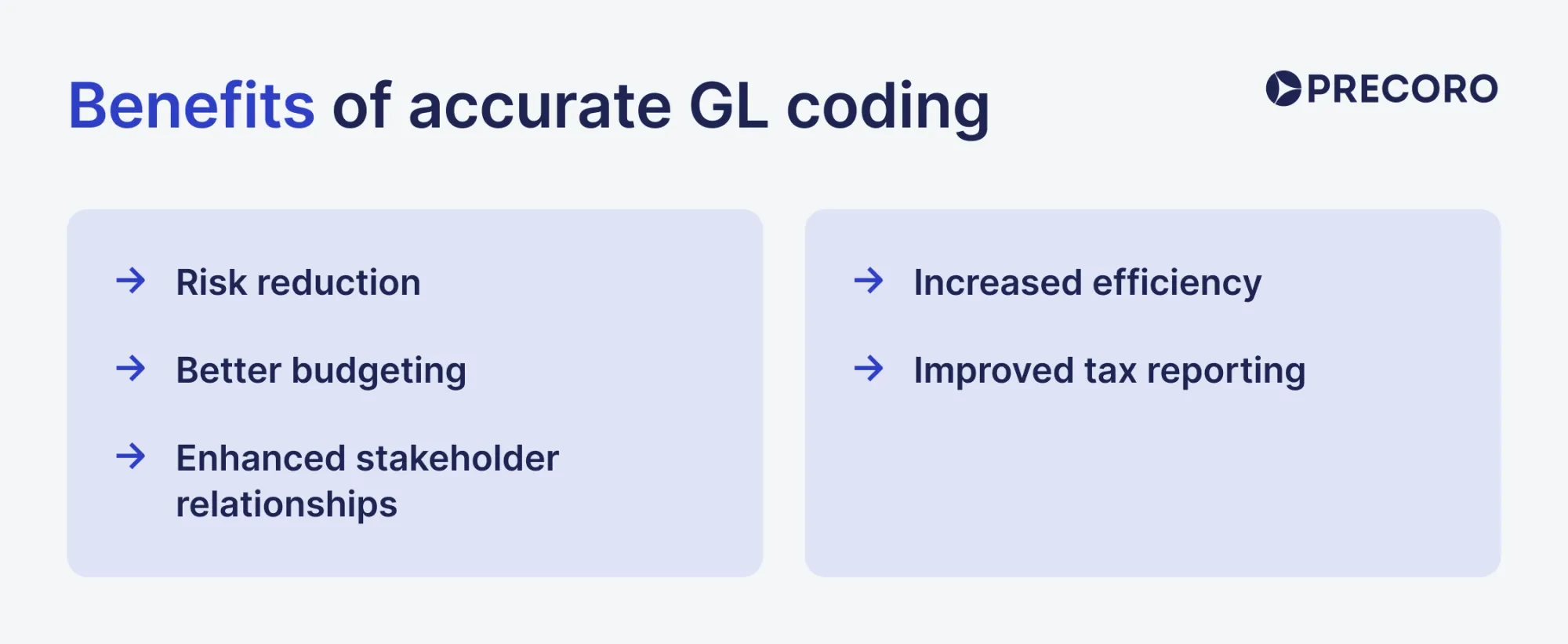
Accurate GL coding supports precise financial reporting and reduces errors during month-end close. It provides detailed visibility into spending, helping to optimize costs, improve budgeting, and reduce risks such as fraud. This clarity also supports better stakeholder confidence, tax compliance, and overall financial efficiency.
Risk reduction with accurate GL codes
When expenses are categorized incorrectly, companies may face missed compliance deadlines, misreporting, or costly audit complications. Proper coding can reduce classification and reconciliation errors by ensuring financial data is consistent, reliable, and compliant with regulatory standards.
Thus, organizations that accurately categorize their expenses reduce the likelihood of penalties from tax authorities and regulatory bodies. GL codes also form part of a clear audit trail, together with approvals and supporting documents, making it easier to resolve any discrepancies during internal or external audits.
Better budgeting with GL codes
GL coding improves budgeting by showing exactly where money is being spent. It gives businesses a detailed breakdown of expenses, making it easier to compare actual spending against budgeted targets.
Each department, project, or initiative can be closely monitored to ensure that spending aligns with financial goals. Such a detailed understanding of past spending allows prompt adjustments of current expenditures and more accurate future budgeting.
For example, a company can see that one department is exceeding its budget while another is underspending resources. This data enables leadership to make strategic decisions, optimize resource distribution, and ensure that every dollar is being used effectively.
Enhanced stakeholder relationships
Accurate GL coding gives investors, lenders, auditors, and managers more reliable financial data and fosters trust and credibility. External stakeholders like investors and lenders feel more confident when the financial data of the counterparty is clear, which helps the business secure funding or maintain compliance with internal company policies.
Accurate data leads to better strategic decision-making for internal stakeholders, such as department heads or executives, overall business performance improvements, and everyone’s alignment with financial goals.
Increased efficiency with GL coding
Accurate GL coding greatly improves the efficiency of financial processes. Month-end closings, reconciliations, and audits become smoother and faster when transactions are already properly categorized. Moreover, without the need to spend time fixing coding errors or searching for misplaced invoices, financial teams can focus more on strategic analysis.
Improved tax reporting with GL codes
General ledger codes make tax reporting easier by correctly categorizing all tax-related expenses and revenues. Companies simplify the process of identifying tax-deductible expenses and preparing accurate tax filings by using GL codes, meaning they reduce the risk of missed deductions or tax filing errors. Clear tax reporting also enhances compliance with tax laws and business expense recordkeeping requirements, helping businesses avoid costly penalties or legal complications.
How are GL codes structured?
A GL code can contain separate segments for the account, department, location, project, or other reporting dimensions. The structure of a general ledger account code is critical for accurately identifying and categorizing transactions. While every company takes a different approach, GL codes are typically composed of several segments, each representing different aspects of the transaction.
- Account type
A good practice in GL coding is to assign each transaction a specific code based on the chart of accounts. It indicates where the transaction is and guides it to the right place in your financial records.
The first segment represents the nature of the transaction, such as whether it’s an asset, liability, equity, revenue, or expense. Within each main category, there are sub-categories that provide more specificity. For example:
1100 Cash
1200 Accounts receivable
1300 Inventory
2100 Accounts payable
2200 Loans
3100 Shareholder equity
3200 Retained earnings
4100 Sales revenue
4200 Service revenue
5100 IT and software expenses (software purchases, maintenance, licensing)
5200 Office expenses (office supplies, rent, utilities)
5300 Marketing and advertising (campaign costs, digital ads)
5400 Employee compensation (salaries, bonuses)
5500 Travel and entertainment (business trips, client dinners)
5600 Professional services (legal, accounting, and consulting fees)
6000 Interest expense
6100 Loss on sale of assets
6200 Restructuring costs
6300 Foreign currency losses
6500 Impairment and write-downs
- Department or cost center
This segment designates the department or cost center responsible for the transaction, helping to allocate costs appropriately across the organization. It’s typically a two-digit number that lets companies add up to 99 cost centers—more than enough for most organizations. Example codes include:
01 Sales
02 Human Resources
03 IT
04 Marketing
- Location or region
This segment tracks the location of the transaction and is relevant for organizations operating in multiple regions:
001 Headquarters
002 Spanish branch
003 German branch
- Project or product code
This segment identifies specific projects or products associated with the transaction. For instance:
PRJ001 New product development
PRJ002 Marketing campaign
- Custom segments
Organizations that need contract- or customer-level reporting may add custom segments to their GL code structure to capture additional data relevant to their specific operations. For instance, these segments might track:
- Customer codes (for customer-specific expenses)
- Contract numbers (to link expenses to specific agreements)
- Event codes (to track costs associated with company events)
Here are a few GL code examples based on the abovementioned GL account code structure:
5200-02-001
This code represents a rent expense (5200) incurred by the HR department (02) at the headquarters location (001).
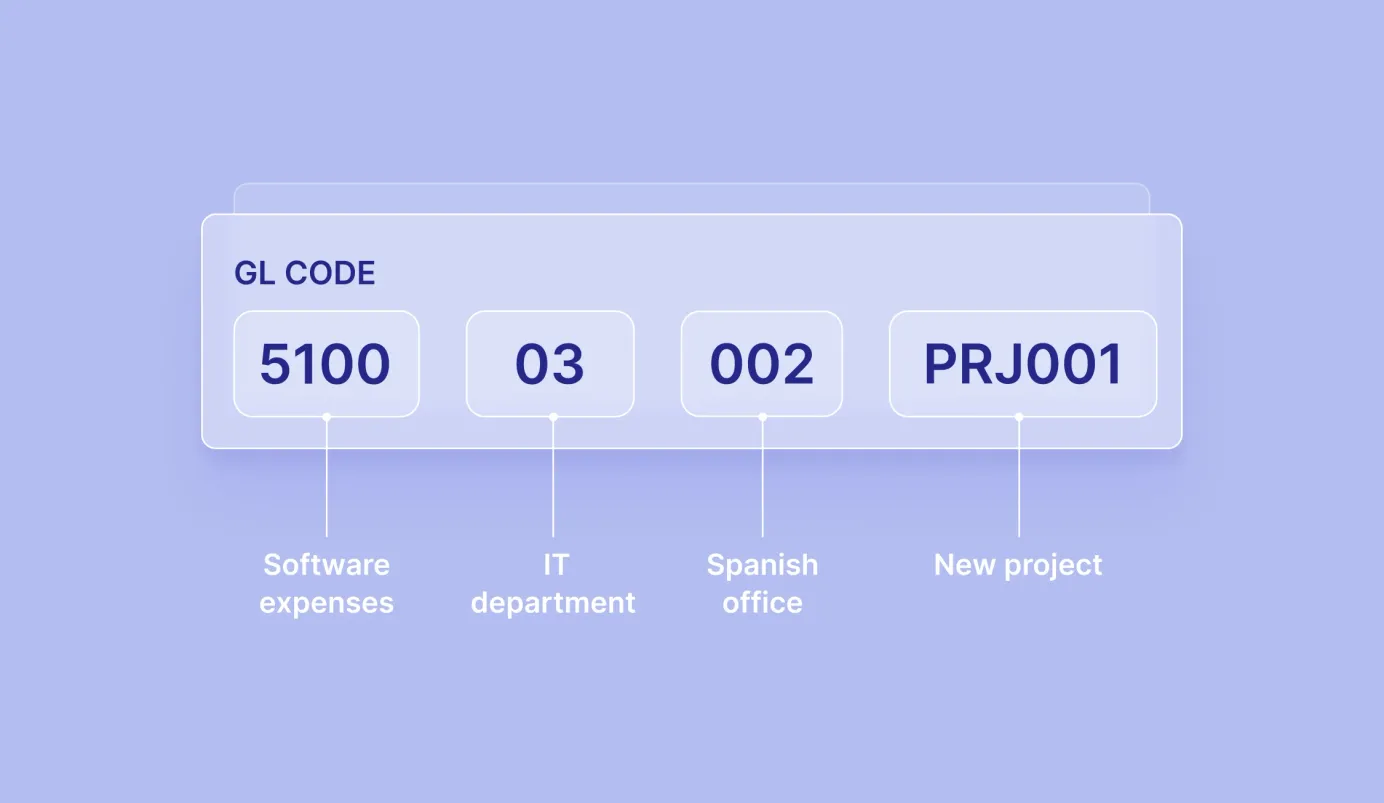
5100-03-002-PRJ001
It represents an expense for software (5100) purchased by the IT department (03) at the Spanish office (002) for a new product development project (PRJ001).
5300-04-003-PRJ002
This GL code tracks marketing expenses (5300) incurred by the marketing department (04) at the German office (003) for a specific marketing campaign (PRJ002).
What are the common GL account numbering systems?
There are several common ways to structure GL code numbers, which companies often combine to fit their needs:
- Sequential: Accounts are assigned numbers as they’re are created. The numbers don’t represent the account type or other characteristics, only the order of their creation.
Example: 0010, 0020, 0030.
- Hierarchical: Each digit represents a different level of classification.
Example: 5210 → 5 identifies expenses, 2 means office expenses, and 1 represents the specific account, such as office equipment.
- Block: Ranges of numbers are assigned to specific account categories.
Example: 1000–1999 for assets, 2000–2999 for liabilities, and 5000–5999 for expenses.
- Faceted: Different sections of the code identify separate details of a transaction, such as the account, department, location, or project.
Example: 5200-04-002-PRJ001 → 5200 identifies the account, 04 the department, 002 the location, and PRJ001 the project.
- Mnemonic: Letters are used in the code to make specific characteristics easier to identify.
Example: MKT-5200 → MKT identifies the marketing department, while 5200 refers to the expense account.
Companies can use several of these in practice: a block range for the top-level category, hierarchical digits within it, and separate segments for departments, locations, or projects.
Numeric vs. alphanumeric GL codes
Numeric codes can be easier to use in systems configured for numeric account fields, while alphanumeric codes can convey more recognizable information at a glance.
Numeric codes use numbers only, such as 5100-10-02. They’re easier for accounting software and enterprise resource planning (ERP) solutions to process and validate, but require internal knowledge on the employee’s side. Teams that don’t regularly work with GL codes might be confused about their meaning.
Alphanumeric codes combine letters and numbers, such as FIN-5100-NY. Letters immediately indicate information, so people can read them and process the entry faster. Use them if you need the code to communicate additional context for employees who aren’t regularly working with GL codes.
| Numeric codes | Alphanumeric codes | |
|---|---|---|
| Format | Numbers (5100-10-02) | Letters combined with numbers (FIN-5100-NY) |
| Best for | Cross-system compatibility, international operations, legacy ERPs | Teams where non-finance staff read the codes |
| Main advantage | Integrates with systems that process numeric fields | Embeds context into the code without a reference sheet |
| Main trade-off | Requires a reference guide to decode | Some legacy or heavily integrated systems still process numeric-only account fields |
How granular should GL codes be?
Create a separate GL code only when you need to report, compare, or make decisions about that expense separately. Otherwise, keep it under a broader account.
Use a separate GL code when the expense requires a different approach. For example, Travel and Meals may need separate codes if they have different tax treatments.
Keep minor expenses together. Pens and paper usually don’t need separate GL codes and can be grouped under Office expenses.
Use dimensions for additional detail. Track the department, location, or project separately rather than creating a new GL account for each combination.
Watch for signs that your structure is too granular or too broad. Too many incorrect account selections or accounts with very few transactions usually mean you have too much granularity. On the other hand, if you cannot answer basic spending questions without reviewing individual transactions, you may need more detail.
| Situation | New GL account? | Separate dimension? |
|---|---|---|
| New expense type requiring separate reporting | Yes | As needed |
| Same expense across departments | No | Department |
| Same expense across locations | No | Location |
| Temporary project | Usually no | Project |
| Different tax/accounting treatment | Often yes | As needed |
GL codes vs. chart of accounts: What’s the difference?
A chart of accounts (CoA) is the complete list of every account a company uses to record financial activity, while a GL code is the specific alphanumeric identifier assigned to each account within that list. The chart of accounts is built from a set of GL codes. It essentially sets the structure, while GL codes apply it to individual transactions.
| Dimension | Chart of accounts (CoA) | GL code |
|---|---|---|
| Definition | The complete, organized list of all financial accounts a company uses | The specific identifier assigned to one account within that list |
| Scope | The entire account taxonomy | Single reference number for one account |
| Purpose | Organizes all financial categories for consistent recording and reporting | Indicates the correct account for each transaction |
| Stakeholders | Centrally governed by the finance team, with input from other departments | Assigned per the chart's numbering structure; used by AP, procurement, and approval teams |
| Changes | Usually only for reorganizations or ERP migrations | Added or adjusted more often as departments, cost centers, or projects are introduced |
How to choose the right GL code
Choose the GL code by matching the expense to the account that best describes what was purchased, then add the required department, cost center, project, or location details. Here’s a quick guide to help you maintain the GL coding consistency in the company’s ledger.
1. Identify what was purchased
Determine whether it’s software, travel, office supplies, consulting, equipment, or another type of spend. The purchase type then helps determine which expense or asset category you should consider next.
2. Find the matching account category.
Select the specific GL account that matches the purchase. Dig deeper than the broader Expenses or Assets category and review available sub-categories. For example, a software subscription should be coded under the appropriate Software or Software Subscriptions account rather than a general Office Expenses account.
3. Add the department or cost center.
Assign the department or cost center responsible for the expense to report the same type of expense by function. For example, a $2,000 software purchase for Marketing should use the Software account together with the Marketing cost center.
4. Add a project or location when required.
Add project, location, entity, or other dimensions when the business needs to track the cost at that level. Don’t add these fields if they don’t provide any useful details. A construction expense tied to a specific project should include that project code so finance can track the project's total cost.
5. Check capitalization and tax treatment
Determine whether the cost should be expensed or recorded as an asset and whether any tax rules affect it. For instance, the IRS de minimis safe harbor allows qualifying businesses to expense tangible property up to $5,000 per invoice or item with an applicable financial statement, or $2,500 without one.
How do GL codes fit into expense tracking workflows?
GL codes are used throughout the expense workflow. A purchase is coded when the requisition is created, checked again during invoice matching, and reviewed during approval and close. If the code is wrong early on, the error can carry through the workflow and become more expensive to fix.
Where are GL codes assigned in the expense lifecycle?
GL codes can be assigned at different stages of the purchasing and payment process. The earlier you assign the code, the fewer corrections you’ll need to make later on.
- Requisition or purchase order: For purchase order (PO) purchases, you can assign the GL code when creating a request or PO. Select the account based on the item, category, or commodity, together with a cost center. If the code is wrong, it’s best to fix it before the transaction reaches the AP stage to avoid correcting approved documentation.
- Invoice entry: For non-PO invoices, AP assigns the GL code when entering the invoice. The accountant typically determines the account from the vendor, invoice description, and supporting information. This stage requires more manual judgment because there’s no PO to rely on.
- Employee expense submission: The employee may select a GL code when submitting the expense. The code may be based on the expense type. Most importantly, the approver or AP team should be able to correct it before moving forward.
- Month-end accrual: Assign the GL code when recording an expense that has been incurred but not yet invoiced. Use the same account when the invoice arrives so the accrual can be reversed and cleared if needed.
Who is responsible for assigning and validating GL codes?
Requesters, AP specialists, approvers, and the controllers are involved in assigning and validating GL codes during the purchasing process.
Requesters: Initial selection
Employees and purchasing staff usually make the initial GL code selection when creating a purchase requisition, choosing a catalog item, or submitting an expense claim. The code is typically based on how it’s predefined in the catalog or the best available match.
AP specialists: Assignment and validation
AP validates codes during invoice processing, matches them against the purchase order, and internal accounting rules. The workflow is slightly different for non-PO vendor invoices. In many AP workflows, AP is responsible for assigning the GL code without an existing reference, using all the context available on the invoice.
Department managers and approvers: validation
Approvers, usually managers, review the GL code and cost center during purchase requisition (PR) or expense approval. If the code is wrong, they can reassign the code or send the PR back for revision to correct it.
Financial controllers: Governance
Finance leadership owns overall governance of the coding system. They maintain the master chart of accounts, define company-wide coding logic, set up automated GL routing rules, and handle escalated exceptions or structural updates.
How do GL codes work with expense approvals and reimbursements?
The GL code helps determine where an expense is recorded and, together with other transaction details, who must approve it. However, it doesn’t inherently determine the approval route on its own. Approval rules also depend on other, arguably more important, factors like the department, cost center, and transaction amount.
For example, an expense system may use the department and expense amount to determine the approval route. The department determines who reviews the expense, while the amount points to whether additional approval is required.
The GL code determines the accounting treatment when the expense is recorded, but not when the employee receives reimbursement.
For example, a $200 business trip is recorded as a $200 Travel expense and a $200 amount owed to the employee. When the employee is reimbursed, the company clears that amount owed with a $200 payment. The reimbursement doesn’t impact the original expense record.
When should one expense be split across multiple GL codes?
An expense should be split across multiple GL codes when one charge covers different departments, projects, services, or accounting treatments. The split should follow a clear, consistent basis.
- Shared costs: Split the expense based on a measurable factor such as headcount, floor space, labor hours, revenue, or direct usage. For example, if $60,000 in annual rent covers three departments and they use 50%, 30%, and 20% of the space, code $30,000 to Manufacturing, $18,000 to Sales, and $12,000 to Administration.
- Multiple departments or projects: If one vendor invoice covers work for several teams, assign each portion to the relevant department. Use the same method for recurring costs and document the basis.
- Bundled services: Split an invoice when it includes services that belong in different GL accounts. For example, an invoice for both software subscriptions and consulting services should assign each amount to the appropriate account.
- Capital and operating costs: Some purchases contain both capital and operating costs, which require different GL treatment. For example, buying new equipment may require one GL account for the capitalized asset and another for expensed costs such as maintenance.
What happens when an expense is assigned the wrong GL code?
A wrong GL code essentially posts the expense to the wrong account, which changes the financial data associated with the transaction and needs to be corrected. If left unchanged, the expense is assigned to the wrong budget and can make a team or category appear over budget when it’s not. Here are several ways such mistakes manifest:
- Wrong expense account: The expense appears under the wrong category. For example, $5,000 in software costs coded to Office Supplies makes Office Supplies look $5,000 higher, which might not align with the budgeted amount.
- Wrong department or cost center: The expense is charged to the wrong team. The company's total expense remains unchanged, but the budget reports for the affected departments are incorrect.
- Expense coded as an asset: The expense is left off the income statement and recorded on the balance sheet as an asset, which can overstate assets and understate expenses.
- Asset coded as an expense: The cost hits the income statement instead of being recorded as an asset and potentially depreciated over time.
Once the error is found, accounting reclassifies the amount to the correct GL code. If the error affected a previously issued financial statement, the company might need to restate that statement, as required by regulatory bodies like the U.S. Securities and Exchange Commission.
When should GL coding require manual review?
Manual review should focus on expenses that carry greater risk or don’t align with established coding patterns. Don’t review every transaction, but apply rules and look for conditions that point to exceptions in GL coding.
Review the GL coding when:
- The amount exceeds a set threshold. Use several thresholds, so higher-value expenses receive more scrutiny. For example, a company might require one level of review above $25,000, a second above $100,000, and additional approval above $250,000. These are illustrative thresholds; each company should set review limits based on its own risk profile, policy, and transaction size.
- The vendor is new or unfamiliar. A new vendor has no established coding history, so AP should confirm the account, department, and cost center before posting.
- The vendor-account combination is unusual. If a vendor that normally bills for software suddenly submits an invoice coded to a different category, flag it for review.
- The department, project, or cost center is new. Confirm the coding before the system uses a new combination.
- The amount repeatedly falls just below an approval threshold. A pattern of repeated $9,900 purchases against a $10,000 approval limit warrants review, as it may indicate an attempt to circumvent the higher approval limit.
Step-by-step process: Setting up a GL coding system
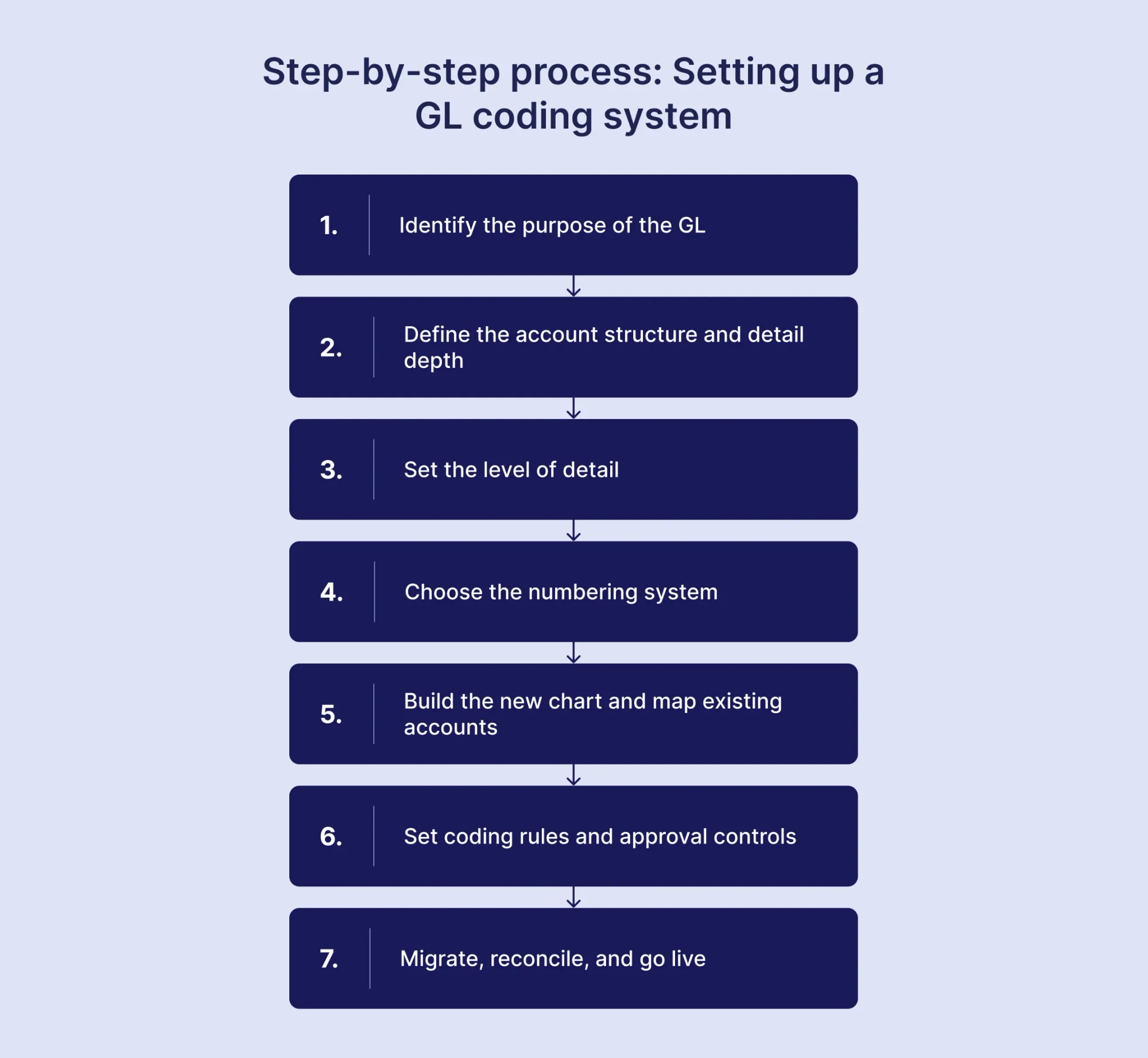
Creating a GL coding system requires several steps, which start with identifying its entire purpose and end with active maintenance and updates of the created framework. Below are the seven steps of the GL coding process.
1. Identify the purpose of the GL
Before coding, you need to understand what the general ledger should report. Firstly, review the current chart of accounts for issues that hinder your team’s work, such as missing categories, inconsistent coding, or irrelevant accounts. Talk to teams that use that data to determine which categories need to be included. Finally, list the common financial and operational questions the GL should answer, such as spending by department or profit by entity.
2. Define the account structure and detail depth
Decide what belongs in the GL account and what belongs in separate dimensions. The GL account should identify what the transaction is, such as Software, Rent, or Travel. Other information, such as department, location, project, entity, or cost center, can sit in separate segments. For example, 5200-04-002-PRJ001 could combine an expense account with a department, location, and project. That way, finance gets detailed reporting but doesn’t have to create a separate GL account for every possible combination.
3. Set the level of detail
Create a separate GL account only when you need to report, manage, or control that expense separately. Keep expenses in the same account when they are always handled together. Set clear rules for when to create a new account (e.g., a volume threshold or purchase frequency).
4. Choose the numbering system
Once the structure is defined, assign the account numbers. A common structure groups accounts by type, such as 1xxx for assets, 2xxx for liabilities, 3xxx for equity, 4xxx for revenue, and 5xxx onward for expenses. Within each group, leave enough space for future accounts and keep related accounts together.
5. Build the new chart and map existing accounts
Create the new account list and decide which existing accounts to keep, combine, rename, or delete. Then map every old account to its new account. For example, three old accounts for different types of software could map to one 5200 Software account if you don’t need that level of detail.
6. Set coding rules and approval controls
Document what each account is for and when users should select another account. Define who can create or change GL codes and who approves those changes. Set rules for automatic coding, manual review, and exceptions such as new vendors or unusual account combinations.
7. Migrate, reconcile, and go live
Before switching to the new structure, check that the historical data matches the original records. Make sure opening balances, account totals, and key financial reports still match after the change. Then start using the new codes and closely review the first few reporting periods for incorrect codes, missing information, or codes that users struggle to apply.
How do you prevent GL code proliferation as a company grows?
Require central approval for every new GL code and use dimensions such as department, project, location, and entity for additional detail. Deactivate codes that your team no longer needs.
GL code proliferation is the unnecessary growth of the chart of accounts as a company adds new accounts. For example, four expense types across three departments need only four GL accounts, but some companies would still create 12 accounts instead, four for each department.
To prevent proliferation:
- Centralize code creation. Have the finance department approve all new GL accounts.
- Use dimensions for variable details. Track departments, projects, entities, and locations separately from the GL account.
- Deactivate unused codes. Remove inactive accounts so the chart doesn’t keep growing.
- Consolidate during major changes. Remove duplicate accounts and standardize the chart when implementing an ERP or new software.
Before creating a new GL code, check whether an existing account plus a dimension provides the detail you need. If it does, use the existing account instead.
What are the most common GL coding problems?
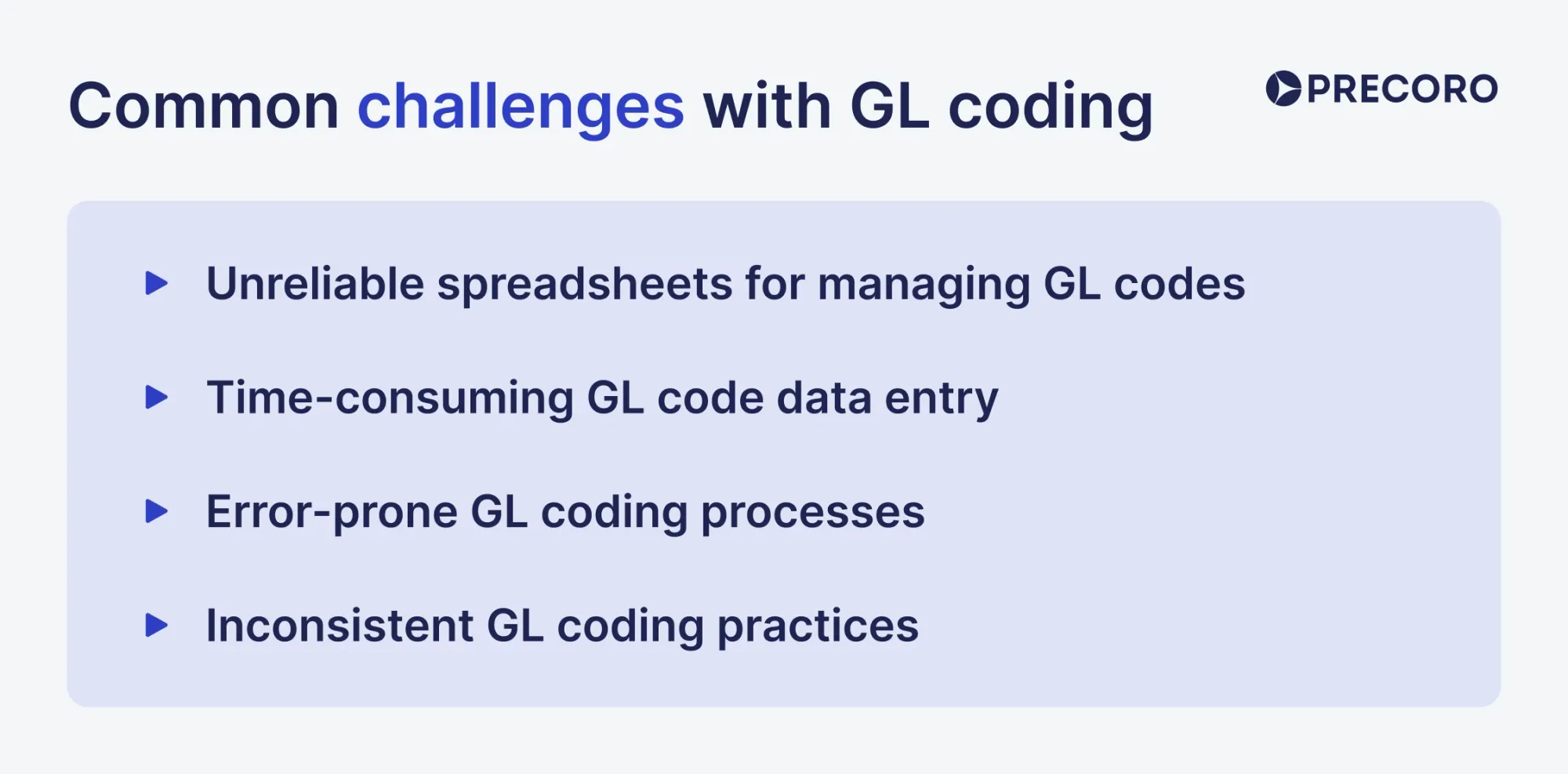
Now that we’ve covered the benefits and possible structure of GL codes, let’s look at potential problems. Assigning and analyzing GL codes can be challenging, especially when done manually for organizations with a high volume of transactions. Common issues include:
Unreliable spreadsheets for managing GL codes
Many organizations still rely on manual spreadsheet systems to track GL codes. While this approach may seem cost-efficient and straightforward at first, it’s also cumbersome and error-prone. When multiple team members work on the same spreadsheet, it’s easy to lose track of the latest version. This leads to inconsistent updates, untracked changes, or duplicated files and often results in outdated or incorrect financial records.
In addition, as a business grows, managing complex financial data manually becomes increasingly difficult. Spreadsheet-based processes can become harder to govern as transaction volume, user count, and coding complexity increase. As a result, finance and AP teams face data loss, quality issues, and access restrictions.
Time-consuming GL code data entry
A major challenge associated with GL coding is the time-consuming nature of manual data entry. Accountants and finance teams can spend hours on manual input and then have to sift through lengthy spreadsheets to ensure that every expense is coded correctly. Instead, they could be focusing on high-value tasks like financial analysis or strategic planning.
Even small mistakes can lead to significant discrepancies, making data entry even more tedious to process. Delayed data entry can lead to bottlenecks, especially during month-end or year-end close, slowing down financial reporting and reconciliation processes.
Error-prone GL coding processes
Manual GL coding introduces opportunities for data-entry errors, which can have significant consequences for a business. These mistakes often arise from common issues like:
- Misclassification of expenses: A simple error in assigning the wrong GL code to a transaction distorts financial reports, leading to inaccurate expense tracking and budgeting.
- Data entry mistakes: Typos, incorrect figures, or even misplaced digits can result in substantial discrepancies. These errors may go unnoticed until audits or financial reviews, making corrections time-consuming and costly.
Error-prone processes not only reduce the accuracy of financial data but can also increase the risk of compliance violations, audit issues, and poor decision-making.
Inconsistent GL coding practices
It’s a common challenge of the manual approach that seriously impacts the accuracy of financial data. When there are no strict, standardized guidelines or automated systems in place, different departments and locations may categorize the same expense differently. For example, one employee might categorize a software subscription as an IT expense, while another might place it under Operating Expenses, leading to discrepancies in how costs are tracked and analyzed.
When expenses aren’t categorized uniformly, management might draw incorrect conclusions about spending patterns and performance, which can lead to flawed decision-making. In addition, inconsistent coding practices make audits more complex, increase the likelihood of errors being flagged, and may lead to additional scrutiny or penalties if discrepancies are discovered.
How GL codes work with expense management and ERP systems
GL codes connect expense management systems to the ERP by determining which GL account receives each expense when it posts to the general ledger.
The process works as follows:
- The expense is submitted. An employee submits an expense, or an expense transaction enters the expense management system.
- The expense receives a GL code. The system assigns a code based on the expense type.
- The code is mapped to the ERP. If the expense system and ERP use different charts, a mapping connects the source code to the corresponding ERP account. For example, a code 6120 for Hotels might map to 6000 (Travel & Expenses).
- Other coding fields are added. The transaction can also carry the department, cost center, project, and entity needed for ERP reporting.
- The transaction posts to the ERP. The integration sends the coded transaction to the ERP, which records the expense in the mapped GL account.
If several systems use different account structures, each source code needs a defined target account. For example, 6100 - Travel & Entertainment, 6110 - Airfare, and 6120 - Hotels could all map to 6000 - Travel & Expenses in the ERP. The mapping must be maintained when either system's chart changes.
How Precoro automates GL coding and expense tracking
Precoro, an agentic procurement & AP centralization platform, can both centralize and automate the mundane tasks of the GL coding and expense tracking process. With the introduction of AI Crews and its AI-powered and agentic capabilities, the system takes over the majority of repetitive workload, freeing up your team for decisions that require their judgment.
- One code, applied everywhere. Set up a chart of accounts or cost centers as a custom field, then reuse it across expenses, requisitions, purchase orders, and invoices. The purchase uses the same code from request to payment.
- Agentic 3-way matching. The Matching Agent matches invoices to their POs and carries over the existing GL coding, so AP doesn’t have to enter it again.
- Automated budget tracking. Precoro uses the same coding fields to assign spend to the right budget line as transactions move through the system.
- Real-time ERP and accounting integrations. Connect Precoro with accounting and ERP platforms such as NetSuite, QuickBooks, or Sage Intacct to keep the chart of accounts aligned between systems.
- Non-PO spend and expense management. Employees can submit travel, office, and corporate card expenses with receipts via mobile or desktop. Precoro’s Expense Processing within its AP Automation Crew scans the receipt and applies the relevant coding to the created document, which is then routed down the approval workflow.
- Custom reporting. Filter and group spend by GL account, cost center, project, location, or other custom fields without exporting the data to a spreadsheet.

How can GL coding be automated?
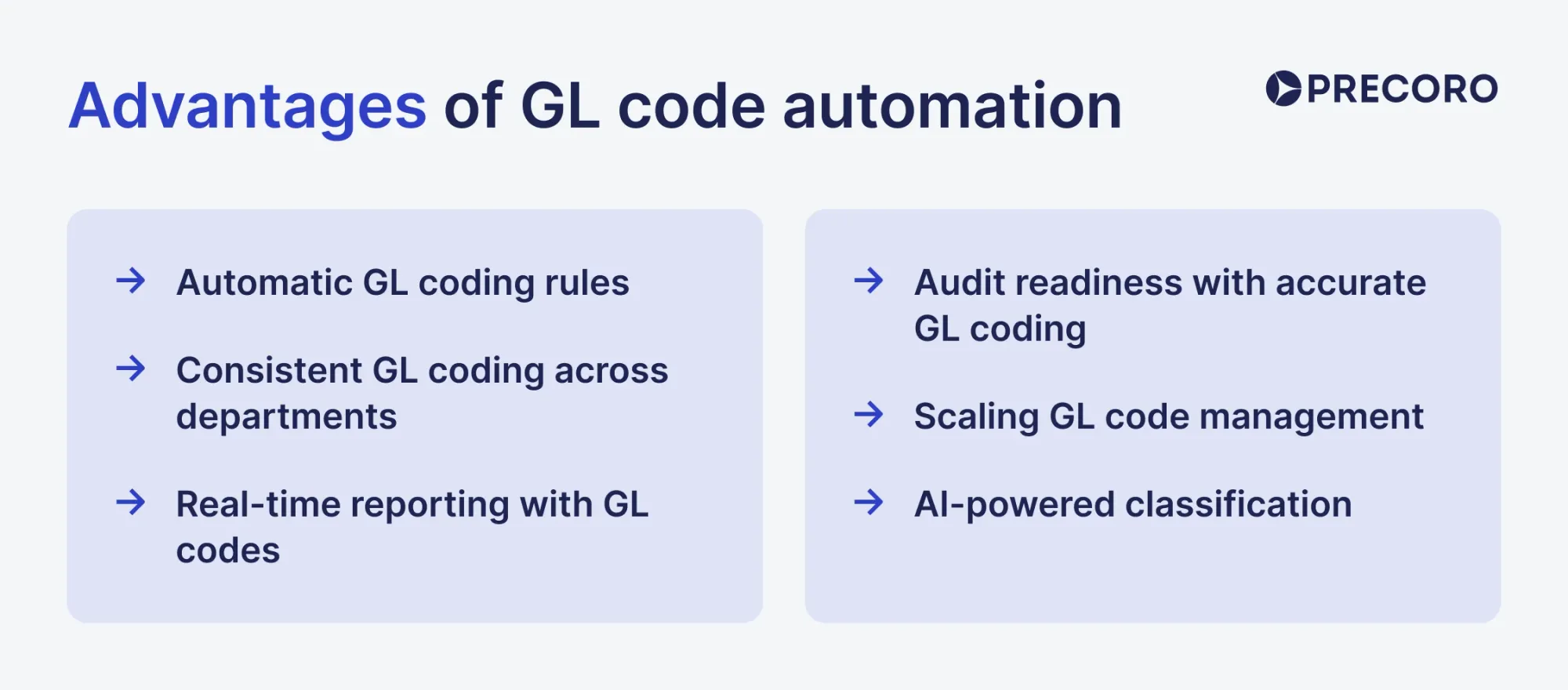
GL coding can be automated with predefined rules, vendor mappings, historical transaction data, and AI-assisted classification. That’s exactly the reason why many organizations are now turning to automated GL coding systems. Below are six key ways procurement automation enhances the usage of general ledger account codes:
How do automatic GL coding rules work?
With AP automation, employees don’t have to manually enter the appropriate general ledger account code for each transaction. Instead, finance or AP teams can set up a structured list of GL codes to categorize different types of expenses. For instance, in procurement software like Precoro, it’s possible to create item catalogs with predefined GL codes so that when a new purchase is requested, it’s already tied to a specific general ledger code.
This approach saves time and ensures greater accuracy, reducing the risk of human errors. Employees no longer need to memorize complex GL coding structures or manually input codes, which significantly improves efficiency.
How does automation keep GL coding consistent across departments?
Finance teams can set up and maintain a centralized system for GL codes. This prevents any individual department from introducing its own coding practices or deviating from the company-wide standards. This way, the finance team ensures coherence in financial data across the organization.
When all departments use the same general ledger codes, the finance team no longer has to spend time reconciling or correcting inconsistencies between them. Automated rules can improve coding consistency, but exceptions and low-confidence transactions still require review. Additionally, by applying consistent GL codes across departments, businesses can easily compare expenses across different teams, projects, or regions.
How does automated GL coding support real-time reporting?
One of the most significant advantages of automation is real-time visibility and reporting. This aligns with the AP teams’ drive to improve reporting and analytics so that they can serve as an intelligence hub for the rest of the enterprise.
In Precoro, teams can record and monitor purchases and expense reimbursements. The platform provides companies with up-to-date financial data, allowing them to monitor spending in real time.
Moreover, automation reduces the time required to compile financial statements, enabling finance teams to identify trends or anomalies in spending early on. Instead of waiting until month-end or year-end closure, management can review financial performance on a daily or weekly basis, helping to make timely and informed decisions.
How does automated GL coding support audit readiness?
A clear, easily accessible record of all coded transactions makes audits smoother and more efficient. External auditors can access the automated audit trail to verify the accuracy of financial data without having to search through paper documents or spreadsheets.
Moreover, agentic solutions such as Precoro log information about every stage of the transaction process, including who initiated the transaction, when it was approved, and any subsequent changes. This allows businesses to trace expenses back to their source and understand the full history of how they were coded.
How can companies scale GL coding with automation?
Automation makes GL coding scalable, ensuring that even as transaction volumes increase, employees can add items from the catalogs with the appropriate GL codes without the need for manual intervention.
As new departments, cost centers, or projects are introduced, automated systems like Precoro can quickly be updated with new coding rules to accommodate these changes. This flexibility ensures that businesses can scale their operations without overburdening the finance team with manual data entry tasks.
How does AI-powered GL coding classify transactions?
AI-powered GL coding typically combines rules, historical transaction data, document details, and confidence scores to select or recommend a GL account.
- Apply rules first. The system checks predefined mappings for vendors, departments, expense types, merchant category codes (MCCs), and other fields. For example, transactions from a known hotel vendor could map to 6120 — Hotels. Rules are useful for predictable transactions, but they won’t cover every scenario.
- Compare with past transactions. Machine-learning models look at how similar transactions were coded in the past. If a vendor or purchase type has consistently been assigned to one account, the system can use that pattern for future transactions. Corrections can also improve future recommendations.
- Read the transaction details. AI can extract information from invoices, receipts, and vendor names to understand what was purchased. It can also recognize different descriptions of the same vendor or service.
- Score the recommendation and route it accordingly. The system assigns a confidence score to its suggested code. High-confidence transactions can be coded automatically, while lower-confidence transactions can be sent to a reviewer. High-risk transactions, such as capital purchases, tax, legal, or intercompany transactions, may require review regardless of the score.
Look for systems that improve over time. When a reviewer corrects a code, the system should use that correction to improve future recommendations. You should also be able to see why a code was suggested, such as the vendor, transaction details, and similar past transactions.
How does manual vs. automated vs. AI-assisted GL coding compare?
Manual coding fits companies with low transaction volume and simple spending patterns. Rules-based automation is best if your company’s transactions are repetitive and follow predictable patterns. AI-assisted coding is more useful with unique types of transactions, which fixed rules can’t always cover.
| Manual coding | Rules-based automation | AI-assisted coding | |
|---|---|---|---|
| Setup | No software setup. Staff use guidelines and past transactions to choose the account. | Set up rules that assign codes based on vendors, items, departments, or other fields. | Use existing rules plus past transactions to teach the system how to classify expenses. |
| Transaction volume | Works well for a small number of transactions, but can be slow as volume increases. | Handles large volumes well when transactions follow familiar patterns. | Handles large volumes and can classify transactions that don't match an existing rule. |
| Consistency | Different employees may code the same expense differently. | Applies the same code whenever a transaction matches a rule. | Applies learned patterns consistently and can improve when reviewers correct its suggestions. |
| Review | A person reviews each transaction. | People review only transactions that don't match the rules. | People review low-confidence or higher-risk transactions. |
| Exceptions | Staff handle each unusual transaction individually. | Unmatched transactions require a new rule or manual coding. | The system flags unusual transactions and sends them for review based on confidence or risk. |
| Audit trail | Depends on how well staff document their decisions. | You can trace each transaction back to the rule that assigned its code. | The system can record the suggested code, confidence level, and review decision. |
Frequently asked questions
In accounting, a GL code is a specific identifier assigned to a transaction within the general ledger. It helps categorize financial transactions, allowing accountants to record and organize financial data accurately.
In finance, a GL code serves a similar purpose as in accounting: it categorizes financial transactions in the general ledger. These codes facilitate tracking and analyzing financial activities, helping organizations manage their budgets and financial reporting effectively.
No. A GL code identifies an individual account; the chart of accounts is the organized list of accounts.
A general ledger code is typically a combination of numbers and sometimes letters, representing various information segments, such as the account type, department, and location. A GL code example is 5000-02-001.
There is no universal standard for GL codes, as they vary by organization. However, many businesses use a similar structure based on categories like assets, liabilities, revenue, and expenses.
A GL account number is the numeric part of a GL code that represents a specific type of account, such as cash, accounts receivable, or rent expenses.
An employee GL code is used to categorize transactions related to payroll, salaries, or employee benefits in the general ledger.
If you use the wrong GL code, the transaction will be recorded in the wrong account, which can distort future reports or impact the budget for the account you've assigned the entry to.
Quick recap of GL codes
- A GL code identifies the account used to record a financial transaction.
- Keep account codes focused on what the transaction is; use dimensions for departments, projects, and locations.
- Assign codes as early as possible in the purchasing workflow.
- Centralize control over new accounts and retire obsolete ones.
- Automate predictable coding and manually review exceptions.
How to use GL codes efficiently
Using GL codes efficiently comes down to a few habits. Code transactions as early in the process as possible, apply the same categories consistently across departments, and automate the entry itself once manual coding is impractical.
GL codes are an important part of transaction classification and financial reporting. They ensure accurate financial reporting, facilitate compliance with regulations, and support effective budgeting and forecasting. However, the automation of GL coding within a comprehensive accounting or procurement system offers complete visibility over your expense tracking process and less repetitive work.
Manual GL entry takes time and often leads to errors. Automating the coding process solves these issues and brings several clear benefits:
- Less manual work frees up the accounting team to focus on more important tasks
- Fewer errors reduce the time spent fixing mistakes in the GL
- Faster and simpler transaction coding speeds up processing
- Better visibility into financial data improves spend analysis and decision-making
- Easier expense tracking across projects, vendors, and categories leads to more accurate budgets and forecasts
Ready to simplify GL coding with Precoro?