








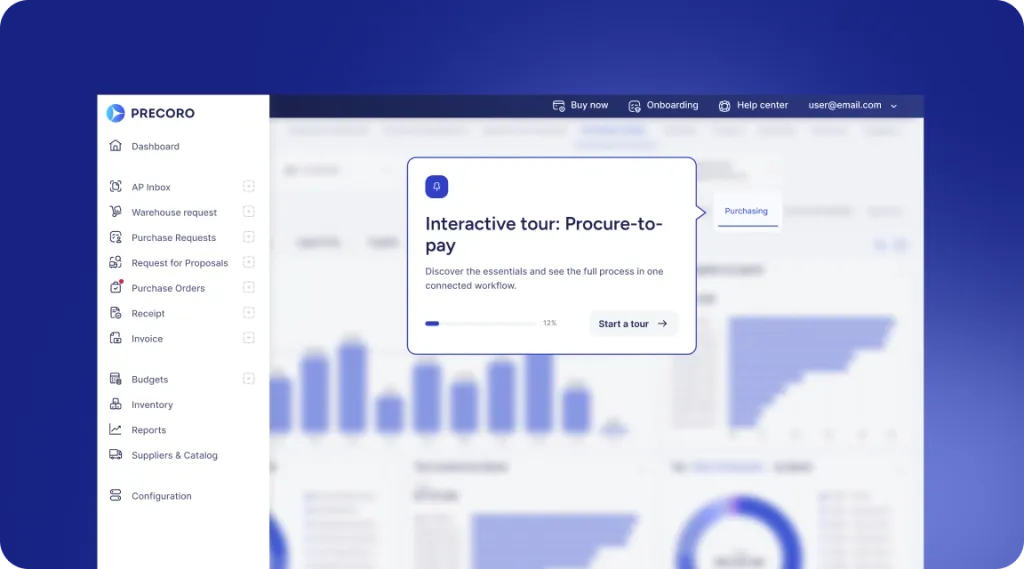
 Explore Precoro's features




















Oracle NetSuite is one of the most established cloud ERP (enterprise resource planning) platforms that helps mid-market businesses and enterprises manage their operations. It effectively combines financial management, accounting, inventory, procurement, CRM, and other important business functions within a single cloud-based system, providing organizations with high visibility, standardized processes, and the scalability needed to support long-term growth.
However, since NetSuite’s inception, the ERP market has significantly evolved. Several new platforms have emerged with strengths that are tailored to adequately meet the needs of specific company sizes, industries, operational goals, and functional requirements, giving businesses more options to choose from.
Now, while NetSuite remains an excellent choice for many organizations, it isn’t necessarily the best fit for every business or every use case. In this guide, we will be examining the top NetSuite competitors in 2026, comparing their strengths, limitations, pricing approaches, and customer feedback. We will also discuss the right conditions to replace NetSuite, when extending it with complementary software is the better option, and how solutions like Precoro fit into modern finance and procurement stacks.
What is NetSuite?
NetSuite is a cloud-based enterprise resource planning (ERP) platform that helps organizations manage their core business processes, including financials, accounting, procurement, inventory, order management, CRM, human resources, and e-commerce from a single, unified system.
NetSuite was first launched in 1998, and currently, it’s used by thousands of organizations, especially by mid-sized businesses and enterprises that are seeking to centralize their operations, improve their financial visibility, automate manual processes, and support growth across multiple entities, subsidiaries, currencies, and geographies. The platform’s modular architecture also allows organizations to extend its functionality with modules for professional services automation, human resources, and e-commerce, depending on how their business operates.
NetSuite's advantages
NetSuite has been able to maintain its position as one of the leading cloud ERP platforms for decades because it delivers a broad range of business capabilities, including:
- Centralized ERP platform: NetSuite combines financial management, accounting, procurement, inventory, CRM, order management, and other core business functions together in a single system.
- Cloud-native architecture: NetSuite removes the need for managing and maintaining on-premises infrastructure by enabling users to access the platform from anywhere in the world.
- Strong reporting and analytics: Includes customizable dashboards, financial reporting, and business intelligence tools that support informed decision-making.
- Scalability: Organizations using NetSuite can start out with core financial management capabilities and add modules such as human resources, professional service automation, and advanced planning as their operational needs evolve.
- Large partner ecosystem: NetSuite benefits from a large network of implementation partners, third-party integrations, and industry-specific extensions that support deployment and ongoing optimization.
- Real-time visibility: NetSuite offers a centralized database that provides finance, sales, operations, and leadership teams with access to the same up-to-date information.
Why look for a different solution if you already have NetSuite?
Organizations already using NetSuite often seek out new solutions as a result of changing business requirements. As businesses evolve, enter new markets, adopt more specialized processes, or face changing operational priorities, they may discover that certain aspects of the platform no longer align with their requirements.
There are some other businesses that just want NetSuite ERP alternatives that offer deeper functionality for specific business processes, greater workflow flexibility, or capabilities that are tailored to their industry.
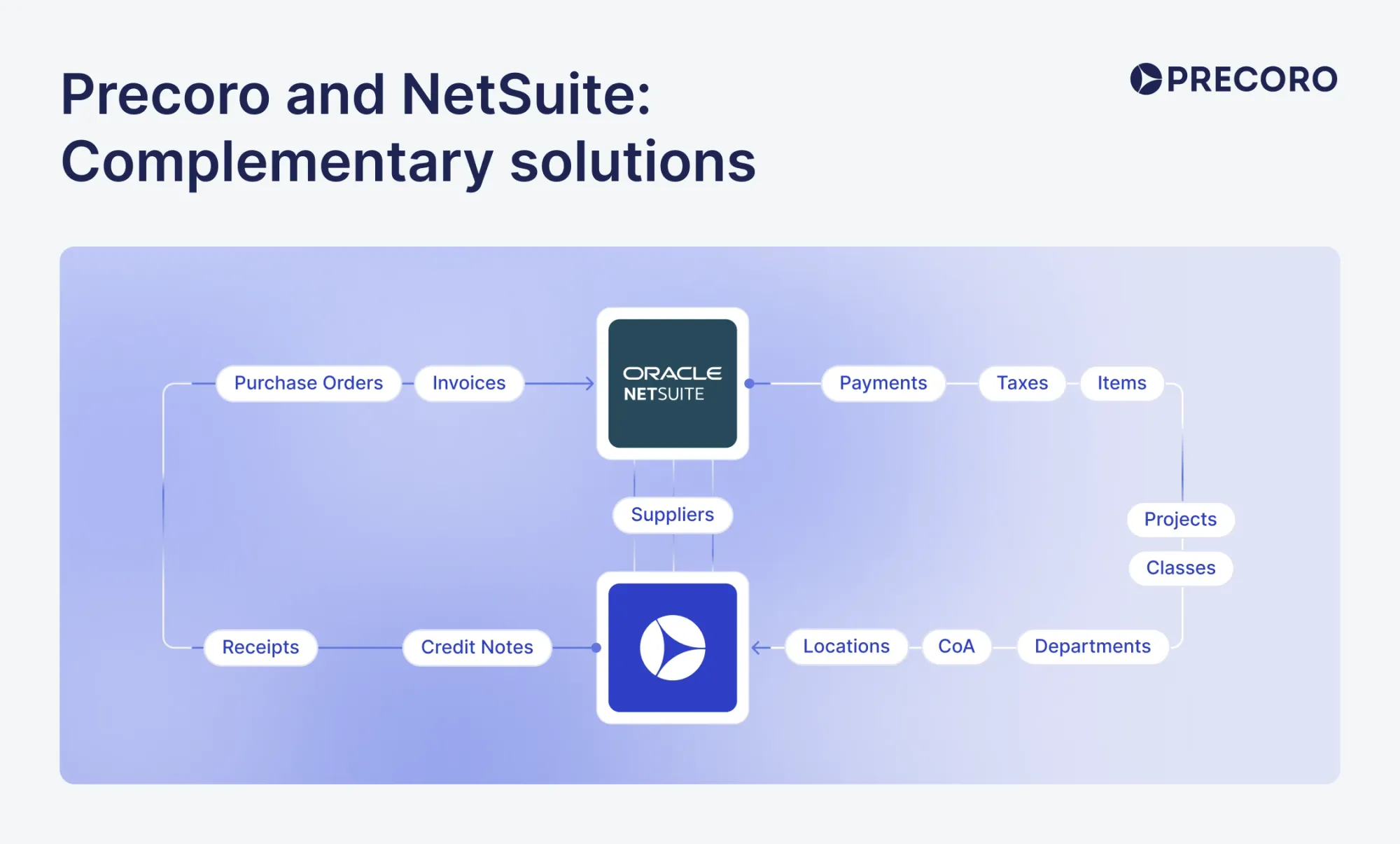
Evaluating NetSuite alternatives doesn’t always mean replacing NetSuite. There are many organizations that continue to use NetSuite as their main ERP while adopting complementary solutions that improve their procurement, accounts payable automation, project management, workforce management, or other specialized functions.
A problematic track record of limited accounts payable depth and finance workflow flexibility
NetSuite users generally experience challenges with the platform’s accounts payable capabilities when managing routine finance operations. While NetSuite’s native AP functionality covers the basics, including invoice entry, approval routing, and payment processing, some organizations realize that their advanced finance operations require a greater workflow flexibility than the platform initially provides.
Companies with increased invoice volumes and advanced approval structures may also require capabilities such as more configurable approval workflows, AI-powered invoice capture, purchase requisition management, supplier management, and stronger spend controls. Instead of completely replacing NetSuite to meet these requirements, many businesses integrate specialized procurement or AP solutions with their existing ERP.
The methodology for evaluating potential competitors and alternatives to NetSuite
To evaluate the strongest potential competitors and alternatives to NetSuite, we evaluated each platform using a consistent set of criteria:
The first criterion is core functionality. This helps to assess how well each platform handles processes such as financial management, procurement, inventory, CRM, and other operational areas NetSuite is built around, while identifying where a solution offers more comprehensive or limited capabilities.
Next on the criteria is customer feedback. We went through reviews from verified users on platforms like G2 and Capterra to understand how each solution performs in real-world environments, including where users consistently praise strengths and where recurring complaints surface.
Pricing structure and transparency also play an important role in our assessment. ERP costs can vary depending on modules, user counts, implementation requirements, and support services, so we considered how easy it is for businesses to understand and compare the total cost of ownership.
We also evaluated industry and company size fit. An ERP competitor or alternative that excels for a manufacturing business may not be the best choice for a professional services firm, so each solution is assessed based on the industries, business models, and organization sizes it is best suited to support.
Finally, we considered implementation complexity and ease of use. This is very important because even a feature-rich ERP becomes an expensive investment if the deployment is lengthy or day-to-day adoption is difficult.
NetSuite user reviews
NetSuite users often praise its scalability, customization, and reporting capabilities, particularly for growing and complex operations. However, reviews also point to challenges with support, integrations, cost, and usability. Here’s what users say about their experience with the platform.
"Reliable and Highly Customizable ERP for Manufacturing Operations"
Over the past few years, my experience with NetSuite has continued to improve as we've expanded its use throughout the organization. It has become the central system for inventory, order management, purchasing, shipping, financials, and EDI integrations. The platform is highly customizable and scalable, allowing us to automate many business processes while providing real-time operational visibility. Although it requires knowledgeable administration to fully leverage its capabilities, NetSuite has proven to be a reliable ERP that supports our continued growth and operational efficiency. — David R. IT Support Machinery
"NetSuite Review"
My overall experience with NetSuite has been mixed. On the positive side, it is easy to use and provides a centralized platform where key functions like accounting, inventory, and reporting are all in one place. This significantly streamlines daily operations and makes accessing real-time data simple and efficient, helping teams stay aligned and make informed decisions. However, there are notable downsides. Support can be limited when issues arise, and some bugs or enhancement requests remain unresolved for long periods. Additionally, the cost of maintenance is relatively high, which can be a concern over time. Overall, while NetSuite improves efficiency, these challenges impact the overall experience. — Joseph L., IT Administrator, used the software for: 2+ years
"Great Reporting and Scalable POs, but POS Integrations and Custom Reports Need Work"
What do you like best about NetSuite?
NetSuite has great reporting, especially for sales by item, transactions, inventory management, YOY item sales, and sales by customer. We use a lot of this information to help strategize for future-year sales and to support demand planning for our stores. The PO system is very user-friendly, and the overall system is highly customizable through custom reporting and saved searches. The platform is also scalable and well suited for growing businesses, and it can be tailored to meet the needs of businesses of different sizes through its many integrations and add-ons. They also offer live events with knowledgeable industry leaders, which can be invaluable depending on the topic.
What do you dislike about NetSuite?
One issue is that it doesn’t connect with POS systems like Square or Shopify unless you purchase additional software, which defeats the purpose—especially when we’re already paying a high price for multiple systems. At the moment, we export our sales from Shopify and Square, then export and import our inventory from NetSuite back into Shopify and Square. Overall, that workflow is tedious and time-consuming.
The custom reporting options are great, but I wish there were a more user-friendly way to build, organize, and manage those reports. SuiteAnswers can be helpful, but if you don’t already have prior knowledge of how something works in NetSuite, it can be difficult to navigate and learn. The system can also run very slowly when generating reports. — Rebecca I, Senior Operations Manager, Food Production
Alternatives to NetSuite
NetSuite is a broad ERP platform, but its complexity, cost, and implementation requirements don’t make it the right fit for every organization. The best alternative depends on what you need most: financial management, procurement, inventory, scalability, or a broader operational platform.
Below, we compare leading NetSuite alternatives by their strengths, limitations, pricing, and customer feedback to help you identify the best fit for your business.
Sage Intacct
Is Sage Intacct a good alternative to NetSuite?
Yes, Sage Intacct is a good alternative to NetSuite, especially for organizations that need advanced financial management rather than a full ERP platform. The solution is cloud-native and built primarily for small to mid-sized businesses, SaaS companies, and non-profit organizations. Unlike NetSuite, which provides a broad suite of ERP capabilities across finance, CRM, inventory, procurement, and e-commerce, Sage Intacct specifically focuses on financial management, accounting automation, reporting, and compliance.
The platform is particularly well-suited to organizations with complex financial operations, such as multi-entity businesses, non-profit organizations, professional services firms, and companies that require advanced revenue recognition and financial consolidation. Sage Intacct also integrates with a wide range of third-party business applications, allowing organizations to build a connected technology stack around its core financial capabilities instead of relying on a single all-in-one ERP.
Customer score:
Advantages:
- Advanced financial management: Supports multi-entity consolidation, dimensional accounting, and fund accounting for organizations with complex financial operations.
- Strong support for SaaS and services: Provides revenue recognition, subscription billing, and project accounting capabilities for businesses with recurring revenue models.
- AI-powered AP capabilities: Offers features such as line-level matching that connect invoice lines with PO lines and flag discrepancies.
- Open integration ecosystem: Provides a REST API and integrations with CRM, payroll, expense management, and other business applications, allowing organizations to build a connected technology stack.
- Scalability: Supports growing organizations as transaction volumes increase and financial operations become more complex.
- Process automation: Automates routine accounting tasks, approval workflows, and other financial processes to reduce manual work and improve efficiency.
Shortcomings:
- Limited operational capabilities: Sage Intacct focuses primarily on financial management and lacks native manufacturing, advanced inventory management, supply chain management, and CRM capabilities.
- Reliance on third-party solutions: Organizations with complex operational requirements often need to integrate Sage Intacct with third-party solutions to manage inventory, procurement, manufacturing, or e-commerce.
- Potential implementation complexity: Although Sage Intacct is cloud-based, its implementation, customization, and integration projects may require significant consulting support depending on business complexity.
Customer reviews:
"Powerful Integrations but Challenging Setup"
What do you like best about Sage Intacct?
I like that Sage Intacct has many different integration partners. We integrate with Martus for budgeting and forecasting. We also integrate with Concur for electronic expense reporting and invoice processing. Since moving from a traditional account number structure to Sage Intacct's dimension structure, we've been able to improve our reporting and data collection significantly. The dynamic allocation tools have cut our processing time down each month and have allowed us to better explain how these costs impact each ministry area of our organization.
What do you dislike about Sage Intacct?
Everything except accounts receivable can be handled at the top level, but accounts receivable (AR) has to be managed at the entity level, which is really confusing and makes it harder to track things down compared to when it's done at the top level. Also, the initial setup was quite a struggle; it was a huge conceptual change for my staff to move from the traditional account number structure to the dimension structure, which posed many challenges. We operate many separate entities that really are all part of one non-profit, but because of past history they remain separate reporting entities. The multi-entity features of Sage Intacct have made this a very simple process to combine the necessary entities together for the external reporting. The only area where this has not worked well is in the AR module that requires everything to be done at the entity level, so it takes more time to discover what entity the receivable is related to.
— Brian V.
"Overall, a positive experience using Sage Intacct"
My overall experience with Sage Intacct is positive; using it is intuitive, and the AP module is very new-learner friendly.
Pros
I like that Sage Intacct embraces AI for Accounts Payable. Being able to forward invoices/emails to Intacct cuts down on manual entry time, and the system learns how recurring invoices are coded which is also convenient. Processing payments against vendor invoices and recording charge payoffs for credit card transactions is also very simple and straight-forward.
Cons
The AI learning model could be improved; the coding it provides on recurring invoices doesn't fill in the allocation, and after a recent update it doesn't base the coding off of previous invoices. Instead, it splits the invoice according to the lines on the invoice, which makes more work on deleting all the extra lines, which then changes the invoice total. There is also a lack of customer service for Sage Intacct, which is a pain point. — McKenna C
Pricing (at the time of writing):
Custom Pricing: Sage Intacct doesn’t publish fixed pricing or subscription tiers. Instead, the pricing is based on factors such as the number of users, selected modules, implementation scope, and the organization’s specific requirements. Prospective customers are to contact Sage’s sales teams to receive a tailored quote.
The author’s take:
Sage Intacct has earned a strong reputation among finance teams, but it's important to understand what it is before comparing it to NetSuite. Sage Intacct is a financial management platform first, not a full ERP. More than NetSuite, it provides deep financial capabilities for service businesses, SaaS companies, and nonprofits that prioritize accounting, revenue recognition, and multi-entity financial management because that’s where it’s optimized.
Organizations that also need inventory management, manufacturing, supply chain management, or other operational capabilities may find the platform less suitable on its own. In cases like this, businesses often integrate Sage Intacct with other software to meet those requirements. Sage Intacct should therefore be viewed as a strong NetSuite alternative for finance-focused businesses instead of a direct replacement for every type of business.
Microsoft Dynamics 365 Business Central
Is Microsoft Dynamics 365 Business Central a good alternative to NetSuite?
Yes. Microsoft Dynamics 365 Business Central is one of the strongest alternatives for small and mid-sized businesses that are looking to manage their financials, sales, purchasing, inventory, projects, manufacturing, and customer service from a single system. The solution is part of Microsoft Dynamics 365, and as a result, integrates seamlessly with tools such as Microsoft 365, Power BI, Power Automate, and Microsoft Teams, making it a great option for organizations that are already invested in Microsoft’s business applications.
Microsoft Dynamics 365 Business Central provides broad operational functionalities, including inventory management, purchasing, manufacturing, warehouse management, project management, and supply chain operations, while remaining more approachable for many small and mid-sized organizations than enterprise-focused ERP systems. It has a modular architecture, extensive customization options, and a large network of Microsoft partners that allow businesses to modify the platform to their operational needs.
Customer score:
Advantages:
- Comprehensive ERP functionality: Microsoft Dynamics 365 Business Central combines financial management, purchasing, inventory, manufacturing, project management, sales, and customer service within a single platform.
- Seamless Microsoft Integration: The platform connects natively with Microsoft 365 applications such as Outlook, Excel, Word, Teams, and OneDrive, allowing users to work with ERP data from familiar tools.
- Flexible deployment: The platform has deployment options that support businesses at different stages of growth and handle large organizations with high transaction volumes.
- Strong reporting and analytics: Integrates with tools like Microsoft BI to provide interactive dashboards, real-time reporting, and actionable business insights.
- Large partner and integration ecosystem: Backed by Microsoft’s global partner network and a wide range of third-party applications available through Microsoft AppSource.
- Built-in AI agents: Microsoft Dynamics 365 Business Central includes AI agents such as Microsoft Copilot and Agent Designer, which allow organizations to build, test, and deploy AI-powered automations for tasks such as monitoring overdue invoices, flagging exceptions in purchasing and inventory workflows, and streamlining routine business processes.
Shortcomings:
- Implementation and usability complexity: Microsoft Dynamics 365 Business Central’s broad feature set and customization options can make implementation and day-to-day use more challenging for teams without prior ERP experience.
- Reliance on partners and developers: Organizations with highly specialized workflows often rely on Microsoft partners or developers to configure and extend the platform.
- Greater value within the Microsoft ecosystem: Organizations that don’t already use Microsoft 365, Power Platform, or other Microsoft technologies may not realize the platform’s full value or integration benefits.
Customer reviews:
"Dynamics 365 for a Powerful CRM"
Pros
I have been using Dynamics 365 for several months, and what impressed me the most is the richness of its features. The integration with Excel and Outlook has really made my daily work easier, and the solution adapts well to a company's growth.
Cons
The interface can seem cluttered, and I needed several weeks of training before I felt truly comfortable using it. — Mike L., Global Head of Product Development.
"A flexible CRM platform for modern sales teams"
What do you like best about Dynamics 365 Sales?
What I like best about Dynamics 365 Sales is its integration with the Microsoft ecosystem, which makes managing customer relationships, tracking opportunities, and analyzing sales performance much easier. The platform provides powerful automation tools, customizable dashboards, and valuable insights that help sales teams improve efficiency and make better decisions.
What do you dislike about Dynamics 365 Sales?
The main challenge with Dynamics 365 Sales is the learning curve. It can take some time for users to become familiar with all the features and customization options available. — Argenis P.
Pricing (at the time of writing):
Microsoft Dynamics 365 Business Central uses a subscription-based licensing model with publicly available pricing:
- Business Central Essentials: $80 per user/month (billed annually). This plan includes financial management, sales, purchasing, inventory, warehousing, project management, and other core ERP capabilities.
- Business Central Premium: $110 per user/month (billed annually). This plan includes everything in the Essentials plan in addition to advanced manufacturing and service management capabilities.
- Team Members: $8 per user/month (billed annually). This plan is designed for users who need limited access, such as approving workflows, viewing data, or updating selected records.
The author’s take:
Microsoft Dynamics 365 Business Central stands out as one of the most well-rounded alternatives to NetSuite, particularly for small and mid-sized businesses. It provides a healthy balance of financial management and operational functionality without the cost and complexity that is often associated with an enterprise ERP system. Its seamless integrations with tools like Outlook, Excel, Teams, and Power BI help to significantly improve the productivity and user adoption of organizations that are already using Microsoft 365.
However, its setup can take longer than some organizations expect. While the platform’s flexibility is one of its biggest strengths, that flexibility often comes at a cost of a more involved implementation. Most organizations need to configure the platform to match their business processes before they can get the most value from it. Microsoft Dynamics 365 Business Central may also require additional tools or partner support for advanced reporting and complex non-Microsoft integrations. Overall, the platform is an excellent choice for Microsoft-centric organizations that are looking for a scalable ERP, even if it isn’t designed to outperform NetSuite in every area.
Acumatica
Is Acumatica a good alternative to NetSuite?
Yes, Acumatica is a great alternative to NetSuite, particularly for organizations that want a flexible, cloud-based enterprise resource planning (ERP) platform to manage their financials and day-to-day operations. The platform carries out processes such as financial management, purchasing, inventory, order management, manufacturing, distribution, project accounting, customer relationship management (CRM), and field service management. It’s suitable for small and mid-sized organizations across a wide range of industries.
The platform provides an open architecture with extensive customization options and APIs that allow organizations to tailor workflows and integrate the platform with other business applications. Acumatica also supports businesses as they grow, making it a popular choice for organizations looking for a scalable ERP that can adapt to changing operational requirements without sacrificing functionality.
Customer score:
Advantages:
- Consumption-based licensing: Pricing is based on resource consumption rather than the number of users, allowing organizations to add more employees without automatically increasing licensing costs.
- Comprehensive ERP capabilities: Acumatica has financial management, inventory, distribution, manufacturing, project accounting, CRM, and other operational functions within a unified platform.
- Flexible integration and customization: Acumatica’s extensive APIs and low-code development tools make it easier to integrate Acumatica with other business applications and customize workflows to suit business requirements.
- Built-in multi-entity management: Acumatica has multi-entity and intercompany accounting included across every edition, making it easier for organizations to manage multiple business entities from a single platform.
- Industry-specific editions: The platform has dedicated editions for manufacturing, distribution, construction, retail-commerce, and field services, each with functionality that is tailored to the operational needs of those industries.
- AI-powered Assistant: Acumatica users can interact with ERP data using natural language and receive insights as text, charts, or tables with the ability to drill down into the underlying record for additional context.
Shortcomings:
- Limited global footprint: Acumatica is strongest in North America, and organizations with extensive multinational operations may find its global capabilities and regional coverage less mature than some enterprise ERP platforms.
- Industry editions may include unnecessary functionality: As a result of the solution’s architecture, businesses that do not require the full set of features within an industry edition may end up paying for capabilities they don’t use.
- Implementation quality depends on the partner: Acumatica is sold and implemented through third-party value-added resellers (VARs), so the overall implementation experience and long-term support can vary significantly depending on the partner an organization chooses.
- Advanced reporting may require additional tools: While Acumatica has standard reporting capabilities, organizations with more advanced reporting needs may need to combine multiple reports or export data to a business intelligence (BI) platform for deeper analysis.
Customer reviews:
"Flexible ERP That Empowers Customization and Scales with Your Business"
What do you like best about Acumatica?
Acumatica is especially helpful because it lets non-developers customize the system (within reason) to fit their specific business needs. That flexibility is incredibly powerful for the small to mid-size businesses that do well with Acumatica. It has also enabled us to grow and scale while staying within the ERP itself.
What do you dislike about Acumatica?
It can be difficult to get in touch with anyone directly at Acumatica. If your partner isn’t able to help, it often becomes a slow and frustrating process to get issues resolved through Acumatica support.
— Erich K, Senior Audit Associate Enterprise
"Acumatica is a winner."
Acumatica is the first ERP I would actually recommend to another business. I believe it can be whatever a business needs it to be.
Pros
It is customizable and has excellent out of the box functionality. I’m impressed with the new features and on-going development.
Cons
Work orders need more functionality with outside processes and outside labor rollup. Our costs are not always accurate. — Jordan E. Ops Machinery
Pricing (at the time of writing):
Acumatica uses a custom, consumption-based pricing model rather than publishing fixed subscription tiers. The total cost usually depends on 3 main factors, including:
- The application you implement
- Your expected transaction volume and resource usage
- Preferred deployment option
Acumatica doesn’t charge per user, and this system allows organizations to add employees without purchasing additional user licenses.
Processes such as implementation, onboarding, and ongoing support are provided through the platform’s partner network and are priced separately based on the complexity of the deployment.
The author’s take:
Acumatica generally has a good balance between functionality and flexibility. It provides broader operational capabilities than most finance-first platforms while remaining more approachable than many enterprise ERP systems. The platform’s consumption-based licensing is also a major advantage for organizations with large teams, since adding more users does not automatically increase software costs.
That said, organizations that operate across many countries or those requiring a very large global partner ecosystem may find more mature options in NetSuite or Microsoft Dynamics 365. Businesses should also ensure that they take their time to choose an implementation partner carefully, as the quality of deployment and long-term support varies between resellers. Overall, Acumatica is a great choice for small and mid-sized businesses that need a flexible, cloud-based ERP with industry-specific capabilities, modern AI features, and room to scale as the business grows.
SAP Business One
Is SAP Business One a good replacement for NetSuite?
SAP Business One is a good replacement for NetSuite if the company needs a solution to manage its core business operations without the complexity of an enterprise ERP. SAP Business One is SAP’s ERP system that is specifically designed for small and mid-sized businesses, and it covers finances, sales, purchasing, inventory, light manufacturing, and customer relationship management on a single integrated platform.
SAP Business One is sold and implemented primarily through SAP’s global network of partners, so implementation and ongoing support are typically provided by a local SAP partner. The platform also provides strong multi-currency and multi-language support, making it a practical choice for businesses with international operations, customers, or suppliers.
Customer score:
Advantages:
- Comprehensive ERP for SMBs: SAP Business One brings together financial management, sales and purchasing, inventory, production, CRM, and reporting in a single platform, removing the need for multiple business systems.
- Multi-currency and multi-language support: Built-in support for multiple currencies and languages that makes it well-suited for businesses with international customers, suppliers, or subsidiaries.
- Flexible deployment options: Available both as a cloud and on-premises solution, providing organizations with the flexibility to select the deployment model that best fits their requirements.
- Large partner ecosystem: SAP Business One is backed by SAP’s extensive global network of implementation partners, industry solutions, and third-party integrations.
- Built-in analytics and reporting: SAP Business One has built-in dashboards, standard reports, and business intelligence tools that help users to monitor their business performance and make more informed decisions.
- SAP Joule AI assistant: SAP’s AI copilot, Joule, allows SAP Business One users to ask questions in plain language and receive contextual answers and business insights, helping teams find information and make better strategic decisions.
Shortcomings:
- Implementation quality depends on the partner: SAP Business One is sold and implemented through SAP’s partner network, so the implementation experience and ongoing support can vary depending on the partner an organization chooses.
- Limited advanced manufacturing capabilities: Not optimized for organizations with complex manufacturing processes or advanced production planning requirements.
- Customization can increase costs: Tailoring the platform to specific business processes often requires partner involvement, which can add to the implementation time and overall project costs.
- Reporting may require additional tools: Although SAP Business One includes standard reporting and analytics, organizations with more advanced reporting requirements may need to integrate business intelligence tools for deeper analysis.
Customer reviews:
“Efficiency and Impeccable Integration, Although Slow"
What do you like best about SAP Business One?
I like that SAP Business One has everything integrated into a single tool; I can find sales invoices, purchase invoices, sales records, contracts, everything is in one place. This saves me from having to enter different pages and also allows different add-ons to be integrated to comply with the legislation and tax issues of each country. I also find it very efficient.
What do you dislike about SAP Business One?
It's a bit slow when entering, at least for me, as I work reviewing SAP databases from different countries, so when I have to move from one database to another, it's a bit slow. — Nicole Dayanne R. Revenue Assurance Analyst
"SAP business one for Mid-size company"
I had a good experience. SAP gave us solutions to everything we needed, such as invoicing, reports, inventory and insights for financials questions. After getting used to the new system it was easy to use.
Pros
It is a good solution for a mid size company to handle financials, sales and inventory in one system.
Cons
It took me some time to learn how to use it efficiently. I had to put some hours to sit with someone that SAP sent over to teach us how to implement the new system (back then...) — Inbal H., CFO Telecommunications
Pricing (at the time of writing):
SAP Business One doesn’t publish standard pricing on its official website. Instead, the pricing is provided through SAP partners, and it depends on factors such as:
- Deployment model
- License type
- Number of users
- Implementation scope
- Any industry-specific add-ons or customizations
Interested organizations need to contact an authorized SAP Business One partner to request a tailored quote.
The author’s take:
SAP Business One is a great platform that focuses on carrying out the fundamentals well. It effectively provides small and mid-sized businesses with a mature platform to manage their finance, purchasing, inventory, sales, and basic production. While the platform may not have the most modern interface and much of the implementation experience depends on the partner you work with, its long track record, global partner network, and strong international capabilities continue to make it one of the safest ERP investments for growing businesses.
SAP S/4HANA Cloud
Is SAP S/4HANA Cloud a good replacement for NetSuite?
Yes, SAP S/4HANA Cloud is a good replacement for NetSuite. The solution is SAP’s flagship enterprise resource planning (ERP) platform that is built on the SAP HANA in-memory database and designed for mid-sized to large organizations that require real-time analytics, enterprise-scale performance, and deep industry-specific functionality. The platform is available in 2 editions:
- Public Cloud: This is a multi-tenant SaaS solution with standardized business processes, quarterly automatic upgrades, and limited customization.
- Private Cloud: This edition provides greater flexibility through custom development and a customer-controlled upgrade schedule for organizations migrating from legacy SAP environments.
SAP S/4HANA Cloud covers a broad range of business processes, including finance and accounting, procurement, supply chain management, quality management, project management, manufacturing, and sales. The exact functionality depends on the deployment edition and the applications an organization licenses.
One of SAP S/4HANA Cloud’s biggest strengths is its industry depth. SAP offers capabilities designed for sectors including automotive, aerospace and defense, banking, chemicals, life sciences, retail, oil and gas, utilities, and many others. As a result, SAP S/4HANA Cloud is one of the most comprehensive ERP platforms for organizations with complex operational and regulatory requirements.
Customer score:
Advantages:
- Real-time analytics with SAP HANA: The SAP HANA in-memory database enables real-time reporting and analytics, which allows users to analyze large volumes of operational data without relying on overnight batch processing.
- Deep industry-specific functionality: SAP S/4HANA Cloud provides capabilities designed for industries such as manufacturing, automotive, retail, life sciences, banking, aerospace and defense, utilities, and oil and gas.
- Two deployment options: Available as Public Cloud for organizations that want standardized processes and faster implementation, or Private Cloud edition for businesses that require greater flexibility and customization.
- Built-in best practices: SAP S/4HANA Cloud includes preconfigured business processes in its system based on SAP’s industry best practices, which help organizations to implement the platform more quickly and adopt standardized workflows without having to design processes from scratch.
- Built-in AI and automation: The platform includes SAP Joule, machine learning, robotic process automation (RPA), and predictive analytics to help automate repetitive tasks and improve decision-making.
- Global business support: SAP S/4HANA Cloud is primarily built for multinational companies with support for multiple companies, currencies, languages, tax regulations, and local compliance requirements.
- Extensive integration capabilities: SAP S/4HANA Cloud connects with SAP’s wider ecosystem, including SAP SuccessFactors, SAP Ariba, SAP Concur, SAP Business Technology Platform (BTP), and many third-party applications.
Shortcomings:
- High total cost: SAP S/4HANA Cloud is one of the most expensive ERP platforms, with licensing, implementation, customization, and ongoing support representing a significant investment.
- Long implementation timelines: Enterprise implementations often take several months or longer, especially for organizations with complex business processes, multiple business units, or global operations.
- Steep learning curve: The platform has a steep learning curve, and users typically require formal training to take full advantage of its extensive functionality.
- Limited customization in public cloud: The public cloud edition prioritizes standardized business processes, which means organizations that need extensive customization may find it too restrictive.
- Reliance on implementation partners: Most implementations are delivered by SAP partners or consulting firms, so implementation quality depends primarily on the project team’s expertise.
Customer reviews:
“Unified Real-Time Insights That Make Operations More Efficient"
What do you like best about SAP Cloud ERP (SAP S/4HANA Cloud)?What I like most about SAP S/4HANA Cloud is that it brings different business processes together in one system, so it's much easier to access accurate, real-time information. It helps reduce manual work, improves collaboration between teams, and gives better visibility into day-to-day operations. Once you get used to it, it makes managing business processes much more efficient.
What do you dislike about SAP Cloud ERP (SAP S/4HANA Cloud)?
One thing I don't like about SAP S/4HANA Cloud is that it can take some time to learn, especially if you're new to the SAP ecosystem. Some tasks require multiple steps, and certain customizations aren't as straightforward as I'd like. While it's a powerful platform, the interface and navigation could be more intuitive in a few areas. — Mr. Prakash. G ., Cloud Infrastructure Engineer
"Great overall experience, a true SAP product, however with its own particularities."
A fantastic overall experience for users with some previous SAP experience - easy to navigate and with a truly impressive cloud-first functionality.
Pros
Cloud-based architecture, taking away the burden of updates and maintenance. Scalability is great - adding a new entity is a walk in the park. Integration within SAP ecosystem is excellent.
Cons
Customization is limited. Integration with products outside of the SAP family can be burdensome. Performance can sometimes be an issue for larger volume operations — Anonymous User Global Solution Architect
Pricing (at the time of writing):
SAP S/4HANA Cloud doesn’t publish fixed pricing because subscription costs vary based on the deployment edition, applications licensed, user types, and the overall scope of the implementation. Organizations interested in the platform need to contact SAP or an authorized implementation partner for a tailored quote.
SAP offers the solution through both GROW with SAP for the Public Cloud edition and RISE with SAP for the Private Cloud edition, with each packaging including different services and commercial models.
The author’s take:
SAP S/4HANA Cloud is built for organizations with complex operations, and that’s where it delivers the most value. Businesses that manage multiple legal entities, international operations, large supply chains, or industry-specific requirements are more likely to benefit from everything the platform offers. Its combination of enterprise functionality, real-time analytics, and industry-specific capabilities makes it one of the most complete ERP systems available.
The platform also demands a significant investment in licensing, implementation, training, and ongoing support, and so it delivers the greatest value when those capabilities are fully utilized.
Oracle Fusion Cloud ERP
Is Oracle Fusion Cloud ERP a good replacement to NetSuite?
Yes, Oracle Fusion Cloud ERP is a good NetSuite replacement option, especially for mid-sized and large organizations that need to effectively manage their complex financial and operational processes. The platform is Oracle’s flagship platform, which was built as a cloud-native application and delivered as software-as-a-service (SaaS), with Oracle managing infrastructure, security, maintenance, and regular feature updates. Oracle Fusion Cloud ERP also includes built-in artificial intelligence (AI), machine learning, predictive analysis, and digital assistants to help automate routine tasks, improve forecasting, and support faster decision-making.
Oracle Fusion Cloud ERP’s capacity is especially strong in financial management and enterprise planning, while it also offers industry capabilities for sectors such as financial services, healthcare, communication, education, manufacturing, and the public sector. Its scalability and broad functionality make it a strong choice for multinational organizations that manage multiple business units, currencies, and regulatory requirements.
Customer score:
Advantages:
- Comprehensive enterprise ERP: Oracle Fusion Cloud ERP combines financial management, procurement, project management, enterprise performance management (EPM), risk management, supply chain management, and analytics in a single integrated platform.
- AI-powered automation: Oracle Fusion Cloud ERP has over 50 role-based AI agents that can automate financial close activities, detect anomalies, recommend supply chain actions, assist with forecasting, and support day-to-day decision-making.
- Cloud-native SaaS platform: The platform runs entirely on Oracle Cloud infrastructure, with Oracle managing security, maintenance, performance, and mandatory quarterly feature updates.
- Global business support: Oracle Fusion Cloud ERP has built-in support for multiple companies, currencies, languages, tax regulations, and country-specific compliance requirements.
- Real-time reporting and analytics: Oracle Fusion Cloud ERP provides real-time dashboards, reporting, and analytics, which provide decision-makers with access to up-to-date business insights without relying on separate reporting tools.
- Scalability for complex organizations: The platform is designed to support multinational organizations with complex business structures, large transaction volumes, and operations across multiple countries.
- Extensive Oracle ecosystem: Oracle Fusion Cloud ERP integrates seamlessly with Oracle’s wider cloud applications, including Oracle SCM Cloud, Oracle HCM Cloud, Oracle CX Cloud, and Oracle EPM Cloud.
Shortcomings:
- High total cost: Oracle Fusion Cloud ERP requires a significant investment in licensing, implementation, training, and ongoing support, which makes it difficult to justify for many small and mid-sized businesses.
- Long implementation timelines: Implementations can take several months or longer, particularly for organizations with complex business processes, multiple subsidiaries, or large-scale data migration projects.
- Steep learning curve: The platform has a steep learning curve, and users often require formal training before they can effectively use its full range of features.
- Mandatory quarterly updates: Oracle’s mandatory quarterly updates mean organizations have less control over when new features are introduced and may need to test business processes before each release.
- Potential integration challenges: Organizations that don’t already use Oracle’s connected software may find integrations with third-party applications more challenging than platforms built around a broader integration marketplace.
Customer reviews:
"Comprehensive Core Financials with Real-Time Reporting and Advanced Analytics"
What do you like best about Oracle Fusion Cloud Financials?
The best thing about Oracle Fusion Cloud Financials is its comprehensive core financial processes. It brings together automated, real-time financial reporting and advanced analytics in a single, scalable cloud platform.
What do you dislike about Oracle Fusion Cloud Financials?
Many times, I’ve felt that the navigation and overall interface could be improved. Sometimes, even for simple tasks, we have to struggle because there are too many screens and fields required to complete something basic. New users often struggle with the system’s overwhelming complexity. Also, when the data size is huge, reporting slowness becomes a common problem. — Amit G., Head of Product Development
"Powerful all-in-one ERP with strong features but steep learning curve"
Overall, the experience has been positive. The platform delivers a comprehensive ERP solution that effectively handles financial operations, invoicing, and expense tracking while supporting risk management and operational processes. Once past the initial learning curve, it becomes a powerful tool for improving efficiency and decision-making. It is especially well-suited for medium to large organizations looking for an all-in-one, scalable system.
Pros
Oracle Fusion Cloud ERP offers strong value for money considering the breadth of features included in one platform. The system integrates financials, invoicing, expense tracking, and risk management into a single ecosystem, which reduces the need for multiple tools. Customer support is generally responsive and backed by a large knowledge base. The platform's process and production management capabilities are robust, allowing businesses to streamline workflows and maintain operational visibility. Automation features, especially in invoicing and expense tracking, help reduce manual errors and save time.
Cons
The learning curve can be steep, particularly for new users or smaller teams without dedicated IT support. Initial setup and configuration may require significant time and expertise. While customer support is helpful, response times can vary depending on the issue. Some users may also find the interface complex, especially when navigating advance modules like risk management and production processes. — Max D. Night audit
Pricing (at the time of writing):
Oracle Fusion Cloud ERP uses a subscription-based pricing model, but Oracle doesn’t publish standard pricing for the platform. The cost varies depending on the applications licensed, user types, deployment scope, and the size of the organization. Interested organizations need to contact Oracle or an authorized implementation partner to receive a tailored quote.
In addition to software licensing, organizations should budget for implementation, data migration, integrations, training, customization, and ongoing support. Oracle also licenses many applications separately, and so the total cost usually depends on the specific ERP modules a business chooses to deploy.
The author’s take:
Oracle Fusion Cloud ERP is a top-tier ERP platform that is built for organizations with complex financial and operational requirements. Its strengths lie in financial management, enterprise planning, procurement, and the growing use of artificial intelligence (AI) to automate routine business processes. The platform continues to evolve with regular feature updates, making it a great long-term investment for organizations that expect their business requirements to become more complex over time.
This level of functionality comes with a significant commitment. Oracle Fusion Cloud ERP requires careful planning, a substantial implementation budget, and ongoing investment in training and support. The organizations that can take advantage of its broad capabilities are likely to see the greatest value, while businesses with simple requirements may find that many of its features go unused.
Epicor Kinetic
Is Epicor Kinetic a good alternative to NetSuite?
Yes, Epicor Kinetic is a good ERP alternative to NetSuite, especially for businesses that are focused on manufacturing and distribution. It helps businesses to manage production, inventory, supply chain operations, quality management, and finances from a single system that is designed around the day-to-day requirements of manufacturers.
The platform supports discrete manufacturing, make-to-order, engineer-to-order, configure-to-order, and mixed-mode production environments, making it well-suited to organizations with complex production workflows, bills of materials, routing requirements, and shop-floor scheduling requirements. Epicor Kinetics can be deployed in the cloud, on-premises, or in a hybrid model, making it a flexible option for different operational and IT requirements.
Customer score:
Advantages:
- Advanced production planning: Epicor Kinetics has advanced planning and scheduling (APS) integrated into its system to help manufacturers optimize production schedules, balance workloads, and improve capacity utilization.
- Real-time production visibility: Epicor Kinetics captures real-time data from machines and shop-floor operators, providing manufacturers with greater visibility into production performance and helping reduce downtime.
- AI-powered automation: Epicor Prism, Epicor’s dedicated AI platform, uses artificial intelligence to automate selected workflows, surface operational insights, answer questions using natural language, and support decision-making.
- Global business support: Supports multiple companies, currencies, languages, and international business operations from a single platform.
- Industry-specific capabilities: Epicor Kinetics has capabilities that are designed for manufacturers in industries such as automotive, aerospace and defense, industrial machinery, electronics, fabricated metals, and medical devices.
Shortcomings:
- Limited fit outside manufacturing and distribution: Organizations outside these sectors may find many of Epicor Kinetics’ features unnecessary.
- Long implementation timelines: Implementation timeframe can take several months, especially for manufacturers with complex production processes, multiple facilities, or significant data migration requirements.
- Steep learning curve: Users often require training to become comfortable with its operations because of the platform’s extensive manufacturing functionality and configuration options.
- Reliance on implementation partners: Many implementations are delivered through Epicor partners, so the quality of deployment and ongoing support largely depends on the partner.
Customer reviews:
"An ultra-complete industrial ERP"
Pros
Centralizing company data within a unified, secure database greatly facilitates auditing and resource planning. The industrial workflow automation features are highly robust for fast-growing organizations.
Cons
Implementing this platform demands an astronomical budget for external consultants and adaptation time that temporarily slows down business activity.— Ron C., Engineering and Maintenance Leader, Industrial Automation.
"Streamlines Purchasing but Setup Was Challenging"
What do you like best about Kinetic?
I like how Kinetic makes purchasing much easier for day-to-day usage. I also appreciate the ease of use for daily activities. I value the purchasing module, as it aligns with my function. It's great for report viewing, PO issuing, and the ease of lookup when searching for pest information.
What do you dislike about Kinetic?
Things that I find that could be more useful would be there seems to be error messages on orders being updated by somebody else when there has been no update done on a PO is one of the things I think could be updated. The initial setup was a little bit complicated. That was due to our management not taking Epicor support help in the process.
— Shannon A.
Pricing (at the time of writing):
Epicor Kinetic doesn’t publish standard pricing on its website. Instead, the pricing is provided on a quote basis and depends on factors such as the deployment model, number of users, cloud package, applications selected, and the overall complexity of the implementation. Organizations need to contact Epicor or an authorized implementation partner for a tailored quote.
Additionally, organizations that plan to use this solution should budget for implementation, data migration, training, integrations, customization, and ongoing support. The total cost varies significantly depending on the size of the business and the scope of the deployment.
The author’s take:
Epicor Kinetics stands out for its clear focus on the needs of manufacturers. Its production planning, shop-floor management, manufacturing execution, and supply chain capabilities are designed to support real manufacturing processes. That level of specialization makes it a great choice for businesses where production is central to day-to-day operations.
The platform is, however, less compelling for organizations outside the manufacturing sector, as they may never use many of its advanced production features. Manufacturers, on the other hand, are more likely to appreciate the depth it offers and the flexibility to support different production environments.
Odoo
Does Odoo pass as a good ERP alternative to NetSuite?
Yes, Odoo is generally a good ERP alternative to NetSuite and is designed for businesses of all sizes. It’s an open-source platform that uses a modular approach, which allows organizations to start with the applications they need and add more modules as their business grows. The processes the platform covers include CRM, accounting, inventory, sales, project management, human resources, marketing, e-commerce, and point of sale.
One of Odoo’s biggest strengths is flexibility. Interested organizations can choose the cloud-hosted SaaS version managed by Odoo, deploy it on their own infrastructure, or customize the open-source edition to meet the specific requirements. The platform also has a large ecosystem of third-party applications and integrations, making it a popular choice for organizations that are in search of an affordable ERP that can adapt as their needs evolve.
Customer score:
Advantages:
- Modular platform: Odoo allows businesses to start out with the applications that they need and add more modules as their requirements grow. This removes the need to implement a full ERP from the outset in cases where there is no need for it.
- Open-source flexibility: The community edition is open source, which allows organizations to customize the platform and adapt it to their specific business processes.
- Affordable entry point: The free Community edition and modular pricing make Odoo accessible to startups and growing businesses with limited budgets.
- Highly customizable: The platform, supported by a large global developer community, allows businesses to tailor their workflows, user interfaces, and functionality to meet their operational requirements.
- Large marketplace: Odoo’s marketplace has thousands of third-party apps and integrations, which makes it easier to extend the platform without building every feature from scratch.
- Flexible deployment options: The platform can be hosted as a cloud-hosted SaaS solution, a self-hosted deployment, or through Odoo partners, giving organizations multiple deployment choices.
Shortcomings:
- Implementation complexity: Odoo’s modular flexibility means that implementation becomes complex as more modules, customizations, and third-party applications are added.
- Limited Community Edition capabilities: The community edition does not include many of the advanced features, support services, and cloud hosting options that are available in the Odoo enterprise.
- Upgrade challenges: Organizations that heavily customize the platform may face additional effort when upgrading to newer versions.
Customer reviews:
"Odoo ERP is helpful once you set it up properly"
What do you like best about Odoo ERP?
I like that many things are in one system: website, CRM, invoicing, and basic operations. When someone fills a form on the site, the lead and later the order stay inside Odoo, which reduces manual work and copy.
What do you dislike about Odoo ERP?
The biggest issue is the learning curve. There are many apps and settings, and it takes time to understand how they connect.” — Kamlesh M., Head of Sales Marketing
"My experience with business Odoo"
Complete elimination of information silos. All teams work on the same interface, guaranteeing perfect consistency of operational data and optimizing overall business management.
Pros
Odoo's core strength lies in its fully integrated "Swiss Army knife" approach. Being able to start with a single module and activate others as the business grows is a true luxury. Information flows are automated to the extreme: a customer order instantly triggers an inventory update and prepares the corresponding invoice without any duplicate data entry.
Cons
Major version updates regularly bring frustrating technical bugs to customized modules. Furthermore, subscription costs accelerate quickly as you stack applications and users. — Heather H. Marketing and Communications Executive
Pricing (at the time of writing):
Odoo has 3 plans, of which the standard and custom plans include all apps for a single fee :
- One App Free: $0
- Standard (all apps): $7.25/ user/month (billed annually) and $9.10/user/month (billed monthly)
- Custom (all apps): $10.90/user/month (billed annually) and $13.60/user/month (billed monthly)
The author’s take:
Odoo is a platform that gives businesses the flexibility to build an ERP at their own pace. The modular approach, affordable pricing, and open-source foundation make it a great option for startups, small businesses, and growing companies that don’t want to invest in a large enterprise platform from the outset.
While organizations with highly complex requirements may eventually need a more specialized ERP, Odoo provides an impressive balance of functionality, customization, and value, making it one of the strongest choices for businesses that are looking for a flexible and cost-effective ERP solution.
Infor CloudSuite / Infor M3
Can Infor CloudSuite serve as a replacement for NetSuite?
Yes, Infor CloudSuite is a cloud-based ERP platform that can be used to replace NetSuite for organizations that need industry-specific functionality. The solution is a cloud-based ERP platform that provides a family of CloudSuite solutions that are tailored to industries such as manufacturing, distribution, food & beverage, healthcare, fashion, automotive, aerospace & defense, hospitality, and the public sector. Each edition comes along with preconfigured workflows, data models, reports, and specific functionalities designed around the needs of that sector.
The CloudSuite portfolio is built on several ERP platforms that have been acquired by Infor over the years, including Infor M3 for process manufacturing and fashion, Infor LN for complex manufacturing, and CloudSuite Industrial (SyteLine) for discrete manufacturing. These solutions are connected through Infor OS, which provides shared services such as AI, analytics, integration, document management, and collaboration across the platform.
Infor Cloudsite is delivered as a cloud-native SaaS platform on Amazon Web Services (AWS), with Infor managing the infrastructure, security, maintenance, and software updates. Infor M3 solution, for example, includes specialized capabilities such as formula management, potency tracking, and co-product handling for businesses in industries such as food & beverage, chemicals, pharmaceuticals, and fashion.
Customer score:
Advantages:
- Industry-specific ERP: Each CloudSuite edition is designed for a specific industry, providing preconfigured workflows, data models, and features that align with sector-specific business processes.
- Infor OS platform: Infor OS connects CloudSuite applications through AI, analytics, integration, document management, and collaboration tools, which help businesses to streamline their operations across departments.
- Specialized manufacturing capabilities: Solutions such as Infor M3 include specialized features such as formula management, potency tracking, co-product handling, production planning, and quality management for complex manufacturing environments.
- Built-in analytics and AI: Infor CloudSuite has built-in analytics through BIRST and AI-powered capabilities, which help businesses to monitor their performance, automate routine processes, and support decision-making.
- Flexible cloud deployment: Infor CloudSuite is delivered as a cloud-native SaaS solution on Amazon Web Services (AWS). The platform also provides scalability, automatic updates, high availability, and enterprise-grade security.
Shortcomings:
- Lengthy implementation: Implementation can be lengthy and resource-intensive, especially for large organizations with complex business processes.
- Inconsistent user experience: The user interface and overall experience can vary across CloudSuite editions because they are built on different underlying ERP platforms.
- Higher customization costs: Customizing the platform beyond its standard industry-specific functionality may increase implementation time and costs.
- Edition-specific functionality: Some advanced features, integrations, and industry capabilities may only be available in specific CloudSuite editions, requiring businesses to carefully evaluate the version that best meets their needs.
Customer reviews:
What do you like best about Infor CloudSuite M3?
I like Infor M3's strong end-to-end integration, which connects all our processes like order, inventory, and finance into one system, providing a single source of truth. I also appreciate the automation features that reduce manual tasks such as order updates and invoicing, enhancing efficiency.
What do you dislike about Infor CloudSuite M3?
User interface complexity, learning curve — Sai Anusha K Product and Marketing Data Specialist
"Infor M3 Evaluation"
My overall experience with Infor M3 has been great. I like how it can be integrated within other sites as needed and also has a lot of functionality within the software itself that can be utilized. I have found the analytical tools this software has to offer are more advanced than other platforms we have used in the past.
Pros
Infor M3 is a super easy, convenient software to use. Within our workplace we have customized our home page and dashboards to specifically meet our industry’s needs. There are many functionalities it has to offer, for example, inventory and sales management tools. Lastly, it can also be integrated with other websites as needed.
Cons
I really don’t have any complaints about Infor M3’s offerings or functionality, but I have found the site can be lagging at times. I find implementing changes can take a while to complete, and I have to refresh more than I should. For the amount this costs to maintain each year, it would be nice if this could be fixed.
— Amber S. Business Admin
Pricing (at the time of writing):
Infor doesn’t publish standard pricing for CloudSuite. Rather, pricing is provided through custom quotes, which are based on factors such as the CloudSuite edition, number of users, deployment scope, selected modules, and implementation requirements.
The subscription fee usually only covers access to the cloud platform, while implementation, customization, data migration, training, and ongoing support are usually priced separately. Organizations that are interested in Infor CloudSuite need to contact Infor or an authorized implementation partner for a tailored quote.
The author’s take:
Infor CloudSuite is a great choice for organizations that need an ERP that is built around the requirements of their industry. Its industry-specific CloudSuite editions, combined with its powerful manufacturing, supply chain, and analytics capabilities, make the platform well-suited to manufacturers, distributors, and other complex industries.
While Infor CloudSuite requires a significant investment in implementation and relies heavily on partner expertise, the businesses that need deep industry functionality are likely to find that it delivers more long-term value than many general-purpose ERP systems.
Workday financial management
Is Workday Financial Management a good NetSuite Alternative?
Yes, Workday financial management is a good NetSuite alternative, especially for medium-sized to large organizations that want to unify their financial operations with human resources and workforce data. The platform is a cloud-based ERP solution, built as part of the broader Workday enterprise suite, that helps organizations to manage their accounting, financial planning, procurement, projects, expenses, reporting, and analytics from a single platform.
Workday financial management combines core financial management with budgeting, accounting, revenue management, spend management, project financials, and real-time reporting in a single cloud-native environment. Workday Financial Management also incorporates artificial intelligence and machine learning to automate routine financial processes, surface business insights, and improve decision-making. It’s delivered exclusively as a SaaS solution, with Workday managing the infrastructure, security, maintenance, and software updates.
Customer score:
Advantages:
- Unified finance and HR platform: Organizations that are already working with Workday HCM (Human Capital Management) benefit from a shared data model that connects financial and workforce data, which reduces the manual reconciliation between separate systems.
- Advanced analytics and reporting: Workday financial management has built-in analytics, customizable dashboards, and real-time reporting that help finance teams monitor performance, identify trends, and make more informed business decisions.
- AI-powered automation: Artificial intelligence and machine learning help to automate routine financial processes, improve forecasting, detect anomalies, and provide actionable business insights.
- Revenue recognition and procurement: Has native support for revenue recognition standards such as ASC 606, combined with integrated procurement capabilities, which help organizations to manage compliance and control indirect spending.
- Global scalability and compliance: Workday financial management has multi-company, multi-currency, and global compliance capabilities, making the platform well-suited for organizations operating across multiple countries and regulatory environments.
Shortcomings:
- Lengthy implementation: Implementation can be lengthy and resource-intensive, especially for large organizations with complex financial processes and integrations.
- Limited fit for small businesses: Integration is designed primarily for medium-sized and large enterprises, making it less practical for many small businesses.
- Greater value within the Workday ecosystem: Organizations that do not use Workday HCM may not fully benefit from the platform’s unified data model and native integrations.
- Reliance on experienced specialists: Customizing reports, workflows, and integrations beyond the standard functionality may require experienced Workday consultants or implementation partners.
Customer reviews:
"Consolidates Finance and HR Effortlessly"
What do you like best about Workday Financial Management?
I use Workday Financial Management to track real-time financial data, making it convenient for anything from increment in contract to expense management. I love that the finance and HR data are in the same system, which allows me to review and monitor my financial summary and explore new role openings within the company. The user interface is interactive and easy to use, consolidating all data into one place, which makes tracking everything much easier. I don't have to switch between different platforms for HR-related queries, which I find very convenient. Additionally, the support system works really well.
What do you dislike about Workday Financial Management?
The mobile application needs improvement as sometimes it feels a bit clunky. If you are uploading a receipt, the mobile app doesn't capture the details correctly, which you have to manually add. That requires improvement.
— Avneet P. Quality analyst
"Comprehensive and Reliable HR Management Solution"
My overall experience with Workday HCM has been positive. It streamlines HR operations, improves data accuracy, and offers a modern, cloud-based experience. The platform is scalable, reliable, and well-suited for organizations looking to manage their workforce efficiently while providing employees with easy access to HR services.
Pros
Workday HCM provides a centralized platform for managing HR processes, including employee records, payroll, recruiting, performance management, and talent development. The interface is intuitive, reporting capabilities are powerful, and the self-service features make it convenient for both employees and HR teams.
Cons
Some features have a learning curve, especially for new administrators. Complex configurations and reporting can require additional training, and occasional system updates may change workflows, requiring users to adapt.
— Natalie S. self employed
Pricing (at the time of writing):
Workday doesn’t publish standard pricing for Financial Management. The prices are provided through custom quotes based on the number of users, selected modules, deployment scope, and implementation requirements.
The subscription fee usually covers access to the cloud platform, while implementation, data migration, integrations, training, and ongoing support are usually priced separately. Interested organizations should contact Workday Financial Management or an authorized implementation partner for a tailored quote.
The author’s take:
Workday Financial Management is one of the top ERP solutions for organizations that place finance and workforce management at the center of their operation. Its unified data model, real-time reporting, and AI-powered automation provide finance teams with greater visibility and better decision-making capabilities. The platform is resource-intensive and best suited for medium to large enterprises, particularly for those who are already using Workday HCM.
Sage X3
Is Sage X3 a good NetSuite alternative?
Yes, Sage X3 is a good NetSuite alternative, especially for medium-sized and large organizations with complex requirements. It’s a cloud-based and on-premises ERP platform that supports businesses across industries such as manufacturing, distribution, chemicals, food and beverage, life sciences, and services by bringing finance, supply chain, production, sales, purchasing, and inventory management into a single system.
The platform provides capabilities for financial management, procurement, inventory control, warehouse management, manufacturing, customer relationship management (CRM), and business intelligence. Sage X3 also incorporates automation and AI-powered features to improve operational efficiency, streamline routine processes, and provide real-time business insights. The platform can be deployed in the cloud, on-premises, and/or through a hybrid model, providing organizations with the flexibility to choose their deployment approach.
Customer score:
Advantages:
- Strong manufacturing and distribution capabilities: Sage X3 supports both process and discrete manufacturing with specialized features for production planning, quality control, and complex manufacturing operations.
- Global financial management: Sage X3 has multi-company, multi-language, and multi-currency capabilities, which enable organizations to manage multiple legal entities and international operations from a single platform.
- AI-powered assistance: Sage Copilot and agentic AI help users to interact with the system using natural language, automate routine tasks, monitor business activities, and proactively surface issues that require attention.
- Supply chain visibility: Sage X3 has features like demand forecasting, inventory management, and warehouse management tools, which help businesses to improve their planning, optimize stock levels, and maintain greater control across their supply chain.
- Mobile warehouse operations: Allows mobile applications that enable warehouse staff to scan barcodes, receive goods, pick orders, perform stock transfers, and manage inventory using handheld devices.
- Scalability: Sage X3is designed to support growing manufacturers and distributors with increasingly complex operations, helping businesses scale without replacing their ERP system.
Shortcomings:
- Lengthy implementation: Implementation can be time-consuming, especially for organizations with complex manufacturing or multi-site operations.
- Steep learning curve: The platform has a steep learning curve and requires user training to take full advantage of its capabilities.
- Reliance on implementation partners: Most of the implementation is dependent on Sage partners, so the quality of deployment, customization, and ongoing support can vary.
- Less intuitive user experience: Some users may find the interface less modern and intuitive, especially when performing advanced or infrequently used tasks.
Customer reviews:
"Integrates ERP and Accounting Seamlessly"
What do you like best about Sage X3?
I use Sage X3 as our ERP, quality control, and accounting software. I like that it integrates manufacturing and accounting seamlessly without any problems. I also find it easy to use and appreciate that it saves all our history. Additionally, the reporting package SEI (Sage Enterprise Intelligence) is something I enjoy.
What do you dislike about Sage X3?
We tried to implement Mobile Automation, but we could not get that to work for us. It was complicated, but we had a great implementation partner.”
— Somari D., Controller
"A heavy-duty ERP that excels at automation and inventory tracking"
Overall, my experience with Sage X3 has been very positive. It has successfully solved our problem of fragmented systems by bringing inventory, sales, and operations into one single platform. Even though the implementation takes effort and requires a solid budget, it offers incredible value for money in the long run because of how much manual work it automates. It has fundamentally streamlined our day-to-day business processes and made our entire supply chain way more predictable.
Pros
What I honestly like most about Sage X3 is how deeply it handles process automation across different departments. The inventory management module is incredibly robust; it gives you real-time visibility into stock levels, multi-warehouse tracking, and global supply chains without breaking a sweat. It also ties beautifully into sales management, meaning orders automatically update stock counts and trigger production or shipping workflows instantly. On top of that, the security features are enterprise-grade, giving us full control over user roles, permissions, and audit trails so sensitive financial data stays protected.
Cons
The biggest drawback is definitely the learning curve. Sage X3 is massive, and because it is so highly customizable, onboarding new users takes a lot of time and hands-on training. It’s not an "out-of-the-box" software you can figure out in a weekend. Also, during initial configuration or major system updates, we ran into minor bugs and performance issues that required reaching out to technical support. While their customer support team is knowledgeable, getting complex issues resolved can sometimes take longer than expected because of how deeply customized our system is.
— Akansha C., Infra Transformation Analyst
Pricing (at the time of writing):
Sage X3 is priced on a quote-only basis, with the cost determined by each organization’s requirements. It is also important for businesses to budget for services such as implementation, customization, data migration, training, and ongoing support, which are usually quoted separately. Organizations interested in Sage X3 should contact Sage or an authorized implementation partner.
The author’s take:
Sage X3 is an efficient ERP platform that distinguishes itself through its balance of operational depth and deployment flexibility. Its strength in manufacturing, distribution, and supply chain management makes it particularly appealing to businesses that operate across multiple sites, legal entities, or countries. The companies that will benefit from it are likely to benefit from a platform that can continue to scale with their business.
QuickBooks Enterprise
Is QuickBooks Enterprise a good NetSuite alternative?
Yes, QuickBooks Enterprise is a good NetSuite alternative for small and medium-sized businesses that need robust accounting capabilities. However, while it is known for its accounting features, the platform also includes tools for inventory management, sales, purchasing, payroll, reporting, pricing, and job costing, making it suitable for businesses with growing operational requirements.
The platform helps organizations to manage their financial operations, inventory, order management, customers, vendors, and business reporting from a single system. It also supports industry-specific workflows that are tailored to different business needs. QuickBooks Enterprise can be deployed both on-premises and through cloud hosting, allowing employees to securely access the system from multiple locations while Intuit continues to expand the platform with automation and AI-powered capabilities.
Customer score:
Advantages:
- Comprehensive financial management: QuickBooks Enterprise has strong accounting capabilities, which make it easy to create, analyze, and manage income statements, balance sheets, budgets, and other financial reports.
- Inventory and operational management: QuickBooks Enterprise has built-in tools for inventory management, time tracking, payroll, order management, and multi-company reporting, helping businesses to manage their day-to-day operations from a single platform.
- Industry-specific edition: Has dedicated editions for construction, manufacturing & wholesale, retail, nonprofits, and professional services, providing tailored workflows, reports, and features for different industries.
- Centralized order management: Has a unified order management dashboard that helps businesses streamline the pick, pack, and ship process while improving order accuracy and fulfillment efficiency.
- Extensive integration ecosystem: There are over 200 third-party integrations that allow businesses to connect QuickBooks Enterprise with applications for billing, expense management, taxation, e-commerce, CRM, and reporting.
- Scalability for growing businesses: QuickBooks Enterprise provides support for larger data files, additional users, and more complex workflows, which allows organizations to continue using the platform as they grow.
Shortcomings:
- Reliance on third-party applications: The platform’s advanced manufacturing, supply chain planning, and warehouse management features often require third-party applications or add-ons.
- Third-party integration dependencies: Most of the integrations with external business systems rely on third-party connectors, which can increase cost and implementation complexity.
- Limited enterprise ERP depth: As a result of the platform being originally built as accounting software, some ERP capabilities are not as extensive as those that are found in purpose-built enterprise ERP platforms.
- Higher IT responsibility for on-premises deployments: The businesses using the platform’s on-premises deployment approach are responsible for managing the upgrades, backups, and parts of the underlying IT infrastructure unless they choose a cloud-hosted deployment.
Customer reviews:
"Intuitive, Dependable Accounting That Streamlines Bookkeeping"
What do you like best about Intuit QuickBooks?
What I like most about Intuit QuickBooks is its intuitive interface, dependable accounting features, and its ability to streamline bookkeeping. It makes expense tracking, invoicing, bank reconciliation, and financial reporting much simpler, which improves the efficiency of day-to-day accounting tasks and helps me maintain accurate financial records.
What do you dislike about Intuit QuickBooks?
The reporting customization options can be somewhat limited for complex business needs, and occasional performance slowdowns may occur when working with large datasets. Some advanced features also have a learning curve and may require additional time to fully understand and use effectively.
— Akanksha C., Manager, accounts & finance.
"Does the job with a fairly easy setup and help."
Overall, I am somewhat satisfied with what it offers and the customization. Looking up or searching in QuickBooks is usually very good.
Pros
Intuitive, AI integration updates, but it's in the learning stage where most of my results are irrelevant. Fairly simple to set up basic needs. Once you are beyond the basics, you may have difficulties setting up invoices and reports in full custom form. However, there are still modifications which can serve large portions of needs.
Cons
Things can be problematic with errors that don't go away after fixes. Sometimes basic Excel is more efficient, depending on what you require and what the government requires. — JASON M., Manager, Automotive
Pricing (at the time of writing):
QuickBooks Enterprise offers 3 payment plans, each with the option to choose from an ecosystem of apps, add-ons, and users to customize for your needs:
- Gold Plan: billed at $2,210/year (annual subscription). This plan allows up to 30 users, and it provides basic functionality, business insights, and payroll.
- Platinum Plan: billed at $2717/year (annual subscription). It also allows up to 30 users and provides robust functionality with tools for your industry.
- Diamond Plan: billed at $5363/year (annual subscription). This plan allows up to 40 users, and it provides maximum functionality and automation.
The author’s take:
QuickBooks Enterprise occupies a unique position in the ERP market. It expands on the renowned QuickBooks experience with stronger inventory management, industry-specific functionality, and operational tools that many small and medium-sized businesses need as they grow. While larger organizations with complex operations may eventually require a more advanced platform, QuickBooks Enterprise provides enough depth to remain a practical choice for many businesses for years.
IFS Cloud
Is IFS Cloud a good NetSuite alternative?
Yes, IFS Cloud is a good NetSuite alternative for medium- and large-sized organizations that need advanced ERP capabilities for asset-intensive and service-focused industries. The cloud-based platform combines enterprise asset management (EAM), field service management (FSM), and enterprise service management (ESM) into a single platform, making it a great fit for industries such as manufacturing, aerospace & defense, energy & utilities, construction & engineering, telecommunications, and service-based businesses.
The platform provides applications for financial management, supply chain management, manufacturing, procurement, project management, asset management, field service, human resources, and analytics from a unified cloud environment. IFS Cloud also incorporates AI, machine learning, and industrial AI capabilities to help automate workflows, improve operational efficiency, and support better decision-making.
Customer score:
Advantages:
- Flexible deployment options: Organizations can deploy IFS Cloud in the cloud, on-premises, or through a hybrid model, providing flexibility to meet operational, regulatory, and IT requirements.
- Asset lifecycle management: The platform helps organizations to manage the entire lifecycle of physical assets from the acquisition and maintenance stage to the performance monitoring and retirement stage. This feature makes IFS Cloud particularly valuable to asset-intensive industries.
- Low-code customization: Has built-in low-code and no-code tools that make it easier to configure workflows, automate processes, and adapt the platform without extensive custom development.
- AI-powered automation: IFS Cloud has AI capabilities that automate routine processes, improve operational efficiency, generate business insights, and support faster decision-making.
- Industry-specific functionality: IFS Cloud includes capabilities that are tailored to meet the needs of industries such as manufacturing, aerospace & defense, energy & utilities, construction, engineering, telecommunications, and service management.
- Real-time analytics: Built into IFS Cloud’s system are interactive dashboards and analytics that provide real-time visibility into business performance, which enables faster and more informed decision-making.
- Global business support: Has multi-company, multi-site, multi-language, and multi-currency capabilities that enable organizations to manage their international operations from a single platform.
Shortcomings:
- Lengthy implementation: IFS Cloud’s implementation can be a lengthy and resource-intensive process, particularly for organizations with complex operational or asset management requirements.
- Steep learning curve: The platform’s extensive functionality can result in a steeper learning curve, which requires additional user training to take full advantage of its capabilities.
- Reliance on implementation partners: Most implementations rely on certified IFS partners, so the quality of deployment, customization, and ongoing support can vary.
- Potentially more functionality than needed: Organizations that don’t require advanced asset management, field service, or project management capabilities may find the platform more comprehensive than their business actually requires.
Customer reviews:
What do you like best about IFS Cloud?
IFS Cloud is comprehensive in covering all operations that a company needs or has. The program is brilliant in asset management, operational planning, ERP, FSM, and other aspects. IFS Cloud is modern and flexible, with easy or low-code configuration requirements to ensure all operations are completed.
We obtain intensive reports concerning the many operations in our company, and the information is accessible and accurate. We have conventional satisfaction with what customer help do to see us succeed.
What do you dislike about IFS Cloud?
The implementation tasks is huge and very demanding. The usability of IFS Cloud needs network connectivity and high performing infrastructure
— Ifeoma E. Operational Supervisor
"Great solution for a Small / Medium Business"
This solution really brought us some challenges but opportunities as well, we are currently evaluating its permanence in the company, so far so good.
Pros
It really works very well processing POs, monitoring assets, performing daily reports, we were also amazed how well it integrated with our other solutions.
Cons
Sometimes when preparing analytic reports, accessing old data can be challenging. Another improvement opportunity is that permission's workflow, it really does not make much sense, and we need to manually create one for every situation. — Federico A. CFO
Pricing (at the time of writing):
IFS Cloud uses a custom pricing model that is tailored to each organization’s requirements. The total cost usually depends on factors such as the number of users, selected modules, deployment model, and the complexity of the implementation. It is, however, important for organizations to also account for expenses related to implementation, customization, data migration, training, and ongoing support, all of which are quoted separately. Businesses interested in IFS Cloud can get the price for their exact requirements by requesting a tailored quote from IFS or an authorized implementation partner.
The author’s take:
IFS Cloud is a great fit for organizations where asset management, field service, and complex projects are central to day-to-day operations. The platform’s ability to bring ERP, enterprise asset management, and field service management together on a single platform gives it an advantage in industries where these functions need to work closely together.
Certinia
Is Certinia a good NetSuite alternative?
Yes, Certinia is a good cloud-based NetSuite alternative, especially for service-based organizations. It is built on the Salesforce platform, and it combines financial management, professional services automation (PSA), customer relationship management (CRM), project management, billing, revenue recognition, and analytics in a single platform to help businesses manage their entire customer lifecycle from sales through service delivery and financial reporting.
The platform is well-suited for consulting firms, IT service providers, marketing agencies, software companies, and other project-driven organizations that need to manage people, projects, and finances together. Certinia also incorporates AI and automation to simplify workflows, improve resource planning, and provide real-time business insights. Certinia manages the underlying infrastructure, security, maintenance, and software updates while integrating natively with the broader Salesforce ecosystem.
Customer score:
- G2: 4.1/5.0
Advantages:
- Native Salesforce integration: Certinia is built on the Salesforce Platform, and it integrates with Salesforce CRM, providing organizations with a unified view of customers, projects, services, and financial data.
- Professional services automation: Certinia has comprehensive tools for service-based businesses, such as project management, resource planning, time &expense tracking, billing, and project accounting.
- Comprehensive financial management: Certinia effectively combines general ledger, accounts payable (AP), accounts receivable, revenue recognition, cash management, budgeting, and financial reporting in a single platform.
- End-to-end project visibility: Certinia allows organizations to manage their entire project lifecycle within a single system.
Shortcomings:
- Greater value within the Salesforce ecosystem: Organizations that don’t use Salesforce may face more time and complexity when implementing because the platform delivers its greatest value when integrated with the Salesforce ecosystem.
- Limited native AP capabilities: The accounts payable (AP) module is part of a broader ERP platform, and so features such as advanced invoice capture and approval workflow may require additional Salesforce tools or third-party add-ons.
- Reliance on experienced implementation partners: Implementing and configuring the platform for complex professional service workflows often requires experienced consultants or implementation partners.
- Steep learning curve: The platform has a learning curve, especially for users managing advanced project accounting, resource planning, and revenue recognition processes.
Customer reviews:
"Automated Project Management Tool within the Clouds"
What do you like best about Certinia PS Cloud?
I like the continued focus on connecting the full professional-services lifecycle in one place. The relationship between opportunities, projects, resource assignments, timecards, budgets, actuals, and forecasting makes it easier to manage delivery without relying on disconnected tools or manual data consolidation.
What do you dislike about Certinia PS Cloud?
One area Certinia PS Cloud could improve is making corrections and reversals easier to manage. For example, when timecards are created against the wrong project, correcting the issue can become complex—especially if the original project has already been closed. Validation rules and project-status restrictions can make it difficult to reverse or reassign entries without additional configuration or temporary administrative changes. More guided correction processes, clearer error messages, and standard options for handling historical adjustments would reduce this effort. — Yassin O. Salesforce Developer
"Clear Project Visibility with Powerful Dashboards and Reporting"
What do you like best about Certinia PS Cloud?
Certinia PS cloud gives me a clear, up to date view of project status and respource usage. I really like the dashboards and reporting, since they make weekly tracking easier and more consistent. The time tracking and forecasting features are also helpful when I’m juggling multiple projects at once. It integrates well with other salesforce tools and fits smoothly into my workflow and well with other salesforce tools.
What do you dislike about Certinia PS Cloud?
Certina PS Cloud I haven’t run into any issues, its been a good experience. However, the UI could definitely be improved. It would also be helpful if I could see who’s available before I assign tasks. — Thomas B. Cloud security engineer
Pricing (at the time of writing):
Certinia uses a custom pricing model based on each organization’s requirements. The total cost usually depends on factors like the selected modules, number of users, implementation scope, and Salesforce licensing requirements. Interested businesses can request a customized quote directly from Certinia or an authorized implementation partner. It is also important for businesses to consider additional costs for implementation, customization, data migration, training, and ongoing support, as they are usually quoted separately.
The author’s take:
Certinia is a comprehensive solution that focuses on the needs of service-based businesses. Its integration with Salesforce, combined with its strong project management and financial capabilities, provides businesses with a unified platform for managing customers, projects, and revenue. However, companies with complex manufacturing, inventory, or supply chain requirements may find their operational capabilities less comprehensive than ERP platforms that are designed specifically for those industries.
A comparison table
| Platform | Best for | Deployment | Starting pricing | Key strength | Main limitation |
|---|---|---|---|---|---|
| Sage Intacct | SMBs and mid-market finance teams | Cloud | Custom quote | Financial management and reporting | Limited manufacturing capabilities |
| Microsoft Dynamics 365 Business Central | Growing SMBs | Cloud, on-premises | Starts at $70/user/month | Microsoft ecosystem and ease of use | Advanced features often require additional modules |
| Acumatica | Growing businesses | Cloud, private cloud, on-premises | Custom quote | Resource-based licensing | Custom pricing can make budgeting difficult |
| SAP Business One | Small and medium-sized businesses | Cloud, on-premises | Custom quote | Comprehensive ERP for SMBs | Heavy reliance on implementation partners |
| SAP S/4HANA Cloud | Large enterprises | Cloud | Custom quote | Enterprise-scale capabilities | High implementation cost and complexity |
| Oracle Fusion Cloud ERP | Large global organizations | Cloud | Custom quote | Financial management and AI capabilities | Significant investment and learning curve |
| Epicor Kinetic | Manufacturers | Cloud, on-premises | Custom quote | Manufacturing and MES capabilities | Less suitable for outside manufacturing |
| Odoo | Startups and growing businesses | Cloud, on-premises | Starts at $7.25/user/month | Modular design and affordability | Enterprise capabilities vary by module |
| Infor CloudSuite | Industry-specific organizations | Cloud | Custom quote | Industry-specific functionality | Experience varies across CloudSuite editions |
| Workday Financial Management | Medium and large enterprises | Cloud | Custom quote | Unified HR and finance | Best value for existing Workday customers |
| Sage X3 | Manufacturers and distributors | Cloud, on-premises, hybrid | Custom quote | Manufacturing and global operations | Steeper learning curve |
| QuickBooks Enterprise | Growing SMBs | On-premises, cloud-hosted | Starts at approximately $2,210/year | Accounting and inventory management | Limited enterprise ERP functionality |
| IFS Cloud | Asset-intensive industries | Cloud, on-premises, hybrid | Custom quote | ERP, EAM, and Field Service in one platform | More functionality than many businesses need |
| Certinia | Service-based organizations | Cloud | Custom quote | Native Salesforce integration | Limited manufacturing and supply chain capabilities |
Precoro and NetSuite: Replacement or complementary solutions?
NetSuite and Precoro solve different parts of the purchasing and financial process. Understanding what each platform does best makes it easier to see when Precoro can complement NetSuite rather than replace it.
What problems does NetSuite solve?
NetSuite helps businesses manage their core operations from a single platform. It replaces disconnected systems for accounting, inventory, order management, customer relationship management (CRM), and financial reporting with an integrated cloud ERP. Centralizing these functions in one system helps to reduce manual work, improve data accuracy, and give teams a single source of truth across the organization.
NetSuite also gives organizations greater visibility into their operations through real-time dashboards, financial reporting, and analytics. As businesses grow, NetSuite supports more complex requirements such as multi-entity management, multi-currency transactions, and global operations, which makes it easier to scale without relying on multiple business systems. While NetSuite’s procurement and accounts payable capabilities meet the needs of many organizations, businesses with highly specialized purchasing workflows often complement NetSuite with dedicated procurement solutions like Precoro.
What problems does Precoro solve?
Precoro is the agentic procurement and AP centralization platform that helps mid-sized businesses control spending across departments, locations, projects, and business entities.
The platform gives procurement and finance teams visibility into spend earlier in the purchasing process before an invoice reaches accounting. Employees can submit structured purchase requests, while budgets, approval workflows, catalogs, preferred suppliers, and other purchasing rules help companies control what gets bought and how purchases move through the organization.
Precoro isn’t designed to replace an ERP such as NetSuite. Instead, it works on top of ERP and accounting systems to add deeper procurement controls and make purchasing data more structured before approved transactions reach the financial system. This is especially useful for companies with decentralized purchasing that need centralized visibility and control without adding the complexity of a larger enterprise procurement suite.
Why companies use Precoro together with NetSuite
For businesses that have already invested in NetSuite, Precoro acts less as an alternative and more as a procurement layer that extends the ERP with stronger purchasing workflows, earlier spend visibility, and more flexible controls.
Precoro runs the procurement workflow around each transaction. Companies standardize requests, automate approvals, check budgets, create POs, manage suppliers, record receipts, process invoices, and make payments in one connected flow. Once approved, purchasing and financial data syncs with NetSuite for accounting, reconciliation, and reporting.
The combination gives each system a clearer role: Precoro manages and controls the purchasing process, while NetSuite remains the financial system of record.
For procurement and finance teams, this can provide several practical benefits:
- Control spend before it reaches accounts payable, rather than identifying problems only after an invoice arrives
- Standardize purchasing across departments, locations, or subsidiaries while maintaining centralized oversight
- Give employees a structured way to request purchases without working directly in the ERP
- Reduce manual data entry by syncing approved procurement data with NetSuite
- Maintain clearer traceability between requests, purchase orders, receipts, invoices, and the corresponding accounting records
- Add dedicated procurement capabilities without replacing or heavily restructuring the company’s existing ERP.