Unlock Payment Automation: Pay Vendors Without Leaving Your AP Workflow
Precoro's payment automation lets you initiate ACH and wire payments directly from approved invoices, with ERP sync and audit trails.

Even with modern procurement tools, there's still a major gap between invoice approval and actually sending invoice payments. Finance teams often end up re-entering the same data into banking systems, which slows things down, adds cost, and increases the risk of mistakes.
In fact, about 68% of teams are still stuck doing manual data entry in their ERP systems. The cost follows: manual AP processing runs $12–$40 per invoice, while payment automation brings that down to $2–$4.
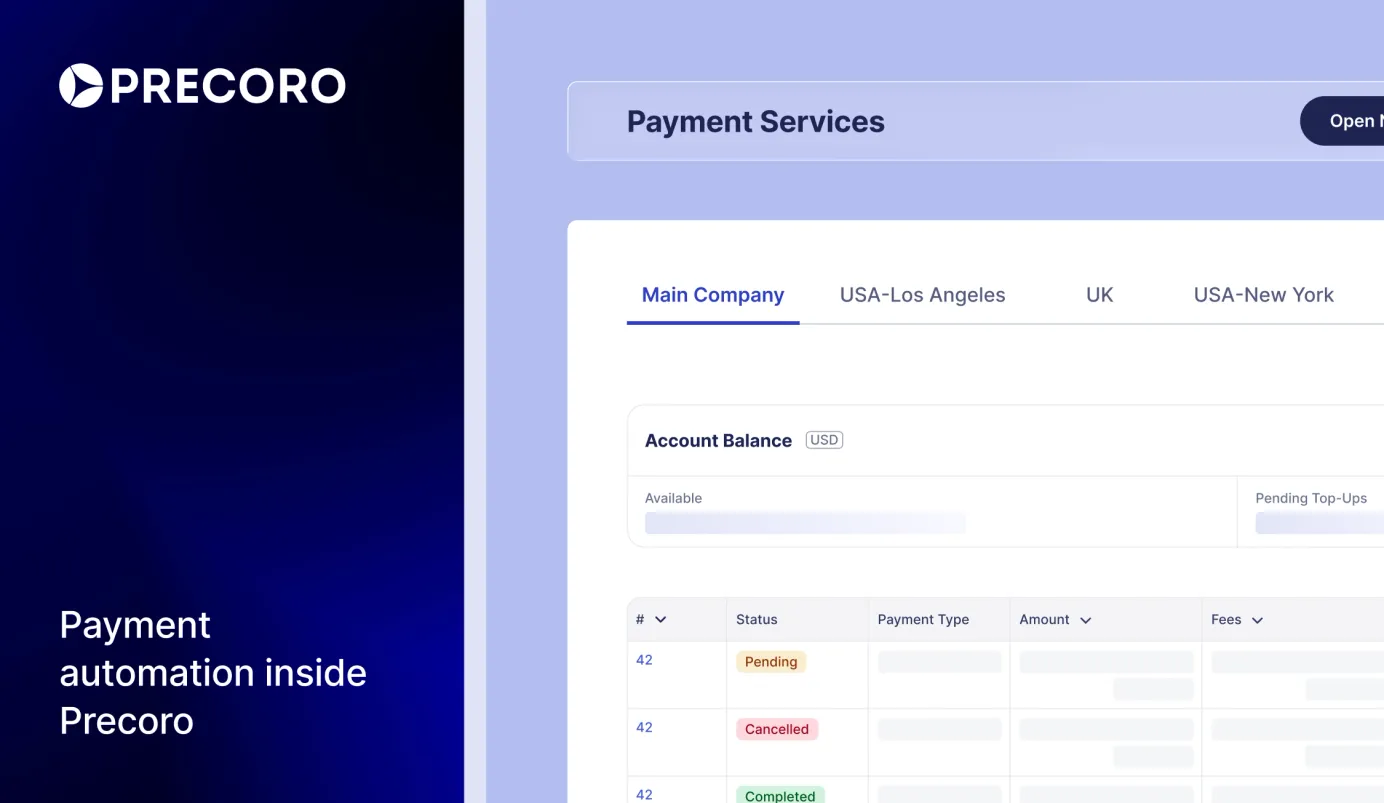
Precoro is launching payment automation to fix the gap. Now, finance teams can pay invoices directly from the approval workflow via ACH or wire transfer, with payment data automatically syncing from Precoro to an accounting system.
Read on to see what to expect from Precoro's payment automation.
How Precoro’s payment automation works
We collaborate with Stripe to provide reliable and secure financial services. Once the invoice is reviewed and approved, your team can create, send, and track the payment directly in Precoro, without copying data into a banking portal or updating invoice statuses by hand.
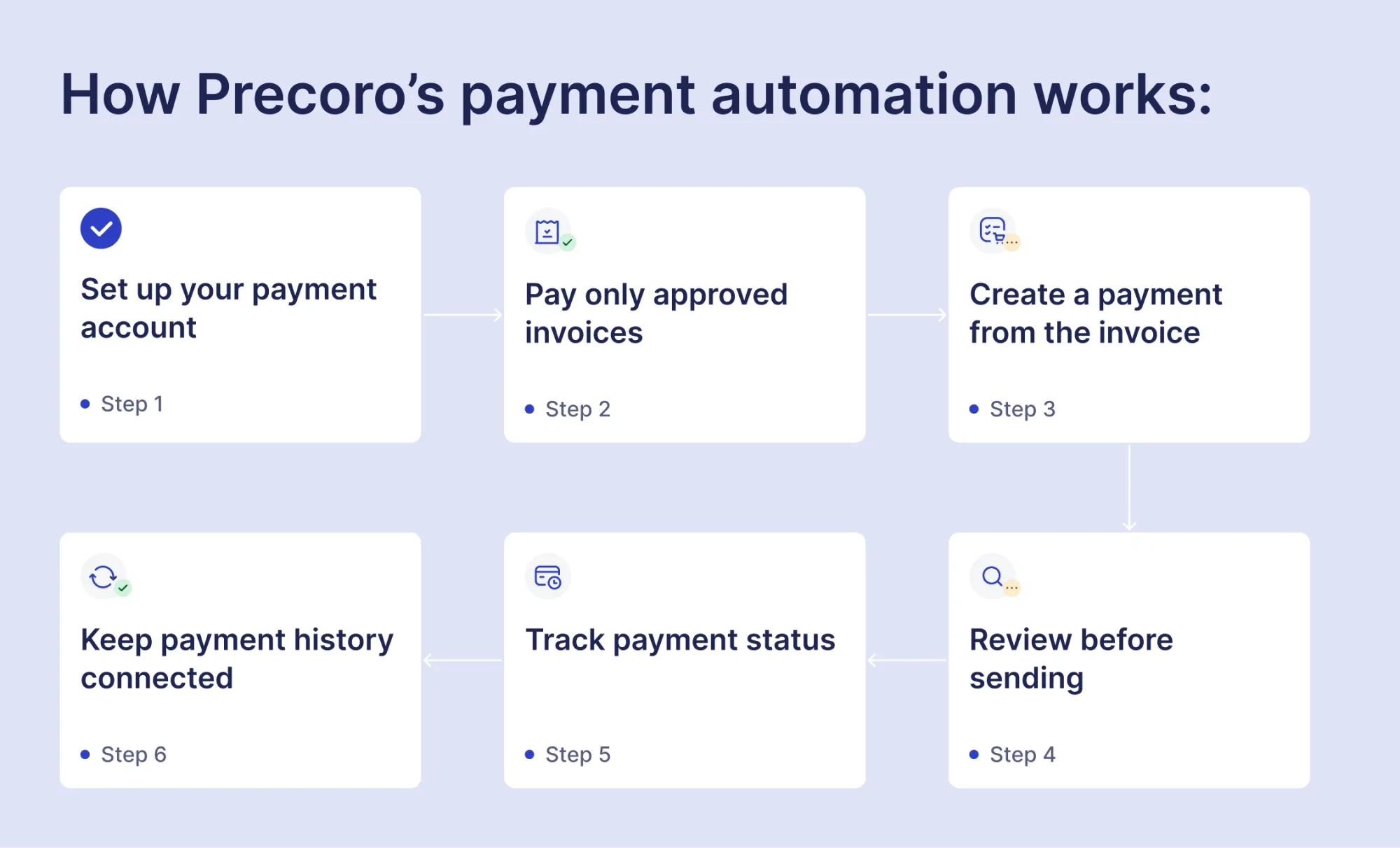
1. Set up your payment account
To use Precoro Payments, you first create a financial account in Precoro, complete business verification through Stripe, and connect a U.S. bank account. Once the account is approved, you can add funds to your Precoro balance from a linked bank account or by bank transfer.
Precoro Payments is currently available to U.S. customers only.
2. Pay only approved invoices
Only approved invoices can be paid, meaning they've already gone through verification of supplier data, matching, receipt confirmation, budget checks, etc. This way, every payment is backed by a full audit trail — no one can bypass the process and pay an invoice that hasn't been properly reviewed and approved.
3. Create a payment from the invoice
After approval, users with the right permissions can click Pay directly from the invoice. Precoro automatically fills in key details — supplier, amount, currency, and due date. Your team can review, adjust the amount for partial payments, and choose a payment method: ACH, same-day ACH, or wire. No manual entry, no switching between systems, no risk of typos causing a payment to go to the wrong supplier — just faster, more accurate payments.
4. Review before sending
Before the payment is sent, your team can review the details one more time. You can confirm the payment right away or save it as a draft if someone needs to check it first. Draft payments can be edited and finalized later. This extra step keeps your team in control — so nothing gets sent before the right person has signed off on it.
5. Track payment status
Once a payment is created, Precoro updates its status in real time automatically — showing whether it’s draft, processing, paid, failed, canceled, or returned. If a payment fails, is canceled, or returned, the reserved amount is automatically added back to the invoice and becomes available for a new payment. At any point, your finance team knows exactly which payments have gone through, which are still in progress, and which need attention — without chasing anyone for updates.
You can still manually mark an invoice as paid (e.g., if the payment was made outside the system).
6. Keep payment history connected
Each payment stays linked to the invoice it came from. Finance teams can review transaction history, open payment details, and download a receipt after the payment is complete. This gives you a clear, connected record from purchase to payment — making it easier to reconcile accounts, track cash flow, and plan upcoming expenses.
Where payment automation sits in the connected AP workflow
Payment automation in Precoro is the final step in a connected workflow that begins the moment an invoice arrives.
Invoice capture. Upload a PDF, forward an email to your Precoro AP inbox, or submit directly — the Gemini AI-powered OCR engine extracts supplier details, invoice numbers, line items, and totals automatically across PDFs, scanned images, JPEG, PNG, and TIFF files. Structured e-invoices are parsed through native data extraction at 96%+ accuracy, no OCR or IT setup required. Unrecognized suppliers are flagged immediately before the invoice moves any further, strengthening accounts payable payments control from the start.
AI matching. Once data is captured, Gemini AI-powered OCR cross-references the invoice against existing purchase orders using supplier name, tax ID, email domain, SKU, item descriptions, and line counts — generating a ready-to-review draft in under three seconds. Instead of wasting time on repetitive PO matching and verification, teams move straight to reviewing only what needs attention. Invoices that can’t be matched are flagged with a specific reason, not dropped into a generic review pile.
Approval routing. The matched invoice moves through a predefined approval workflow automatically — routed by department, amount, project, location, or any combination you've configured. Approvers can see the matched PO, goods receipt, available budget, and document history in one place and act from desktop, mobile, email, or Slack. This is how payment automation keeps the entire process moving without manual handoffs.
Payment and reconciliation. Once approved, accounts payable payments are triggered automatically. ACH, same-day ACH, or wire transfer — initiated directly from the approved invoice, using banking details already stored in the vendor profile. No re-entering account numbers or switching to a separate portal. Payment data syncs automatically to QuickBooks, Xero, NetSuite, or Sage the moment it processes. Every step — from the original purchase request to the final transfer — is logged and traceable in Precoro Payments.
“Finance teams shouldn't have to bridge the gap between invoice processing and payment execution with manual steps or fragmented systems. Precoro now connects the entire flow, from AI-powered invoice capture and PO matching through approval and into payment. Our goal is simple: fewer handoffs, fewer delays, and a process teams can actually trust day to day.”
— Andrew Zhyvolovych, CEO at Precoro
Benefits from payment automation by role
The impact lands differently depending on where you sit in the AP process. Here's how your team benefits:
Always up-to-date books for AP managers and finance controllers
Month-end reconciliation stops being a catch-up exercise. Payment data syncs to your ERP the moment it's processed, so the books reflect reality in real time — not after a manual update. When invoice volume spikes, you can also select multiple approved invoices and mark them as paid in a single action rather than processing them one by one.
Faster, safer payments for AP specialists and accountants
Supplier banking details are stored once in the vendor profile and reused automatically every time, making invoice payments faster and safer. You don’t need to re-enter account numbers before a wire, or waste time verifying routing details before a large transfer. And when an invoice comes through late with a tight deadline, same-day ACH ensures it can be approved and paid the same day — nothing gets stuck or delayed waiting on someone to step in and sort it out.
No blind spots in global spend for cross-border finance teams
A supplier in Germany, a vendor in Singapore, a contractor in Brazil — cross-border payments are now initiated from the same invoice workflow, in the right currency, without a separate banking portal or a manual conversion step in between. With payment automation, the process remains consistent regardless of the supplier's location.
End-to-end financial transparency for CFOs and finance leadership
Only approved, validated invoices reach the payment step. Every invoice payment is linked back through the full chain — purchase request, purchase order, approval, receipt confirmation, and transfer. That audit trail exists by default, not because someone assembled it before a review. Early payment opportunities also become actionable: when approval cycles are fast, and payment execution is immediate, capturing early payment discounts is a realistic option rather than a theoretical one.
Built to simplify the procurement
Precoro is the agentic procurement and spend centralization platform that consolidates requests, approvals, purchase orders, receiving, invoice processing, payments, and supplier management into one workflow. Over 1,000 businesses rely on Precoro to standardize procurement across departments and locations — approving documents up to 3.5x faster, eliminating duplicate spend, and maintaining up-to-date budget visibility at all times.
Payment automation closes the last manual gap in the procure-to-pay process — but we're not stopping there. We're actively expanding AI capabilities into PO and contract processing, so your data stays accurate and your team stays out of the weeds at every stage of the cycle. Check our open product roadmap to track what's coming, upvote what matters to your workflow, and submit requests directly.
Disclaimer:
Precoro partners with Stripe Payments Company for money transmission services and account services with funds held at Fifth Third Bank, N.A., Member FDIC.
Not using Precoro yet? Book a demo today to see how payment automation works in a fully connected AP flow — from approval to payment in one system.