Purchase Order Automation: How to Automate the Entire PO Process
Learn how purchase order automation works, which PO tasks to automate first, and how to implement it. Explore a manual vs. automated comparison and readiness checklist.

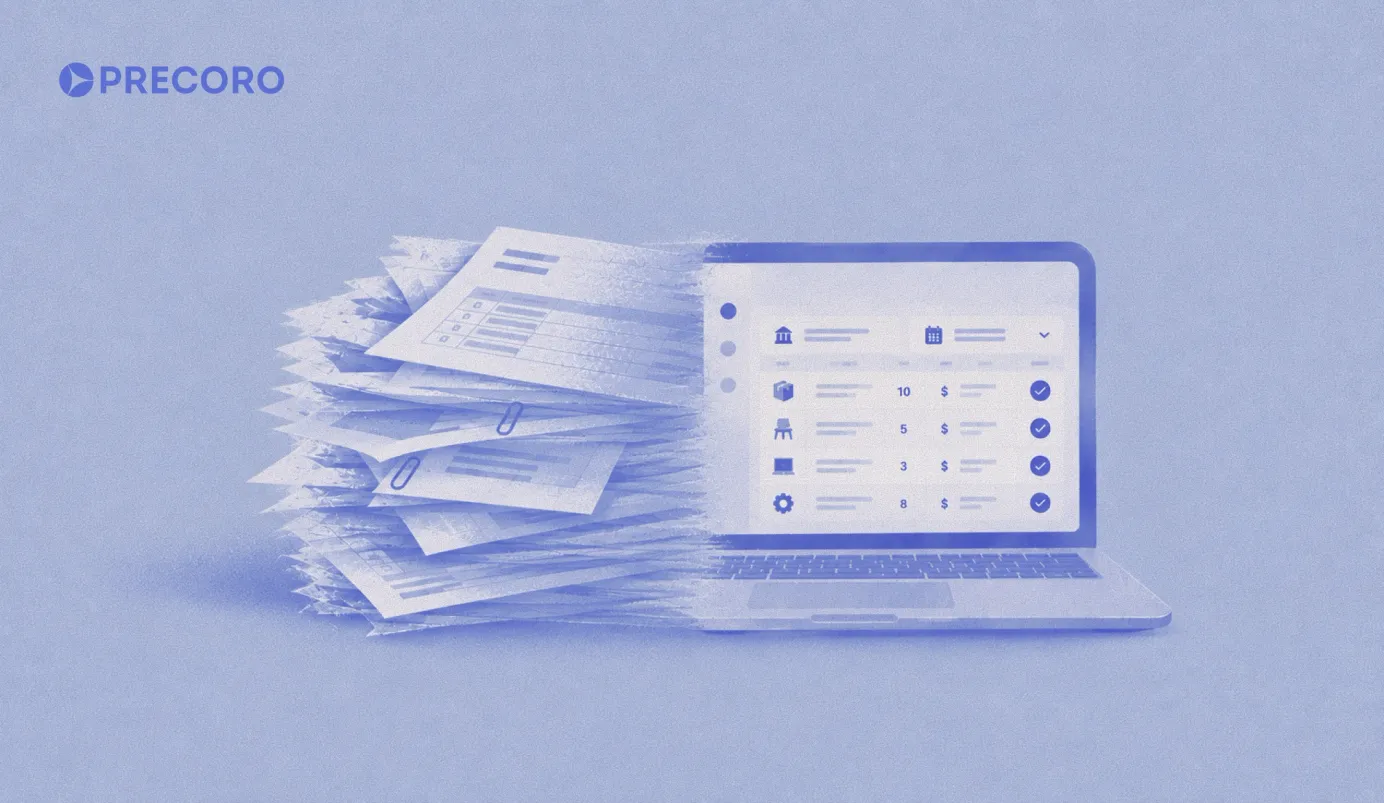
Purchase order (PO) automation replaces manual work through software that creates, routes, and reconciles purchase orders with little to no human intervention.
The traditional PO process involves repetitive data entry, back-and-forth communication, approval delays, and manual checks at multiple stages. Automating these steps reduces routine work and helps prevent processing errors.
This guide walks through purchase order automation, what it does, how you should plan and implement PO automation, and how to avoid mistakes while implementing PO platforms.
Read on to find out:
What is purchase order automation
Benefits of PO automation
How an automated PO workflow works
Technologies behind PO automation
How to plan and prepare for implementation
How to choose PO automation software
How to implement PO automation step by step
How to drive user adoption
Security, auditability, and compliance
Common pitfalls and how to avoid them
How Precoro automates purchase orders
FAQ
What is purchase order automation?
Purchase order automation refers to using software to manage the purchase order lifecycle with less manual work.
This way, PO automation helps companies create a purchase request, route it for approval, generate and send the purchase order to a supplier, and match it against receipts and invoices. With specialized tools, companies no longer need to manually enter data at each step.
Specifically, thanks to PO automation, requestors no longer need to fill out a form, email a manager, or retype the details into an enterprise resource planning (ERP) system. Data moves automatically between workflow steps, while human review is required only for approvals or exceptions.
Although ERP can store and process purchase orders, employees may still have to navigate complex interfaces and enter the same data manually. That’s why many companies use a dedicated procurement tool as a control layer on top of their ERP.
The procurement tool gives requestors, approvers, and procurement teams a simpler way to create, review, and track purchases, while the ERP remains the system of record for financial and accounting data. Once a purchase is approved, the relevant data can be synced to the ERP for financial processing, reporting, and accounting.
Data moves automatically between workflow steps or connected systems through purchase order automation software.
What counts as PO automation, and what does it exclude?
PO automation covers the steps involved in creating and processing a purchase order, from submitting a requisition and routing it for approval to generating and sending the PO, tracking the order, and matching it with goods receipts.
It generally doesn’t cover activities such as supplier sourcing and selection, contract negotiation, or payment execution. These fall under broader procurement processes rather than the PO workflow itself.
How does PO automation differ from procure-to-pay automation?
Procure-to-pay (P2P) automation covers the broader process of managing a purchase from the initial request through supplier payment and reconciliation. It can include supplier sourcing and selection, contract management, purchase requisitions, approvals, purchase orders, receiving, invoice processing, three-way matching, payment, and reconciliation.
Essentially, scope is the main difference. PO automation addresses the steps around creating and managing purchase orders, while P2P automation connects the entire purchasing and payment cycle.
As a result, a company can use PO automation without automating the entire P2P cycle. Conversely, a P2P platform may include PO automation as one component of a larger workflow that also covers sourcing, supplier management, AP automation, payments, and reconciliation.
How does PO automation differ from invoice and accounts payable automation?
Purchase order automation controls purchasing before and around the time an order is placed. Invoice and accounts payable (AP) automation comes after delivery. Accounts payable automation covers invoice processing, approvals, verification, and payments.
PO automation works earlier in the purchasing process. It helps prevent unauthorized spending and missing approvals by requiring purchases to follow defined workflows before an order is placed.
AP automation, by contrast, focuses on what happens after a purchase has been made. It helps identify and resolve issues such as duplicate invoices, incorrect billing information, and missing or inconsistent documents before payment.
Which purchase order automation tasks can be completed end-to-end?
PO automation can handle routine purchases from request to matching with little or no manual intervention. For example, software can:
- Convert a purchase requisition into a purchase order using the approved request details.
- Route the purchase through predefined approval rules based on factors such as department, amount, project, or supplier.
- Send the approved PO to the supplier by email or through a supplier portal.
- Track the order and match it with the corresponding receipt and invoice.
This works particularly well for predictable, repeat purchases with predefined suppliers and terms, such as office supplies or standard IT equipment.
Which purchase orders are suitable for touchless automation?
Touchless refers to PO processing without routine human intervention. It usually involves artificial intelligence.
Touchless automation best suits low-risk, high-volume, and predictable purchase orders.
Specifically, these are recurring orders from approved suppliers. Also, these are purchases associated with pre-set budgets, such as recurring monthly cloud hosting and scheduled office cleaning.
Finally, these are catalog items with pre-negotiated pricing, such as pre-priced laptops and standard printer paper.
Here’s the touchless automation suitability matrix.
| Purchase type | Automation suitability | Human review |
|---|---|---|
| Catalog office supplies | High | Usually unnecessary |
| Recurring approved services | High | Exceptions only |
| New supplier | Medium/low | Recommended |
| High-value capital equipment | Low | Required |
| Non-standard contract terms | Low | Required |
What are the benefits of purchase order automation?
Purchase order automation helps companies achieve faster approvals, fewer errors, better spend visibility, and stronger compliance. And these benefits become more noticeable and valuable as order volume grows.
What business problems does PO automation solve?
PO automation primarily reduces approval delays, prevents duplicate data entry, unauthorized purchasing, document errors, and limited visibility into committed spend.
PO automation enables finance teams to enjoy more accurate cash flow forecasts. After all, open purchase orders can represent committed spending even before an invoice arrives.
Purchase order cycle time is the time from the purchase request to the approved, transmitted order. This way, you can see whether automation is working after go-live.
How does PO automation compare with a manual purchase order process?
A manual purchase order process uses paper forms, spreadsheets, or email chains. Thus, someone at their desk is responsible for manual approvals, and another one is responsible for retyping data multiple times. The audit trail lacks reliability.
A digital purchasing system replaces these manual steps with structured workflows. It enables organizations to submit requests using standardized forms (for example, Precoro lets companies create different forms for different purchasing needs, with unlimited custom fields to capture the information required for each request). It can then route approvals automatically based on factors such as purchase amount, department, project, or more, and record every action for greater visibility and auditability.
The main difference lies in speed and accuracy. Leverage AI data as of 2026 shows manual purchase order processing averages 5–7 days and error rates of 15–25%. Compared with automation, days become hours, and error rates drop to under 2%.
Manual purchase order vs. automated purchase order system
| Aspect | Manual PO process | Automated PO system |
|---|---|---|
| Typical processing time | 5–7 days per order | Hours, often under a day |
| Error rate | 15–25% | Under 2% |
| Cost per order | $50–$150+ based on volume and labor | Often 50–80% lower than manual |
| Approval routing | Manual, based on availability | Automatic, rule-based |
| Audit trail | Incomplete or spread across email/paper | Centralized and complete |
| Spend visibility | Delayed, often visible at invoice time | Real-time, visible at commitment |
| Scalability | Breaks down as order volume grows | Scales with volume without additional staff members |
How does an automated PO workflow work?
An automated PO workflow connects every step — from the initial request to final closure — into a connected digital workflow, so nothing has to be re-entered or manually tracked between systems.
How does an automated PO system streamline the procurement process?
An automated purchase order system streamlines procurement by removing redundant data entry, using consistent approval rules for requests, and enabling requesters, approvers, finance, and suppliers to have visibility into orders in real time.
Thus, there is no need for the procurement team to manually follow up for approvals or re-enter approved requests into a purchasing system.
Step-by-step process: From purchase request to PO closure
- A requester submits a purchase requisition using a standard digital form.
- The system checks the request to see if it complies with budget and category rules.
- The request flows through the approval routing automatically, based on amount, department, or purchase type.
- After the approval, the system generates a purchase order and sends it to the supplier.
- The supplier confirms the order and delivery details.
- Goods or services are received and registered against the purchase order.
- Then, the system starts the automated matching against the purchase order, receipt, and eventual invoice.
- When matching is complete and payment is authorized, the purchase order is closed.
How are suppliers engaged and orders transmitted in an automated flow?
Most systems use email, electronic data interchange (EDI), or a supplier portal to transmit purchase orders. It all depends on the supplier's capabilities, such as automated order processing and network connectivity.
EDI is an electronic purchase order transmitted from buyers to sellers. Suppliers with integrated order-management systems may support application programming interfaces (API) or EDI transactions. APIs are rules or protocols that enable software applications to exchange data, features, and functionality.
Smaller suppliers may receive a formatted PDF by email. Purchase order automation platforms should support multiple transmission methods to help you avoid standardizing your supplier base all at once. These methods include web-based supplier portals and automated emails with PDF attachments.
How are PO amendments, partial deliveries, and canceled orders handled?
Use the same approval workflow to route back purchase order amendments as the original purchase order, especially if price or quantity changes materially. Purchase order amendments can include price adjustments and contract and payment term updates.
Track partial deliveries against the original purchase order quantity, keeping the order open until fully received or explicitly closed.
Mark canceled the purchase orders in the system to exclude them from open commitments, without matching them to future invoices.
What technologies power purchase automation?
Purchase order automation depends on several technologies working together. These include document processing, workflow engines, integration layers, and machine learning (ML) that can help handle exceptions.
Machine learning is a field of artificial intelligence enabling machines to imitate intelligent human behavior.
How do OCR and intelligent document processing extract PO data?
Optical character recognition (OCR) and intelligent document processing scan submitted requests, supplier order confirmations, or paper-based requisitions and extract structured data, including item, quantity, price, and delivery date, without manual retyping.
AI-driven document processing does more than template-matching OCR. Specifically, it recognizes data across varied document formats and layouts instead of requiring a fixed template for every supplier.
In Precoro, PO processing is part of the AI Purchasing Crew. You upload a purchase order as a PDF or image, and the AI extracts the fields and fills in the PO form. It also matches the supplier and items to records already in your system. You review the draft and confirm it before it’s created, so a person still has the final say. The same approach works earlier in the process: upload a supplier quote, and Precoro turns it into a purchase requisition.

How does an approval workflow automate purchase requests and POs?
Approval workflows apply pre-configured rules, such as spending limits, department budgets, and category restrictions, to send each request to the right approver automatically, and escalate or notify if a request takes too long.
How can RPA, APIs, and integrations be combined effectively?
Robotic process automation (RPA) handles repetitive, rule-based tasks like re-keying data between systems that lack a native integration․
APIs allow purchasing, ERP, and accounting software to exchange data directly and in real time. RPA is an automation technology for business processes that uses software robots to automate tasks that humans perform.
APIs handle fast, secure data exchange between modern platforms, such as enterprise resource planning (ERP) platforms and procurement and payment-to-payment (P2P) systems. A P2P service facilitates direct interaction and transactions between individuals without intermediaries.
RPA automates tasks in legacy systems, such as ERP updates and document scanning. Combined, they form end-to-end integration across old and new enterprise tools.
How does machine learning improve matching and exception handling?
Machine learning models learn from historical matching patterns to find inconsistencies or differences, such as a price change from the contracted rate or a quantity mismatch. ML models learn to resolve minor inconsistencies automatically. So, there is no need for human intervention in this case.
ML models gradually learn to recognize which exceptions need human review and which don’t.
How to plan and prepare for PO automation implementation?
Proper planning and preparation are vital to ensure purchase order automation implementations don’t underdeliver.
Is your PO process ready for automation? Here’s a checklist.
| Area | What to check | Ready if... |
|---|---|---|
| Supplier data quality | Vendor master list accuracy, duplicate records, up-to-date contact and banking information | Supplier records are deduplicated, current, and consistently formatted |
| Approval rules | Spending thresholds, department rules, and escalation paths are defined | Delegation of authority is documented, and thresholds match actual policy |
| ERP readiness | System compatibility, API/integration availability, and chart of accounts consistency | Your ERP has a supported connector and clean, standardized account codes |
| Transaction volume | Number of POs processed monthly, mix of routine vs. one-off purchases | Volume is high enough to justify automation (generally 20+ POs/month) |
| Exception rate | Percentage of orders needing manual review, common mismatch causes | The exception rate is known and mostly traceable to a few fixable causes |
What stakeholders should be involved and when?
Department heads from procurement, finance, and IT should be involved in the PO automation implementation, especially those who handle or oversee a high volume of purchase requests.
Procurement typically leads the project, finance defines approval and budget rules, and IT manages integrations, access, and security requirements.
Frequent requestors should also be involved early. Their feedback can help identify usability issues and process gaps before implementation, reducing friction when the new workflow is rolled out.
How do you map current processes and identify automation candidates?
Document your current purchase order process from start to end. Specifically, document those who submit requests, the approval process, delay details, and purchase categories with the highest volume.
Categories featuring high volume and low complexity, such as office supplies, recurring services, and catalog items, should be automated first because they add to organizational confidence and keep processes operating reliably.
What data and systems need cleansing or standardization first?
Before automation, clean supplier records, standardize item and category codes, and verify the account chart.
Next, standardize items and category codes.
Finally, confirm your account chart is consistent across departments.
Automation doesn’t automatically correct inaccurate master data. Poor supplier or accounting data can instead create errors on a greater scale.
Thus, if a messy supplier list creates messy automated purchasing, automation will increase the impact of poor-quality data.
That’s why it’s critical to make processes consistent.
How should you define success metrics and pilot scope?
Measure purchase order cycle time, error rate, touchless-processing rate, exception rate, and user adoption before and after implementation.
Start with a single department or purchase category. Then, continue with the budget cycle if possible. Use the results to develop rules that you can apply across all your departments.
How to select the right purchase order automation software
Software that doesn’t match existing workflows or integration requirements may create additional manual work.
What core features should you require from a vendor?
Require the following essential features:
- Configurable approval workflows, such as exception routing and department-specific routing
- Automated three-way matching
- Real-time visibility into spending
- Ability to complete mobile approvals
- Supplier portal or multi-channel transmission
- Complete audit trail
Remember to use pre-built enterprise resource planning and accounting software connectors. These are more essential than custom-built integrations that require time-consuming and costly maintenance.
How does a PO system integrate with ERP and accounting software?
Native connectors or APIs help integrate purchase order automation with accounting software and ERP.
These connectors and APIs automatically synchronize supplier data, account charts, budget data, and completed purchase orders between the purchase order system and your ERP or accounting software. These can include widely used QuickBooks, NetSuite, SAP, Oracle, and Dynamics 365.
Successful integration is about processing data without manual export or import to eliminate double data entry.
Should you choose cloud-based or on-premise purchase order automation?
The right choice between cloud-based or on-premise purchase order automation depends on your information technology resources, such as high-speed internet bandwidth and physical data center space.
Also, it depends on security requirements, such as custom firewall rules and end-to-end data encryption. Finally, it depends on the existing infrastructure.
| Cloud-based PO automation | On-premise PO automation | |
|---|---|---|
| Pros | Faster deployment, lower upfront cost, automatic updates, and accessible from anywhere | Full control over data location, no dependency on vendor uptime, and suitable for strict regulatory environments such as healthcare, pharmaceuticals, aerospace, defense, and national security |
| Cons | Ongoing subscription cost, depending on internet access and vendor reliability | High upfront infrastructure cost, slower updates, and in-house IT maintenance |
| Best fit | Most small to mid-sized organizations and distributed teams | Highly regulated industries or organizations with existing on-premises infrastructure and strict data residency needs. This includes requirements to store, process, and retain procurement and financial data within specified geographical boundaries or air-gapped systems. |
How do you evaluate ease of configuration, scalability, and user experience?
To evaluate ease of configuration, scalability, and user experience, test whether it’s easy for your team to configure approval rules without vendor support. After all, rules change because of budget and organizational structure changes.
It’s also essential to check whether the system can handle projected order volume growth without performance issues, such as database timeouts and delayed workflow approvals.
Besides, prioritize a clean, simple submission interface for successful adoption.
What questions should you ask about security, compliance, and SLAs?
Ask about:
- Data encryption standards, e.g., data at rest encryption and data in transit encryption
- User access controls, e.g., multi-factor authentication (MFA) and single sign-on (SSO) with SAML 2.0
- Role-based permissions, e.g., separation of duties (SoD) controls and granular field-level restrictions
- Uptime guarantees, e.g., a 99.9% system availability SLA and multi-region redundancy
- Data backup
- Disaster recovery practices, e.g., low RPO/RTO targets and quarterly failover drills
- Compliance certifications relevant to your industry, e.g., SOC 2 Type II certification and ISO/IEC 27001 certification
Confirm what happens to your data when changing vendors later. Include clear export options in the contract.
How to implement purchase order automation step by step
Step-by-step implementation reduces risk. Also, it gives your team time to make adjustments before implementing the new process within the entire organization.
What are the phases from pilot to full roll-out?
A practical rollout can use four phases: pilot, controlled expansion, company-wide rollout, and continuous optimization:
- Starting with one department or category
- Continuing with more departments while refining rules
- Expanding across the company using a support plan
- Optimizing regularly based on performance data
Previously, PO automation implementation took some nine months. Today, modern cloud-based tools, such as Precoro and Zip, have reduced the time to 30–60 days in many cases.
How should you configure approval rules, thresholds, and exception routing?
Set spending limits, matching them to your delegation of authority policy. Moreover, higher-value purchases should have multi-level approvals. Create clear exception routing so inconsistencies or unusual requests can be sent to the right person who can resolve them quickly, instead of leaving them in a queue. Finally, review and adjust limits after the first few months.
How do you prevent purchase splitting and retrospective POs?
Purchase splitting refers to breaking a large purchase into smaller ones to meet the approval threshold. How can you prevent purchase splitting? Monitor multiple same-day or same-week orders from the same supplier.
Discourage purchase orders created after the purchase has already happened. For this, you can use faster automated request processes and document exception approvals for after-the-fact purchase orders.
How do you onboard suppliers and handle legacy paper or emailed POs?
Start with your highest-volume suppliers on full electronic transmission. Then, continue with smaller suppliers. Remember that for high-volume suppliers, full electronic transmission primarily means electronic data interchange (EDI) or APIs.
What about suppliers that can't accept electronic orders? Use platforms that generate a formatted PDF and email it automatically. This way, you can keep your internal process automated even when dealing with traditional suppliers.
How can you test and scale a purchase automation platform?
To test and scale your PO automation platform, use real historical purchase data before going live. This way, matching and approval logic will behave properly.
Both old and new processes will operate briefly. You can prevent issues before fully switching to the new system.
Scale gradually. Specifically, when your current scope starts running smoothly, add purchase categories and departments. Avoid expanding the scope and troubleshooting simultaneously.
How to manage change and drive user adoption in the purchase order automation process?
Purchase order automation delivers limited value when employees bypass the approved purchasing workflow.
Thus, focus on managing changes deserves as much attention as the technical setup.
How do you communicate benefits to procurement, finance, and requestors?
Have a tailored message for each group. For example, procurement is responsible for visibility and control, and finance for accuracy and forecasting. Requestors focus on obtaining what they need faster and effortlessly. Thus, fast approval times refer to requestors specifically.
What training and documentation will accelerate adoption?
Use short, role-specific training. Requestors need a two-minute guide for request submission, and approvers need to know how to review and act on requests using their phone.
A simple, quick-reference guide accessible within the tool can help users remember training details earlier.
How do you measure and reward compliance with the new workflow?
Track the percentage of purchases passing through the automated system. Then, compare the results with the percentage of purchases going through off-system. Identify and address purchases made outside the approved workflow. Address non-compliance directly.
As for measuring reward compliance, track the percentage of purchases routed through the automated system against off-system workarounds. Then, follow up directly with anyone bypassing the process.
You can consider only giving budget and spending reports to teams that use the proper purchase order system. This will encourage people to follow the process and not bypass it.
How to ensure security, auditability, and compliance?
Automation should make financial controls stronger. Ensure security and compliance are designed into the workflow from the start.
What controls are needed to prevent fraud and unauthorized spending?
Essential controls necessary for preventing fraud and unauthorized access include strong approval limits that cannot be bypassed.
Moreover, it’s vital to restrict the ability to edit an approved purchase order without re-approval. Also, it’s important to use system alerts for unusual purchasing patterns, such as an unexpected rise in orders to a supplier.
Besides, it’s critical to pay attention to modified supplier records to avoid fraud.
How should segregation of duties work across requestors, approvers, receivers, and supplier administrators?
No one should be able to request, approve, receive, and pay for the same purchase.
Requestors submit requests, but they shouldn’t approve them. Approvers authorize spending but shouldn't edit supplier banking details. The person confirming receipt of goods shouldn’t be the same person who requested them.
How do you maintain an auditable trail of approvals and changes?
An audit trail is recorded on a PO. Specifically, this refers to the creator, approver, amendments, and timestamps concerning each step. This is being done automatically, without someone manually filing paperwork.
You should be able to search for and export the recorded details. After all, auditors and finance teams need specific records quickly. Searchable and exportable records make audit evidence easier to retrieve.
What regulatory and tax considerations affect PO automation globally?
Cross-border purchasing is related to different tax requirements, such as value-added tax (VAT) and sales tax.
This also applies to electronic invoicing mandates in some countries and data residency rules that determine where transaction data can be stored.
Multinational organizations often need region-specific configuration instead of a single rule used globally, including tax calculation and required documentation formats.
What are common pitfalls in purchase order automation, and how can they be avoided?
Purchase order automation projects commonly underperform because of process design, data quality, and adoption problems, not software alone.
What implementation mistakes lead to low adoption or poor outcomes?
Low adoption or poor outcomes associated with purchase orders arise because companies automate broken processes instead of fixing them.
Or they skip stakeholder input from frequent requestors, set approval limits too low or too high, and apply adoption company-wide instead of starting small.
Another reason is the poor supplier data quality at launch. Poor data quality leads to matching errors that reduce user confidence in the system, such as unit of measure inconsistencies and tax item mismatches.
How do you avoid over-automation or under-automation?
Over-automation arises when every purchase, including unusual, high-risk, or first-time supplier orders, comes through touchless purchase order processing. In this case, human judgment is removed.
Under-automation occurs when many exceptions get routed to manual review, but the system can hardly manage them. The right balance is about full automation for low-risk, high-volume, and predictable purchases. Such a balance can result in meaningful human review for higher-risk or non-standard purchases.
When should you call in external consultants or vendor support?
Turn to external consultants or vendor help for complex enterprise resource planning integrations, multi-entity or multi-currency rollouts. Or do it when internal teams don’t have enough bandwidth to implement purchase order automation together with their daily operations.
Some enterprise software contracts include vendor implementation services. Buyers should confirm the scope before signing.
Independent consultants can help with process redesign that needs to be vendor-neutral.
How does Precoro automate purchase orders from request to approval?
It starts with the request. Employees create a purchase request in Precoro, on the web or in the mobile app. They can pick items from a supplier or PunchOut catalogs, or upload a supplier quote and let AI turn it into a request. Precoro checks the request against the budget, then sends it to the right approvers based on your rules, such as department, location, project, or amount. Approvers are notified via email or Slack and can approve on their phone.
Once the request is approved, Precoro can create the purchase order automatically, with no retyping. You can also convert a request into a PO in one click, or combine several requests for the same supplier into one PO. If the PO needs its own approval, it goes straight into that workflow. After approval, you send the PO to the supplier through the supplier portal, and Precoro tracks it as committed spend, so budgets stay up to date before the invoice arrives.
FAQ
Yes. Cloud-based purchase order automation software options usually offer features and pricing tailored to small businesses. Businesses processing a few dozen purchase orders monthly can also benefit from faster approvals and fewer errors.
Yes. However, changes related to price, quantity, and delivery date should route back through the approval workflow as an amendment instead of being edited freely. The supplier should also receive notifications regarding changes and confirm them. This is important because unconfirmed amendments can lead to a mismatch between buyer expectations and actual shipping.
The invoice should be marked as an exception and be sent for manual review without being paid automatically. You can use documented approval before payment and track the frequency to see which purchase categories need better upfront purchase order coverage.
Build an emergency purchase process with a documented approval path, instead of allowing purchases to happen outside the system. Retrospective purchase orders should be created and approved as soon as possible. Tracking emergency purchase frequency is also essential. High rates mean purchase order coverage should be improved.
Ready to automate your PO cycle with Precoro?