
Payment Automation: How It Works, Benefits, and Best Practices
Explore payment automation, how it works, its benefits, and best practices for faster, more accurate, and controlled payment processing.

Manual payment procedures are time-consuming, costly, and prone to mistakes and fraud. Payment automation integrates payment processes, including invoicing, approval, payment, and reconciliation, enabling organizations to make payments more quickly and efficiently and manage their cash more effectively.
For instance, for a mid-sized business with a monthly invoice volume of 3,000 and a cost per transaction of $5.83, it will be equal to more than $210,000 per year. Invoice automation is particularly useful for companies that have periodic supplier invoices, which can be handled with standardized rules and need improved accuracy, payment controls, and visibility of cash flow.
This guide highlights how payment automation operates, its advantages, and factors to consider when selecting the right payment automation tool.
Keep reading to find out:
What is payment automation?
Manual vs. automated payments: Cost and time savings
How does a payment automation work?
What are the benefits of payment automation?
What are the challenges of payment automation
How implement payment automation
Best practices for secure AP automation
FAQ
Payment automation at a glance
| Question | Short answer |
|---|---|
| What does it automate? | Invoice capture, matching, approvals, payments, and reconciliation |
| Who uses it? | Accounts payable, finance, treasury, and procurement teams |
| What payments can it support? | ACH, wire, cards, checks, and other provider-supported methods |
| Main benefit | Less manual processing |
| Main risk | Automated errors or fraud if controls are poorly configured |
| Key integrations | ERP/accounting software and banking/payment systems |
What is payment automation?
Payment automation is the use of technology to manage and execute business payments automatically.
Instead of entering payment details by hand or printing paper checks, businesses can automatically capture invoice details, route approvals based on pre-set rules, execute electronic transfers (such as Automated Clearing House (ACH) or virtual cards), and instantly reconcile data with their accounting software.
How does payment automation change the payment process?
Payment automation shifts the payment process from a workflow where every invoice requires manual review to a rules-based approach where invoices that meet predefined matching and approval criteria can move forward automatically.
In a manual workflow, every invoice requires a human to read it, decide where it goes, and act on it — which means processing more invoices usually requires more staff time.
In an automated workflow, the software handles standard, "clean" invoices end to end. Only invoices that don't match expected data — a mismatched amount, a missing PO, a new vendor — get flagged for human review.
Here is exactly how the process changes from the traditional method to an automated workflow:
| Process step | ❌ Traditional manual process | ✅ Automated payment process |
|---|---|---|
| 1. Receiving the invoice | Employees receive invoices by email and manually enter the data into accounting software. | AI and Optical Character Recognition (OCR) instantly read the invoice, extract the data, and create the digital entry. |
| 2. Verification | Staff manually cross-reference the invoice against the original purchase order and receiving slip to check for accuracy. | Three-way matching automatically compares the documents and flags price or quantity mismatches for human review. |
| 3. Approval routing | Invoices are walked around the office or forwarded via email, often getting stuck in managers' inboxes. | Software automatically routes invoices to the correct managers based on pre-set spending limits and rules. |
| 4. Payment execution | Accounts payable (AP) teams manually prepare payment details, obtain approvals, initiate checks or electronic payments, and update payment records across separate systems. | The system securely executes batch digital payments via ACH, wire, or virtual cards on the optimal due date. |
| 5. Bookkeeping | Bookkeepers manually type transaction details into the ledger to close out the invoice. | The software instantly syncs with the company's ERP or accounting system and automatically reconciles bank data. |
Manual process vs. automated payment system: What are the cost and time savings?
Manual processing requires staff to enter payment data, check invoices, request approvals, initiate payments, and reconcile bank statements. Automation reduces these touchpoints, shortens the invoice-to-payment cycle time, lowers error-correction work, and reduces processing costs.
For example, if a mid-market company processes 3,000 invoices monthly and saves 5 minutes per invoice at a loaded labor cost of $40 per hour, it saves approximately $10,000 per month, or $120,000 annually, before software and implementation costs.
Here's a comparison of manual vs. automated payment processing:
| Factor | Manual payments | Automated payments |
|---|---|---|
| Speed | Slower — requires manual entry, approval routing, and processing time | Fast — payments can be scheduled, batched, and executed automatically |
| Cost | Lower upfront cost, but higher ongoing labor costs | Higher setup or software costs, but lower long-term processing costs |
| Error rate | Higher risk of typos, duplicate payments, missed invoices, and other manual errors | Lower error risk when properly configured, with consistent rule-based processing |
| Scalability | Difficult to scale — higher payment volume requires more staff time | Scales more easily without requiring a proportional increase in staff |
| Fraud/security risk | More exposed to human-driven fraud, such as check fraud or payment manipulation | Reduces manual fraud risks but can introduce risks from system breaches or misconfigured rules |
| Audit trail | Records may be inconsistent or paper-based, making transactions harder to trace | Creates digital records that make payments easier to audit and reconcile |
| Flexibility | Easy to handle exceptions, one-off payments, and unusual requests | Less flexible for unusual cases unless exception-handling workflows are built in |
| Staffing needs | Requires more staff time for data entry, approvals, payment processing, and reconciliation | Reduces processing workload but may require IT or technical support |
| Cash flow visibility | Payment status and cash flow data may be delayed or fragmented | Provides faster visibility into payment status and expected cash outflows |
| Implementation effort | Minimal setup — payments can usually start without new system integrations | Requires system integration, testing, configuration, and change management |
| Compliance | Policies such as approval thresholds can be harder to enforce consistently | Can automatically enforce approval workflows, spending limits, and other controls |
| Best suited for | Low payment volume, highly customized transactions, or infrequent payments | High payment volume, recurring payments, and standardized vendor transactions |
Here are the results reported by Precoro customers:
| Customer | Industry | Key results | Timeframe |
|---|---|---|---|
| Ridgeline Discovery | Biotech (Switzerland) | 90% reduction in invoice processing time | First month |
| TESTEX | Textile certification (25+ branches) | 3x faster order processing, 50% cut in approval cycle time | First month |
| Riverstone Logistics | Logistics (80 locations) | $100K saved on ERP licenses, centralized procurement across 80+ locations | Post-implementation |
| Capital City Public Charter School | Education | Invoice matching + receipt confirmation: hours–1 week → under 30 seconds | Post-implementation |
How does a payment automation system process invoices from approval to a reconciled transaction?
A payment automation system processes an invoice by capturing its data digitally, matching it to records, routing it for approval, executing the payment, and automatically reconciling the transaction in the general ledger. Here are the six steps in the process, from invoice capture to reconciliation:
- Invoice capture and extraction. The invoice arrives electronically (email, portal upload, EDI, or a scanned document), and OCR/AI extraction pulls out vendor name, invoice number, line items, amounts, and dates.
- Validation and matching. The system runs a two-way match (invoice to purchase order) or three-way match (invoice, purchase order (PO), and goods receipt) to confirm the invoice reflects what was actually ordered and received.
- Routing and approval. Clean matches will be automatically routed to the right approver based on amount thresholds and cost centers; all discrepancies will be automatically flagged as exceptions requiring manual intervention.
- Coding. The invoice is coded to the appropriate general ledger (GL) account, usually recommended by a system based on past transactions.
- Payment execution. After approval, the process triggers the payment through ACH, virtual card, wire transfer, or check payment methods — usually grouped according to the due dates for payment efficiency.
- Automated reconciliation. The system imports clearing and bank transaction data from financial institutions or payment providers. Then the software uses particular rules that enable it to reconcile the bank payment transaction with the original invoice and purchase order and report any differences in the record, which will be posted to the GL.
| Stage | What automation does |
|---|---|
| 1. Invoice capture and extraction | Captures invoices and extracts key data using OCR/AI. |
| 2. Validation and matching | Matches invoices with POs and goods receipts and flags discrepancies. |
| 3. Routing and approval | Routes invoices to the right approvers and tracks approvals. |
| 4. Coding | Suggests or applies the correct GL account and accounting codes. |
| 5. Payment execution | Schedules, batches, and executes payments via ACH, card, wire, or check. |
| 6. Automated reconciliation | Matches bank transactions to invoices and updates the GL. |
How do automation solutions deliver the benefits of payment automation?
Payment automation results in reduced costs, minimal errors, increased fraud protection, faster processing times, and enhanced visibility, turning AP from an inefficient manual process to an efficient financial process.
How can process automation streamline the payment process and reduce manual effort?
Payment automation reduces manual work by automatically capturing invoice data, routing approvals, issuing payments, and recording transactions. Instead of retyping data, mailing checks, chasing approvals, or filing paper records, AP teams can let the system handle these routine steps based on predefined rules.
The financial impact can be significant. Based on Deloitte’s study on B2B Payments, an average AP staff spends about $8 to make a payment to a vendor, with 62% of the cost attributed to manual work. Deloitte also reports payment error rates of 0.1% to 0.4% across supplier disbursements. At high payment volumes, these costs and errors can add up quickly. With automation, an AP team is able to deal with many transactions without necessarily working harder manually.

How can payment automation reduce human error and data entry mistakes?
Manual data entry results in the wrong entry of invoice numbers, double payments, wrong dates of payments, and coding of expenses. The process of payment automation minimizes errors by ensuring that certain controls and standards apply during processing.
- Field validation: Automation checks required fields such as invoice numbers, dates, amounts, vendor details, and bank information. It can flag missing, invalid, or inconsistent data before an invoice is processed.
- Duplicate detection: The system compares invoices against existing records using details such as vendor, invoice number, amount, and date. Potential duplicates can be flagged or blocked before they result in duplicate payments.
- PO matching: Automated three-way matching compares the invoice with the purchase order and, where applicable, receiving records. This helps catch differences in quantities, prices, or other invoice details before payment.
- Approval rules: Invoices are automatically routed to the appropriate approvers depending on the invoice value, department, entity, or spending type. This avoids missing out on approval processes and sending the invoice to the wrong person.
- Automated GL coding: Rather than making workers manually input GL codes, automation can use pre-set coding criteria in relation to the vendor, the invoice details, the department, or the expense category. This creates more consistent coding and reduces keying mistakes.
This leads to less manual re-keying and more automated verification at every stage. Human intervention is needed only in case of exceptions and suspicious transactions, whereas regular invoices can pass through the process without human errors.
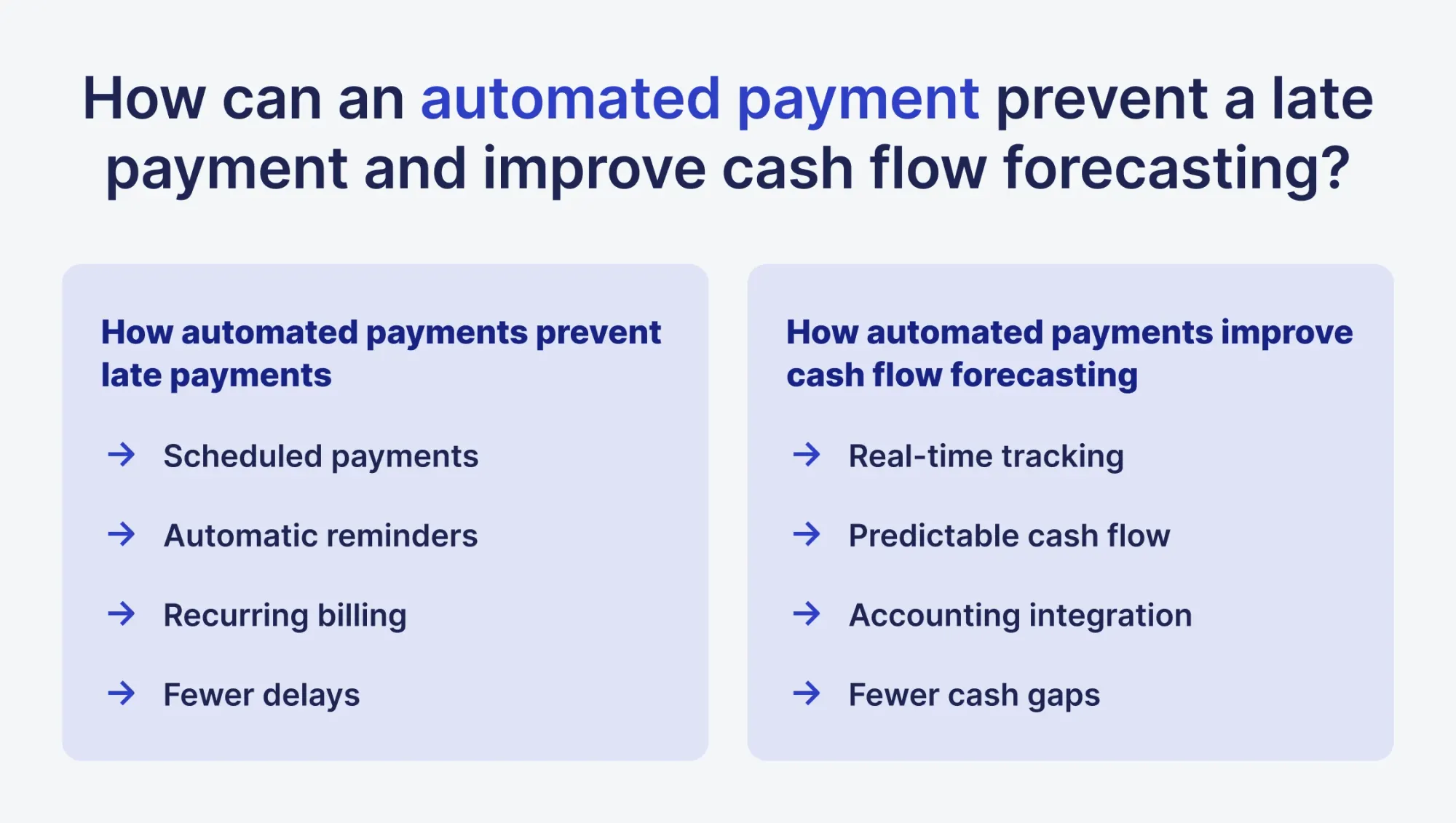
How can an automated payment prevent a late payment and improve cash flow forecasting?
An automated payment prevents late payments by reducing reliance on manual reminders and payment initiation — automatically executing electronic transfers on exact due dates or using pre-authorized direct pulls to bypass client delays.
It improves cash flow forecasting by providing real-time visibility into transaction timelines, using scheduled and recorded payment data, and analyzing historical payment habits to accurately map out exactly when cash will enter and leave your bank accounts.
Automated payments help prevent late payments in several ways:
- Scheduled transactions – Payments can be set to process automatically on predefined dates, reducing the risk of missed or delayed payments from customers or clients. This consistency helps ensure invoices are paid on time without manual intervention.
- Automatic reminders and notifications – Many automated payment platforms send reminders to customers ahead of due dates, prompting timely payments and reducing reliance on manual follow-ups.
- Recurring billing support – For subscription-based services or regular payments, automated billing ensures invoices are generated and debited on schedule, eliminating human error and oversight.
- Reduced administrative delays – Automation minimizes the time between issuing an invoice and receiving payment, lowering the chance of late payment due to manual delays in processing checks or bank transfers.
Automated payments also enhance the accuracy and reliability of cash flow forecasting:
- Real-time tracking – With automated payments, businesses can track pending and completed transactions in real time, allowing finance teams to project cash inflows and outflows more accurately.
- Predictable payment patterns – Regular automated payments create consistent revenue streams and expenditure schedules, making it easier to forecast cash availability for operational needs or investments.
- Data integration with accounting systems – Automated payment platforms often integrate with accounting software, providing structured financial data that can be used for trend analysis, scenario planning, and liquidity management.
- Reduction of cash flow gaps – Since late payments become less frequent, businesses can better match accounts receivable with accounts payable, avoiding shortfalls that may affect operational efficiency.
Can a digital payment reduce processing costs and fees?
Of course. Digital payment saves on processing costs mainly by cutting down the cost of the payment method used and routing each payment along the least expensive path possible.
Paper checks come at direct cost — such as printing, postage, and even fraud controls provided by the banks — which ACH avoids.
Virtual cards can go further for the paying company in many cases, since some card networks return a portion of the transaction value as a rebate rather than charging a fee.
In a manual workflow, AP teams may rely on the same payment method for every vendor rather than choosing the most cost-effective option for each payment. An automated system, by contrast, can route each payment through its cheapest viable option based on vendor preference and cost, without a person deciding case by case.
What risks and challenges should businesses consider?
Payment automation introduces its own risks alongside its benefits, including fraud exposure, system failure modes, integration challenges, regulatory obligations, vendor lock-in, and limits on cross-border payment coverage. These are not reasons to avoid automation. They are reasons to design the implementation with controls built in from the start.
What security and fraud risks affect an electronic payment?
Electronic payments remain exposed to business email compromise, stolen credentials, account takeover, fraudulent changes to vendor bank details, duplicate payments, malware, and unauthorized payment initiation.
Automation reduces some manual errors but does not eliminate fraud; poorly configured rules can scale a fraudulent payment just as efficiently as a legitimate one. Effective controls include multi-factor authentication, segregation of duties, dual approval, vendor-master controls, independent verification of bank-detail changes, transaction limits, anomaly detection, encryption, and complete audit logs.
What happens when a payment automation system fails, duplicates a transaction, or loses approval context?
A payment automation failure can cause duplicate payments, delayed payments, or gaps between approved transactions and what the bank actually processes. For example, an interrupted integration could cause a payment to be retried, an unavailable approver could leave an invoice stuck, or a bank connection failure could leave a payment marked as approved in the AP system even though it was never transmitted.
Recovery controls help prevent these failures from becoming financial or accounting problems. Unique payment identifiers can stop a retried transaction from being sent twice. Duplicate-detection rules can check the vendor, invoice number, and amount before processing a payment. Automatic escalation can route an invoice to another approver when it remains pending beyond a defined time. Automated reconciliation can compare AP records with bank confirmations and flag payments that appear in one system but not the other.
These controls give finance teams a way to detect exceptions, recover from failed transactions, and maintain an accurate payment record even when an automation workflow breaks.
How can integrating a legacy payment system with accounting software create problems?
Integrating an older or heavily customized Enterprise Resource Planning (ERP) system with payment automation software can create data mismatches, duplicate vendor records, and reconciliation gaps if the connection between the two systems is not built and tested carefully.
Many mid-size and enterprise finance teams run ERP systems that are ten to twenty years old, with custom fields or on-premise deployments that don't expose a modern Application Programming Interface (API) — the connection point software uses to exchange data automatically. Automation vendors often integrate cleanly with mainstream cloud ERPs, but connecting to an older or customized platform can require middleware, batch file transfers, or a systems integrator.
The practical risks are differences between records across connected systems, duplicate vendor records under two different IDs, and a one-way integration that still requires the manual reconciliation that automation was meant to remove.
The mitigation is to test the integration directly against your own ERP version, ideally in a sandbox environment, before committing to a platform, rather than relying on a generic product demo.
How do regulatory requirements affect AP automation and payment compliance?
Regulatory requirements affect AP automation by determining how invoices must be received, processed, stored, and reported, with requirements varying by country and jurisdiction. Payment automation systems therefore need to support structured e-invoicing formats, local tax rules, required reporting, and audit trails, so businesses can meet compliance obligations without relying on manual processes.
EU e-invoicing requirements: The EU’s value-added tax (VAT) in the Digital Age (ViDA) reform will introduce structured e-invoicing for cross-border business-to-business (B2B) transactions from July 2030. According to PwC’s 2025 analysis, existing national systems will need to align with the common EU standard by 2035.
Different national deadlines: EU member states are introducing their own requirements ahead of the EU-wide rules. KPMG’s 2025 guidance on Belgium covers Belgium’s mandatory structured B2B e-invoicing and use of the Peppol network. EY’s 2025 guidance on Poland explains the phased rollout of Poland’s National e-Invoicing System (KSeF), while EY’s 2026 guidance on France covers France’s e-invoicing requirements. This makes support for local regulations an important consideration when choosing payment automation software.
Financial controls: Payment automation should also support financial-control requirements such as the Sarbanes-Oxley Act (SOX). Companies subject to these requirements need clear records of payment approvals, user actions, and changes. Without a complete audit trail, a platform may improve payment processing while still leaving gaps in compliance.
What vendor lock-in and data portability risks come with payment automation software?
The main risks are proprietary data formats that don't export cleanly, limited Application Programming Interface (API) access, and long-term contracts with costly exit terms.
Most platforms store transaction records, approval histories, and vendor details in their own internal format, so switching systems often means manually cleaning up and re-entering data rather than simply exporting it.
Some vendors also restrict API access or charge extra for it, which makes it harder to connect the platform to your Enterprise Resource Planning (ERP) system or accounting software without paying for custom integration work. On top of that, long-term contracts and early termination fees are common, and breaking a contract early can be expensive even when the platform stops meeting your needs, which discourages companies from switching when they should.
Before signing with a vendor, it's worth asking directly about data export formats, API access, and contract length, and confirming that your full transaction history can be pulled out in a usable format if you ever decide to leave.
Can a payment automation solution support every cross-border payment method and currency?
No. Most payment automation solutions support multiple currencies and cross-border payment methods, but no single platform supports every currency, payment method or network, or country. Availability depends on the provider, payment corridor, local regulations, and banking infrastructure.
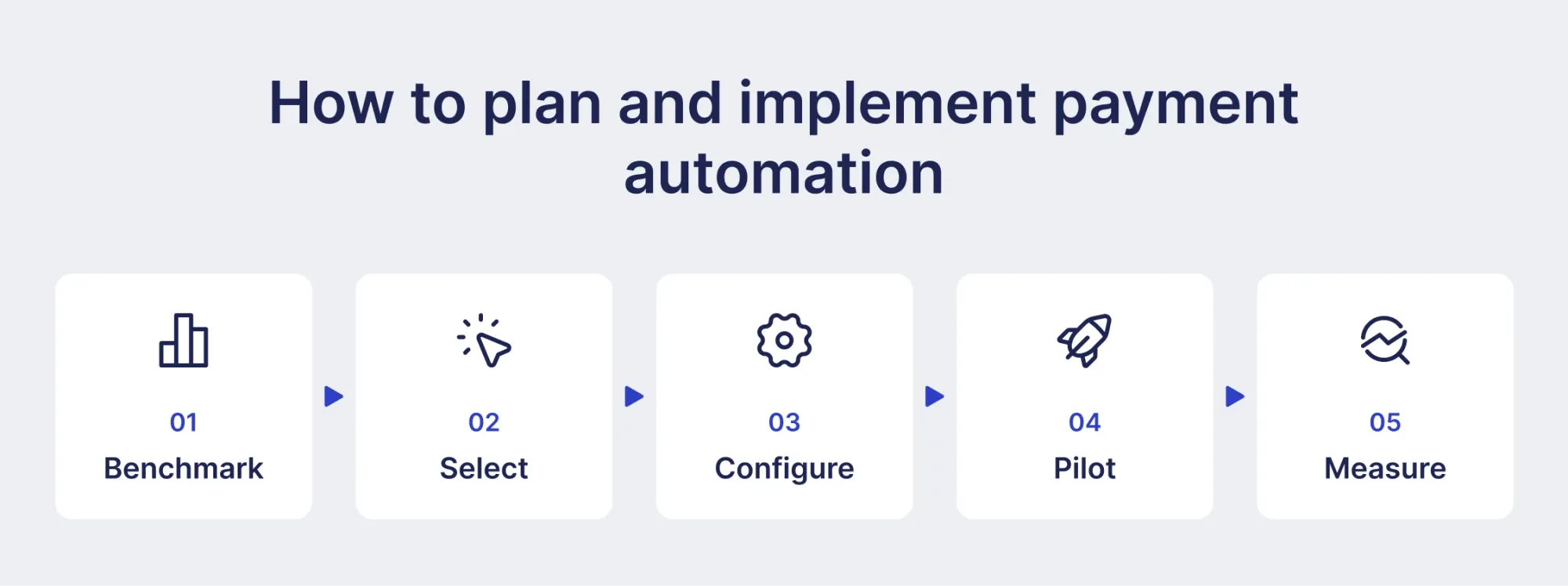
How to plan and implement payment automation
A successful payment automation rollout depends more on the sequence of implementation steps than on the software itself: assess the current process, choose a vendor that fits, test thoroughly, and roll out in phases.
Checklist on how to implement payment automation:
- Benchmark — Map your current payment process end-to-end: volume, cycle time, error rate, and labor cost per payment. This baseline is what you'll measure ROI against later.
- Select — Shortlist vendors based on integration with your existing accounting/ERP system, transaction volume support, and compliance features. Weigh the total cost of ownership, not just sticker price.
- Configure — Set up approval workflows, spending thresholds, payment rules, and exception handling. Build in override paths for one-off or unusual payments before going live.
- Pilot — Run the system on a limited scope (one department, vendor category, or payment type) in parallel with the existing manual process to catch issues without full risk exposure.
- Measure — Compare pilot results against your baseline: error rate, processing time, cost per transaction. Use findings to refine configuration before scaling to full rollout.
What should you assess before you automate a manual process?
Before automating, assess your current invoice volume and mix, average approval time, exception rate, and every system that currently touches an invoice.
Map the process exactly as it happens today rather than as company policy describes it: invoice volume and the split between PO-backed and non-PO invoices, average time to approval, current exception rate, number of approval layers, and every system involved, including email, the ERP, spreadsheets, and the bank portal.
This baseline serves two purposes. It identifies which parts of the process are genuinely broken rather than just tedious, and it provides the "before" numbers needed later to measure return on investment (ROI), the financial gain from an investment relative to its cost.
How should you evaluate a payment solution vendor and its automation software?
Evaluate a payment automation vendor on integration fit with your specific ERP system, payment rail, and currency coverage for your actual vendor list, documented fraud controls, and clear data export rights, not on price alone.
Checklist for choosing a payment automation vendor:
- Confirm native integration with your exact ERP and version through a sandbox demo, not a generic product demo.
- Verify that the vendor supports the payment rails, currencies, countries, and vendor/customer corridors you actually use.
- Compare total costs, including transaction fees, implementation fees, minimums, and add-on charges.
- Review the implementation plan, including timelines, data migration, testing, and responsibilities.
- Evaluate fraud controls such as dual approval, payment validation, and bank-detail change verification.
- Request a current SOC 2 report and review the vendor’s security, access controls, encryption, and data retention practices.
- Confirm that your contract gives you clear rights to export your payment data and specifies the available formats and processes.
- Test whether the platform supports your approval workflows, user permissions, segregation of duties, and audit requirements.
- Check support terms, including response times, escalation procedures, support hours, and service-level commitments.
- Assess whether the platform can handle your current payment volume and scale with your expected growth.
How should you test a payment automation system across ERP, banking, and accounting software?
Run a pilot before implementation, covering the entire process, such as capturing, matching, approval routing, payment processing, and reconciliation against the real bank feed. More specifically, test failure modes, which include what happens in case of a match failure, no response from the approver, duplicate invoices being presented, and payments needing to be undone.
It's also worth testing the bank connection directly, not just the ERP integration: confirm that a payment initiated in the platform shows up correctly at the bank, that reference data such as the invoice number survives the transfer, and that a failed or returned payment is reported back to the AP platform automatically.
- Test ERP and accounting integrations: Confirm invoice, supplier, payment, approval, and accounting data transfers correctly between systems.
- Test the bank connection: Send test payments and verify that payment details, references, statuses, and failed or returned payments transfer correctly.
- Test exceptions: Simulate failed matches, duplicate invoices, missing approvals, rejected payments, and payment reversals. Confirm each case follows the correct workflow and creates an audit trail.
- Test reconciliation: Compare the payment platform, bank feed, and ERP records to identify missing, duplicate, or incorrectly posted transactions.
- Retest before go-live: Document failed tests, resolve defects, and verify the fixes before moving to production.
How can you streamline staff training and phase the rollout?
Streamline the rollout by training staff on exception handling rather than data entry, and by deploying the system to one vendor segment at a time instead of switching everything over at once.
- Train for exceptions, not data entry — that's the judgment call staff actually need once the system is live
- Start with your biggest, most standardized vendors — they can produce measurable results sooner
- Pilot for 30–60 days before expanding to the next segment
- Keep a manual fallback open during the transition
- Adjust rules from real exceptions, not assumptions made in advance
What are the best practices for secure accounts payable automation?
To have secure automation of accounts payable, tighten up your internal controls, put restrictions on access permissions, and use encrypted digital processes to avoid any fraudulent activities or mistakes.
Make sure that you automate the process of three-way matching, duplicate payment detection, and fraud prevention in order to find any inconsistencies or abnormalities in invoices and payments. Check new vendors and account details prior to sending payment, and use electronic payments like ACH or virtual card payments instead of checks.
How should you design role-based access and an accounts payable approval workflow?
Create access based on roles by ensuring that there is segregation between the individuals who are authorized to enter vendor master data, those who are authorized to approve payment authorization, and those who are authorized to make the payment.
- Separate creation, approval, and execution — different people for each, no overlap.
- Use tiered approval limits — requester → department approver → controller for large amounts → separate execution role (often treasury).
- Require Single Sign-On (SSO) — one login to revoke instantly when someone leaves.
- Let the system enforce it — configure key approval rules in the system rather than relying only on written policies.
How should AP automation monitor and reconcile each transaction?
Every payment should reconcile automatically against both the originating invoice/PO and the bank statement, with any mismatch (amount, vendor, date, or duplicate invoice number) surfaced as an exception rather than silently cleared. Real-time dashboards that show invoice status, approval bottlenecks, and payment exceptions let AP managers identify a delayed or suspicious transaction the same day, rather than discovering it during month-end close.
How often should payment system controls and audit trails be reviewed?
Most organizations should review access permissions and approval thresholds at least quarterly, and immediately whenever someone changes roles or leaves the company — stale access is one of the most common, preventable control failures. Full audit trail and fraud-control reviews (positive pay settings, dual-approval rules, vendor bank-detail change logs) are typically conducted annually at a minimum, or aligned with your existing internal audit or SOX testing cycle if one exists, with more frequent spot checks for high-risk vendor categories.
How can automation solutions maintain compliance with changing regulations?
A payment automation solution should centralize approval records, payment data, user permissions, reconciliation evidence, and audit trails. It should support configurable rules for tax, anti-money laundering (AML), sanctions screening, data retention, payment authentication, and privacy requirements, with controlled updates when regulations or bank requirements change. Compliance should be tested through regular access reviews, rule-change approvals, exception monitoring, reconciliations, and audit reports — not assumed merely because a payment is electronic.
How do you measure payment automation software success and ROI?
To measure the success and Return on Investment (ROI) of payment automation software, evaluate three core areas: hard cost reductions, operational efficiency (time saved), and risk mitigation, balanced against the system's Total Cost of Ownership (TCO).
To calculate your financial return, compare your baseline manual processing expenses against your automated workflows using this standard formula:
- Baseline costs include manual labor hours (data entry, routing, chasing signatures), check printing, envelopes, postage, transaction fees, and late penalties.
- Total annual software cost includes implementation fees, monthly platform subscriptions, transaction fees on the new system, and staff training time.
What KPIs show whether a payment automation solution is working?
Key performance indicators (KPIs) that show whether a payment automation solution is working include cost reduction, processing speed, accuracy improvements, and overall workflow efficiency.
| KPI | Formula |
|---|---|
| Invoice cycle time | Receipt-to-payment days |
| Touchless processing rate | Invoices needing no manual intervention ÷ total invoices |
| Invoices per AP employee | Invoices processed ÷ AP full-time equivalent (FTEs) |
| Cost per invoice | Total AP processing cost ÷ invoices processed |
| Discount capture rate | Discounts captured ÷ discounts available |
| Exception rate | Invoices requiring manual intervention ÷ total invoices |
| Payment accuracy rate | Error-free payments ÷ total payments |
How can you quantify time savings from invoice processing and data entry automation?
You can quantify time savings from invoice automation by measuring the reduction in cycle times, touch time per invoice, and total labor hours spent on manual data entry and approvals.
Time-saved formula:
For example: Monthly invoice volume = 2,000Manual minutes saved per invoice = 6.0 minutes (from 9-minute payment to be submitted twice to 1 minute for invoices with no matching or validation exceptions; assume some exceptions)Loaded hourly labor rate = $40/hour
Time saved per month = 2,000 × (6.0 ÷ 60) × $40 = 2,000 × 0.1 × $40 = $8,000/month
Annualized savings = $8,000 × 12 = $96,000
Time-track 30–50 invoices across your real mix, not just clean ones, and split processed without manual intervention from exceptions — automation might take a clean invoice from 9 minutes to under 1, while an exception stays at 20 and just gets routed faster. A blended average hides that.
Track cycle time separately from touch time. Touch time is labor; cycle time is calendar days from receipt to payment, and it's what drives early-payment discount capture and late-fee avoidance, not headcount.
Then net out the new work automation creates — fixing OCR misreads, maintaining vendor master data — or the estimate may overstate actual savings.
How do automated payments improve cash management and vendor relationships?
Automated payments optimize cash management by giving companies precise control over payment timing and reducing processing costs, while strengthening vendor relationships through reliable, on-time payments and transparent communication.
Improving cash management:
- Real-time visibility — Track approvals, scheduled payments, and outflows as they happen, which makes cash forecasting and working capital planning more accurate.
- Better payment timing — Schedule payments closer to due dates or batch them together to protect liquidity without missing early discounts or triggering late fees.
- Fewer errors, less fraud — Rule-based validation catches duplicate payments and mistakes before release; anomaly detection flags suspicious activity early.
- More discounts captured — Faster processing means invoices clear approval in time to actually use early-payment discounts, not just qualify for them on paper.
Strengthening vendor relationships:
- On-time, accurate payments — Validated invoices paid on schedule build trust and cut down on disputes.
- Self-service transparency — Vendor portals let suppliers check payment status, update banking details, and pull remittance info without emailing your AP team.
- Stronger, more collaborative relationships — Predictable payment cycles give vendors a reason to offer better terms, priority handling, or discounts in return.
- Consistent treatment at scale — Centralized data and uniform approval rules keep the process fair and error-free even as your vendor list grows.
Conclusion
Payment automation lowers the cost of processing an invoice and shortens the time it takes to get one approved and paid. That improvement comes mostly from how the process is designed, not from any single software feature.
Before choosing a vendor, map your current process and record your actual cost per invoice, cycle time, and exception rate. Build fraud controls and approval limits into the system from the start — adding them after launch is harder and more disruptive. Test the bank and ERP connections with real invoices, not a demo environment. Roll out to one group of vendors at a time so problems get caught before they scale.
After implementation, check the same three numbers: cost per invoice, cycle time, and exception rate. If these metrics don’t improve, review both the system configuration and the underlying process to identify the cause.
FAQ
Yes, businesses with low transaction volumes can still benefit from payment automation. While larger businesses often use automation to manage scale, smaller businesses can use it to improve efficiency. Automating tasks such as payment scheduling and reconciliation can save time, reduce errors, and create a more consistent payment process.
Yes, you can automate payment execution while keeping invoice approval manual. Once an invoice is reviewed and approved by an employee, payment automation software can handle the next steps. This includes scheduling the payment, sending it through the chosen payment method, and reconciling the transaction.
Payment automation handles partial payments, credit notes, and early-payment discounts by using rules-based matching, dynamic scheduling, and automated ledger reconciliation. These features help ensure payments reflect the correct invoice balance, account for adjustments, and capture eligible discounts without relying on manual calculations.
The system should alert the team that the change requires manual review, regardless of who initiated the request or how urgent it appears. Verify the new bank details using a separate method, such as calling a phone number already on file. Never use contact details provided in the change request itself. Use the verified details when making the payment. This process is important because bank detail changes are often targeted in business email compromise fraud.
Yes, an automated payment may be stopped, recalled, or reversed, but the options depend on the payment method and how much time has passed. For example, ACH payments can generally be reversed or recalled only within specific timeframes and for eligible reasons, and the receiving bank may not accept the request. Wire transfers can be difficult to recall once the recipient's bank has received the funds, while virtual card payments may be easier to stop before processing. This is why controls such as invoice matching, dual sign-off, and bank detail validation are important before payment release.
Vendor payment automation is software that manages the accounts payable process end-to-end. It captures invoices electronically, matches them against purchase orders and receipts, routes them to the right approvers, executes payments, and syncs the transaction data back to your accounting system. This reduces manual work while helping prevent errors, duplicate payments, and missed payment deadlines.
Want to see Precoro payment automation in action?
Book a demo to see how you can simplify payment processing, reduce manual work, and keep better control over your payments.