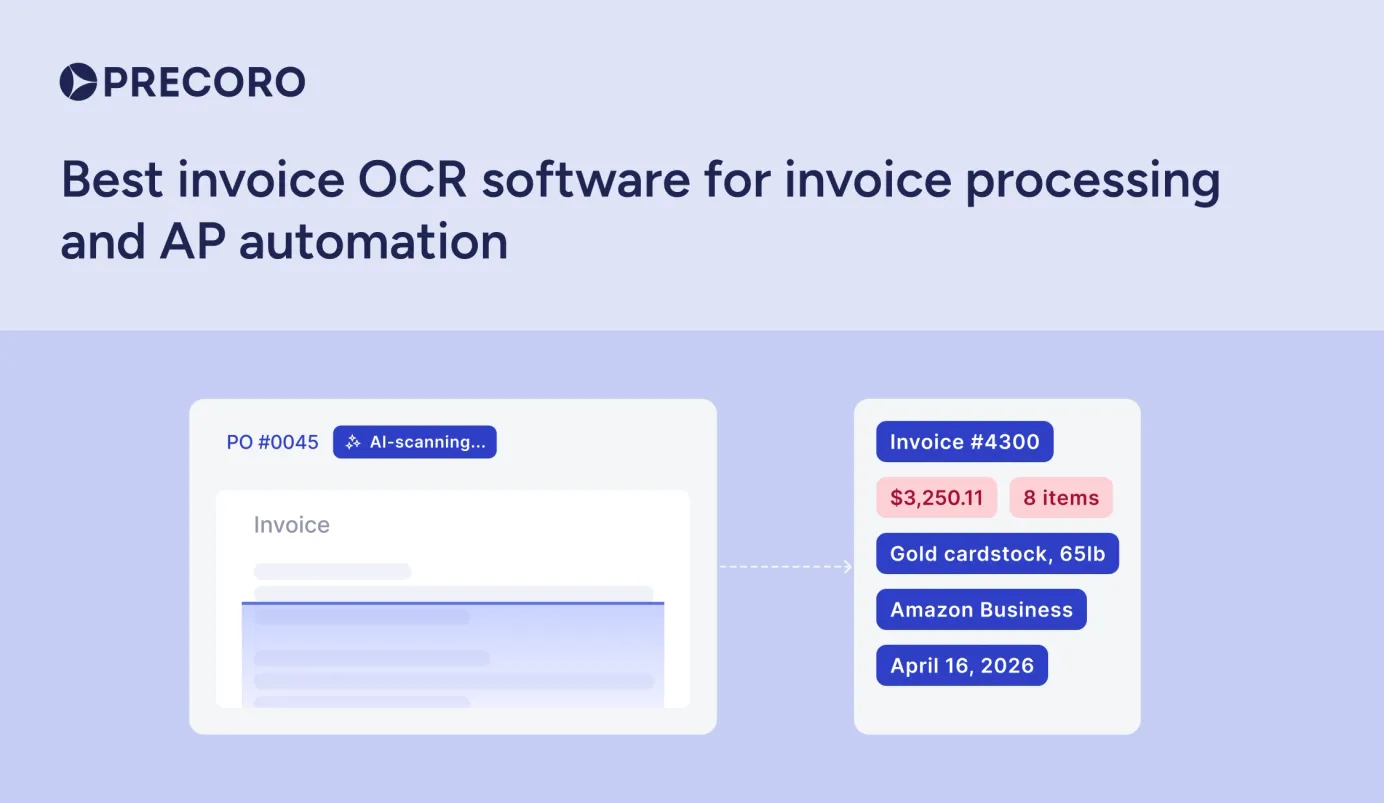
Top Invoice OCR Software for AP Automation and Invoice Processing
OCR invoice processing software automates data capture, validation, and ERP posting. This guide offers an honest assessment of the leading solutions.

Manual invoice entry slows everything down: approvals take longer, errors creep in, and AP teams spend more time fixing issues than moving work forward. OCR invoice processing software changes that by capturing and structuring invoice data automatically, so your team can focus on exceptions instead of typing.
But not every OCR tool works the same way. Some are built for high-volume enterprise environments, while others fit leaner teams with simpler workflows. In this guide, we break down how OCR invoice processing actually works, what features matter in practice, and which platforms are worth considering based on your needs.
What is OCR invoice processing software?
Key features to look for in invoice OCR software
How to choose the best OCR software for invoice processing
How to successfully implement invoice OCR software
Costs, benefits, and ROI of OCR invoice processing
Cloud vs. on-premise OCR software deployment models
Methodology for choosing the best invoice handling software
Best OCR software for invoice processing
Conclusion
FAQ
What is OCR invoice processing software?
OCR (Optical Character Recognition) invoice processing software automatically extracts key data from invoices and turns it into structured, usable information. It reads scanned documents, PDFs, and digital invoices and sends the data straight into your accounts payable system, speeding up processing and reducing errors.
How does OCR document processing software work within accounts payable systems?
OCR invoice processing software acquires information by scanning each document and identifying key invoice fields — vendor name, invoice number, line items, totals, and due dates. It then maps the data extracted from the document to the associated field in the accounts payable system, triggering the validation checks and routing the invoice through the appropriate approval chain.
The process that most accounts payable teams follow typically includes these stages:
- Ingestion — Invoices arrive via email, upload portal, or scanner feed
- OCR extraction — The software reads and parses each field
- Validation — Extracted values are checked against PO records or vendor master data
- Exception handling — Low-confidence fields are flagged for human review; unresolved exceptions escalate to an AP supervisor or re-enter the queue after correction
- ERP posting — Approved data posts automatically to the AP ledger
Since OCR invoice automation software typically operates in the background, AP teams mostly work with exception queues instead of raw documents. Average processing time is a few seconds for most invoices, which lets high-volume AP operations avoid increasing headcount as invoice volume increases.
If you’re handling fewer than a few hundred invoices a month, OCR software may not pay off right away. The real efficiency gains start to show once your invoice volume reaches that level.
What is the difference between OCR software for invoices and AI invoice processing solutions?
OCR software for invoices and AI invoice processing are distinct technologies with plenty of common ground.
Traditional Optical Character Recognition solutions use template-based recognition. Fixed invoice layouts are used to train the system, making it great at working with known vendor formats but also weak when it comes to newer formats, handwritten notes, or non-standard invoice structures. The accuracy of this approach is high within defined templates but drops significantly with anything outside of those templates.
AI invoice accounting software uses machine learning models that generalize across invoice formats without pre-programmed templates. Such solutions gradually learn from each document they process, with accuracy improving steadily over time (even for never-before-seen invoice types).
Today, most advanced OCR platforms operate as hybrid solutions — a combination of traditional OCR and AI capabilities to support both structured field extraction and unconventional data forms. When vendors present their technology, pay attention to how much it relies on OCR vs. AI, as that balance directly affects how accurate the system will be out of the box, especially if you’re dealing with varied invoice formats.
| Criteria | OCR software | AI processing | Hybrid solutions |
|---|---|---|---|
| Template required | Yes | No | No |
| Handles new layouts | Limited | Yes | Yes |
| Improves over time | No | Yes | Yes |
| Setup complexity | Higher | Lower | Medium |
| Best for | Stable, known vendors | Diverse, high-volume AP | Most enterprise AP teams |
How does OCR technology integrate with invoice processing systems and invoice automation platforms?
OCR technology integrates with invoice processing workflows and invoice management platforms using a number of standard integration methods that differ in complexity depending on the existing AP stack.
The most common integration paths include:
- Native connectors — Pre-built integrations with ERPs such as SAP, Oracle, NetSuite, and Microsoft Dynamics that require minimal configuration.
- API integration — RESTful APIs that allow OCR invoice processing software to push extracted invoice information to any platform that accepts structured input.
- RPA compatibility — Robotic process automation software such as UiPath or Automation Anywhere that orchestrate OCR output into downstream workflows.
- Email and portal ingestion — Invoices submitted by suppliers are captured automatically without manual routing.
OCR typically sits between invoice intake and your invoice management system, acting as a processing layer. It extracts the data, runs it through validation checks, and only then sends it to your ERP — so incomplete or incorrect records don’t get into your system of record.
What features should you look for in OCR software for invoice processing and scanning software?
The best OCR invoice processing software for your company depends largely on how complex your accounts payable operations are. The key features below help distinguish reliable platforms from those that end up creating more exceptions than they resolve.
Does the solution support template-free or AI-driven data capture?
The most critical functionality for any software that offers OCR in invoice processing is template-free data capture. Template-based systems need manual configuration for every new vendor layout, requiring continued maintenance as the supplier base grows or changes.
That dependency is completely gone with AI-powered capture. The AI-based OCR invoice processing software can recognize fields based on contextual understanding, not fixed coordinates. This particular approach allows it to deal with new data formats without manual setup for each one. When evaluating solutions, it’s best to test them on real invoices from your own vendors, not sample documents curated by the provider for the demo.
How accurate is the data extraction and how is accuracy measured?
OCR software accuracy in invoice processing is rarely a single number. Vendors usually offer either field-level accuracy, document-level accuracy, or STP (Straight-Through Processing) rate — and these metrics aren’t interchangeable.
- Field-level accuracy — Percentage of individual fields extracted correctly
- Document-level accuracy — Percentage of invoices where every field is correct
- Straight-through processing rate — Percentage of invoices that clear without any human intervention
When it comes to AP teams, STP rate remains the most operationally meaningful metric. A platform claiming 99% field accuracy can still put the majority of invoices into the exception queue if errors are concentrated on important fields like PO numbers or invoice totals.
Top-performing AP teams can currently achieve STP rates of 60-80% — this is the current benchmark to measure vendors against. Always ask for the STP rate on invoices that resemble your own vendor mix.
Does it recognize line items, totals, taxes, and custom fields?
Line item extraction is far more complex than header-level capture, and the ability to consistently extract invoice data varies dramatically between OCR invoice solutions. Header fields (vendor name, invoice date, total amount) are typically found in standard locations for most invoices. Line items, on the contrary, vary in row count, column structure, and formatting across practically every supplier.
Make sure that the platform supports:
- Multi-row line item tables with variable column counts, including multi-page tables
- Tax breakdowns and regional tax formats (VAT, GST, HST)
- Custom fields specific to your business (project codes, cost centers, contract references)
- Tolerance rules for totals validation (line item sum vs. stated invoice total)
Note that many OCR platforms still struggle specifically with multi-page line item continuity, which makes this a worthwhile test case to include in any POC evaluation.
Can OCR in invoice processing work with multiple languages, currencies, and character sets?
For AP operations that are performed across multiple geographies, the requirement for multilingual OCR invoice processing is non-negotiable. OCR software should be able to recognize character sets beyond Latin script depending on the supplier base — be it Cyrillic, Arabic, CJK (Chinese, Japanese, Korean), or others.
Another important consideration here is currency handling. The platform should be able to correctly parse currency symbols, apply correct decimal conventions, and flag currency mismatches against existing PO records automatically. Make sure to test these two capabilities independently from each other, too. Some vendors support multilingual OCR but handle currency normalization outside the main extraction engine, which can lead to issues later on.
Additionally, it’s important to ask vendors specifically how the system responds to a language that falls outside of the platform’s supported set. Well-designed OCR invoice processing software would be able to pass a document in an unsupported language to a manual review queue without attempting to extract the information as-is and returning garbled output as a result.
Does it offer built-in validation, exception handling, and human-in-the-loop?
Validation and exception handling both affect how much manual work is going to remain after the OCR extraction process is complete. Extracting data without providing a structured workflow for its review doesn’t solve the problem, but instead moves it downstream.
A well-designed human-in-the-loop interface should provide:
- Confidence scoring on each extracted field, which highlights low-certainty values for review
- Side-by-side document and data views so reviewers can verify fields without switching screens
- Bulk approval for high-confidence invoice batches
- Audit trails that log every human correction, which feed model retraining over time
Regarding the point about retraining: make sure to ask vendors whether correction-based model updates are applied automatically and continuously or if they need a scheduled manual retraining cycle. The former allows for passive accuracy improvements over time as the AP team works, while the latter requires regular IT involvement and may lag for several weeks behind actual invoice patterns.
According to industry data, top-performing AP teams manage to achieve exception rates of around 9% compared to 22% for average teams. Exception rates that are significantly higher than this usually indicate that the OCR engine is a bad fit, or that there isn’t enough training data for your specific invoice types.
How well does it integrate with ERP, AP systems, and RPA tools?
Integration depth is the difference between a functional tool and one that actually delivers measurable ROI. If an OCR invoice processing tool can’t reliably write data into your ERP, teams often end up re-entering invoices manually, which removes most of the automation benefits.
| Integration type | What to verify |
|---|---|
| Native ERP connectors | SAP, Oracle, NetSuite, Dynamics — pre-built, version-specific |
| API availability | REST API with full field mapping and webhook support |
| RPA compatibility | UiPath, Automation Anywhere, Power Automate certified |
| Email / portal ingestion | Supplier-facing submission without IT involvement |
| Mobile capture | Camera-based invoice scanning for AP teams handling paper invoices in the field |
| Bi-directional sync | PO and vendor master data flows from ERP back into the OCR tool for real-time validation |
Bi-directional sync is one of the most important and differentiating integration types. It allows OCR invoice processing software to receive purchase order and vendor master data from the ERP and use it to validate extracted invoice fields in real time, reducing exceptions before invoices even reach the approval stage.
How to choose the best OCR software for invoice processing?
Choosing the right OCR solution for your AP invoice processing means selecting a platform with capabilities that match the specific needs of your workflow. The criteria below can help structure that decision-making process.
What questions should you ask vendors during a POC (proof of concept)?
A POC is the single most accurate method for testing OCR invoice processing software under real-world conditions. Vendor demos use pre-selected and clean documents, while a POC uses your own documents.
The sample set should be established carefully prior to initiating the POC. To reliably evaluate extraction accuracy, you typically need around 200–500 invoices that reflect the real diversity of your vendor base, including different layouts and document quality.
Using only clean, standardized invoices can inflate accuracy results and give a misleading picture of real performance, so it’s not recommended.
The questions that matter the most during a POC:
- What is the straight-through processing rate on our actual invoice sample?
- How does the system handle invoices it has never seen before?
- What triggers an exception, and where does that invoice go?
- Is model retraining automatic, or does it require a manual cycle?
- How long does the initial setup and vendor onboarding take?
- What does accuracy look like at 30, 60, and 90 days post-deployment?
The last question is particularly important. OCR invoice processing software that shows an improvement over the initial 90 days demonstrates a functional learning loop. Meanwhile, platforms that plateau immediately after setup usually rely on static rule sets and aren’t considered true machine learning.
How do document volume, invoice diversity, and geography affect your choice?
Document volume, invoice diversity, and geography define the operational profile an OCR invoice processing system needs to support. Together, these factors significantly narrow the range of suitable solutions.
| Variable | Low complexity | High complexity |
|---|---|---|
| Document volume | Hundreds/month — most platforms are sufficient | Thousands/month — requires scalable cloud architecture |
| Invoice diversity | Few vendors, consistent layouts — template-based OCR works well | Many vendors, varied formats — AI-driven extraction required |
| Geography | Single country, one language — standard platforms are enough | Multi-region, multi-language — requires verified multilingual OCR |
If AP volume is high and invoices are both diverse and multi-regional, the organization needs a platform that performs well across all three dimensions. In contrast, a domestic mid-market company processing a few hundred invoices per month from a stable vendor base has far more flexibility in both platform choice and cost.
Should you prioritize cloud, on-premises, or hybrid deployment?
The choice of the deployment model is largely dictated by the security policy, IT environment, and data sovereignty requirements, not by OCR capability itself. Within OCR invoice processing software, the three models deliver similar results; what differs is where data lives and who manages the infrastructure.
- Cloud — Fastest deployment, automatic updates, no infrastructure overhead. The right choice for most mid-market AP teams without strict data residency constraints.
- On-premises — Full data control, no external transmission. Required for organizations in regulated industries or jurisdictions with strict data localization laws.
- Hybrid — OCR processing runs on-premises while management, reporting, and updates are handled via cloud. Balances control with reduced IT burden.
What also counts here is the roadmap of the vendor. Cloud-first vendors seem to iterate faster on improving their AI models, which is something that consistently affects long-term accuracy benefits.
How do security, compliance, and data residency requirements influence invoice OCR software selection?
Security and compliance requirements will disqualify entire groups of OCR invoice processing software before the feature comparison even begins. Businesses operating in regulated industries and AP departments conducting cross-border operations should look at this as a preliminary screening step, not an afterthought.
Key requirements that are better verified upfront include:
- Data residency — Does the platform store and process invoice data within required geographic boundaries?
- Encryption standards — Is data encrypted in transit and at rest, and to what standard (AES-256, TLS 1.2+)?
- Access controls — Does the system support role-based permissions and single sign-on (SSO)?
- Regulatory compliance — Does the platform support GDPR and HIPAA requirements, including data subject access requests, retention limits, and breach notification obligations?
- Audit logging — Are all user actions and data changes logged in a tamper-evident format?
- Certifications — Does the vendor hold SOC 2 Type II, ISO 27001, or relevant regional equivalents?
Any business operating under GDPR, HIPAA, or a similar data protection regulation should request vendor Data Processing Agreements (DPAs) prior to final vendor selection. These DPAs define how invoice data is handled, retained, and deleted.
What is the total cost of ownership (TCO), and how should you calculate it?
The total cost of ownership for OCR invoice processing software goes far beyond the initial software license. Underestimating TCO is arguably one of the most significant causes of AP automation projects underperforming.
TCO components worth accounting for are:
| Cost category | What to include |
|---|---|
| Licensing | Per-invoice, per-user, or flat monthly — model affects cost at scale |
| Implementation | Setup, configuration, vendor onboarding, data migration |
| Integration | ERP connector development or API build-out if no native connector exists |
| Training | AP team onboarding, change management, ongoing user support |
| Maintenance | Model updates, exception monitoring, IT infrastructure (on-prem only) |
| Exception handling labor | Remaining manual review hours at current AP team cost |
| Contract and exit costs | Minimum contract length, auto-renewal terms, data export rights, and termination fees — particularly important for per-invoice pricing models at high volume where switching costs compound over time |
The exception handling labor is frequently omitted from vendor-provided TCO estimates. Manual invoice processing costs between $10-$15 per invoice on average, and any invoices that fall through to manual review continue to carry that cost. A realistic TCO model should factor in the expected percentage of exceptions and include the cost of manually processing each invoice.
How to implement OCR invoice processing and OCR solutions successfully?
OCR invoice processing implementation isn’t just an operational project, but also a technical one. The solutions that can deliver high ROI long-term are rarely the most complex ones out there — they are usually the ones deployed with trained teams, clear workflows, and a detailed ongoing improvement plan.
How do you automate invoice processing using OCR invoice software?
Accounts payable automation with OCR software starts before any technology is configured. The first important step is to document the current AP workflow in full. This includes identifying where invoices enter the organization, which steps rely on manual handling, and where the errors or delays happen the most. It’s impossible to measure what the OCR solution is going to improve if there is no baseline to compare new data with.
Once the workflow has been documented, the typical deployment flow includes the following actions:
- Configuring ingestion channels (email, portal, scanner)
- Connecting the OCR invoice software to the ERP or AP system
- Defining validation rules and matching logic
- Establishing exception routing before processing any live invoices
A phased rollout is heavily recommended in most cases over a full cutover. Starting with just one invoice type or vendor segment helps to build confidence on a narrow dataset before exposing OCR invoice processing software to the full invoice range.
Most implementations manage to achieve stable accuracy within 60-90 days of live processing (if the exception feedback loop is active from day one).
How should you design exception workflows and human review loops?
The success of most OCR invoice processing implementations depends on how well exception workflows are designed. The technical extraction itself rarely causes lasting issues — it’s how the AP team handles exceptions that the system can’t process that determines whether the platform is embraced or avoided.
The key idea is that every exception should trigger an organized task, not just an unstructured email or verbal alert. Each flagged invoice should include its extracted data, confidence scores, and a direct link to the original document. This way, reviewers can correct errors in one place instead of having to cross-reference multiple systems.
Beyond the individual review interface, consider these workflow design decisions:
- Tiered escalation — Low-confidence fields route to AP staff; invoices with missing PO references or duplicate flags route to supervisors
- SLA thresholds — Define maximum review times by invoice value or supplier priority to prevent exceptions from aging in the queue
- Correction capture — Every manual correction should feed back into the OCR model, which requires that the platform logs field-level changes rather than just final approval actions
- Volume monitoring — Weekly exception rate tracking identifies vendor layouts or invoice types that need targeted model improvement
What change management and training are required for Accounts Payable workflows and their teams?
Even the most sophisticated OCR invoice processing software is going to underperform if the AP team doesn’t trust it. Resistance within AP departments to adopting any sort of automated process is relatively common, and typically driven by two primary reasons:
- “It will just create more work for me during the transition.”
- “What if the system makes a mistake?”
These are both valid points, and they should be addressed directly in the change management plan. Clear communication during the rollout is crucial. It should explain which processes the OCR invoice software will automate, what still requires human judgment, and how corrections should be made. A team that understands the exception workflow before go-live will adapt much faster than one introduced to it during live operations.
Formal training should cover the review interface, the correction process, and how exceptions are escalated. Ongoing support is equally important. Appoint an internal OCR champion within the AP team to handle any unresolved questions and prevent adoption issues from arising.
The champion should review the exception queue daily, address any unusual invoice types promptly, and act as a liaison between the AP team and the vendor’s support team for the first few months after deployment.
How do you ensure data quality and continual model improvement?
Data quality in an OCR invoice processing system is determined at two stages: document ingestion and exception correction. Poor quality at either stage compounds over time, so both need active management rather than passive monitoring.
On the ingestion side, the predominant quality issues are:
- Insufficient scan resolution
- Poorly oriented documents
- Image-heavy PDF files, where a text-layer PDF would be more appropriate
The majority of issues can be avoided through the implementation of supplier submission guidelines, covering expected file formats, scan resolution, file naming, etc.
Continual model improvement depends entirely on the quality of correction data flowing back from human reviewers. The best results are usually obtained as a result of two practices:
- Reviewing exception trends based on vendors instead of an individual invoice
- Conducting quarterly accuracy audits to compare the current STP rate versus the 90-day post-deployment baseline
Both of these actions help uncover systemic gaps that individual invoice reviews usually miss.
What monitoring and maintenance processes should you put in place?
OCR invoice processing software doesn’t maintain itself. Errors creep in as supplier invoice forms change, new vendors are introduced, and document quality degrades — none of which would trigger an immediate notification from the majority of platforms.
A functional monitoring framework addresses three different timeframes.
- Daily — both exception queue volume and aging should be reviewed for potential spikes before they can cause payment delays.
- Monthly — field-level accuracy reports separated by vendor and invoice type would help identify where the model is getting weaker (before it can affect STP rates).
- Quarterly — a full audit compares accuracy, exception rates, and processing costs against baseline benchmarks to create the data needed to justify model retraining investments or platform changes.
What are the benefits of OCR invoice processing, its costs, and ROI?
The business case for OCR invoice processing software is firmly supported by independent studies. In this section, we'll convert the headline figures into what's actually important for AP teams when making investment decisions.
What time savings and efficiency gains can AP teams expect?
The sheer time savings are some of the most universally documented benefits of OCR invoice processing among third-party studies. Ardent Partners asserts that fully manual AP processing requires 17.4 days to process a single invoice, while the best-in-class automated AP team would average in just 3.1 days. This difference at scale adds up to weeks of recovered capacity on a monthly basis.
In addition to the time savings with cycle time, the improvements in throughput are also substantial. A fully automated AP function can process about 23,333 invoices per FTE per year, while a fully manual one processes only 6,082, which is almost four times fewer invoices per employee without increasing the AP team's headcount.
Companies implementing AI-based OCR invoice processing software have also seen a decrease in exceptions by 40%, leading to less manual review and faster invoice payment processes.
How does Optical Character Recognition reduce manual errors and improve supplier relationships?
Manual invoice processing carries a structural error problem. Approximately 39% of invoices processed manually include at least one error, with a typical error rate of 1-3% per data field. OCR invoice processing decreases this rate to 0.1-0.5% for standard invoice types, preventing a large portion of rework, duplicate payment risk, and reconciliation overhead that those errors are generating.
The supplier relationship benefit follows directly from accuracy and speed. Vendors monitor supplier payment reliability, and automatically integrated accounts payable processing decreases the number of vendor inquiry calls by 50-70%, as suppliers can get payment status without even contacting the AP team.
Consistent, on-time payments also improve negotiating position — reliable payers are frequently offered preferential pricing terms, extended windows, or priority allocation during supply constraints.
What implementation and licensing costs should you anticipate?
Implementation costs for OCR invoice processing software vary considerably depending on the business size, the existing infrastructure, and the deployment model. The following figures represent a typical range for average mid-market deployments:
| Cost component | Typical range |
|---|---|
| Annual licensing | $10,000–$50,000+ depending on volume and pricing model |
| Implementation and configuration | $10,000–$50,000 for mid-market; higher for complex ERP integrations |
| Training and change management | $5,000–$20,000 |
| Ongoing maintenance | Included in SaaS tiers; additional for on-premises infrastructure |
Per-invoice pricing can be attractive at low volumes, but it scales poorly compared with flat-rate or per-user models. Organizations that plan for rapid growth should project potential volume 24-36 months forward, not just current volume.
The single best approach to comparing licensing structures across vendors is to have a clear volume projection across multiple time horizons.
How do you calculate payback period and ROI for AP workflow automation projects?
The ROI calculation for OCR invoice processing software is based on a fairly standard format, but the inputs must be carefully baselined in order to produce meaningful results.
The core formula is:
ROI (%) = [(Total annual savings − Annual automation cost) / Annual automation cost] * 100
Payback period (months) = Total implementation cost / Monthly net savings
The savings portion of the equation should include:
- Labor savings from removing manual entry
- Savings from the correction of errors
- Avoiding late payment penalty fees
- Early payment discount gains
Automation of AP processes leads to an increase in early payment discount rates from approximately 30% to as high as 85%. This single point can dwarf the licensing cost for organizations with significant payables.
Most mid-market organizations achieve full payback within 6 to 12 months, with higher-volume AP operations often seeing payback within a single quarter. Best-in-class automated AP teams process invoices at an average cost of $2.78 per invoice, compared to $12.88 for manual operations. That $10 per-invoice gap, applied across monthly volume, is the figure that drives most payback calculations into months rather than years.
Soft ROI factors should also not be omitted from the model entirely, as more and more organizations include them in CFO-level business cases. Employee satisfaction, audit readiness, and fraud prevention are difficult to convert into a clear monetary benefit, but they still represent a real organizational value.
There are plenty of studies showing that 75% of AP professionals state that automation would improve their career, and 94% are even enthusiastic when it comes to automating the most repetitive parts of their work. For finance leaders managing retention risk, that data point belongs in the overall business case alongside the per-invoice cost comparison.
Cloud vs. on-premise OCR software deployment models
The choice between cloud and on-premise OCR invoice processing boils down to a decision between control and convenience. It’s true that the extraction accuracy remains mostly the same in both models. The key difference lies in infrastructure ownership, update cadence, and data residency.
A hybrid approach is also an option here, distributing the processing and management responsibilities between the two.
| Criteria | Cloud | On-premises | Hybrid |
|---|---|---|---|
| Deployment speed | Weeks | Months | Months |
| Infrastructure ownership | Vendor-managed | Organization-managed | OCR processing runs on-premises; management, reporting, and updates handled via cloud |
| Data residency control | Limited — varies by vendor region | Full | Partial — processing stays local, cloud layer may transmit metadata |
| Update and AI model cadence | Automatic, continuous | Manual, scheduled | Mixed |
| Upfront cost | Low | High | Medium |
| Ongoing IT burden | Minimal | Significant | Moderate |
| Internet dependency | Required — unstable connectivity affects processing | None | Low — cloud layer requires connectivity, local processing does not |
| Best for | Mid-market, no strict data localization needs | Regulated industries, strict compliance requirements | Organizations balancing control with reduced IT overhead |
It is no surprise that most AP teams in the mid-market embrace cloud-based OCR invoice processing — they can be deployed faster, require less upfront capital, and offer continuous model improvement without IT involvement.
For buyers concerned about security, it’s worth asking vendors whether their cloud system is multi-tenant or single-tenant. Single-tenant systems provide dedicated infrastructure, ensuring that data isn’t shared with other customers, while still maintaining the convenience of a cloud-based setup.
On-premise deployments remain the most suitable for organizations within regulated industries or jurisdictions where invoice data cannot leave a specific geographic boundary. The hybrid model serves organizations that require local processing for compliance reasons but also want to avoid the entire infrastructure burden of a full on-premise setup.
The decision about deployment type should be made before vendor shortlisting, not after, as it removes incompatible platforms early on while avoiding last-minute issues during contract negotiation.
Methodology for choosing the best invoice handling software
Customer rating
Ratings are aggregated from G2 and Capterra — the two largest independent software review sites used in the B2B industry. Only verified customer reviews are used. Tools with fewer than ten reviews across both platforms are noted in the listing but don’t receive a user-sentiment breakdown, as small samples produce unreliable aggregate scores. Ratings and review counts are presented as collected without adjustment, with review counts noted alongside scores to provide context for statistical weight.
Advantages, disadvantages, and key features
All platforms are analyzed over an identical set of features, covering template-free data capture, line item extraction capabilities, support for multiple languages, validation and exception management, and ERP integration depth.
The pros and cons of each platform are based on analysis of authenticated user reviews, publicly accessible product documentation, and actual feature testing performed using a trial or provided demonstration. No claim is based on vendor marketing materials alone.
Platforms with fewer than ten reviews don’t have the pros/cons sections; instead, the features are analyzed based on documentation and demos only.
Pricing
The pricing information section reflects data that is accessible on each vendor’s official website at the time of writing. It’s also explicitly stated if there is no public pricing information available. As the price structures vary significantly between these products — with monthly flat subscriptions, per-user prices, per-invoice prices, etc. — we also recommend taking into account the expected number of invoices and the size of your team.
The author’s note
The reviewer's summary at the bottom of each analysis serves as a quick digest. It provides an honest assessment of which system is best suited for a particular use case, highlights a key feature not previously mentioned but critical to purchase decisions, or points out a significant drawback that potential users should consider. While these summaries aren’t a replacement for hands-on evaluation, they offer valuable guidance in narrowing down the list of potential solutions.
Best OCR software for invoice processing
Parsio
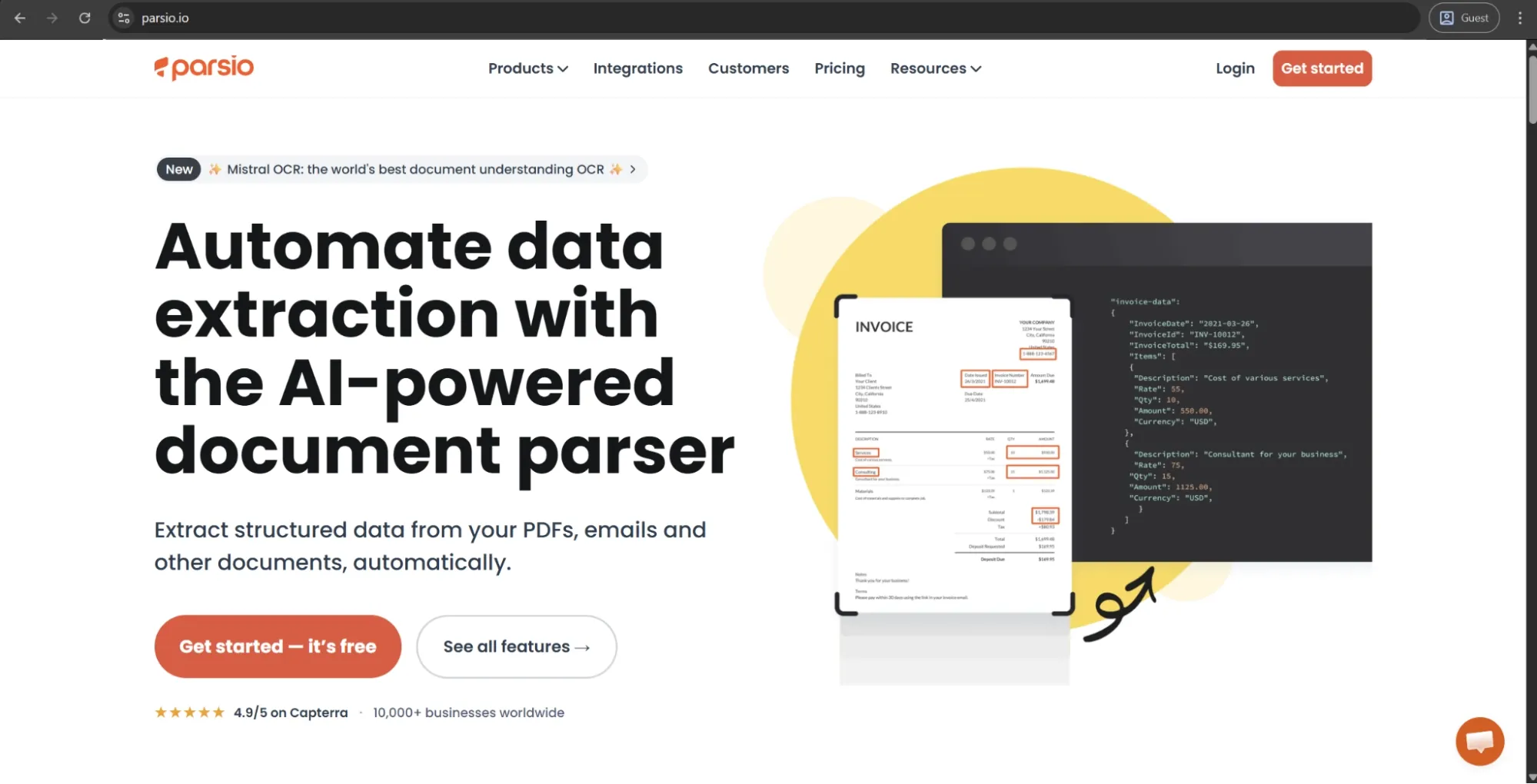
Parsio is a cloud-based solution for document parsing and data extraction. One of the main uses of this solution is invoice processing, but it can also be used for email parsing and general PDF data extraction. The system uses pre-trained AI models to obtain data from the invoice in a matter of seconds, no matter what the invoice layout is (supports even scanned or handwritten documents). Extracted data can be sent to Google Sheets, webhooks, and 6,000+ other applications using Zapier or Make.
Customer ratings:
Advantages:
- The breadth of native integrations — Zapier, Make, webhooks, and Google Sheets — makes it straightforward to plug Parsio into existing workflows without writing any code.
- Getting started requires minimal technical knowledge, and most users are extracting data within minutes of signing up.
- For clean, well-formatted invoices and standard PDF layouts, accuracy is consistently solid and reliable.
Shortcomings:
- Invoices with complex line item structures or nested schemas frequently produce incomplete or misaligned extraction results.
- Scanned PDFs perform meaningfully worse than native digital files, which is a real limitation for paper-heavy AP operations.
- There is no way to correct extraction errors or feed corrections back into the model, meaning accuracy doesn’t improve over time the way it does on trainable platforms.
Pricing:
Parsio uses a system of “credits” that are used every time a user parses an email or a document for the first time (1, 2, or 5 credits depending on the parser type). There are four pricing plans to choose from:
- Free — includes 4 powerful parser engines, convenient exporting capabilities, advanced post-processing, 30-day data retention, and 30 credits per month.
- Starter — costs $29 per month for 100 credits or $49 per month for 1,000 credits; expands the retention window to 90 days and also includes everything in the previous plan.
- Growth — $149 per month for 5,000 credits, removes any limitation on the number of team members but otherwise doesn’t differ much from the previous tier.
- Business — offers a number of options to choose from, ranging from $299 per month for 12,000 credits to $1,799 per month for 100,000 credits; also offers priority support and expands the retention window to 180 days.
All of Parsio’s paid pricing plans can also be purchased on an annual basis for a discount, which is a common practice for most modern software solutions.
Customer reviews (original spelling):
- Ricardo F. — Capterra — “I’ve been looking for a reliable way to pull data from PDFs and emails without manual entry, and Parsio has been a lifesaver. What I love most is the AI-powered parser, it’s super intuitive and handles different layouts much better than other OCR tools I’ve tried. The integration with Zapier and Make.com is seamless, allowing me to send data straight to my CRM/Google Sheets. If you're tired of copy-pasting data from invoices or leads, this is the tool to get. It’s saved our team hours of repetitive work every week.”
- Roshan A. — G2 — “Parsio.io has a user friendly interface. Even those with minimal technical expertise can easily navigate the platform. The drag and drop functionality for document uploads.”
The author’s note:
Parsio performs exceptionally well for its price, and the integrations with Zapier and Make make it more practical for leaner teams with limited or no IT resources. With that being said, line item extraction on complex invoices is a known weak point of Parsio, and its model cannot be retrained on corrections, either. It’s a solid pick for SMBs with straightforward extraction requirements — but it might not work as well in high-diversity or high-volume AP operations.
Precoro
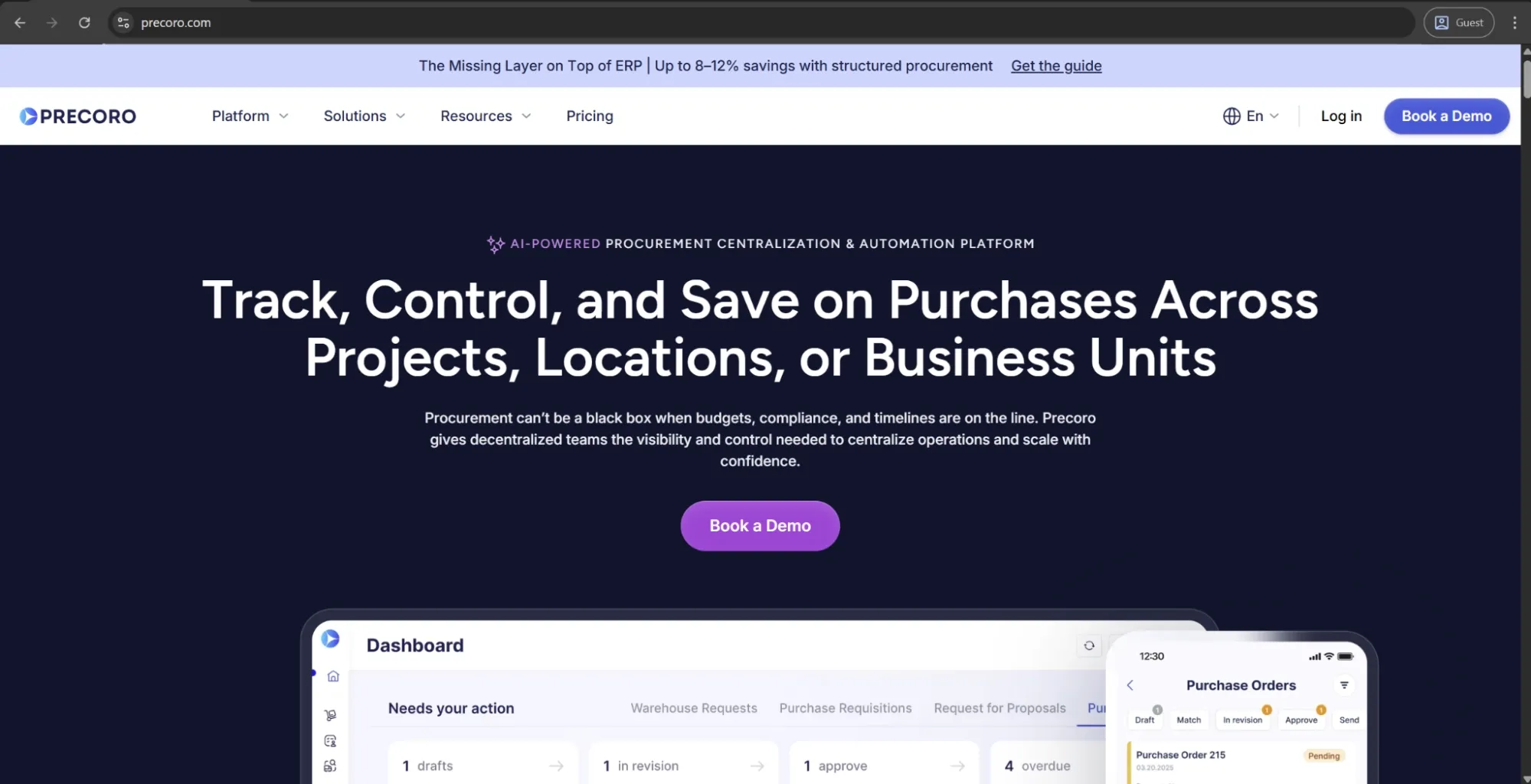
Precoro is the agentic procurement and spend centralization platform that features purchase requests, POs, supplier management, three-way matching, invoice approval workflows, and payments in the same environment. It integrates well with NetSuite, QuickBooks, Xero, and Sage — and was noted as a Major Player in IDC MarketScape: AI-Enabled Procure-to-Pay across construction, technology, retail, healthcare, and manufacturing sectors.
The AP functionality in Precoro is linked to procurement; approvals are tied directly to purchase orders, budgets, and supplier profiles. Interestingly, the platform used to rely on the AI-powered OCR but recently moved to a more advanced technology, Intelligent AP Automation. It identifies the document type before processing begins, filters out non-invoice files, extracts and matches invoice data to the right purchase order, and routes a clean, pre-filled invoice for approval.
Customer ratings:
Advantages:
- The platform brings procurement, invoice processing, budget tracking, and supplier management together in a single interface, which significantly reduces the number of tools AP teams need to manage.
- Onboarding is fast relative to comparable procurement platforms, with users reporting go-live timelines as short as two to eight weeks.
- The platform supports multi-entity management, allowing organizations with several subsidiaries or locations to manage procurement and AP processes in a centralized way.
- SSO is included in standard plans rather than locked behind an enterprise tier, which is a meaningful difference compared to how most competitors approach access control pricing.
- The system uses Intelligent AP Automation that works well even with non-typical formats such as multi-page invoices, mixed-layout PDFs, scanned documents with varying quality, and invoices with complex or irregular tables. Instead of relying on fixed templates, it understands the document structure and context, then matches the information to the correct purchase order. Finally, it routes an accurate invoice for approval.
- The built-in AI Assistant simplifies data analysis, making it easier to understand spend patterns and invoice activity.
Shortcomings:
- Teams moving from informal processes (like email or spreadsheets) may need time to adjust to more structured procurement and AP workflows.
- While core workflows are straightforward to set up, more advanced configurations — such as multi-step approvals, custom document forms, or entity-specific logic — require additional initial setup effort.
- The platform is primarily designed for mid-market organizations, which means very small teams may find it less cost-effective, while large enterprises with highly complex needs may require more advanced functionality.
Pricing:
Precoro’s pricing model is relatively simple and consists of three pricing tiers:
- Core — starts at $499 per month, billed annually, offers basic procurement features like automated approvals and three-way matching, along with spend & vendor management, a number of integrations (Xero, QuickBooks, Slack), and reporting analytics.
- Automation — starts at $499 per month, billed annually, expanding upon the previous tier with AI-powered AP automation, several procurement operations (intake management, PunchOut catalogs), real-time budget tracking, SSO support, and more.
- The Enterprise tier comes with no public pricing information, but it does offer practically everything Precoro can offer, including additional integrations, advanced admin controls, no user number limitations, and enterprise-grade data protection.
There is also a dedicated pricing option for AP automation capabilities that starts at $499 per month, billed annually. It includes automation for invoice processing, budget tracking, vendor management, approval workflows, and accounting system integrations. Unlike the procurement-focused setup, it operates in an AP-only mode where invoices are processed and approved without being tied to purchase orders.
Customer reviews (original spelling):
- Krasi A. — Capterra — “Navigating through the [3-way match accounts payable] software feels like second nature. The user interface is clean, intuitive, and beautifully designed. From requisition to approval to invoicing, every step flows seamlessly, saving us valuable time and resources. Post-implementation support has also been outstanding.”
- Ivan I. — G2 — “From my accounting perspective, as Senior Accountant, Precoro system simplifies procurement for my team by automating purchase approvals and budget tracking, ensuring compliance and financial control. It [the accounts payable OCR software] has good integrations and accurate invoice matching, it helps minimizing errors and saves time on reconciliation periods. Precoro is easy to implement, backed by responsive customer support, and designed for frequent use, making procurement seamless and efficient.”
The author’s note:
Precoro is a solid procure-to-pay platform that bridges the gap between procurement and accounts payable. Its Intelligent AP Automation performs well across multiple languages and document layouts. Features like guided intake and budget tracking make it more than just an invoice tool. Precoro is a strong fit for mid-sized businesses that want end-to-end AP control and the ability to control spend before invoices even arrive.

UiPath
UiPath is a leading robotic process automation platform. It offers invoice OCR processing through the Document Understanding module, which is a part of its much larger enterprise solution (including RPA, process mining, AI agents, workflow orchestration). UiPath uses a combination of OCR, ML classification, and AI extraction to process invoices, with both pre-trained out-of-the-box models and custom model training capabilities via AI Center. The OCR invoice processing capability of UiPath is not an AP tool in isolation — it’s meant to be part of an existing UiPath automation workflow.
Advantages:
- For organizations already running UiPath RPA, Document Understanding integrates natively into existing automation workflows without requiring a separate platform or data handoff.
- The pre-trained invoice extraction models deliver a usable accuracy baseline out of the box, reducing the time needed to reach initial deployment.
- The AI Center enables custom model training and gives technical teams a structured path to improving accuracy on document types that underperform on the default models.
Shortcomings:
- Licensing costs are consistently flagged as a significant concern, with annual pricing that can be difficult to justify for organizations that aren’t already deeply invested in the UiPath ecosystem.
- Accuracy on scanned documents and handwritten content remains weaker than on native digital PDFs, with users reporting meaningful error rates on converted or low-quality inputs.
- The platform requires developer or RPA expertise to configure and maintain, which makes it a poor fit for AP teams without dedicated technical resources.
Pricing:
UiPath’s pricing information includes three pricing plans in the “Automation Cloud” section:
- Basic — starting at $25 per month, this is the only pricing plan with any kind of public cost value attached to it; it includes basic personal automation capabilities, limited scale, UiPath Bronze support, and more.
- Standard — expands upon the previous plan with enterprise automation capabilities (including Agents), orchestration, data classification/extraction, enhanced governance controls, ability to self-host, and more.
- Enterprise — the biggest feature set offering from UiPath with an abundance of enterprise-grade features like building your own CI/CD pipelines, managing your own encryption keys and credential vaults, optimizing and simulating live business processes, etc.
Neither the Standard nor the Enterprise plans have publicly available pricing. To get cost details, you need to contact the sales team directly.
Customer reviews (original spelling):
- Rahul M. — G2 — “The most helpful part of it was its ability to extract data from various documents.Also the Machine Learning tools helped with better performance.It came out to be quite helpful and user friendly.The implementation of the technique was also easy”
- Daniel H. — Capterra — “I like very much the creation of a bot for certain activities, and they are still running on a weekly base. Easy to use, especially for repetitive work ensuring always doing the tasks exactly the same each time. Love it!”
The author’s note:
Document Understanding is a logical choice for businesses that are already inside the UiPath ecosystem. Its pre-trained invoice models provide a solid starting point, and custom training allows for further improvement over time. However, the combination of implementation overhead and pricing complexity is difficult to justify against standalone OCR invoice processing solutions — which is why UiPath is an enterprise automation tool first, and an AP solution second.
ABBYY FlexiCapture
ABBYY FlexiCapture is a mature, enterprise-grade intelligent document processing solution with over 25 years on the market. It can capture, classify, and extract data from a wide range of document types, with invoices being just one use case.
A specialized version, FlexiCapture for Invoices, includes built-in country-specific validation rules, predefined invoice fields, and ERP export mappings. The platform can process up to 2,000 pages per minute in distributed setups and is available as a cloud, on-premises, or hybrid solution.
Customer ratings:
- G2 — 4.3/5 points based on 233 user reviews
Advantages:
- The OCR engine is considered one of the most accurate at enterprise scale, with support for over 190 languages and strong performance across complex, multi-format documents.
- The platform offers deep configurability, allowing organizations to define custom validation rules, workflows, and export mappings at a level few competitors can match.
- FlexiCapture for Invoices comes pre-configured with country-specific validation rules and field definitions, which helps reduce setup time for AP use cases.
Shortcomings:
- Initial setup is complex and typically requires an implementation partner, which increases costs and extends time to value beyond what vendor materials may suggest.
- Low-quality scans and low-resolution images produce noticeably weaker extraction results, and the platform lacks built-in preprocessing tools robust enough to compensate for poor input quality.
- The user interface is widely described as dated and unintuitive, which increases the training burden for AP teams and slows adoption after go-live.
Pricing:
ABBYY doesn’t provide public pricing for FlexiCapture. Interested buyers need to contact the sales team to receive pricing details.
Customer reviews (original spelling):
- Vipul P. — G2 — “The thing I like is its high accuracy in data extraction and ability to handle diverse, complex documents, along with easy integrations into existing systems, an intuitive interface, and scalable performance for high document volumes.”
- vishal p.— G2 — “Its great intelligent system to optimize all data and contents. Intelligency is all about show creative features for business.”
The author’s note:
FlexiCapture is as good as it gets when it comes to enterprise invoice OCR. Its language support, document throughput, and configurability are extremely difficult to replicate at the same level. It’s well worth the investment for large businesses that have massive document volumes and significant compliance needs — and absolutely overkill for everybody else. Its configuration is very complicated, and an implementation partner is almost always necessary for potential clients.
Tungsten Automation
Tungsten Automation (formerly Kofax) is an enterprise-grade intelligent process automation platform with over 40 years on the market. Its invoice processing capabilities are delivered through two main products: InvoiceAgility, which focuses on AP automation and e-invoicing, and AP Essentials, a cloud-based OCR capture solution.
InvoiceAgility uses AI-powered OCR and is connected to the Tungsten e-Invoice Network, allowing organizations to receive and process invoices from suppliers worldwide. Both products are part of a broader platform that also includes RPA, workflow orchestration, and document intelligence.
Customer ratings:
- G2 — 3.4/5 points based on 12 user reviews
Advantages:
- InvoiceAgility's integration with the Tungsten e-Invoice Network means organizations can receive and process supplier invoices globally, including in countries with mandatory e-invoicing regulations, without additional vendor setup.
- The platform's 40-year track record and Gartner Magic Quadrant Leader recognition provide a level of enterprise credibility that matters in large procurement processes.
- AI-driven OCR continuously learns from processed invoices, which means accuracy improves over time without requiring manual retraining cycles.
Shortcomings:
- The interface receives consistently poor feedback, with users describing it as difficult to navigate and not intuitive enough for AP staff who didn’t participate in implementation.
- Pricing is positioned at the enterprise level with no public information available, making it hard to compare costs without engaging in detailed conversations with the vendor.
- Customer support responsiveness is a recurring complaint, particularly for issues that fall outside standard downtime — accuracy degradation incidents can be slow to receive meaningful attention.
Pricing:
Tungsten Automation doesn’t provide public pricing for its invoicing solutions. To get current pricing details, prospects typically need to request a personalized demo and speak directly with the sales team.
Customer reviews (original spelling):
- Balaji L. — G2 — “The tool is an all-rounder where Kofax provides service for an end to end automation and intelligence on Invoice Processing at the easiest ever way possible. The best thing about KIPA is the multi-platform flexibility in handling Invoice Data.”
- Daniel G. — G2 — “It needs to be simple and user friendly. It has a look. Is difficult to navigate which makes working with invoices hectic. The customer support, theres room, for improvement is quite unresponsive.”
The author’s note:
Tungsten Automation is a major enterprise platform in the truest sense — with AI OCR, e-invoicing network access, and global compliance coverage that is difficult to replicate. The trade-off for these outstanding capabilities is a combination of high cost and high setup complexity, which makes it very difficult to use for smaller businesses. It’s best suited for large AP functions that have global suppliers and extensive compliance needs.
Rossum
Rossum is a cloud-native AI document processing platform, founded in 2017 and designed specifically for transactional documents like invoices. Its core use case is invoice processing, powered by a template-free extraction engine built on a proprietary Transactional Large Language Model. The platform supports OCR across 276 languages and offers three-way matching, GL coding, validation, and ERP integration.
Customer ratings:
Advantages:
- The template-free extraction engine adapts to new invoice formats without setup, reducing the ongoing maintenance required by template-based systems.
- Support for 276 languages is among the broadest in the AP automation space, making it a strong option for global operations without additional configuration.
- Core features like three-way matching, GL coding, approval routing, and ERP integration are included in the platform, rather than offered as separate add-ons, which helps simplify the total cost of ownership.
Shortcomings:
- Pricing starts at around $18,000 per year for the Starter plan, which can make it difficult for smaller teams to evaluate the platform before committing.
- Complex workflow customizations frequently take longer than vendors estimate, and most implementations benefit from consulting support that adds to the overall cost.
- Performance on handwritten documents and certain non-standard regional formats is weaker than on standard digital invoices, meaning some level of human review is still required.
Pricing:
Rossum uses a largely custom pricing model, with only one publicly available entry point, starting at $18,000 per year for the Starter plan. The pricing structure is divided into four tiers:
- Starter — supports document ingestion via email, API, or manual upload, as well as an ergonomic validation screen, document archive & search (for the last 12 months), API access, and more.
- Business — combines all of the previous features with custom business logic, master data matching capabilities, duplicate detection & handling, custom functions & webhooks, etc.
- Enterprise — expands upon the Business tier with SSO support, sandbox environment, document translation, extended master data matching, preferred cloud location, custom branding, and some other features.
- Ultimate — the most expansive offering by far, combines everything in the Enterprise plan with multi-document transactions, a custom domain for email ingestion, an embeddable user interface, an additional sandbox environment, document archive/search being extended to the last 3 years, and a number of other features.
Customer reviews (original spelling):
- Emil L. — Capterra — “As a user of Rossum, I have both positive and negative experiences to share. On the positive side, the software is user-friendly, offers automation features that save time and effort on data entry, is able to extract data accurately, flexible and can be integrated with other systems. It also has helpful customer support. However, it can be complex to set up, struggles with extracting data accurately from certain types of documents, and does not handle different languages well. Additionally, it is quite costly, especially for small businesses. It's important to evaluate if it fits the specific needs of your business and weigh the pros and cons before making any decisions.”
- Emma R. — G2 — “The system is very simple to use. I love how the system 'learns' how to read the orders so the more you process the more it knows how to pull the information for ease of placing. If there is an issue with the order you can email either the account manager or customer direct from the system. I like to see how accurate Rossum thinks the order is so it gives me peace of mind when i see Rossum thinks an order is 99% accurate to be able to process.”
The author’s note:
Rossum is one of the more purpose-built OCR platforms in this list, with strong template-free extraction capabilities and support for over two hundred languages. That said, it is positioned as an enterprise-tier solution, which puts it out of reach for many smaller teams and limits early-stage evaluation for budget-sensitive organizations. It’s best suited for larger AP departments handling high volumes of diverse, multi-language invoices, rather than SMBs with limited OCR budgets.
Hyperscience
Hyperscience is an enterprise intelligent document processing (IDP) platform built on its proprietary Hypercell architecture, combining OCR, machine learning, NLP, and computer vision. Invoice processing is one of its key use cases, alongside insurance claims, government documents, and financial forms. The platform sets its own confidence thresholds and automatically routes low-confidence extractions to human review. Overall, Hyperscience positions itself as a broad IDP infrastructure platform rather than an AP-specific solution.
Customer ratings:
- G2 — 4.6/5 points based on 54 user reviews
Advantages:
- Its human-in-the-loop design is more selective than most platforms, sending only low-confidence fields to human review instead of requiring manual checks across all exceptions.
- It also offers strong handwriting recognition, which is a key advantage for organizations still processing paper-based or annotated invoices.
- In 2025, Hyperscience received FedRAMP High Authorization, making it suitable for highly regulated government and public sector environments.
Shortcomings:
- Deployment timelines regularly stretch into months when multiple document types or custom integrations are involved, which pushes time-to-value well beyond what most implementations initially project.
- The platform currently outputs JSON only, which means organizations requiring different data formats need to build their own conversion utilities or rely on third-party middleware.
- Pricing is positioned at the enterprise level and is not publicly available. Given the platform’s breadth and complexity, it can be difficult to justify for organizations where invoice processing is not a core automation priority.
Pricing:
Hyperscience does not publish pricing information on its website. Contacting the company personally seems to be the only way to acquire such information.
Customer reviews (original spelling):
- Pramod K. — G2 — “Hyperscience is very easy and really user friendly tool for our team. Its ability to evaluate biological data enables us to identify possible drug candidates more efficiently and great decreasing the time and expense associated with bringiing new medications to the market. Hyperscience is machine learning algorithms optimize numerous parts of clinical trials, such as trials, such as trial design, patient selection, and monitoring, expediting the entire process. This tool has proven quite useful for our work. Customer service is also best.”
- Viral S. — G2 — “Hyperscience is great tool with outstanding accuracy result for handwritten as well as degital scan documents. it also very easy to adopt and use and integrate with other application. We have implementaed for two different LOB and continue to add more LOB. There task restriction feauture allow multiple LOB to work on same platform without any audit breach. In terrms of their support , I would say it's phenomenal.”
The author’s note:
Hyperscience's accuracy ceiling is impressively high, and the human-in-the-loop architecture is more thought through than most of its competitors. However, choosing this solution means a substantial deployment undertaking: configuration is complicated, time-to-value is counted in months, and ongoing maintenance is far from simple. This system is the best fit for large enterprises performing a variety of high-volume document operations where invoice processing is only one automation goal among many.
Veryfi
Veryfi is an API-first OCR platform designed for financial document processing (invoices, receipts, POs, bank statements, checks). It uses proprietary foundational models pre-trained on over 100M financial documents. The solution handles invoice processing under five seconds with no humans in the loop at any stage, and is shipped with out-of-the-box fraud detection and multi-language OCR. Veryfi is built primarily as an infrastructure option for developers and fintech teams building AP automation workflows rather than as a standalone AP application in itself.
Customer ratings:
Advantages:
- The API-first architecture and sub-five-second processing speed make Veryfi one of the fastest invoice OCR options available, which is a genuine advantage for developer teams building high-throughput AP automation pipelines.
- Built-in fraud detection — covering phantom vendors, duplicate invoices, and payment redirection schemes — is a capability that most pure OCR platforms don’t offer at this level without additional tools.
- The platform is SOC 2 Type II, GDPR, HIPAA, and CCPA compliant out of the box, with zero human reviewers in the processing loop, which addresses both security and data privacy requirements simultaneously.
Shortcomings:
- Veryfi is primarily a developer-focused API platform. This means AP teams looking for a ready-made application with built-in approval workflows and a full ERP-style interface will need to build those layers themselves or integrate with another system.
- Customer support quality has reportedly declined in recent user reviews, with slower response times and less effective issue resolution compared to earlier stages of the platform.
- Its pricing structure — including a $500 monthly minimum on the pay-as-you-go plan — can also make it difficult for lower-volume AP teams to evaluate cost-effectively.
Pricing:
Veryfi is one of the few solutions in this market to offer a free pricing plan, even if it comes with strict limitations on the number of documents that can be processed per month. Aside from that, there are at least two paid plans to choose from:
- Starter — starts at $500 per month and offers 6,250 documents checked per month; supports all document types, a number of add-ons, SDKs, an API Hub, and more.
- Growth — supports higher volumes, with pricing based on usage and available volume discounts. It includes unlimited storage, custom data retention, model training capabilities, SLA options, SSO support, and a broader set of advanced features.
Customer reviews (original spelling):
- Mary L. — Capterra — “So far I have had an amazing experience. I introduced it to my bookkeeper and they were very eager to give it a try. Just being able to reduce the amount of time to allocate receipts and expenses for my bakery from 6 hours to 30 minutes makes it incredibly valuable.”
- Viktoriia S. — G2 — “The OCR technology is impressive, it accurately and quickly extracts data from my receipts and invoices, saving me a significant amount of time.”
The author’s note:
Veryfi is the most developer-native option on this list — API-first, quick, reliable, and secure from day one. Its fraud detection is a truly unique selling proposition that many pure OCR solutions cannot provide on this level. However, it’s not designed as an all-in-one AP application with built-in approval workflows or a full ERP-style interface. Instead, it’s a platform you build on, rather than a standalone tool you simply deploy and use out of the box.
Nanonets
Nanonets is an AI-powered document processing platform built on deep learning OCR. It supports multiple use cases, including accounts payable automation, order processing, and insurance underwriting. In addition to pre-trained models, it allows users to train custom extraction models on their own documents. The platform also supports end-to-end AP workflows, including two- and three-way matching, approval routing, and ERP integration.
Customer ratings:
Advantages:
- Custom model training allows teams to improve extraction accuracy on unusual or highly specific invoice formats that standard models may not handle well.
- End-to-end AP functionality — including matching, approval workflows, and ERP integration — is available within a single platform, reducing the need for additional tools.
- Pre-trained models for invoices, receipts, and purchase orders enable fast deployment for teams with standard document types, without requiring custom training.
Shortcomings:
- Pricing scales with document volume and can become expensive at higher tiers, which makes it important to model costs against projected invoice volumes before committing to a plan.
- Some integrations with legacy ERP systems require additional configuration that isn’t always clearly documented, and users have reported that integration setup can take longer than expected.
- The platform's broad feature set introduces a learning curve that can slow initial adoption, particularly for AP teams without technical resources to support configuration and onboarding.
Pricing:
Nanonets seems to be using a somewhat unconventional model for this field — a pay-as-you-go model. $200 in credits is given to all new users for free, and once those are used up, users can purchase additional credits to continue working.
There are also higher-tier options, including Credits Accelerate and Enterprise plans, designed for larger organizations. These appear to include volume-based pricing and advanced features such as integrations with Salesforce, SAP, Oracle Fusion, NetSuite, and Microsoft Dynamics 365, as well as SSO support, region-specific AWS hosting, approval logs, file edit history, and more.
Customer reviews (original spelling):
- Anoop N. — Capterra — “Nanonets is generally well-regarded for its AI-powered accuracy, automation capabilities, and user-friendly interface. It's considered a valuable tool for businesses looking to streamline document processing and reduce manual data entry.”
- S n. — Capterra — “Out of the box the OCR recognition is pretty good. But the implementation and support teams take this service to another level because they are very responsive and cater their platform to your specific needs. The Nanonets team also did the initial model training work as well as provided custom logic to match to fields in our ERP for integration. Even after implementation when using support they have been able to add features from my feedback and continue to add to the platform. There are plenty of options for integrations and they frequently add more.”
The author’s note:
Nanonets is an interesting middle-ground solution that is both capable of running an enterprise AP and is accessible enough not to require a team with dedicated ML capabilities. The custom model training capability is one of its biggest advantages — if you have a non-standard or very specific invoice mixture, training on your own data is a very valuable capability. At the same time, its pricing can scale quickly with higher volumes, so it’s important to model costs carefully before committing.
Lido
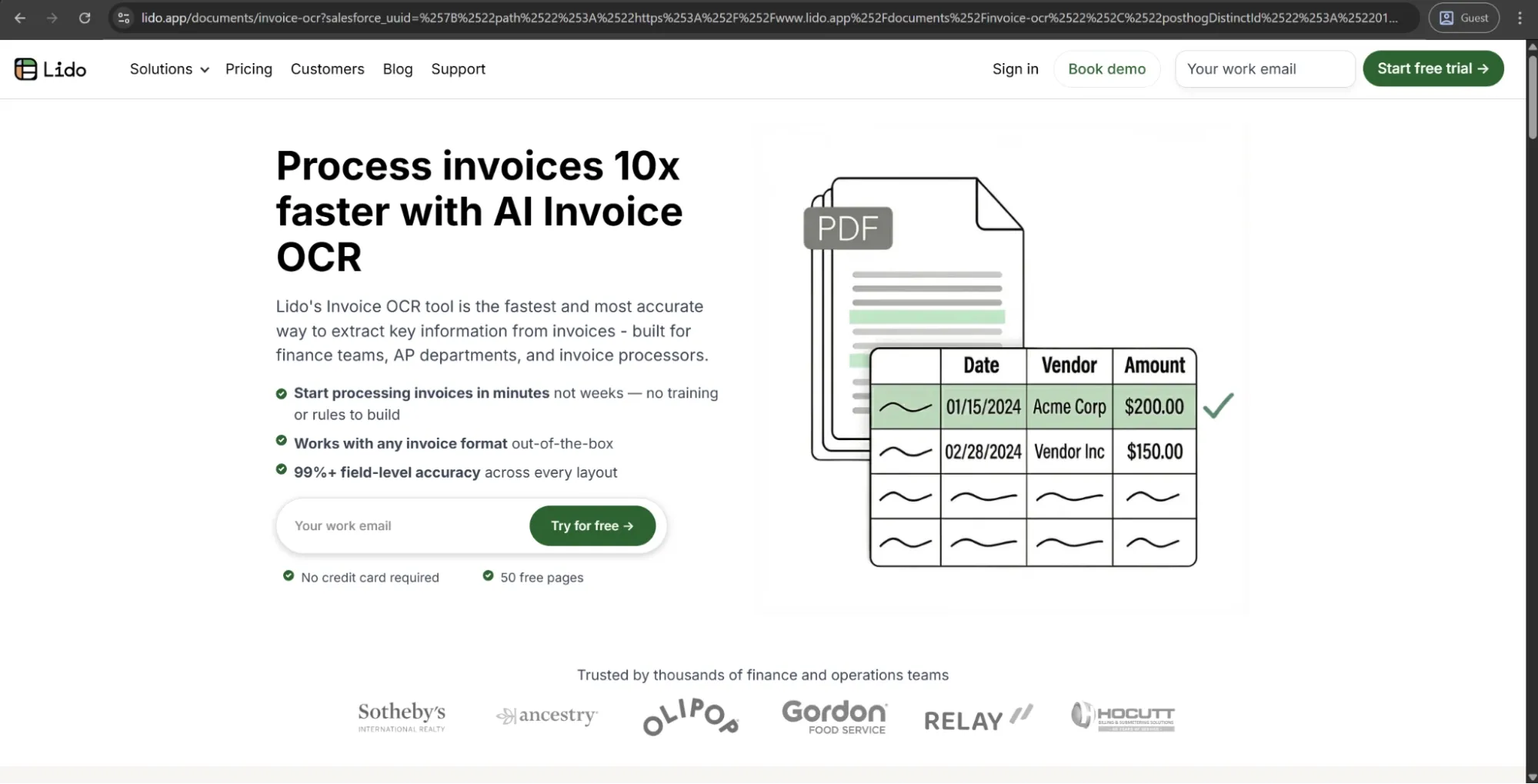
Lido is a lightweight AI-driven OCR tool built specifically for finance and AP teams, offering template-free data extraction from invoices, receipts, and financial PDFs into a structured spreadsheet format. Lido requires zero template setup or model training — the AI automatically extracts data from any invoice layout the first time it is uploaded. This data can then be exported into Excel, CSV, Google Sheets, or any ERP system like NetSuite, SAP, or Microsoft Dynamics 365.
Customer ratings:
Advantages:
- No template setup is required — the AI engine extracts data from any invoice layout on first upload, removing the ongoing configuration effort typically needed for template-based tools.
- Deployment is fast, with users reporting they can start processing live invoices within minutes of signing up.
- Pricing is transparent and accessible, with plans starting at $29 per month, making it one of the few OCR tools that smaller AP teams can realistically evaluate without a complex procurement process.
Shortcomings:
- The platform doesn’t currently support mobile, which limits its usefulness for AP teams that need to capture or process invoices outside of a desktop environment.
- There is no built-in approval workflow or three-way matching functionality, which means Lido works best as an extraction layer feeding into a separate AP system rather than as a standalone end-to-end solution.
- Document volume limits on lower pricing tiers can become a constraint for growing AP operations, requiring plan upgrades that push the cost closer to more full-featured alternatives.
Pricing:
Lido uses a three-tier pricing model, with costs scaling based on the number of pages processed per month:
- Standard — starts at $29 per month for 100 pages, only supports one user but can still convert any file type and export data to Excel or CSV.
- Scale — is already targeted at reasonably-sized businesses, with the lowest pricing point available being $7,000 per year for 42,000 pages; it supports up to 10 users, gives access to APIs and workflows, and also includes priority email/chat support capability.
- Enterprise — has a “from $30,000” pricing point and offers everything in previous tiers, as well as custom ERP integrations, live US-based onboarding & support, and a dedicated US-based account manager.
Customer reviews (original spelling):
- Denise B. — Capterra — “Setup was fairly simple. Biggest pain point is locating the share link when using Google Drive and sometimes this link un-associates with Lido and has to be re-added for some reason. Using AI, it accurately parses data from a variety of layouts with only the very rare error. Sometimes pulls data from the wrong location or recognizes a numeral as something other than what it is. But, overall, it is amazing and accurate. Saves hours of time per week. Wish API access was available without paying an unbelievable amount of money to go up to the next subscription level.”
- Krasimir CA. — G2 — “I like how easy it is to set up and work with Lido. It makes it straightforward to automate a process that used to be much more manual and time-consuming. I appreciate its ability to eliminate manual invoice data entry, reduce copy/paste and formatting work, and speed up the process of getting invoice data ready for import into our accounting system. It also improves consistency and reduces the chance of human error. The initial setup was pretty easy and straightforward, taking me less than an hour to set up based on our needs.”
The author’s note:
Lido is the easiest entry point on this list — with quick setup, high accuracy with standard invoice formats, and a pricing model that is accessible to smaller teams. It doesn’t try to be a full AP platform, which works to its advantage in many ways. Lido is a solution offering clean and fast data extraction into a spreadsheet-first workflow, not an extensive platform that offers approval workflows, three-way matching, or deep ERP write-back.
Conclusion
OCR invoice processing software has made significant strides in recent years. The difference between an adequate SMB tool and an enterprise-level platform is no longer just about accuracy. It also involves how well the solution integrates into existing business processes, handles exceptions, and manages overall cost. In most cases, choosing the right OCR solution for invoice processing comes down to the specific needs and constraints of your AP operation.
For teams that need fast deployment and reliable extraction with minimal IT involvement, platforms like Lido and Parsio offer great value at an affordable price. For mid-market companies looking for accounts payable automation that integrates closely with procurement and spend management, solutions like Precoro and Nanonets provide a more comprehensive workflow. For large enterprises with global suppliers, strict compliance needs, and the budget to match, platforms like ABBYY FlexiCapture, Tungsten Automation, and Rossum offer top-tier features.
The tools discussed in this article cater to a wide range of use cases, team sizes, and pricing models. However, there’s no one-size-fits-all solution. To choose the right platform, you’ll need to conduct a well-structured POC using your actual invoice data, account for exception-handling labor costs in your TCO, and clearly define which features you truly need versus those that sound appealing in a demo.
FAQ
Modern OCR invoice processing software uses image preprocessing techniques such as deskewing, contrast enhancement, and noise reduction to improve the quality of imperfect documents before extracting data.
Most AI-powered platforms can handle stamps, logos, and mildly poor scan quality without issues. However, if invoices are heavily damaged or extremely low in resolution, manual review or processing will still be necessary.
Most OCR invoice processing software processes multi-page invoices as a single document. It typically extracts header information from the first page and line items from the following pages. PDFs that include mixed documents — such as an invoice combined with a delivery note or remittance advice — are handled differently depending on the platform. This is an important scenario to test during any POC evaluation.
Open-source OCR tools like Tesseract can handle basic text extraction, but they don’t include the AI-based data extraction, validation rules, or ERP integrations needed for a full accounts payable workflow. Companies with strong engineering teams can build on these tools, but reaching production-level accuracy and reliability usually requires significant development effort — often more than simply adopting a purpose-built commercial solution.
Curious how OCR fits into a complete AP process? Take a closer look at Precoro.