









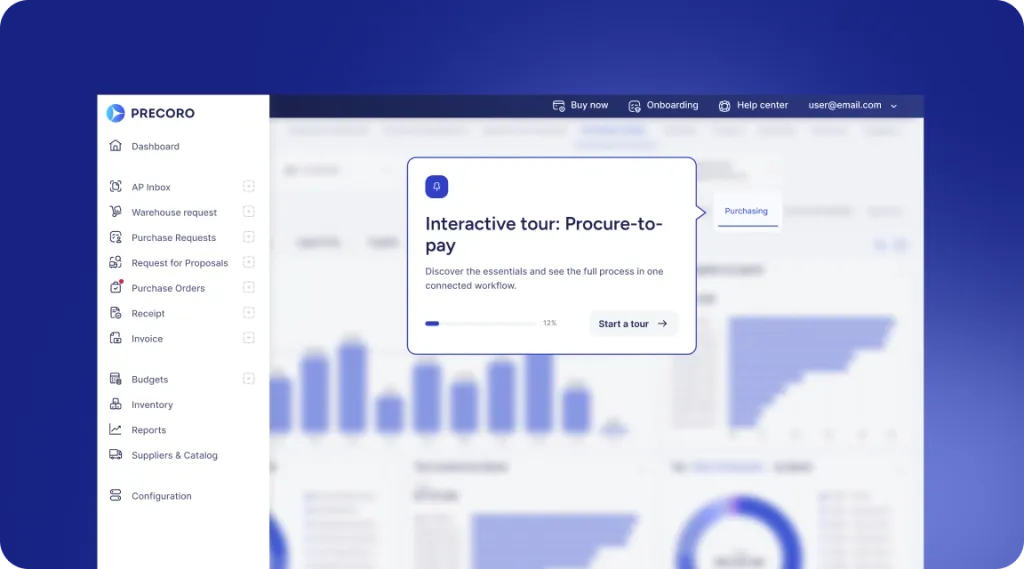
 Explore Precoro's features




















NetSuite is the system of record for many businesses, but procurement and AP work often happens outside the ERP, creating gaps between operational activity and financial reporting.
When purchase orders, receipts, invoices, and credit notes aren’t connected in a single workflow, your finance team is forced to manually match documents, rebuild transaction history, and clean up data during month-end close.
Precoro solves this challenge by syncing the full set of P2P documents with NetSuite through one integration flow. Procurement and AP teams continue working in Precoro, while NetSuite receives complete, structured, and reconciled records ready for reporting and financial close.
How Precoro connects the core P2P flow to NetSuite
Precoro now syncs the key documents of the procure-to-pay cycle with the same NetSuite account:
- Purchase Orders
- Receipts
- Vendor Bills
- Vendor Credits
Instead of managing one part of the process in Precoro and recreating the rest in NetSuite, teams get one connected workflow for purchasing, receiving, invoice matching, and credit handling.
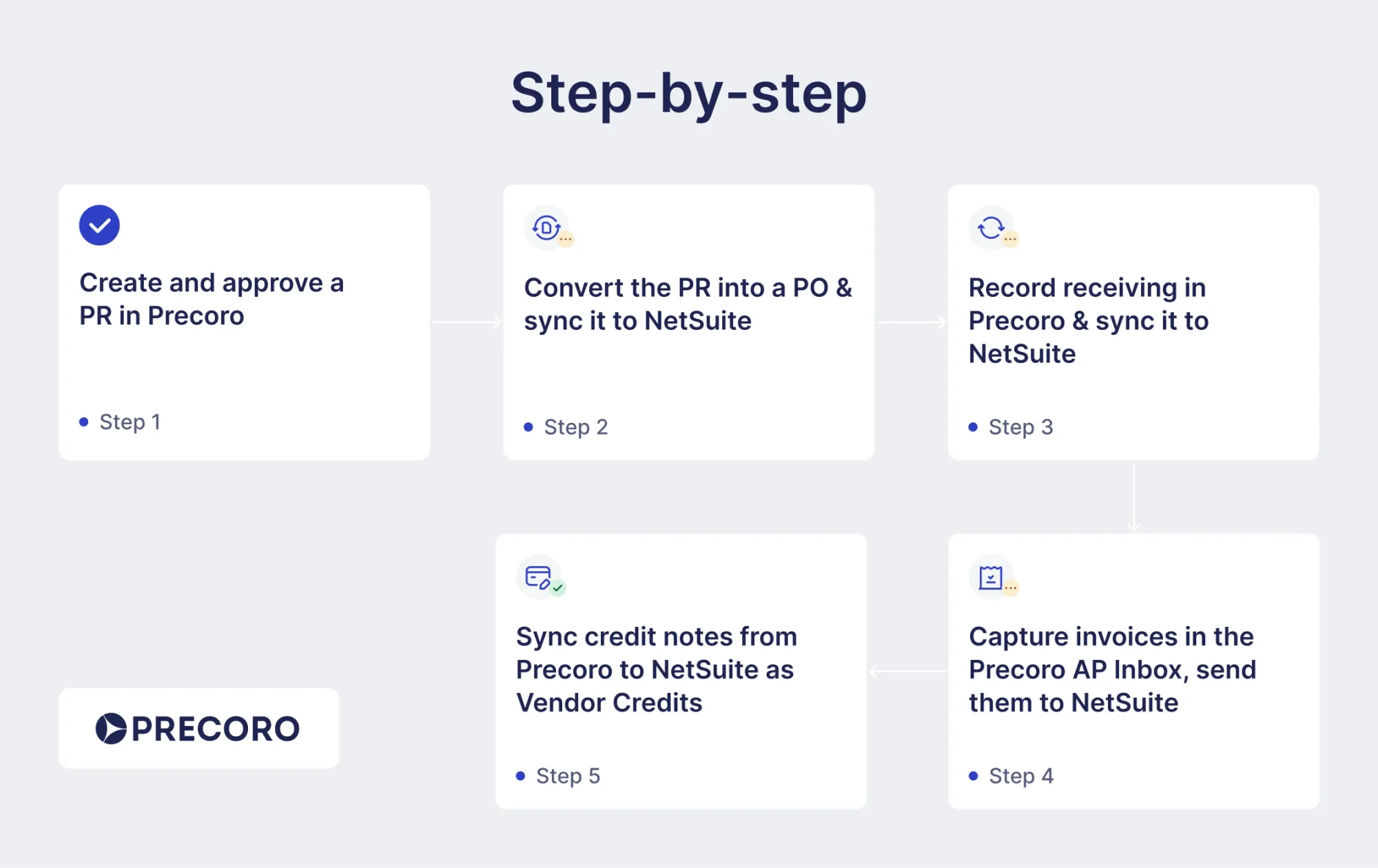
Here’s what the workflow looks like in practice:
1. Create and approve a purchase request in Precoro
Requests are created using PunchOut catalogs or AI-assisted intake and routed through predefined approval workflows. Spend is controlled before any commitment is made.
2. Sync the approved Purchase Order to NetSuite
Once approved, Precoro automatically creates the PO and syncs it to NetSuite, removing manual re-entry and ensuring the ERP reflects approved spend.
3. Capture receiving in Precoro and sync to NetSuite
When goods or services are received, the team creates the receipt in Precoro, and it’s synced to NetSuite as well.
4. Process invoices in the Precoro AP Inbox
Invoices are captured in the AP Inbox and processed with the Intelligent AP Automation technology, which accurately reads data even from complex formats such as multi-page documents and long tables.
The system then pulls key information, matches invoices against purchase orders and receipts, and routes them for approval. Once approved, invoices are sent to NetSuite as Vendor Bills, already validated and linked to the original transaction context.
5. Sync credit notes to NetSuite as Vendor Credits
Returns, overpayments, or corrections are handled directly in Precoro and synced to NetSuite, ensuring credit adjustments stay part of the same controlled workflow.
Beyond document sync: What Precoro adds to NetSuite workflows
Syncing documents is only part of the job. For controllers, AP teams, and NetSuite admins, the bigger question is whether records arrive in NetSuite with the right structure, fields, and line-level context.
Precoro is built to support the accounting details finance teams need, not just move documents from one system to another.
| What NetSuite teams need | Where issues usually appear | How Precoro closes the gap |
|---|---|---|
| One setup for purchasing and AP | Teams need separate products, credentials, or sync paths for purchasing and bill workflows | Precoro supports purchasing and AP workflows through a single NetSuite integration setup, reducing friction for IT and finance teams |
| Native AP sync in the same workflow | Bill sync sits outside the main procurement integration, creating extra setup and maintenance | Precoro supports Vendor Bill sync as part of the same connected NetSuite workflow |
| Amortization data on bill lines | Amortization details are unsupported or handled manually outside the invoice flow | Precoro supports NetSuite amortization templates, including start and end dates on invoice lines |
| Line-level accounting dimensions | Department, Location, Class, Account, or Customer/Project data is limited or inconsistent on document lines | Precoro supports NetSuite accounting structures, including departments, classes, locations, accounts, and customers/projects |
| Custom fields | Custom field support is limited to specific workflows or requires manual workarounds | Precoro supports custom field mapping for NetSuite-specific workflows across connected processes |
| Clean master data import | Broad imports pull in unused vendors, items, accounts, or other records that clutter daily work | Smart Integrations import only actively used NetSuite data, keeping procurement and AP workflows cleaner |
| Vendor credit context | Credit handling becomes detached from the AP process when credits are created manually in NetSuite | Precoro processes credit notes in the AP workflow and syncs them to NetSuite as Vendor Credits |
This functionality gives finance teams more than a basic integration. It helps them preserve the accounting context behind every record, from the original purchase order to the final vendor credit.
How the Precoro and NetSuite integration changes daily work for procurement, AP, and finance
When P2P documentation is fully connected, teams no longer have to treat procurement, receiving, AP, and accounting as separate workflows.
Everyone works from the same operational trail.
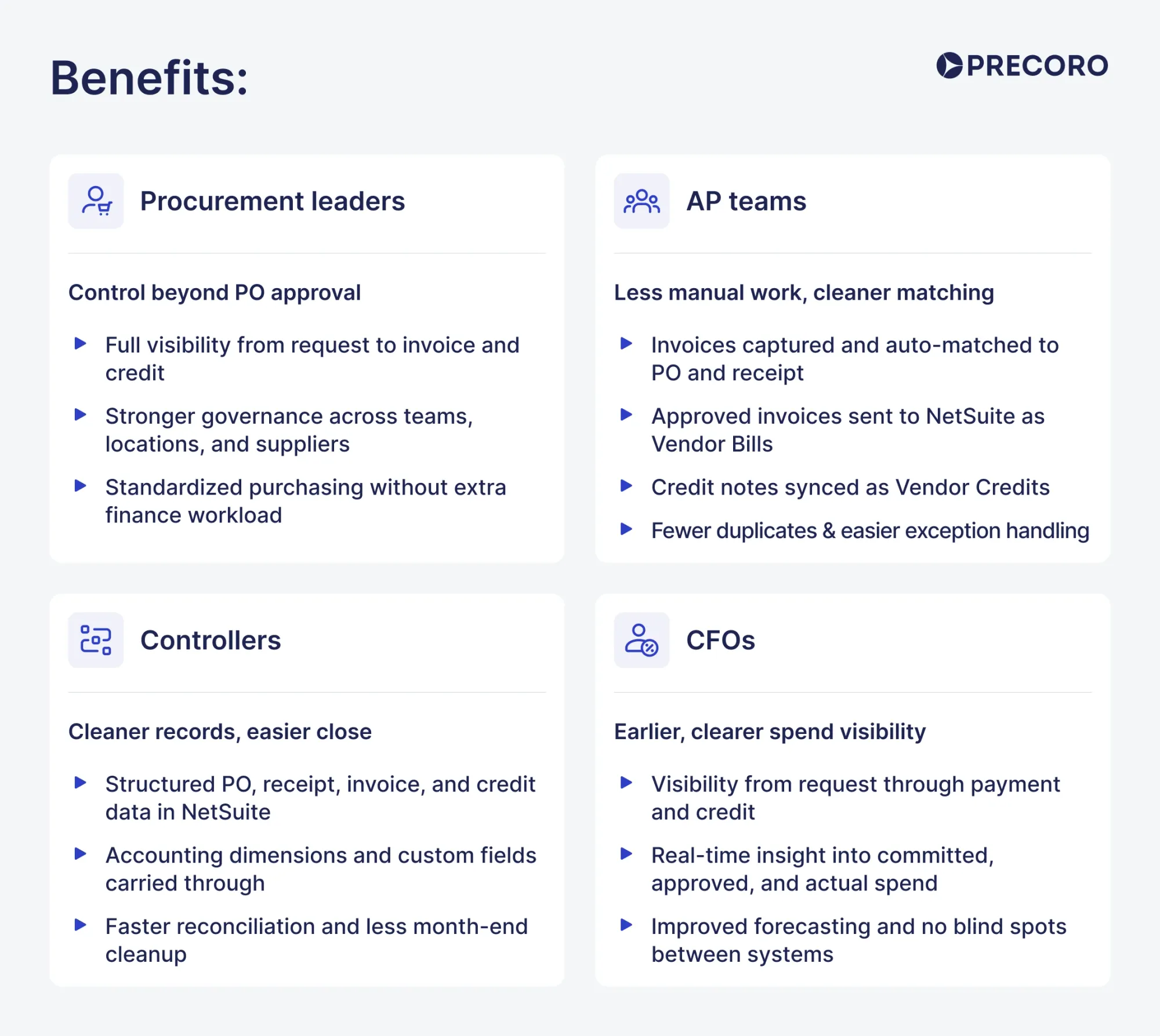
For procurement leaders: Control doesn’t stop at PO approval
Procurement teams need visibility into what’s being requested, approved, ordered, received, and later invoiced. But in many companies, procurement control ends once the PO is created. With Precoro and NetSuite connected across the full P2P flow, approved purchasing activity stays tied to downstream receiving, invoice, and credit workflows.
That gives procurement leaders stronger governance across departments, locations, legal entities, and suppliers without adding manual work for finance. They can standardize purchasing before spend is committed and still keep that context visible after the PO moves into accounting.
For AP teams: Less duplicate entry and cleaner exception handling
AP teams often spend too much time entering the same information twice, checking whether invoices match POs, and figuring out how to handle corrections after the invoice has already been approved.
With Precoro, supplier invoices are captured in the AP Inbox, automatically checked against the related PO and receipt, and approved before they are sent to NetSuite as Vendor Bills.
Credit notes can also be processed in Precoro and synced to NetSuite as Vendor Credits. That makes returns, overpayments, and invoice corrections easier to trace because they stay connected to the purchasing and invoice context.
For AP teams, the impact is practical: less manual entry, fewer disconnected records, and more confidence before documents reach NetSuite.
For controllers: Cleaner records and easier month-end review
Controllers need NetSuite records they can trust. But when POs, receipts, invoices, and credits are created or corrected manually across different systems, reconciliation becomes harder than it needs to be.
Precoro helps by sending approved, structured records to NetSuite with the right context attached. Accounting dimensions, custom fields, amortization details, and master data can carry through the workflow, helping records arrive in a format that is easier to review.
That means fewer manual checks, stronger traceability, and less cleanup during month-end close.
For CFOs: Earlier visibility into spend before it becomes an accounting record
CFOs don’t only need to know what has already been booked in the ERP. They also need to understand what has been requested, approved, ordered, received, invoiced, and credited. By connecting Precoro and NetSuite across the full P2P cycle, finance leaders get earlier visibility into committed, approved, received, and invoiced spend.
As a result, companies minimize blind spots between procurement activity and accounting records, while leadership has clean data for reporting, forecasting, and spend control before costs appear as completed transactions in NetSuite.
Built around your NetSuite accounting setup
Every NetSuite environment is different. Your team may rely on specific subsidiaries, departments, classes, locations, accounts, customers, projects, custom fields, amortization rules, or master data structures.
Precoro lets you choose which documents, fields, and master data should sync with NetSuite, so the integration can reflect the way your finance team actually works. The setup doesn’t require deep IT expertise. Precoro’s implementation specialists can help configure the integration around your workflow and accounting structure.
For full setup instructions, read our Knowledge Base article.
What’s next?
Precoro is the agentic procurement and spend centralization platform designed to help procurement, AP, and finance teams work from the same source of truth.
We’re continuously expanding our integrations to support richer data synchronization and greater flexibility for growing organizations. Explore our open product roadmap to see what’s coming next and vote for the features that matter most to your team.