









 Explore Precoro's features



















Business-to-business (B2B) eCommerce has grown substantially, with US sales estimated to reach $3 trillion by 2027, according to the Forrester 2022 B2B E-Commerce Forecast. By the end of 2021 alone, US B2B e-commerce sales reached $1.7 trillion, accounting for 16% of total sales.
One of the solutions that helps improve the B2B eCommerce purchasing experience is PunchOut technology, which connects a buyer's procurement system directly to a supplier's eCommerce website. PunchOuts reduce switching between supplier websites and procurement systems with a simple workflow: employees can browse and check out on the vendor’s storefront, but the purchase is still processed through the existing procurement tool.
Key takeaways:
- A PunchOut catalog connects a buyer's procurement software to a supplier's live online catalog.
- The buyer shops on the supplier site, but the returned cart normally becomes a requisition that still follows internal approvals.
- cXML and OCI are common technologies for PunchOut integrations.
- Level 1 opens a supplier catalog; Level 2 can make supplier products searchable from the procurement system.
- PunchOut is most useful when supplier catalogs, pricing, availability, or product configurations change frequently.
Read on to learn how PunchOuts work, the standards behind them, how they compare to static catalogs, and which level of PunchOuts fits your partnerships.
What is a PunchOut catalog in procurement?
PunchOut is the process by which a buyer accesses a supplier's e-commerce store through their ERP or e-procurement system. After logging into the procurement platform, the buyer searches for items and selects the supplier they want to purchase from. Then the system launches the supplier's website, and the buyer logs into the supplier catalog, also known as the PunchOut catalog.
Most PunchOuts typically run on one of two protocols:
- OCI (Open Catalog Interface), developed by SAP, is most common in SAP-based procurement systems such as SAP Supplier Relationship Management (SRM) solutions. However, some non-SAP ERPs also use it.
- cXML (Commerce eXtensible Markup Language) is an open standard created by Ariba and is widely supported across both SAP and non-SAP platforms, including Precoro.
The catalogs allow customers to easily search for items from their preferred suppliers, view discounts, and add items to a shopping cart, all within the eProcurement system that they use.
In short, PunchOut technology can simplify purchasing for buyers and suppliers by providing an efficient digital trading experience and automation of processes.
Who uses PunchOut catalogs in the procurement process?
PunchOut catalogs are used by specific roles on both sides of the procurement process: shoppers and procurement managers on the buyer side; catalog and e-commerce managers on the vendor side. Requesters use the supplier’s website to find products and add them to a cart, while managers set up and maintain the PunchOut connection. The vendor’s administrators are responsible for updating product information, pricing, and the PunchOut integration on their end.
Which industries use PunchOuts in procurement?
PunchOut catalogs are most useful for businesses that purchase frequently from approved suppliers with large catalogs. They’re primarily used in the B2B sector, particularly in industries that frequently handle high levels of general and indirect spend. Think office supplies, spare parts, and cleaning solutions—essentially, large, recurring orders of non-critical goods.
Common users include higher education, healthcare, manufacturing, the public sector, and wholesale distribution. With that said, PunchOuts aren’t industry-specific—any business that wants a seamless connection between their supplier’s storefront and their purchasing system can use them.
Here are examples of how each industry can benefit from PunchOuts:
- Healthcare and life sciences: Access current clinical and laboratory products without maintaining large static catalogs.
- Manufacturing: Shop live maintenance, repair, and operations (MRO) catalogs with current parts, specifications, and pricing.
- Public sector: Speed up routine purchases while keeping buying within approved suppliers and spending policies.
- Wholesale and distribution: Access large catalogs with customer-specific products and pricing.
You’ll see a pattern in all of these cases: buyers purchase through a guided shopping experience while procurement still has full control over the final purchase.
How does a PunchOut procurement system work?
PunchOut integration lets employees shop on the supplier website while keeping requisitions and approvals inside the buyer’s procurement workflow. PunchOut connects the company’s procurement platform (Precoro, for example) directly to a supplier's e-commerce site. Employees can shop the real-time catalog with the internal compliance rules already applied to whatever they put in their cart.
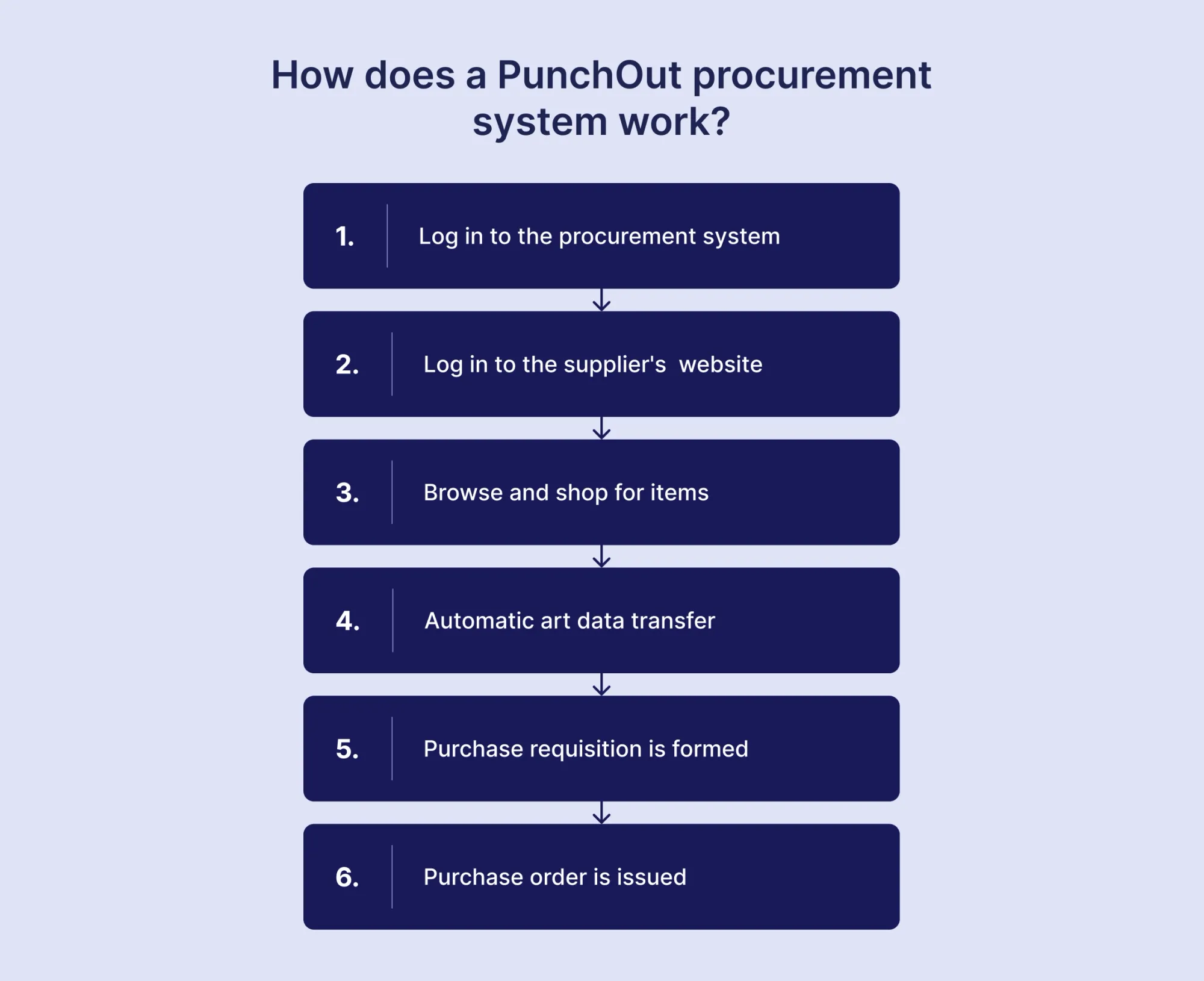
From the buyer's perspective, the PunchOut process typically looks as follows:
- Logging into the procurement system: The buyer accesses the eProcurement system and selects the supplier they want to purchase from or searches for items they wish to procure.
- Logging in to the supplier's eCommerce website: After the procurement system redirects the buyer to the supplier’s website, they can log in and view the storefront, product offerings, prices, and inventory levels.
- Shopping: On the supplier’s website, the buyer browses the catalog and adds items to the cart.
- Cart data transfer: When they finish shopping, the order data is automatically transferred from the supplier's eCommerce website into the buyer's eProcurement platform.
- Purchase Requisition (PR): The procurement system creates a purchase requisition from the transferred order data and routes it for approval in accordance with the buyer's procurement policies and approval workflows.
- Purchase Order (PO): When the requisition is approved, a purchase order is issued to the supplier to fulfill the order.
💡Note that in some configurations, the cart data can be automatically returned as a purchase order, which you can review and then send to the vendor.
Does returning a PunchOut cart create a purchase order?
No, returning a PunchOut cart doesn’t necessarily create a purchase order. Depending on the configured workflows, the cart data can transfer either as a purchase requisition or a purchase order in your company's procurement system.
The items move from the supplier's catalog into your internal procurement software. They’re then included in a draft requisition or a PO, which is reviewed by approvers and signed off in accordance with internal rules. Only after full internal approval does the system send the purchase order to the supplier.
What data is exchanged during the PunchOut process?
The PunchOut process exchanges the authentication and session details needed to connect buyers to a supplier’s catalog, along with item and cart information that flows back into the procurement system after shopping. There are typically three main stages that involve concrete data exchange.
1. Buyer starts the connection
When the requester initiates the connection (goes to the vendor website through the procurement platform), the platform sends:
- Authentication details to identify and authorize the buyer.
- Return URL, which indicates where to send the completed cart.
- Buyer information, such as the name, email, or shipping address (collected when needed).
2. Buyer opens the catalog
The supplier confirms the connection and provides a secure, one-time link that opens the catalog session.
3. Cart data is routed back to the procurement system
When the employee finishes shopping, the supplier’s website sends the cart back with:
- Product and manufacturer IDs
- Product descriptions and quantities
- Prices and units of measure
- Product or category codes
How is the shopping cart returned to the procurement application?
The shopping cart is returned through the buyer’s browser. When your company’s employee finishes shopping, the supplier sends the cart data to the return URL provided by the procurement system. The browser then loads the procurement system with the cart already added.
The process is automatic:
- The buyer finishes shopping and clicks Checkout on the supplier’s website.
- The supplier sends the completed cart to the return URL.
- The browser automatically submits the cart data.
- The employee is taken back to their procurement system, where the PR is now filled with the cart data.
The requester doesn’t need to enter anything manually. The cart data is simply exchanged between the website and the platform during the same browser session. There’s a caveat, however. If the session expires or you close the browser before checking out, you might have to start over.
What standards and protocols do PunchOut catalogs use?
The two main standards used for PunchOut catalogs are cXML (Commerce eXtensible Markup Language) and OCI (Open Catalog Interface). cXML is the more widely used standard across modern procurement platforms, while OCI is mainly used in SAP-based tools. Besides these two, systems also use EDI (Electronic Data Interchange), which isn’t a PunchOut protocol but can be used alongside PunchOut to exchange documents.
cXML uses structured XML (eXtensible Markup Language) to exchange data between procurement systems and suppliers during the purchasing process. cXML can handle the PunchOut cart as well as documents such as purchase orders, order changes, and invoices.
OCI is a standard that uses Hypertext Markup Language (HTML) form fields to ensure stable communication between the system and the external catalog, according to SAP Open Catalog Interface (OCI) documentation. Unlike cXML, OCI is best used for the catalog and cart handoff rather than the full purchasing lifecycle, since it isn’t designed to handle documents that come later in the process.
Below, we explain how cXML and OCI work, where each is used, and how they differ.
What is commerce eXtensible Markup Language, and how does it support PunchOut?
Commerce eXtensible Markup Language (cXML) is an XML-based standard for exchanging structured procurement data between buyers and suppliers. cXML handles the messages that start the shopping session and return the completed cart to the buyer's procurement system. It can also exchange purchase orders, order changes, and invoices as part of the broader procure-to-pay process.
cXML supports PunchOut by:
- Opening the connection: When a shopper clicks into a supplier's catalog within the buyer's procurement system, the system sends a cXML request to the supplier's site. This message authenticates the buyer.
- Returning the cart: Once shopping is done, the supplier's site sends a message back to the buyer's procurement system in cXML format. This message includes the cart, meaning the items, quantities, and prices,
- Continuing after the cart: Once a purchase order is approved, the buyer's system sends it to the supplier, which confirms the order. cXML can also carry shipping updates and invoices, which keeps information consistent throughout the transaction.
- Working across different systems: cXML uses a standardized data structure that procurement and supplier systems can read and process without requiring a separate format for each connection. However, it still requires additional field configuration for every vendor.
OCI vs. cXML for PunchOut procurement
OCI is primarily used in SAP environments and focuses on the catalog-to-cart handoff. cXML is more common across different procurement platforms and can be used to manage purchasing documents down the line.
Their biggest difference is data format. OCI sends cart information as HTML form fields, such as product name, price, and quantity. cXML uses structured XML documents, which can carry more detailed and complex information.
The scope is wider in cXML. OCI mainly handles the live shopping session and returns the completed cart to the procurement system. Purchase orders, invoices, and other documents require separate integrations. cXML supports these documents within the same standard and covers more of the purchasing process.
OCI has more restrictive field limits. For example, item descriptions are limited to 40 characters in OCI 4.0 and 5.0. However, a newer field used for catalog replication allows up to 255 characters. cXML doesn’t have such restrictions, which makes the connection more flexible.
However, OCI has more shopping session features. It includes specific functions for checking prices and availability, viewing product details, and searching catalogs. cXML doesn’t provide the same-named OCI shopping functions.
| Feature | OCI | cXML |
|---|---|---|
| Main ecosystem | SAP environments | Multiple procurement platforms |
| Data format | HTML form fields | Structured XML |
| Cart transfer | Yes | Yes |
| Purchase orders and invoices | Separate integrations | Supported by the standard |
| Field limits | Several fixed limits | More flexible |
| Shopping functions | Price, availability, item details, catalog search | No equivalent named function set |
| Common platforms | SAP procurement systems | SAP Ariba, Coupa, JAGGAER, Oracle, and others |
| Best fit | SAP-focused procurement | Cross-platform procurement |
How are PunchOut catalogs secured and authenticated?
PunchOut security uses backend authentication, HTTPS encryption, and temporary session tokens to connect the procurement system with the supplier’s website. Security and authentication setup depend on the type of connection and vary by implementation. The following methods are typically used:
- HTTPS encryption: A security protocol that encrypts data while it transfers between systems and protects it from being intercepted.
- Backend authentication: A process where the buyer’s and supplier’s servers verify each other before starting a PunchOut session. When the authentication happens directly between the systems, it doesn’t expose any credentials to the employee’s browser.
- Temporary session tokens: Short-lived codes that identify and authorize a specific PunchOut session. They expire or are deleted after use, which prevents an old session identifier from being reused.
What is the difference between Level 1 and Level 2 PunchOut catalog solutions?
Level 1 PunchOut connects the buyer directly to a supplier’s catalog, where they search for and select products. Level 2 PunchOut lets buyers search for products across connected supplier catalogs from within the procurement system before opening the website.
The fundamental difference between Level 1 and Level 2 PunchOut catalogs lies in the search functionality and overall shopping experience they provide to their users.
Suppose you're connected to several suppliers via a PunchOut integration. Your organization needs office supplies, but you don't know which product catalog to search in.
With the Level 1 PunchOut catalog, you'll need to browse through several catalogs separately to view the products and compare prices. Level 2 PunchOut, on the other hand, displays the product link along with the supplier catalog name on your procurement system's search results page.
The procurement system is the starting point for both Level 1 and Level 2 PunchOut. The key difference is where the buyer searches for items they need. With Level 2, they can do it directly within the platform, whereas with Level 1, buyers must first access PunchOut and then search for products.
When Level 1 PunchOut is more than enough
The Level 1 PunchOut catalog is enough for companies that don’t need to search across suppliers and would gain little from additional configuration required for Level 2. It’s ideal for organizations that work with complex, frequently changing catalogs, highly specified goods, or entity-specific agreements.
Highly configurable products
Some products (specialized equipment, custom-built parts, for instance) require concrete specifications before you place an order. Level 2 PunchOuts don’t have this option enabled by default, while Level 1 sends buyers directly to the supplier’s website, where they can choose exactly what item they need.
Multi-entity organizations with separate contracts per entity
Legal entities in a single company often have separate agreements with vendors, either because of location, logistics, or cost reasons. With Level 1 PunchOut, each entity can use its own credentials and supplier-specific settings while keeping the same company-wide PunchOut connection. A Level 2 PunchOut, on the other hand, would require the vendor to create separate indexes that need future maintenance.
Limited IT resources
The level of technical upkeep is higher with Level 2 PunchOuts, since, along with the storefront connection, vendors need to maintain product indexes for the client. Apart from initial setup and technical monitoring, Level 1 doesn’t need any additional IT effort and is a better fit for companies that don’t have the capacity for it.
Frequently changing catalogs
Although convenient, cross-search product catalogs for Level 2 PunchOuts are difficult to maintain if products frequently go out of stock or specifications change. Level 1, on the other hand, gives immediate access to a live catalog with updated information.
One supplier per category
If you primarily rely on a single vendor per category, each employee already knows where to shop. A Level 1 PunchOut catalog just makes purchasing easier by providing a direct connection to the vendor’s storefront from the procurement software.
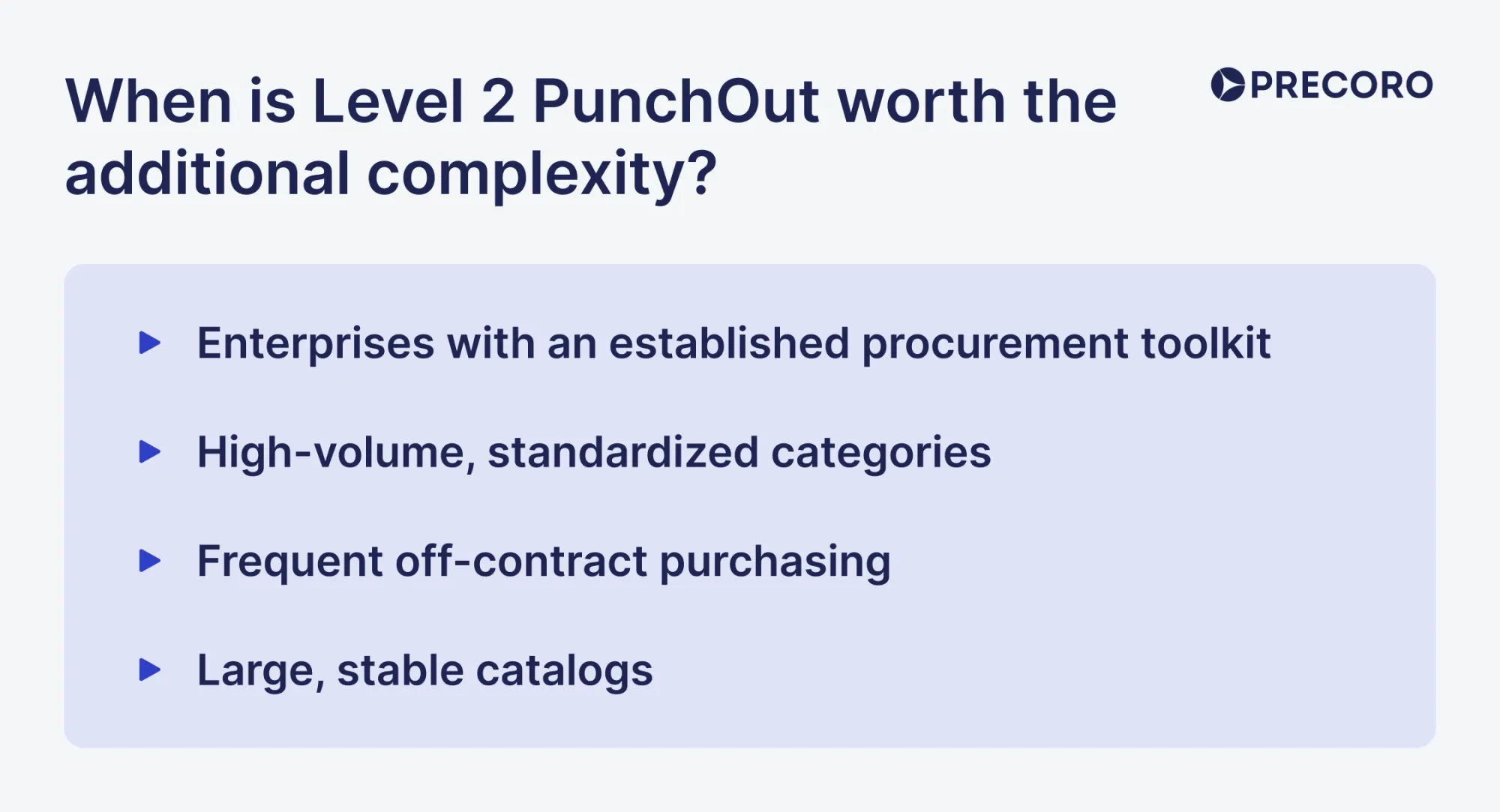
When is Level 2 PunchOut worth the additional complexity?
Level 2 PunchOut is worth the complexity when the company works with many suppliers and large catalogs. Buyers can find products across vendors through a single search instead of browsing each catalog separately.
Note that such a setup requires additional maintenance. Suppliers need to create and regularly update an index catalog with product information, usually in a format supported by your procurement system. Level 1 doesn’t require this because you can just search the live catalog each time.
Let’s take a look at the scenarios where Level 2 catalogs bring more benefits than Level 1 ones.
High-volume, standardized categories
Level 2 works well for categories such as office supplies, lab equipment, IT accessories, and MRO supplies. Think of goods that you buy frequently and in large quantities from multiple vendors. In such cases, going to each separate catalog might make it harder to compare pricing. Buyers can instead compare standard products across suppliers without opening each catalog separately.
Frequent off-contract purchasing
If employees find separate supplier websites inconvenient, they may purchase outside the procurement system. Level 2 keeps product search within the procurement system, which is much easier for employees to access and therefore, use approved suppliers.
Large, stable catalogs
Level 2 works well for suppliers with thousands of products that rarely change. Buyers can find and compare products without opening multiple supplier catalogs, then open the supplier’s site to confirm details and complete the purchase.
How PunchOut catalogs integrate with ERP and procurement software
PunchOut catalogs essentially connect the supplier’s live catalog, the procurement platform, and the enterprise resource planning (ERP) solution. The procurement platform handles the internal purchasing process, while the ERP is the main source for financial data, budgets, purchase orders, and accounts payable. Vendor’s website stores current pricing and product data. The systems exchange data through cXML or OCI protocols.
Which system owns pricing, product, and order data?
The supplier's PunchOut storefront is the primary system responsible for product data and the price shown during a PunchOut session. The procurement system owns the requisition, approvals, and PO workflow. The ERP owns financial data, general ledger (GL) coding, budget records, and the final financial record.
Product data → supplier storefront: The supplier maintains stock-keeping units (SKUs), descriptions, specifications, images, and current availability. The data your procurement system has depends on the level of PunchOut: Level 1 uses the supplier's live catalog, while Level 2 stores a searchable product index in the procurement system. The ERP may keep basic item information for purchasing and financial records, but it isn’t usually the master catalog.
Pricing data → supplier storefront: The supplier's site provides the current price during the PunchOut session, including customer-specific pricing, contract rates, and volume discounts. The procurement system and ERP may store contract terms and spending limits, but the live supplier session determines the price shown at checkout.
Order data → procurement system and ERP: The procurement system manages the requisition, approvals, and purchase order workflow. The ERP typically manages the financial records, including budgets and GL coding.
| Data | Primary source of truth | What the other systems do |
|---|---|---|
| Product data | Supplier's PunchOut storefront | The procurement system may store a Level 2 search index; the ERP may store basic item information |
| PunchOut pricing | Supplier's storefront | The procurement system and ERP may store contract terms and spending controls |
| Requisition | Procurement system | ERP receives the approved transaction |
| Purchase order | Procurement system for the purchasing workflow; ERP for the financial record | Supplier receives the PO and creates its sales order |
| GL and accounting data | ERP | The procurement system may use mirrored codes for requisitions and approvals |
| Invoice and payment data | ERP / Accounts Payable (AP) system | The procurement system can receive status and matching information |
Connecting PunchOut catalogs with Precoro
Precoro supports PunchOut through cXML. You can either connect to the supplier’s PunchOut through a pre-built integration or, if official PunchOut isn’t available yet, through a Universal PunchOut Connector, which lets you set up the integration within Precoro.
Pre-built PunchOuts
As of September 2026, Precoro offers pre-configured PunchOut connections for suppliers such as Amazon, Staples, Home Depot, Grainger, Lowe’s, McMaster-Carr, Fisher Scientific, and more. To work with these integrations, you need an account on the vendor’s website and PunchOut credentials. Precoro handles the connection setup and testing.
Universal PunchOut Connector
If no pre-built integration is available, Precoro’s Universal PunchOut Connector provides a self-service way to connect with a preferred supplier without involving a developer. Buyers enter the supplier’s details in Precoro, send the supplier Precoro’s technical documentation, and request the credentials required to complete the connection.
How does a procurement platform enforce roles, approvals, and purchasing policies?
A procurement platform enforces roles, approvals, and purchasing policies by validating the data from the returning cart against internal rules. Although PunchOut may be a third-party connection, it doesn’t bypass procurement controls.
- Roles and permissions: A procurement platform defines who can create, edit, view, and approve requisitions or orders. Access can be restricted by role, location, department, or other criteria. These permissions apply to PRs made through PunchOuts.
- Approval routing: Each document is routed directly to the appropriate approvers based on predefined factors like department or project. Some tools offer sequential and simultaneous approval workflows. Additionally, approval times are kept in check by automatic notifications of service level agreements (SLAs).
- Budget controls: Once you assign the budget to the PR, the system validates how much of it is left and whether the purchase still fits within its limits. If it exceeds the available budget, it’s often automatically blocked by the system.
Most importantly, PunchOut doesn’t remove any of these restrictions. And items added to the requisitions after the PunchOut session can also be added to the internal catalog and will be subject to the same purchasing policies.
Hosted catalog vs. PunchOut catalog: Key differences
Hosted catalogs, also known as Catalog Interchange Format (CIF) catalogs, are listings of goods offered by a supplier, where buyers can find basic product information such as name, description, and pricing. Unlike PunchOut catalogs, hosted catalogs don't offer direct access to the supplier's eCommerce platform with current data supplied by the vendor site during the session.
Instead, the catalog must be manually uploaded into the buyer's procurement system and updated by the supplier. Every time buyers look at product offerings, there's a chance that the product, inventory, and pricing information is no longer relevant because the supplier hasn’t updated it yet.
Additionally, a static catalog doesn’t show new or expanded product ranges or dynamic proposals, e.g., equivalent offerings at lower prices or associated products such as accessories. Lack of real-time data on stock levels and delivery times also contributes to poor buying decisions and often forces customers to manually look up prices through external searches, which is time-consuming.
On the other hand, PunchOut catalogs allow buyers to see real-time information on the inventory, stock levels, and delivery dates since they are connected to the supplier site.
They also provide access to technical documentation and feature-enhanced customer service via faster order fulfillment.
In a nutshell, the main differences between hosted vs. live PunchOut catalogs include the following:
| Aspect | Hosted catalog | PunchOut catalog |
|---|---|---|
| Format | Comma-separated values (CSV) | OCI or cXML |
| Types of products | Lists a fixed range of regularly available products | Provides a live catalog (Level 1) or a cross-search across vendors (Level 2) |
| Publication | By the customer or supplier of the procurement solution | By the supplier on their website |
| Data verification | By the customer | By the supplier |
| Data accuracy | Lack of real-time product data | Automated product updates from the supplier's PunchOut site |
| Interface | Consistent | Differs depending on the supplier's catalog |
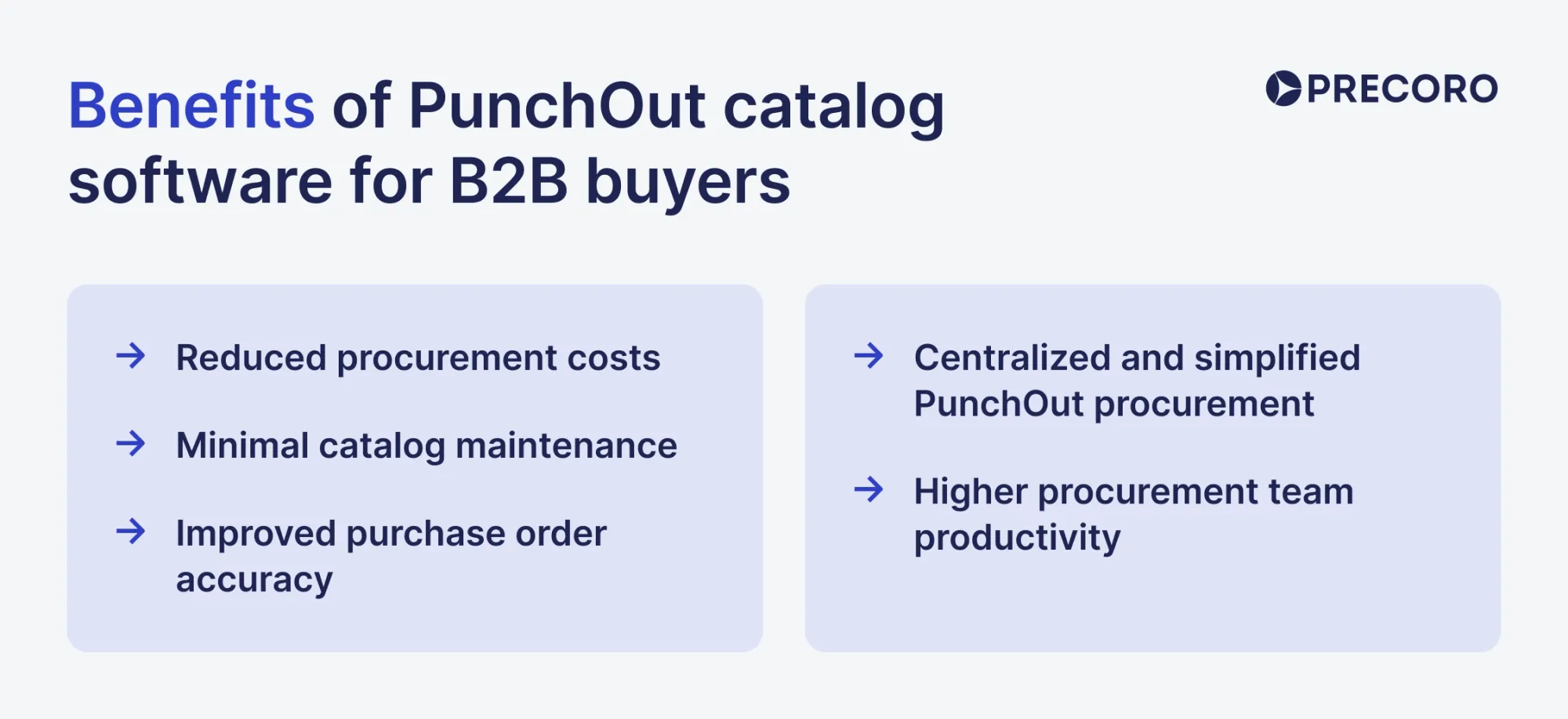
Benefits of PunchOut catalog software for B2B buyers
PunchOut catalogs enable suppliers to make their product catalogs more convenient for buyers' procurement processes and to establish better communication through the ordering process.
Here are five common reasons why organizations are turning to PunchOut catalogs:
Reduced procurement costs
In terms of cost savings, PunchOut integration is beneficial for several reasons:
- It provides spend visibility and better control over the purchasing process.
- Buyers can view personalized discounts and buy products at pre-negotiated rates from approved vendors.
- Reduced labor costs due to automatic data transfer to the procurement system.
- Increased PO accuracy and fewer purchases from non-preferred suppliers.
Minimal catalog maintenance
The vendors normally maintain their PunchOut storefront. The majority of catalog work shifts to them, though the buyer still handles overall company governance and testing. Suppliers also ensure that the catalog's information is correct and up to date. They typically update information like product availability, pricing, current discounts, and shipping costs in real time.
Improved purchase order accuracy
Organizations can reduce costly errors associated with manual order processing, such as duplicate orders, pricing and quantity errors, delivery schedule errors, misconfigured products, and more. PunchOut catalogs automate many would-be sources of error and ensure that accurate data is available to buyers and sellers.
Centralized and simplified PunchOut procurement
All supplier catalogs are easily accessible from within the buyer's e-procurement system. This means there's no need to go back and forth between websites to use the vendor's catalog's familiar interface. Customers can quickly and comfortably find the items they're looking for. Such a process promotes efficient purchasing consolidation, better spend management, and improved visibility.
Higher procurement team productivity
Procurement software comes with features for process automation, and this, along with PunchOut integration, increases employee productivity and optimizes the supply chain and purchasing cycle. Procurement staff spend less time on low-value tasks like manual data entry and can focus on strategic sourcing, supplier negotiations, and procurement policy improvement.
Additionally, PunchOut catalogs provide quicker turnaround times from an approved requisition to an issued purchase order and make purchasing easier for end users because less information is required to complete orders.
Which catalog model fits your procurement environment? A decision matrix
The best catalog model depends on catalog size, purchase volume, price, inventory volatility, and supplier capability. If your purchasing style is stable and relatively predictable, hosted catalogs just might be enough. Does the supplier often change prices or inventory? Level 1 PunchOut gives direct access to the live catalog. Purchasing from multiple vendors for the same category? You can easily cross-reference and compare pricing between suppliers through a Level 2 catalog.
Let’s break down the best use cases for each catalog model.
Hosted catalog
A hosted catalog works best for suppliers with a relatively small number of stable products and predictable pricing. It reduces the chance of rogue purchasing since catalog data is stored directly in the procurement system, where buyers can access it. If product and pricing details don’t change often, a static catalog works fine for routine purchases.
You do have to deal with maintenance. Be prepared to update the catalog every time any important information changes.
Best for: Standardized products with stable pricing, low volume, and simple catalog structure.
Level 1 PunchOut Сatalog
With Level 1 PunchOut, employees can access the supplier's website and see current product information and account-specific pricing. The maintenance is handled by the vendor.
The only caveat is that you have to search for required goods on the vendor website rather than directly in the procurement system. There’s a risk of employees purchasing the wrong item, so ensure to provide proper guidance to the team.
Best for: Large or complex catalogs where it’s important for data to stay current.
Level 2 PunchOut Сatalog
Level 2 PunchOut works well for categories with many standardized products from multiple suppliers. It puts supplier products into the procurement system’s search results, so you can compare options before opening a supplier’s PunchOut catalog. Once they enter the supplier’s site, they see current pricing and transaction details.
This model is arguably the most convenient but requires a lot of additional effort. On top of regular PunchOut maintenance, vendors need to provide an index catalog that employees can update in the procurement system.
Best for: Categories with multiple suppliers where buyers need cross-supplier search and current data.
Here’s a decision matrix to help determine which catalog model works best for you based on multiple factors.
| Factor | Hosted catalog | Level 1 PunchOut | Level 2 PunchOut |
|---|---|---|---|
| Catalog size | Small to moderate | Large | Large |
| Product complexity | Low | High or configurable | Low to moderate |
| Pricing | Stable, fixed | Dynamic or customer-specific | Fixed |
| Availability | Relatively stable | Frequently changing | Preferably stable |
| Purchase volume | Low to moderate | Moderate to high | High |
| Cross-supplier search | Yes | No | Yes |
| Where buyers search | Procurement system | Supplier website | Procurement system, then the supplier website |
| Live supplier data | No | Yes | Yes |
| Catalog maintenance | Higher for buyer/supplier | Low for the buyer | Higher than Level 1 because of index sync |
| Supplier requirements | Catalog file | PunchOut support | PunchOut + index catalog support |
| Setup complexity | Lowest | Moderate | Highest |
| Typical fit | Routine, stable purchases | Large or complex supplier catalogs | High-volume standardized categories across suppliers |
💡Note that a single catalog model won’t work for every supplier or purchasing category. Whatever option you choose shouldn’t be a default for the entire platform. Use hosted catalogs for simple vendors and move up to Level 1 and 2 once the supplier is complex or critical enough to justify the additional PunchOut catalog work.
Common PunchOut catalog challenges and risks
Problems with mapping, supplier readiness, catalog data, or authentication can disrupt the purchasing process and even push employees back to manual work. Even though PunchOut catalogs make purchasing easier, integration still depends on several systems exchanging accurate data and their compatible configurations.
Consider these key challenges when implementing and maintaining PunchOut catalogs.
Technical integration and data synchronization issues
PunchOuts depend on consistent data exchange between the supplier's website and your procurement system. Even when both systems support cXML or OCI, their implementations may use different data formats or map fields differently.
UNSPSC and field-mapping mismatches
UNSPSC (United Nations Standard Products and Services Code) is a global classification system and industry-recognized standard used to categorize products and services. Both systems may use different UNSPSC versions, category names, item descriptions, SKUs, currencies, tax fields, and other attributes.
For example, a formatting error could change an UNSPSC code or leave a required field empty. The procurement system may then create an incomplete requisition that you have to manually fix.
Unit of measure discrepancies
The two systems may use different values for the same unit of measure. For instance, a supplier may identify a package as BX (meaning box), while the procurement system uses BOX. Such slight discrepancies can cause confusion or incomplete data sync down the line.
Outdated information
If you decided to use a Level 2 PunchOut or a hosted catalog, your procurement system needs an index of products that the team can search and add to the requisition. If that index isn’t updated, buyers may see outdated product descriptions, categories, or availability.
Session timeouts
If a buyer spends too long on the supplier site, the session can expire before the cart is returned. You might have to restart the shopping session. Some protocol extensions prevent that, but they do require additional configuration.
Supplier readiness and system compatibility
PunchOut also depends on what suppliers can support on their side. A supplier needs an e-commerce system that can handle the required catalog and pricing information and is compatible with different PunchOut protocols.
Platform compatibility
If the vendor works with customers on multiple platforms, they have to handle setup and testing for every single one of them. Even if the general PunchOut protocols are standardized, each tool may still need separate mapping and configuration per platform.
Limited resources
PunchOut requires ongoing catalog and integration maintenance after initial setup. With Level 1 and 2 PunchOuts, the supplier must manage the catalog and monitor for any technical issues on their end. Smaller companies might not have the team to handle this work.
OCI limitations for complex products
Compared to cXML, OCI works with HTML fields, which limits the amount and complexity of information it can transfer. A supplier with highly customizable or specific products simply won’t be compatible with customers who rely primarily on OCI-based PunchOuts. The partnership needs workarounds—either a different protocol or additional tools like attachments or brief references.
Security and privacy risks
PunchOut connects a buyer’s procurement system with an external supplier system, so both sides need to protect authentication, data, and shopping sessions. The main risks come from insecure data transfers and vulnerabilities in the systems that process PunchOut data.
Session and cart-data exposure
The completed PunchOut cart passes through the buyer’s browser before returning to the procurement system. If the integration is poorly secured, information such as products, quantities, prices, and account details could be exposed.
XML parser vulnerabilities
cXML uses XML, so the systems processing it need secure XML parser settings. Poorly configured parsers can be vulnerable to attacks such as XXE (XML External Entity) injection, which can expose files or make unauthorized requests from the server.
Third-party risk
A PunchOut connection inherently introduces a third-party to your system, which carries additional risk if not properly secured. A breach on the supplier side could affect data exchanged through the connection. Be sure to conduct a thorough vendor assessment when considering a PunchOut integration.
PunchOut implementation checklist
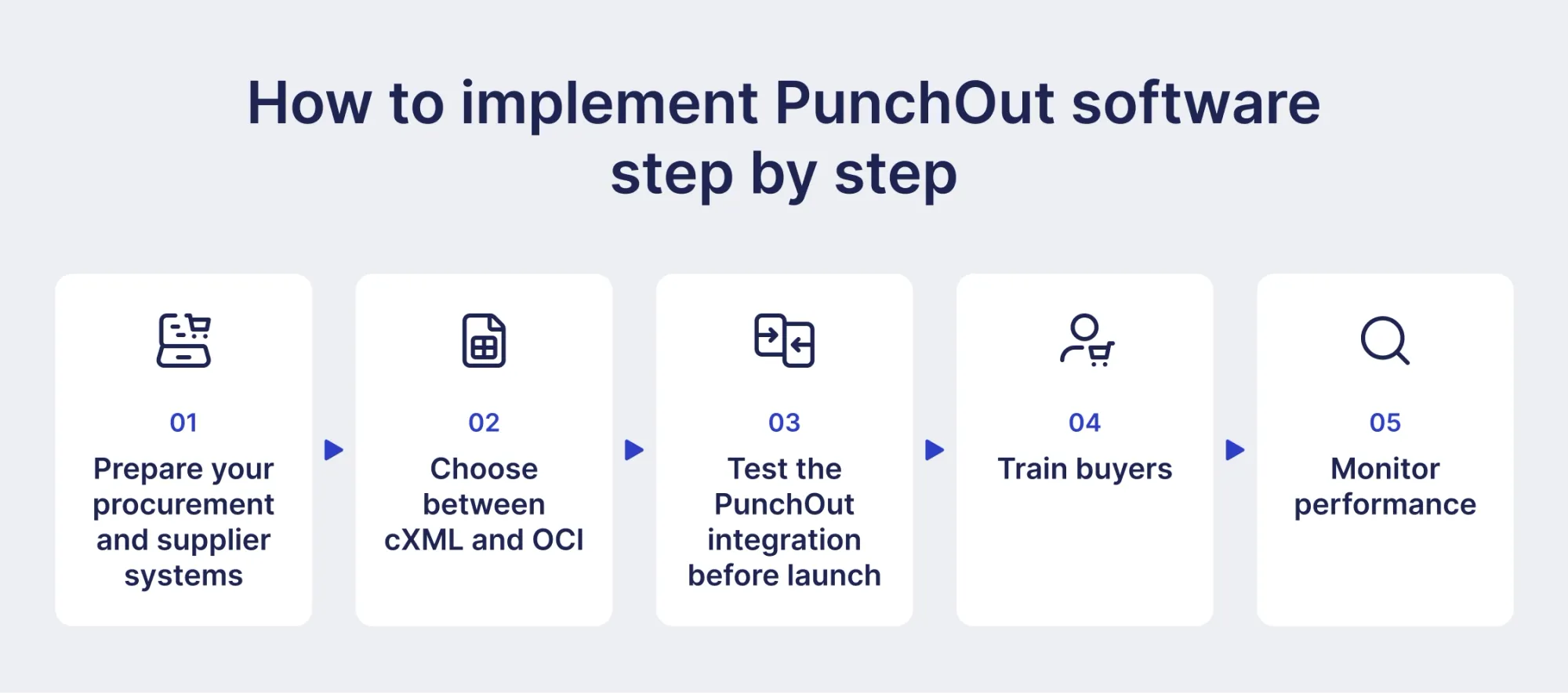
How to implement PunchOut software step by step
To successfully implement PunchOut software, you need to align data and procurement workflows, select the right protocol, test the PunchOut process, and support user adoption after launch.
Prepare your procurement and supplier systems
Firstly, confirm that both the software you use and the vendor can support the required PunchOut setup. The procurement platform must be able to initiate the PunchOut session and handle the returned cart, while the supplier's website must support the required protocol and provide accurate data.
Agree on the data and workflow requirements. Document how supplier product information maps to the fields in your procurement system. Discuss SKUs, descriptions, and data formats.
Choose between cXML and OCI
Next, study the requirements of your procurement platform and ask suppliers what they can handle. If both options are possible, think of the catalog complexity. cXML leaves more room for more detailed data, while OCI has certain limits on the fields it exchanges.
cXML is the better fit when the integration needs richer structured data or must support a broader procure-to-pay workflow. The standard supports PunchOut and documents such as purchase orders and invoices.
OCI is suitable if you operate in the SAP ecosystem and need a straightforward catalog and cart exchange. However, it does have length limits on fields such as item descriptions and product numbers.
Test the PunchOut integration before launch
Test several types of orders before rolling out the integration. Include single- and multi-line carts, different quantities, prices, currencies, tax values, long descriptions, special characters, and configurable products where relevant. Also, test what happens when a session expires, a supplier catalog becomes temporarily unavailable, or a buyer abandons a cart.
Pay attention to how the fields map. Confirm that product descriptions, SKUs, quantities, units of measure, prices, currencies, category codes, and other required values sync correctly in the procurement system. Finally, test the connection with actual requesters and buyers. As people who are most familiar with this particular process, they might identify issues you or the vendor can’t spot.
Train buyers
Once the PunchOut was tested, introduce the new supplier catalogs through the procurement platform and explain how the PunchOut works to the team. Explain how exactly the integration fits into the existing workflow and why employees should use it and not purchase directly from the vendor.
Monitor performance
After launch, monitor the integration and track:
- PunchOut adoption: How much eligible purchasing goes through connected catalogs.
- PO accuracy: How often PunchOut-generated transactions need correction.
- PO cycle time: How long it takes to move from cart return to purchase order.
- Contract compliance: Whether purchases align with agreed terms.
- Failed sessions: How often users encounter errors.
New PunchOut capabilities in Precoro
As an agentic procurement and AP centralization platform, Precoro always strives to expand in all areas of the purchasing process. PunchOuts are no exception. With a variety of official integrations and Universal PunchOut Connector for easy access to any supplier catalog, the process is straightforward and easy to roll out.
Below, you’ll learn more about new capabilities that make purchasing from your preferred vendors even more convenient.
Automatic catalog and inventory sync for PunchOut items
Items bought through a PunchOut catalog previously stayed outside Precoro's item catalog and had to be added by hand. That’s no longer an issue as Precoro now connects the two directly. Once a PunchOut order is approved, Precoro matches its items against the existing catalog by supplier and SKU, and automatically adds any new items with the SKU, price, and name from the order. There’s no risk of duplicates as any matched items reuse the existing entry.
PunchOut catalogs on mobile
Precoro's mobile app now supports the same PunchOut flow as the web version: employees can create a purchase order or purchase requisition, open a marketplace catalog, shop it, and have the completed cart returned to their draft without a desktop. Your team no longer needs to wait to get back to your desk to request essential items.
Entity-specific PunchOut configurations
Companies with multiple legal entities often need separate PunchOut credentials for each, since supplier accounts, pricing, and terms can vary by entity. Precoro now supports entity-specific PunchOut configurations, so each legal entity can use its own supplier credentials and settings, while some shared settings are consistent across all entities.
Learn how to make the most out of these and other useful PunchOut features in this article.
What should procurement teams know before choosing a PunchOut catalog?
PunchOut catalog is a B2B e-procurement solution that provides customers with easy access to the supplier's website via their ERP or e-procurement system.
It allows customers to search for items from their approved suppliers, view personalized discounts, and add items to a shopping cart. At the same time, the procurement application automates and optimizes procurement processes like creating purchase orders and invoicing.
With the help of PunchOut catalog integration, buyers can reduce costs, increase order accuracy, simplify purchasing, achieve better productivity, and build strategic supplier relationships.