









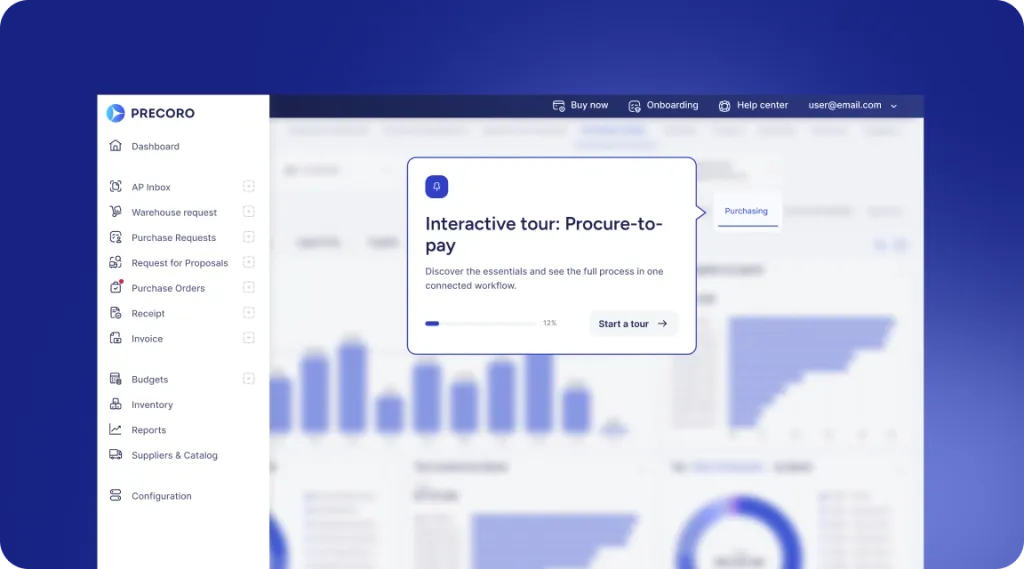
 Explore Precoro's features




















Few teams begin actively hunting for a supplier information management platform overnight. The decisions tend to be gradual — one renewal that falls through the cracks, two redundant entries about a particular supplier, and any number of suppliers who take longer than anyone expected to onboard. But eventually, the spreadsheet transforms from the everyday burden into a significant threat.
In this guide, we’ll look at what you should know when that moment arrives: the basic principles behind supplier management tools, which SIM software deserves to be considered, what’s actually involved in set-up, and the important things to ask of your suppliers and software vendors.
What is supplier information management software, and how does it work?
Supplier Information Management (SIM) software provides procurement teams with a centralized system to store, verify, and update all the information they have about a supplier. It takes all the contact details from spreadsheets, tax forms from an inbox, and certifications from a shared drive, placing them all in a single file for a single supplier.
How does supplier information management software centralize supplier data and create a reliable supplier record?
Centralization implies moving away from a myriad of disconnected files and a history of emails to a singular location that procurement, finance, and compliance departments can pull the data from to make their own decisions. That location stores:
- Legal entity details, ownership structure, primary contacts
- Tax identification, banking information
- Insurance certificates, licenses, and industry certifications
- Contracts, pricing agreements, and historical performance data
- Compliance data, supplier risk assessment results
Reliability comes down to two factors: where the data lives and what happens to it in there. Most SIM platforms validate their submissions against third-party databases filled with tax IDs, sanctions lists, and banking details.
They’re also flagging all duplicates in supplier entries and forcing any supplier record changes to be re-approved. A record is only considered “certified” when it successfully passes all these checks.
Supplier information management vs. supplier master data management: What is the difference?
Supplier information management and supplier master data management (SMDM) are typically used interchangeably and are often confused with each other inside procurement teams. Scope is the primary differential between the two:
| Feature | SIM | SMDM |
|---|---|---|
| Primary focus | Supplier onboarding, compliance, and risk data | Enterprise-wide master data across all domains |
| Data scope | Supplier-specific: contacts, certifications, banking, contracts | Supplier data plus customer, product, and other master data |
| Typical owner | Procurement or sourcing team | IT or data governance team |
| Primary users | Category managers, procurement staff, suppliers themselves | Data architects, data stewards, and cross-functional IT |
| Data source | Supplier self-service portal submissions | Consolidated feeds from ERP, CRM, SIM, and other systems |
| Output | A verified, onboarding-ready supplier profile | A single reconciled "golden record" used in the entire company |
Neither approach is trying to outperform the other one. Smart organizations view SIM as just one of multiple data sources going into an SMDM program.
Do you need supplier information management software?
The point at which an occasional inconvenience with supplier information turns into a real risk for the entire business is when a SIM solution becomes worth considering or investing in.
When does that happen? A few signs mark this shift:
- Supplier records live across spreadsheets, email, and multiple systems
- There are many instances of data mismatch
- Supplier onboarding takes weeks when it used to take only days
- Expired certifications, insurance, and compliance documents cause payment delays
- Procurement, finance, and legal departments rely on inconsistent supplier data
- Supplier base grows past the point where a spreadsheet can be kept up-to-date by hand
Individually, none of these are catastrophic at first glance: a missed renewal and a duplicate entry would remain nothing but isolated incidents. Let’s say a supplier’s insurance expires in the very same month its contract is up for renewal. So now its onboarding paperwork is flagged as a duplicate entry, and there are three people in two departments that work feverishly to reconcile what is actually true about that supplier. Issues of this magnitude are usually a common sign that the process already became less of an inconvenience and more of a liability.
If your business already has at least two of the signs listed above, it might be time to start taking this topic seriously: the manual, spreadsheet-based solution might no longer be capable of keeping up with total business size and scope.
Which criteria should you use to evaluate supplier information management software?
A lot of the evaluation criteria can be separated into a few categories: onboarding, data validation, ongoing data quality, compliance, workflow, integration, and cost. The categories matter less than what's actually inside each one.
Which supplier portal features are essential for registration and onboarding?
The first encounter for most new suppliers is with the supplier portal; self-registration must be simple and straightforward, collecting all the necessary data.
| Feature | What it does |
|---|---|
| Self-service registration | Submitting suppliers’ own details without relying on email back-and-forth |
| Dynamic forms | Requesting different documents based on supplier type, country, or risk category |
| Document upload | Attaching certificates, tax forms, insurance documents, and licenses to the profile |
| Status tracking | Letting suppliers see where their application stands without contacting procurement |
| Multi-language support | Enabling onboarding suppliers outside the buyer's home country |
| Mobile access | Simplifies on-the-go management for smaller suppliers without dedicated back-office staff |
How does the software validate supplier tax, banking, and financial information?
The process by which financial data is checked against outside sources (tax registries, banking networks, watchlists) is automated in SIM software. An individual record has to clear all four of the following data points to start counting as verified:
- Verifying tax IDs against government databases, like IRS TIN or VAT registries
- Validating bank accounts via pre-note transactions or third-party verification services
- Sanctions and watchlist screening against OFAC and other denied-party lists
- Detecting duplicates against existing suppliers via tax ID or bank account matching
Which features help procurement teams maintain accurate and complete supplier data?
Supplier data accuracy often erodes as time goes on, with some software capabilities being more effective than others at catching the first signs of change before they can turn into a real issue:
Automated field validation helps avoid saving incomplete submissions as actual records. The completeness scoring feature flags all the profiles that don’t have the required documents or fields, attempting to help address gaps and omissions before finishing the onboarding process.
Expiration tracking works with the suppliers directly by automatically reminding them of any expired certificates, licenses, and insurance policies that may need renewing soon.
Audit trails create a record of who did what and when. It’s at its most important whenever a dispute arises over a change to banking details or pricing terms.
How does the platform manage supplier documents, expiration dates, and version control?
Document management on the software side includes file storage, expiration tracking, and change history — all of which are maintained by certain capabilities of the SIM software:
- Centralized storage attaches every document type to the supplier's profile
- Expiration alert triggers once certificates, licenses, and insurance policies start approaching renewal dates
- Version history retains previous document versions to be accessible even after an update
- Access permissions restrict specific document types from being viewed or uploaded by anyone but certain teams or supplier contacts
Which supplier compliance and risk management capabilities should the software provide?
Risk management in a SIM solution is a dynamic scoring framework that begins at onboarding and conducts regular checks against a variety of factors, including sanctions lists, adverse media, and financial stability indicators.
The abovementioned scoring capabilities have to distinguish properly between supplier categories. A supplier that delivers office furniture inherently requires less scrutiny than one working with sensitive information. A single flat score is not enough for these environments — it needs different risk thresholds by spend category or supplier type.
Risk itself goes far beyond what the compliance screening can catch. Take operational risk, for example: a supplier with no viable backup or secondary production facilities is every bit as important as exposure to sanctions, despite not being part of standard compliance verification.
The system also needs to know what to do the moment a risk score crosses a certain threshold, be it because of:
- a mandatory review from a category manager
- an automatic hold for all new purchase orders
- an alert to whoever is responsible for that supplier relationship
How does the solution manage workflows, approvals, and supplier information changes?
| Change type | Preferred approval path |
|---|---|
| New supplier onboarding | Category manager review → compliance check → final approval |
| Banking detail update | Automatic hold → finance verification → approval before next payment |
| Certification renewal | Automatic update if the document passes validation |
| Pricing or contract term change | Category manager and procurement lead sign-off |
| Supplier-initiated profile edit | Flagged for review before allowing to overwrite the existing record |
The level of scrutiny applied to various changes and updates should be directly proportional to the level of risk those changes might create.
How does the software integrate with existing ERP, procurement, and risk management systems?
The integration process typically leverages pre-built connectors for common ERPs like SAP, Oracle, or NetSuite. A general-purpose API remains an alternative for less common situations. Native connectors automatically synchronize supplier records both ways, so there’s no need for manual re-entry for every ERP update.
Integrations tasked with eliminating duplicates are most important here. They might exist in the form of payment terms syncing with the ERP, risk scores feeding into a spend platform, or compliance status automatically blocking new POs.
Without that two-way sync, the path to failure is quite straightforward: someone updates a supplier’s payment terms in the SIM solution as a result of contract renegotiation, but the ERP is still working with the existing terms for the next set of payments. No one catches this until AP has to balance a payment that doesn’t match the contract.
What role do security, access controls, and data governance play?
“Not everyone needs to see everything” is the core idea behind both security and governance aspects of a SIM platform:
- Role-based access limits who can view sensitive fields like banking details or tax IDs
- Field-level encryption protects financial and personal data at rest and in transit
- Single sign-on (SSO) and multi-factor authentication (MFA) control who can log in to begin with
- Data residency options are valued by organizations with regulatory or other requirements
- Audit logging tracks every access event and edit for compliance reporting
How should pricing, ROI, and total cost of ownership be assessed?
SIM solutions come in a variety of payment structures, such as per-supplier, per-user, or an outright flat platform rate (often with tiered access to feature sets). Supplier volume and the number of users that need access are two noteworthy factors deciding which model is most appropriate for a specific organization.
ROI shows up the most in three general areas:
- Time saved on onboarding
- Fewer compliance failures or payment issues resulting in lower risk exposure
- Savings from consolidating duplicate records that were causing missed volume discounts
Implementation costs and the cost of data migration also have to be included in the total cost of ownership. These factors alone can match or exceed the first year’s subscription cost, depending on how much data cleanup needs to be done.
How do supplier information management solutions compare side by side?
The same handful of names appear in many reviewer blogs and analyst reports. Yet, they don’t all appear for the same reason. The examples below attempt to pull together the cases where reviewers and analysts actually agree on something instead of using the popular vote as a single deciding factor.
Which solutions provide the strongest supplier onboarding and self-service capabilities?
When comparing enterprise suites on features related to onboarding speed, Coupa and JAGGAER come up more often than most.
A lighter-weight alternative called Precoro uses a different approach, offering a self-service portal to suppliers that supports information management, document submittal, and order status tracking. It’s aimed specifically at teams that want to achieve the same self-service outcome without investing in a separate enterprise onboarding module.
Which platforms offer the best data validation, compliance, and risk management features?
In Gartner’s Magic Quadrant for Source-to-Pay Suites in 2025, Ivalua was named as a Leader, developed on a single codebase to keep supplier and compliance data in the same layer. HICX is commonly mentioned as a competent option for data governance purposes, as well.
Risk monitoring is narrower in comparison with compliance or data validation. It requires a different vendor approach. Aravo specializes in continuous, AI-driven risk surveillance; it doesn’t treat risk as one module in a broader suite, while many of its competitors prioritize risk monitoring-oriented use cases above all else.
Which solutions are best suited to small, mid-sized, or enterprise organizations?
Supplier volume and internal business capacity are most important here. They are the most common factors deciding what kind of platform and what features a specific organization requires.
| Organization size | Vendors | Positioning |
|---|---|---|
| Enterprise | SAP Ariba, Coupa, Ivalua | Built for large organizations with complex global supplier networks and extensive procurement requirements |
| Mid-market | Precoro, JAGGAER | Designed for growing organizations that need advanced supplier management and procurement automation without the complexity of enterprise suites |
| Small to mid-sized | Tradogram | Offers lightweight options for small teams alongside more comprehensive workflows for mid-market organizations |
Enterprise suites expect that their clients already have a dedicated internal team for configuration and maintenance. Taking one such software with a thin internal team is a surefire way to generate a lot of friction in a short timeframe.
How do cloud, on-premises, and ERP-integrated solutions compare?
With a significant portion of the market being cloud-native solutions, what actually matters is how tightly a platform integrates with an ERP environment.
SAP Ariba is a natural pick for SAP-standardized businesses because its vendor management capabilities are tightly integrated into core ERP systems. Coupa is a completely different option, comparatively, leaning toward a broader, ERP-agnostic integration ecosystem that works across a mixed stack of platforms.
How do pricing models and total cost of ownership differ across vendors?
Enterprise suites that cost more upfront also tend to be less aggressive with shifting the overall integration burden onto the buyer. HICX would be a good example, offering a lower license cost offset by the required integration work that is not provided out of the box.
Solutions like Precoro work for a completely different audience here, with setup time that can take hours and a low starting cost that favors smaller teams over complex businesses with thousands of suppliers.
How should you choose the right supplier information management software?
The process of platform selection begins before any vendor ever does a demo, with the framing of the internal problems a business intends to solve by using such a tool, as that will then dictate the questions that need to be asked, who should be involved in those conversations, and what functionalities the pilot would test.
What discovery questions should procurement leaders ask internally?
Certain questions have to be raised before evaluating any vendor to identify what the organization is actually looking for:
- How many active suppliers does the organization manage today? How fast is that number growing?
- Where does supplier data currently live? How many separate systems hold pieces of it?
- Which event occurs most often: onboarding delays, expired compliance documents, duplicate records, or payment errors?
- Which existing systems, such as risk management, procurement, or ERP, would a new platform need to connect to?
- Who owns supplier data today, and who should own it going forward?
Which stakeholders should participate in software selection?
Procurement usually leads the search segment, but the decision itself is unlikely to stick if it stops there.
Finance needs to get a vote on anything concerning banking or payment data.
IT is brought in at the beginning to evaluate integration needs and security constraints.
Legal and compliance are also both non-negotiable participants for any business in a regulated industry. Data residency requirements and contract terms are critical enough to rule out a platform that passed every other test and metric.
Category managers from a team that will be using the software daily could help with catching unconventional usability problems that no one would notice otherwise.
Omitting any of these voices leads to the same outcome: the platform passes every demo and every reference call with flying colors, but breaks down three months into implementation. It could happen when the legal team finds a data residency term it can’t accommodate, or when the finance team realizes the banking-change workflow doesn’t align with the current segregation-of-duties policy.
How can pilot programs and proof-of-concept evaluations validate a solution?
A pilot works best when it runs on real supplier data and not the vendor's own demo environment. Running a batch of your own suppliers (with a messy or incomplete record here and there) is a great test for both deduplication and validation capabilities of a solution.
Two to four weeks is the average timeframe for onboarding a few new suppliers, correcting a document exception, and running a report, the results of which a stakeholder would actually use. All the success factors the pilot report will compare with must be decided well before the pilot starts.
How should organizations assess integration complexity and scalability?
Companies should check whether the platform has a native connector for the existing ERP and make sure that the supplier data is synchronized both ways. Competent businesses would also test performance management on the organization’s actual supplier count while asking the right questions to the software provider:
- What happens to existing supplier records during migration?
- How much manual data cleanup is needed?
- How are the new users, business units, or entities added in?
How do you build a business case and estimate ROI?
The cost side of a business case is relatively simple: a combination of license fees, implementation services, and internal hours for migration and training that all add up quickly. The savings, on the other hand, rely on quantifying factors that are tracked informally (if at all), making them much more difficult to predict.
Time saved on onboarding tends to be the least problematic number to create a business case around. Most businesses already know how long onboarding takes for them on average, which makes the math easier. There’s also another value called reduced risk exposure. It’s significantly more difficult to quantify but still worth covering nonetheless (with a compliance failure or the cost of a payment error being a reference point).
When a business case is created like this, then typically the business achieves ROI within 12-18 months (yes, that includes the implementation time).
How do you implement supplier information management software successfully?
The implementation phase determines if you are getting what you paid for or just creating another system that goes unused. The implementation phase details described below outline the chain of events from signing a contract to a fully functional production system of record.
What are the common implementation phases and timelines?
| Phase | Typical duration | What happens |
|---|---|---|
| Planning and configuration | 2–4 weeks | Workflows, approval chains, and data fields are configured to match internal processes |
| Data migration | 3–6 weeks | Existing supplier records move over, get cleaned, and get deduplicated |
| Integration | 2–6 weeks | Connections to ERP, procurement, and risk systems get built and tested |
| Pilot and supplier onboarding | 4–8 weeks | A subset of suppliers moves onto the platform before a full rollout |
| Full rollout | Varies by supplier count | Remaining suppliers migrate, and the platform becomes the system of record |
Two factors that influence the timeline length are the number of systems the platform has to connect to and the cleanliness of existing supplier performance data fed into the system.
How should organizations prepare and cleanse supplier data before migration?
Simply moving bad data to a new system means you just have to continue with your messy data from a new address.
Before you migrate any data into the new system, you need to clean it. Eliminate duplicates. Get rid of expired documents. Fill in missing mandatory fields. The time it takes for this step to complete is directly proportional to the number of years of accumulated, uncorrected entries that live in your legacy environments and old spreadsheets.
Almost none of the businesses factor in enough time to get this single task done, and no migration tool is going to do all of this work for you without manual intervention. By planning more time for this in the first instance, you are preventing the platform from going live with the same bad data as before.
How do you define data ownership and governance responsibilities?
- Procurement owns supplier onboarding and day-to-day record accuracy
- Finance owns banking, payment terms, and tax data
- IT owns system access, integrations, and technical security controls
- Compliance owns risk assessments and document verification (in regulated industries)
A single data steward must have the authority to resolve conflicting edits in cases when the two teams update the same record simultaneously.
How can teams encourage supplier adoption across a large supplier base?
Suppliers start embracing a new portal when it saves them time compared to what they were using before. “Asking nicely” is not enough. An open-ended request to register when possible performs worse compared to a short deadline offering a clear reason: faster payment processing, fewer document requests, etc. Breaking up the rollout by supplier tier also cuts onboarding time for smaller suppliers, specifically as they can onboard themselves via email with little to no follow-up needed.
What training and change management practices support implementation?
Start by training the internal team first, as staff who handle supplier questions have to know the platform before suppliers start using it. Give suppliers a short, task-specific guide, such as “how to register” or “how to upload a document.” Identify a few power users on the procurement team early on so that questions have somewhere to go other than the vendor's support line. Communicate the changes to your suppliers with a specific date and reason while avoiding general announcements like "a new system is coming."
Implementation budgets consistently underfund training, mainly because it doesn’t appear as a line item the same way integration or licensing does. Lack of budget leads to a common pattern: go-live proceeds on schedule, the internal team deals with supplier questions they don’t know how to answer, and the staff starts quietly routing around the new system in 3-4 weeks’ time, going back to spreadsheets and emails.
How should implementation success be measured?
Success is demonstrated by those very numbers people were watching prior to implementation. To be specific, such benchmarks as a means of comparison could be:
- Onboarding time
- The percentage of supplier records with no missing required fields relative to total record numbers
- The number of duplicate entries created after the go-live
A system that cuts onboarding time but doesn’t touch data completeness has only solved half the problem — combine speed and completeness metrics to solve the whole problem.
What are the best practices for ongoing supplier information management?
A platform only has ongoing value if the surrounding habits outlast the launch-week enthusiasm period. The habits described below are designed to keep a supplier’s record accurate for months and years after go-live.
How often should supplier records and supporting documents be reviewed?
The review frequency can vary considerably depending on the type of supplier data. Certain information only needs to be reviewed when something changes, while other data types might have to be checked on a fixed schedule.
| Data type | Review frequency |
|---|---|
| Contact and banking details | Annually, or when a supplier reports a change |
| Tax and compliance documents | Before expiration, tracked automatically rather than on a fixed schedule |
| Risk assessments | Every 6–12 months, more often for high-risk or high-spend suppliers |
| Contracts and pricing terms | At renewal, or whenever a term changes |
| Full supplier record | Full audit annually across the supplier base |
The full record audit, performed annually, is intended to catch anything that falls through the cracks of the automated monitoring process above.
How can procurement teams maintain supplier data accuracy over time?
Data accuracy becomes far less of an issue once suppliers start updating their own records, as this removes the need for a procurement team to keep chasing changes after the fact. A self-service portal that allows suppliers to make updates to their own banking data and their certificates saves them from having to go through procurement’s channels, keeping supplier information current.
You can’t catch every single issue with self-service alone. But spot audits can fix that. By randomly sampling supplier records and comparing them with source documents, businesses discover all kinds of drift instances that automatic alerts rarely flag, be it:
- A certification that was renewed under a slightly different name, or
- A former employee who’s since departed, but no one updated their record.
How should organizations manage supplier information updates and approval workflows?
The approvals process itself actually doesn’t differ significantly from how it was introduced during onboarding. Regular refreshes will pass with few-to-no issues, while pricing or banking amendments require one further step of verification. Timing does vary, however, as these processes need to run continuously without delay after a supplier has successfully passed them the first time.
How can teams prevent duplicate records and new data silos?
Duplicate records aren’t going to announce themselves.
The system can simply accept a second supplier just because its invoice name differs from the one used during onboarding. That way, there are two profiles in the same environment that slowly diverge from one another, and only one of those profiles has an updated certificate. It’s an insidious kind of error that would only show up whenever an audit reveals two supplier records using the same tax ID, or whenever a payment is conducted to the incorrect bank record.
Luckily, preventing these duplicates and silos is possible with the following measures:
- Running duplicate checks against tax ID and banking details (name variations are the most common way duplicates slip through)
- Restricting who can create a new supplier record
- Requiring a check against existing records before a new supplier profile is approved
- Routing any supplier data collected outside the main platform back into the central record within a pre-set timeframe
- Assigning one team or role as the point of escalation when two records for the same supplier turn up
How should supplier information management evolve as the organization matures?
Early on, most of the time is spent on bringing core supplier information into a single place and cleansing it.
Then, as more suppliers get added to the system, the balance starts to lean more toward risk segmentation, when a small number of strategic suppliers is treated differently from hundreds of low-risk suppliers. This step also represents the time when supplier collaboration data starts being fed into other systems.
A mature environment changes its focus from being a straightforward procurement tool to becoming the go-to place to get information for different teams (finance, procurement, compliance).
An organization that never makes that transition often continues to handle a critical single-source, strategic component like their low-risk, office-supplies supplier — same frequency of review, same depth of approval, same level of focus. That's usually of little concern for a number of years, until the critical supplier faces disruption and the organization learns it never developed the more in-depth visibility that component required.
What questions should you ask suppliers during the onboarding process?
You can verify suppliers, collect accurate data, and identify risks by asking the right questions. Let’s consider what information you should request.
Which company, ownership, and contact details should suppliers provide?
- Legal business name, registered address, and business structure (LLC, corporation, sole proprietor)
- Ownership structure, including any parent company or subsidiary relationships
- Primary and billing contact names, roles, and direct contact information
- Business registration or incorporation number
- Diversity certifications, if approved by the sourcing requirements of a buyer
Even if these fields look like overly extensive paperwork, they all exist to answer a very specific question later. A supplier that uses a generic inbox as a primary contact, for example, is often the same supplier whose urgent compliance requests are not getting noticed or answered for weeks straight.
Which tax, banking, insurance, and certification documents should be collected?
Each document category exists to prove something specific about the supplier. Businesses should not fill out such forms just for the sake of it.
| Document category | What it verifies |
|---|---|
| Tax identification (W-9, VAT registration) | Legal tax status and jurisdiction |
| Banking details | Where payments are sent (and the validity of a buyer) |
| Certificate of insurance | Coverage type and limits against contract requirements |
| Industry certifications (ISO, safety, quality) | Compliance with standards relevant to what the supplier provides |
| Business licenses | Legal authorization to operate in the relevant jurisdiction or industry |
Which compliance and risk-related questions should suppliers answer?
Ownership questions include:
- Is the business owned or controlled by anyone on the sanctions list?
- Does any beneficial owner hold a stake large enough to require disclosure?
These answers determine both how closely a supplier will be monitored and whether it will be onboarded at all.
Operational risk questions cover:
- What subcontractors or fourth parties does the supplier rely on?
- Did the supplier have a data breach or a regulatory finding in recent years?
- What business continuity plan exists in case the supplier can't deliver?
A supplier’s answers here help decide how often their risk profile is going to be reassessed after onboarding.
How should supplier-submitted information be verified and approved?
Each document and each question/answer submitted is then cross-checked using the pre-defined set of parameters that apply to it. There’s no value in filling every field if not all checks pass.
Tax IDs get matched against government databases, banking details go through a validation step, and sanctions answers get checked against actual screening lists.
A status of “approved” is only obtained after passing every check successfully. One failed check should be enough to deny the approval status entirely, even if all the rest were passed without issues.
What questions should you ask software vendors during demos?
Which technical, integration, and security questions are essential?
- Which ERP systems have native connectors? Which ones require custom integrations?
- What does data migration actually involve? Who is responsible for the cleanup?
- How is data encrypted at rest and in transit? Where are servers located physically?
- What happens to supplier data if the contract ends? Is data export included in the package? In what format?
- How often does the platform release updates? Do those updates break existing integrations?
Which supplier onboarding and data management scenarios should you request?
A demo running on the vendor’s own data is only going to present the ideal conditions for that vendor’s software to run. It’s not useful information for most clients. What would be useful is to ask a vendor to onboard your own sample supplier live (with inconsistent or messy records included in supplier data beforehand). This demo scenario would have a lot more practical data to offer in comparison.
More valuable information can be acquired by asking what would happen if a supplier were to submit an expired document or a mismatched bank account. In-the-moment error handling will reveal a lot more information about the platform than any feature list.
What data quality and automation capabilities should vendors demonstrate?
A feature existing “somewhere” within the platform is not the same as a feature operating well enough to be trusted without verification.
| Capability | What to ask the vendor to show |
|---|---|
| Duplicate detection | Run the process against a real batch of near-duplicate supplier names |
| Document expiration tracking | Show what the reminder looks like and who’s receiving it |
| Field validation | Ask to submit an invalid tax ID or bank account live |
| Workflow automation | Trace one supplier record throughout a complete approval path |
| Reporting | Request a report on a specific, complex question |
What contractual, support, and SLA terms should be clarified?
Demo pricing includes the base license cost, but ignores other important factors like:
- Implementation fees
- Additional integration cost
- Per-supplier charges above a certain threshold
Companies should also clear up supplier terms beforehand, including:
- Guaranteed response times
- Contractual or verbal agreement type
- The support’s cost being included in or excluded from the base platform price point
On their own, these questions don’t determine whether the service in question is worth purchasing or not. However, a company that neglects these topics during software selection opens up a real possibility of a current-day reasonable contract turning into a budget disaster one year from now.
How does Precoro support supplier information management?
All the criteria, comparisons, and implementation practices above should be easier to understand with a practical example in mind. Precoro is one such example, helping showcase how supplier information management looks inside of a platform built with mid-market teams in mind.
Supplier information management in Precoro is an integrated element of the procurement workflow. Vendor management process is embedded into the same system as purchase requisitions, purchase orders, and invoice processing. In this system, the supplier record is connected directly to the orders and payments tied to it.
The core of that system includes:
- A centralized supplier database with contact details, tax forms, certifications, insurance documents, and NDAs in one searchable place
- A self-service Supplier Portal where vendors can respond to RFPs and purchase orders, submit invoices, and communicate directly about orders, along with updating their own product catalogs
- A contract repository with automated expiration notifications, helping review agreements before they quietly expire
- An AI Contract Agent that analyzes supplier agreements, summarizes key terms, flags risks and unfavorable conditions, compares contracts, and helps teams prepare for renewals and negotiations
- Approval workflows that route new supplier onboarding and profile changes to reviewers before finalizing a record
- Integrations with ERP and accounting systems: NetSuite, QuickBooks, Xero, Sage, and more
Most instances of onboarding finish within 6 weeks or less with no active IT participation. It’s a match for mid-market companies with multiple entities that have outgrown their spreadsheets but don’t need the cost and feature variety of a complete enterprise suite.
There is also a compromise, as well. Businesses sacrifice the complexity of a dedicated enterprise risk or compliance module to get a system that a small procurement team can easily manage without a dedicated administrator.
Key takeaways
- SIM software is replacing scattered spreadsheets and email threads with one verified record for each supplier
- Data centralization starts creating reliable records only when validation, deduplication, and approval are all aligned and working
- The best time to adopt SIM software is when manual tracking starts causing missed deadlines, expired documents, or payment errors
- Primary software evaluation criteria are onboarding, data validation, compliance, integration, and total cost of ownership
- Suppliers actually using the software and the data being clean are both more important for implementation success than feature variety.