









 Explore Precoro's features


















Purchasing auto parts across multiple teams and locations often becomes a scattered process. Some orders go through supplier websites, others are made locally, and approvals can get lost in emails or separate systems. This makes it hard to see spending, stick to budgets, and maintain consistent purchasing.
With the new Precoro and NAPA PunchOut, you can order directly from NAPA while Precoro keeps everything structured and centralized. Browse NAPA’s online catalog, select the items, and return your cart to Precoro in one click, with all details automatically included. From there, pre-set budgets and custom approval workflows make sure each order follows the rules and stays within limits.
Keep reading to see how our new PunchOut helps your organization speed up purchasing, strengthen spend control, and remove the manual steps that slow procurement down.
How does the Precoro & NAPA integration work?
Need brake pads, filters, batteries, or other replacement parts? Simply open a PR or PO in Precoro and get automatically redirected to NAPA. Search and select the items you need, just as you do in any online store.
When the cart is ready and submitted, Precoro pulls all the details—descriptions, SKUs, quantities, and pricing—and creates a fully populated purchase request or order. The document then follows your workflow: budgets apply, approvers review, and the process stays fully centralized and controlled.
You get the convenience of online shopping combined with the accuracy, consistency, and governance your procurement process requires.
Getting started with Precoro and NAPA PunchOut integration
💡 Please note: The PunchOut access is granted by NAPA. Please reach out to your NAPA representative to check eligibility and obtain all required setup details.
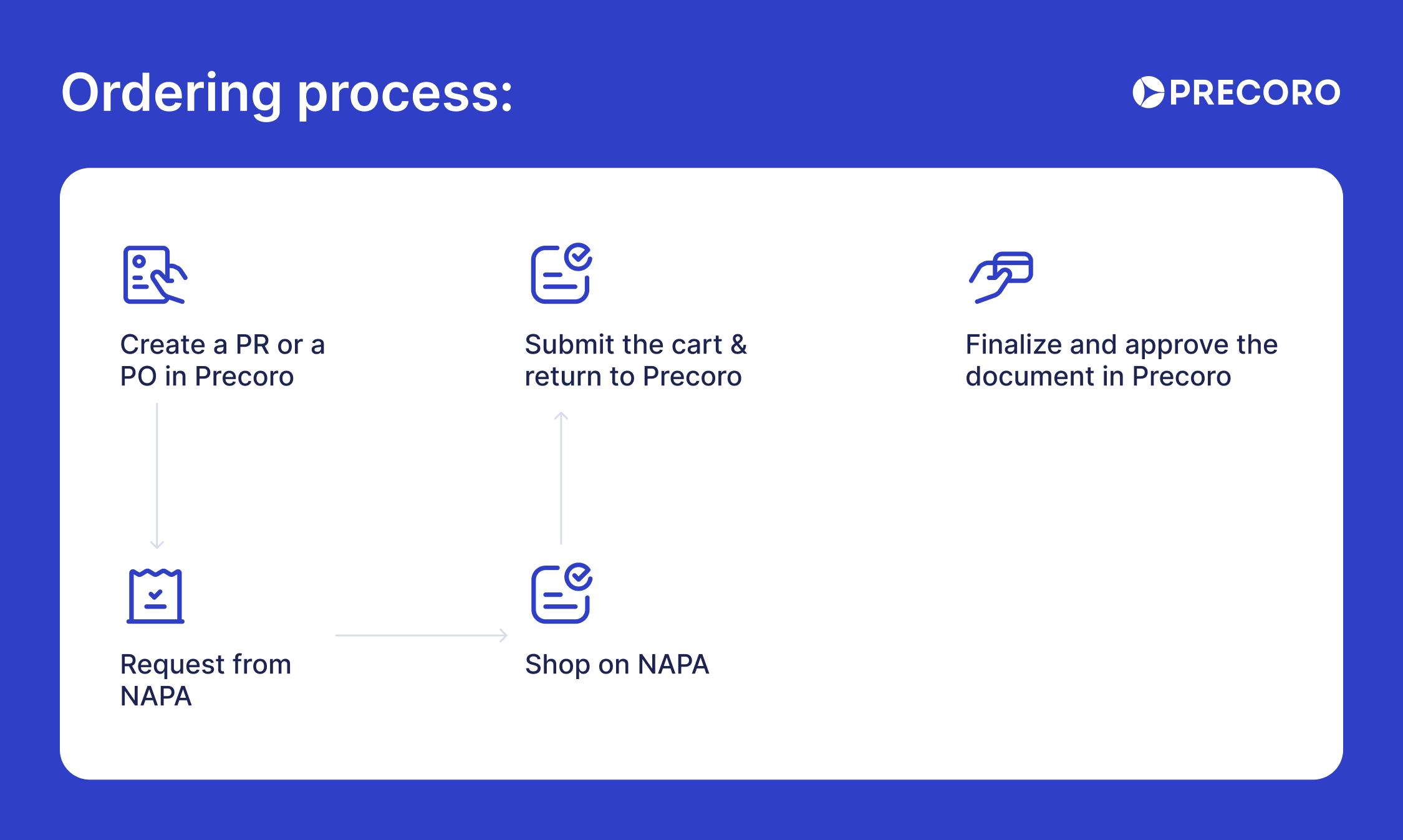
After NAPA confirms your PunchOut connection, follow our Knowledge Base article to finalize the integration in Precoro. Once set up, take a few minutes to place your first order:
- Go to the Purchase Requisitions or Purchase Orders page in Precoro.
- Click the Request from NAPA button or select it from the Request from Marketplace page if multiple integrations are configured.
- Fill in required document fields such as Delivery Date and Location, then click Create.
- You’ll be redirected to the NAPA catalog. Add the items you need and proceed to checkout.
- You’ll be automatically taken back to Precoro with all order details pre-filled.
- Review and finalize the document, then submit it for approval.
- Once approved, the PO is sent directly to NAPA for fulfillment.
Why choose Precoro & NAPA integration?
It often plays out the same way: teams find parts online, copy product details into documents, and send them through separate approval channels. Requests then get lost in emails, approvals stall, and budgets aren’t automatically tracked.
Precoro and NAPA PunchOut integration centralizes requests, approvals, and orders into a single workflow, giving procurement full visibility over what’s been ordered, at what price, and when.
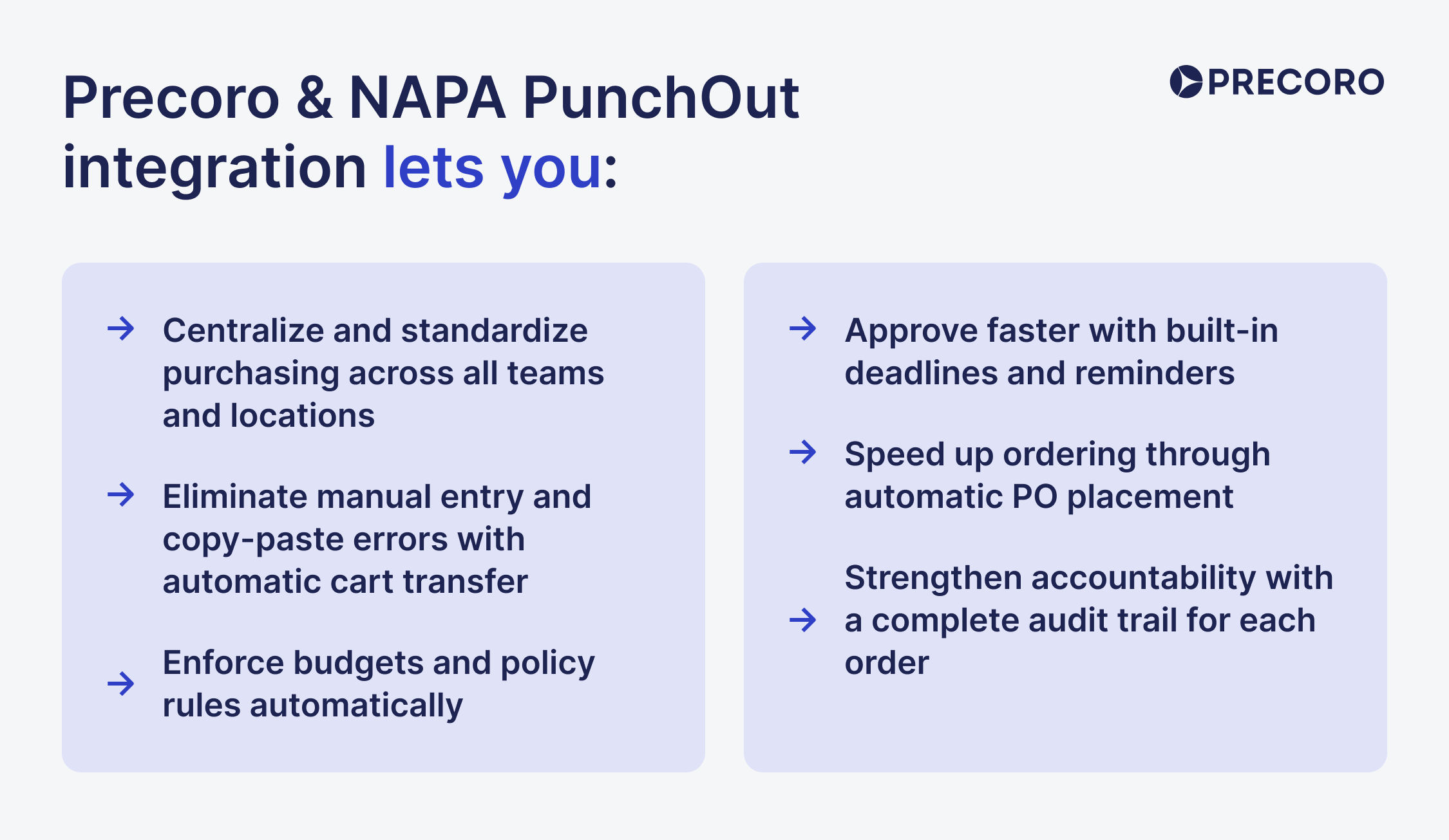
Here’s how this integration improves your auto parts purchasing:
Automatic, accurate data capture
Once you submit the cart in NAPA, it’s sent back to Precoro automatically. All item details—SKUs, descriptions, quantities, and pricing—appear directly in a PR or PO. You don’t have to retype or copy anything, which reduces errors and keeps orders accurate.
Built-in budget & policy control
Every document in Precoro goes through your pre-set approval workflow. Budgets are checked automatically, and policy rules are applied by default. Approvers see the full context and get reminders so each order is correct, aligned with your purchasing standards, and reviewed on time.
Faster ordering & delivery
Once approved in Precoro, the PO goes straight to NAPA. There’s no need to place the order again on the supplier’s site. This removes extra steps and speeds up how quickly your teams receive the parts they need.
Full visibility & reporting
Every PunchOut order is captured in Precoro, giving you a complete view of spend across teams and locations. Easily track who ordered what, when, and at what price. Generate reports, analyze vendor performance, and uncover savings opportunities—all from one reliable source.
What’s next?
Precoro is a procurement centralization and automation platform that brings all requests, approvals, orders, and supplier interactions into one structured workflow, giving teams control, visibility, and compliance without extra administrative work.
The Precoro & NAPA integration connects your purchasing process directly with NAPA’s online catalog, removing manual entry. Every order follows preset rules, lands in the same system, and stays within budget.
But this is just the beginning. We’re continuously adding new integrations and features that make purchasing faster, easier, and more reliable. Check our open product roadmap to track updates, submit requests, and see the latest tools designed for everyday procurement challenges.