









 Explore Precoro's features




















Ability to track Net Totals in Budgets
Both the net and gross budget help a company's leadership monitor purchases and sends levels and enforce the cardinal tenet of business decision-making. Net budget shows you the real cost cleared from taxes. This value will be more realistic and prevents overspending due to sloppy tax calculation on the purchase level.
Whether the budget you use, Net or Gross, in Precoro, we wanted to help manage all of the processes. So we added this method of budget calculation.
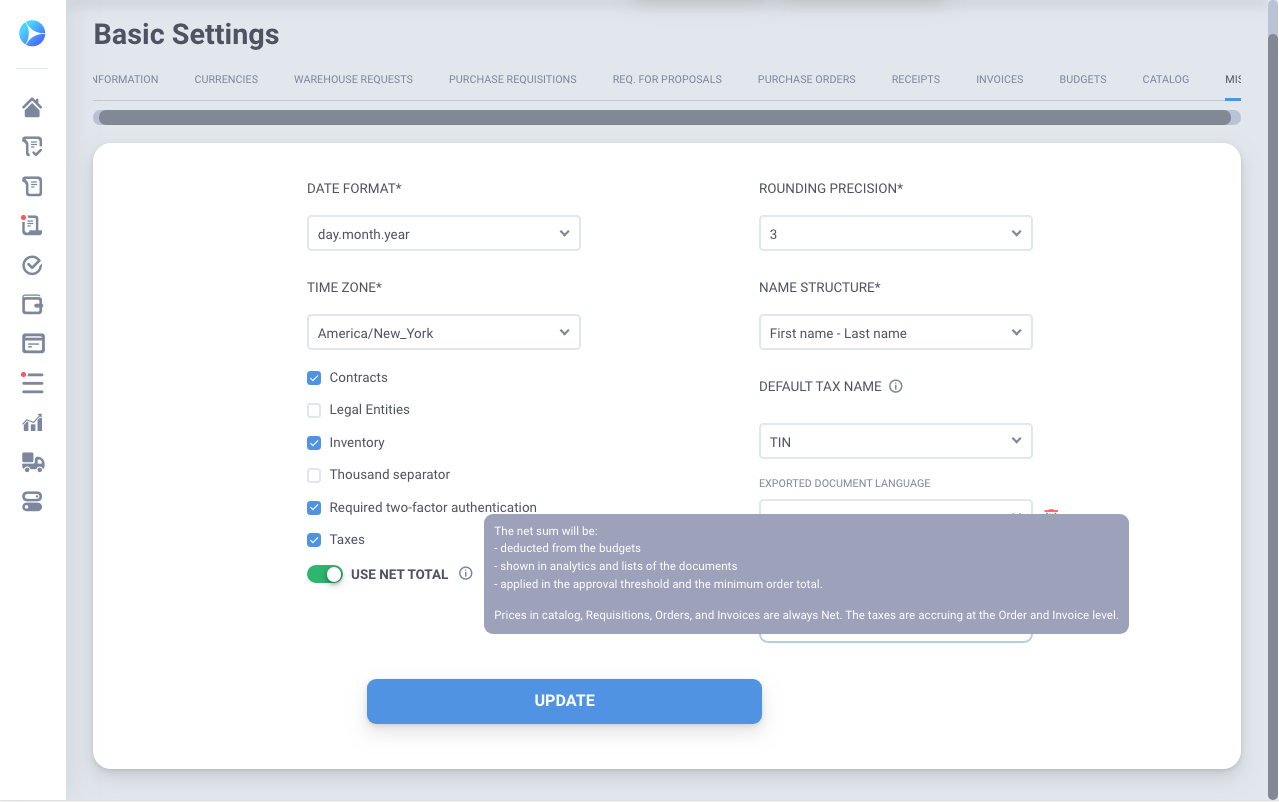
When switching to Net Total, our clients will see the Net Total:
- in the lists of the documents;
- Budgets* - this setting will be applied only on new budgets;
- Approval thresholds.
Report about documents in Budgets
At the end of the month/quarter/year, every accountant or budget owner should be able to see what's going on with his budgets.
We added an ability to export all of the spendings by budgets. In this report, you will see what Invoices and Orders are included in the budget.
The Precoro design is changed
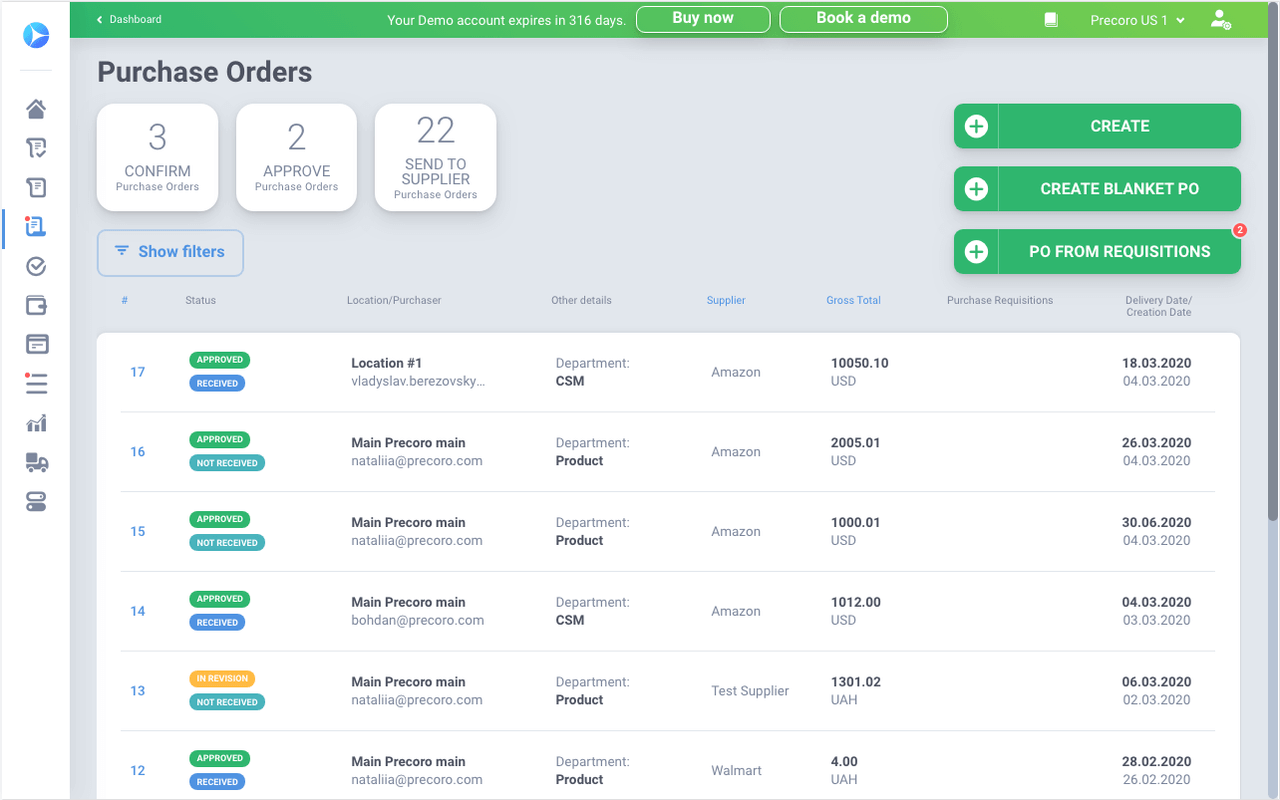
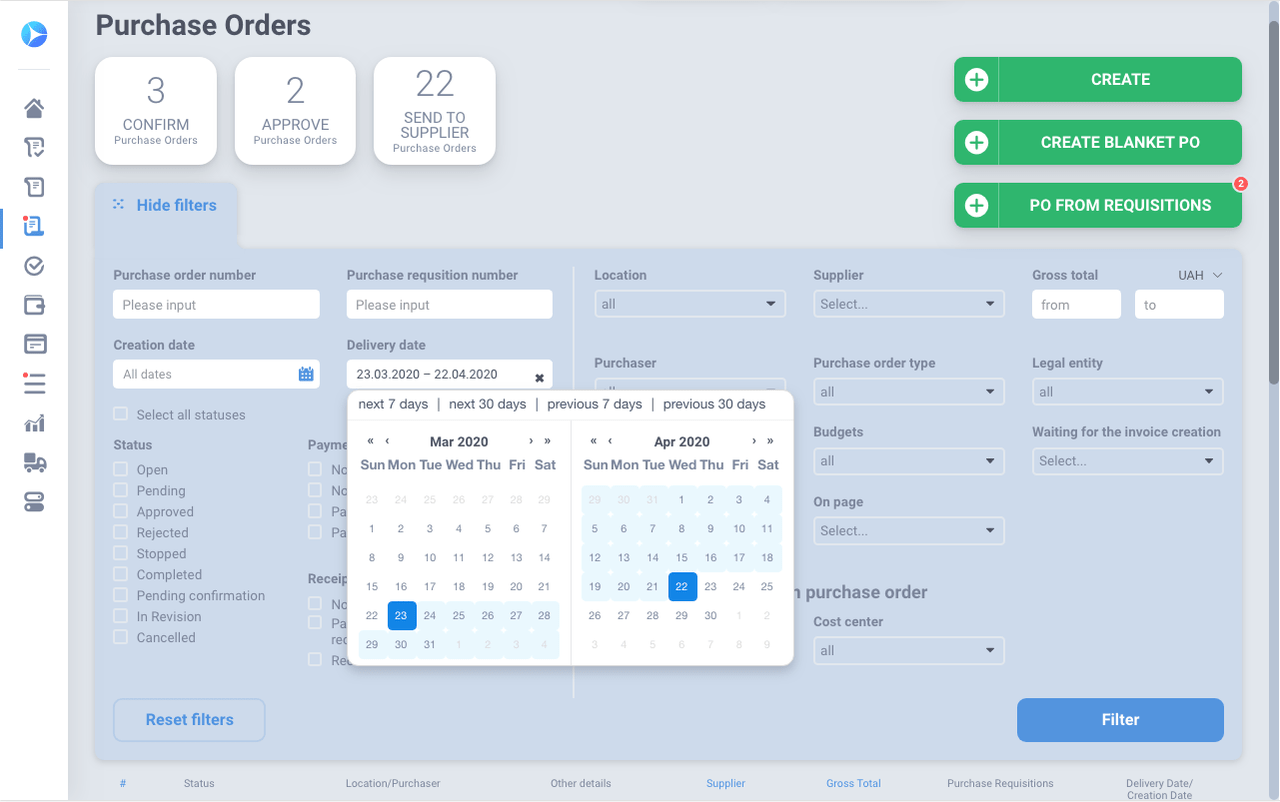
It's the first step to improve Approval experience:
- all of the statuses will be shown on the lists of the documents;
- there are added Other details column with the Departments and Projects;
- our filters have never been so pretty and structured.