









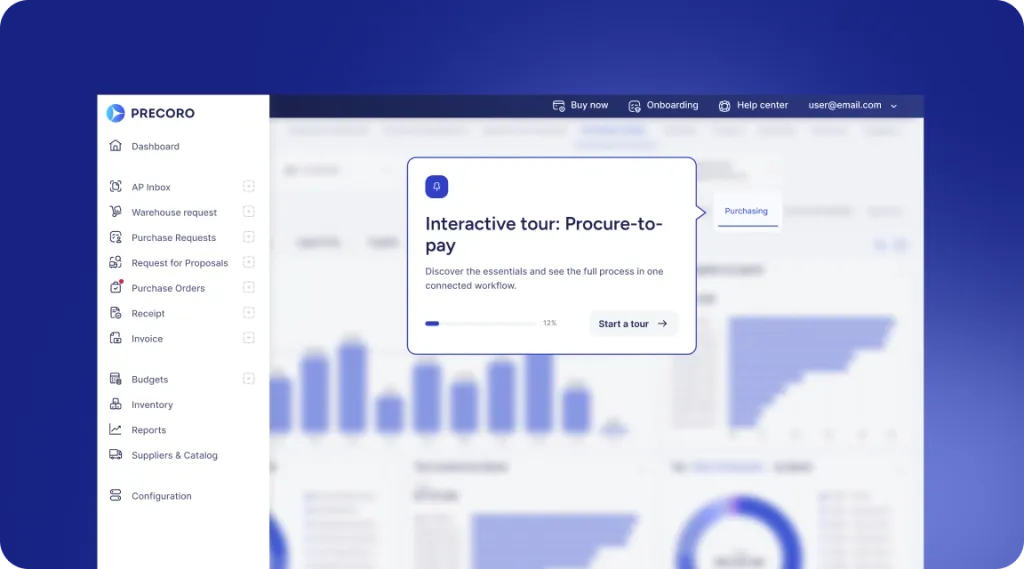
 Explore Precoro's features













- Submit request
- Capture details
- Check budget
- Approve request
- Start purchasing

























Incomplete requests create work before purchasing even starts.
When employees submit requests through email, chat, or spreadsheets, key information is often missing. Procurement has to collect specifications, find attachments, confirm budgets, identify suppliers, and figure out who needs to approve before the request can move forward.
Precoro captures that context upfront.

Ask for the right information
Use custom forms and required fields to collect the details each type of purchase needs instead of relying on free-form requests.

Bring budget context in early
Connect requests to the right budgets so approvers understand the financial impact before saying yes.

Route it right the first time
Use predefined rules to send each request to the right approvers based on requester, amount, location, custom fields, and other business criteria.
Flip the 80/20.
Let automation handle more of the routing and repetitive request work, so Procurement can focus on the purchases that need judgment, consolidation, or intervention.

Give approvers the full picture before they make the call.
The information a purchase needs may vary, but every request should arrive with enough context to move forward without another round of emails.
REQUEST FORMS
Capture the right details for the purchase
Adapt intake to different request types instead of forcing every employee into the same generic form.
- Custom purchase request forms
- Required document and item fields
- Conditional fields based on request information
- Location and delivery information
- Notes and supporting attachments
- Comments and colleague tagging
QUOTES & SUPPLIERS
Bring supplier context into the request
Employees should not have to manually copy supplier quotes or start a separate process when a vendor is involved.
- Upload supplier quotations
- Quote Processing creates structured PRs from quotes
- Select items from approved internal catalogs
- Purchase through PunchOut suppliers
- Request a new supplier when necessary
- Keep supplier and item information connected to the request
BUDGET & POLICY
Show whether the request fits before it moves forward
Give requesters and approvers the financial context they need before a commitment is created.
- Attach the appropriate budget to the PR
- Show budget information directly to approvers
- Use budget-related custom fields
- Keep request amounts visible against available budget
- Trigger an additional Overbudget Approval step when required
- Carry budget context into related purchase orders
APPROVALS & COLLABORATION
Send the request to the people who can actually decide
Replace approval chasing with workflows that reflect how responsibility works inside the organization.
- Multi-step approval workflows
- Threshold, location, requester, and custom-field rules
- Direct Manager Approval
- Parallel and sequential approvals
- Email and mobile approvals
- Approval SLA and deadline tracking
- Revision history and complete approval records
CUSTOMER STORIES
Curious about the results other companies have achieved with Precoro?


12 locations with full spend control
— Barend Liebenberg, Procurement Manager at Bolloré


50+ branches with a centralized P2P process
— Rajen Satish Shah, I&M Finance Manager


76% YoY growth
— Jacek Zmuda, Controlling Manager at Green Cell


3x faster order processing
— Fabienne Bouffé, Digital Project Manager at TESTEX AG


7x faster month-end close
— Daniel Chen, Financial Analyst at Tymit


90% time saved on invoicing
— Andrew Jefferson, COO at Ridgeline Discovery
Move every request forward with less back-and-forth.

Give employees one clear place to submit what they need instead of starting purchasing through email, Slack, or spreadsheets.

Collect the required item, supplier, quote, budget, delivery, and business information using the form appropriate to that request.

Validate required information, budget context, and purchasing rules before the request proceeds.

Route the request through the relevant managers, budget owners, Procurement, Finance, or other stakeholders based on predefined rules.

Turn approved demand into the next purchasing action without rebuilding the request. Create a PO directly from the PR, automatically generate a PO when configured, or use the approved request as the basis for sourcing when supplier selection is still needed.

Let requesters and Procurement see whether a request is still pending, approved, under revision, or already connected to downstream purchasing documents.
LESS FRICTION, BETTER DECISIONS
Get better request data without turning employees into procurement experts.
Precoro keeps requesting simple while putting the controls Procurement and Finance need behind the process.


REQUESTERS
Ask without learning procurement policy
- Use forms designed for the type of purchase.
- Select items from approved catalogs and PunchOuts.
- Upload a supplier quote instead of retyping it.
- Add attachments and collaborate directly inside the request.
- Create and manage requisitions from mobile.
- See approval and purchasing status without chasing another team.
APPROVERS & PROCUREMENT
Decide with the context already in front of you
- Review business purpose, supplier, items, attachments, and budget together.
- See current budget information before approval.
- Receive only requests relevant to your responsibility.
- Approve through Precoro, email, or mobile.
- Set approval deadlines and identify bottlenecks.
- Keep every decision and revision in the audit history.
Proven in real finance workflows














See how Precoro fits into your team's workflows
A personalized demo, built around your team’s challenges, led by experts who understand what matters.