









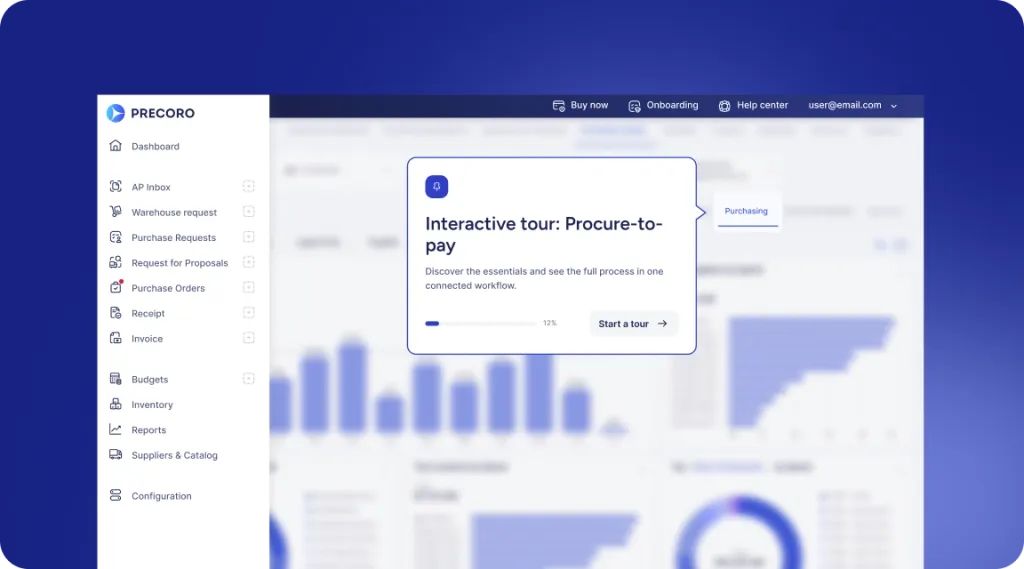
 Explore Precoro's features











Every PO matches what was ordered, received, and invoiced
Create, approve, and track purchase orders across departments, entities, and projects. Precoro helps teams consolidate buying, match POs with invoices, and keep every order connected to budgets, suppliers, contracts, and payments.


















Trusted by finance and procurement teams worldwide
850+ ratings across the web






A PO shouldn’t go stale the moment it’s sent
Prices change. Quantities change. Deliveries happen partially. Suppliers send updates. Invoices arrive later. When the PO is just a spreadsheet or PDF, the original order quickly stops reflecting what is actually happening. Precoro keeps the PO connected to the purchasing context around it.

Start with approved information
When buyers retype an approved request into a PO, prices, quantities, and suppliers drift from what was approved. Precoro turns approved requisitions into purchase orders with the supplier, item, and budget data already in place.

Keep the order accountable
When an order changes by email or a new file, nobody can say which version the supplier is working from. Precoro tracks changes on the PO itself and keeps the history behind the current version.

Know what actually happened
Without receipts linked to the order, AP can pay for goods that arrived short or never arrived. Precoro connects orders with receipts and invoices and shows where something does not match.
CUSTOMER STORIES
Curious about the results other companies have achieved with Precoro?


0% error rate, down from 30%
The process became much faster when we began having at least one person from every department use the system. Response rate significantly increased, and tasks are assigned efficiently now.
— Bachir Saadeddine, Finance Director


3x faster order processing
— Fabienne Bouffé, Digital Project Manager at TESTEX AG


30 seconds to complete a full three-way match
“When I need to pay the invoice and check whether the items were received, I can literally do it within 30 seconds [with the supplier management solution], compared to previously, when it would take hours.”
Caroline Hickey, Business Associate


A complete cultural shift and a major step forward for our business
Invoices paid on time: 6% → 85%
Invoices backed by a PO: 50% → 80%
— Barbara Meszaros, Transactional Finance Lead at Edenred


76% YoY growth
— Jacek Zmuda, Controlling Manager at Green Cell
Know what every purchase order actually saved
Precoro compares the price on each PO line with its baseline price, such as your catalog price, a negotiated rate, or a standard cost. The difference is recorded as savings or overspend. The Savings dashboard adds it up by month and by supplier, so Finance reports confirmed savings, not estimates.

Savings and overspend on every line
Calculated automatically as (baseline price − price) × quantity.
Baselines from your catalog
Catalog items get a baseline price automatically; add it manually for anything else.
Savings Rate and top suppliers
See savings as a share of expected spend, and which suppliers drive it.
Baseline Price Coverage
See what share of ordered items has a baseline, so you know how complete the picture is.
Keep one trustworthy record as the order moves forward

Generate a PO from approved demand or create one directly when the purchasing scenario requires it.

Route the order through the right approval workflow based on budget, department, entity, location, project, amount, or other company rules.

Send the approved PO to the supplier without rebuilding the document or moving purchasing records into email and spreadsheets.

Revise the order when the real purchase changes while keeping previous versions available for review and comparison.

Record what was actually delivered and connect receipts directly to the originating PO, or let AI Receipt Processing create them from delivery documents.

Compare POs, receipts, and invoices with 2-way or 3-way matching. AI links incoming invoices to their POs, and only discrepancies outside tolerance go to review.
DATA FLOWS
Works on top of your ERP
Your ERP remains the system of record. Purchase orders, receipts, and invoices sync with NetSuite, Sage Intacct, Microsoft Dynamics 365 Business Central, QuickBooks Online, and Xero, so nobody retypes orders into the finance system. Punch-outs connect top e-tailers, and open APIs cover everything else.










Need something custom?
Use our API or let Precoro build a tailored integration for you.
Recognized for end-to-end procure-to-pay excellence







See how Precoro fits into your team's workflows
A personalized demo, built around your team’s challenges, led by experts who understand what matters.
From booking to conversation